
liamg/tml
liamg/tml has 746 GitHub stars and 17 forks. GitHot measured 0 stars in 24 hours. Last checked 2026-11-15 16:26 UTC. Last push 2026-03-02.
측정된 스타 증가
- in 24h
- 0
- in 7 days
- 업데이트 지연
- in 15 days
- 업데이트 지연
- in 1 month
- 업데이트 지연
서로 겹치는 기간의 순증가량이며 일별 합계가 아닙니다. 측정값이 없으면 비워 둡니다. 스타는 관심도를 나타내며 품질을 보장하지 않습니다.
소개
:rainbow::computer::art: A tiny markup language for terminal output. Makes formatting output in CLI apps easier!
개발 도구README.md
Originaltml - Terminal Markup Language


A Go module (and standalone binary) to make the output of coloured/formatted text in the terminal easier and more readable.
You can use it in your Go programs, and bash etc. too.
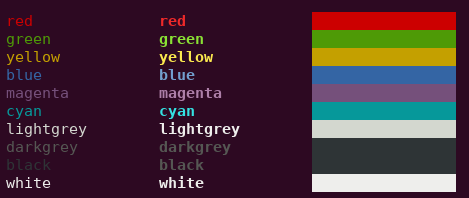
Usage in Go
The output of coloured/formatted text is easy using the following syntax:
package main

import "github.com/liamg/tml"

func main() {
    tml.Printf("<red>this text is <bold>red</bold></red> and the following is <green>%s</green>\n", "not red")
}
Usage in Bash
First, install tml:
Install Go and run the following command.
# For Go 1.16+
# Make sure that `$GOPATH/bin` is in your `$PATH`, because that's where this gets installed

go install github.com/liamg/tml/tml@latest

# For Go <1.16

go get -u github.com/liamg/tml/tml
Then you can simply pipe text containing tags to tml:
#!/bin/bash

echo "<red>this text is <bold>red</bold></red> and the following is <green>not red</green>" | tml
Format
Each tag is enclosed in angle brackets, much like HTML.
You can nest tags as deeply as you like.
It's not required to close tags you've opened, though it can make for easier reading.
Available Tags
Foreground Colours
<red><green><yellow><blue><magenta><cyan><lightgrey><darkgrey><black><white><lightred><lightgreen><lightyellow><lightblue><lightmagenta><lightcyan>
Background Colours
<bg-red><bg-green><bg-yellow><bg-blue><bg-magenta><bg-cyan><bg-lightgrey><bg-darkgrey><bg-black><bg-white><bg-lightred><bg-lightgreen><bg-lightyellow><bg-lightblue><bg-lightmagenta><bg-lightcyan>
Attributes
<bold><dim><italic><underline><blink><reverse><hidden><strikethrough>