
leeyeel/Sketch2Motion
leeyeel/Sketch2Motion has 388 GitHub stars and 56 forks. GitHot measured 0 stars in 24 hours. Last checked 2026-11-19 09:22 UTC. Last push 2026-08-26.
What you can do
- Image → Sketch → SVG → Animated MP4
- Animation duration (seconds)
- Subpath delay ratio (fractional delay between subpaths)
- Scale factor (zoom in/out)
측정된 스타 증가
- in 24h
- 0
- in 7 days
- 기록 수집 중
- in 15 days
- 기록 수집 중
- in 1 month
- 기록 수집 중
서로 겹치는 기간의 순증가량이며 일별 합계가 아닙니다. 측정값이 없으면 비워 둡니다. 스타는 관심도를 나타내며 품질을 보장하지 않습니다.
소개
convert photo or sketch to motion video
창작 및 미디어README.md
Original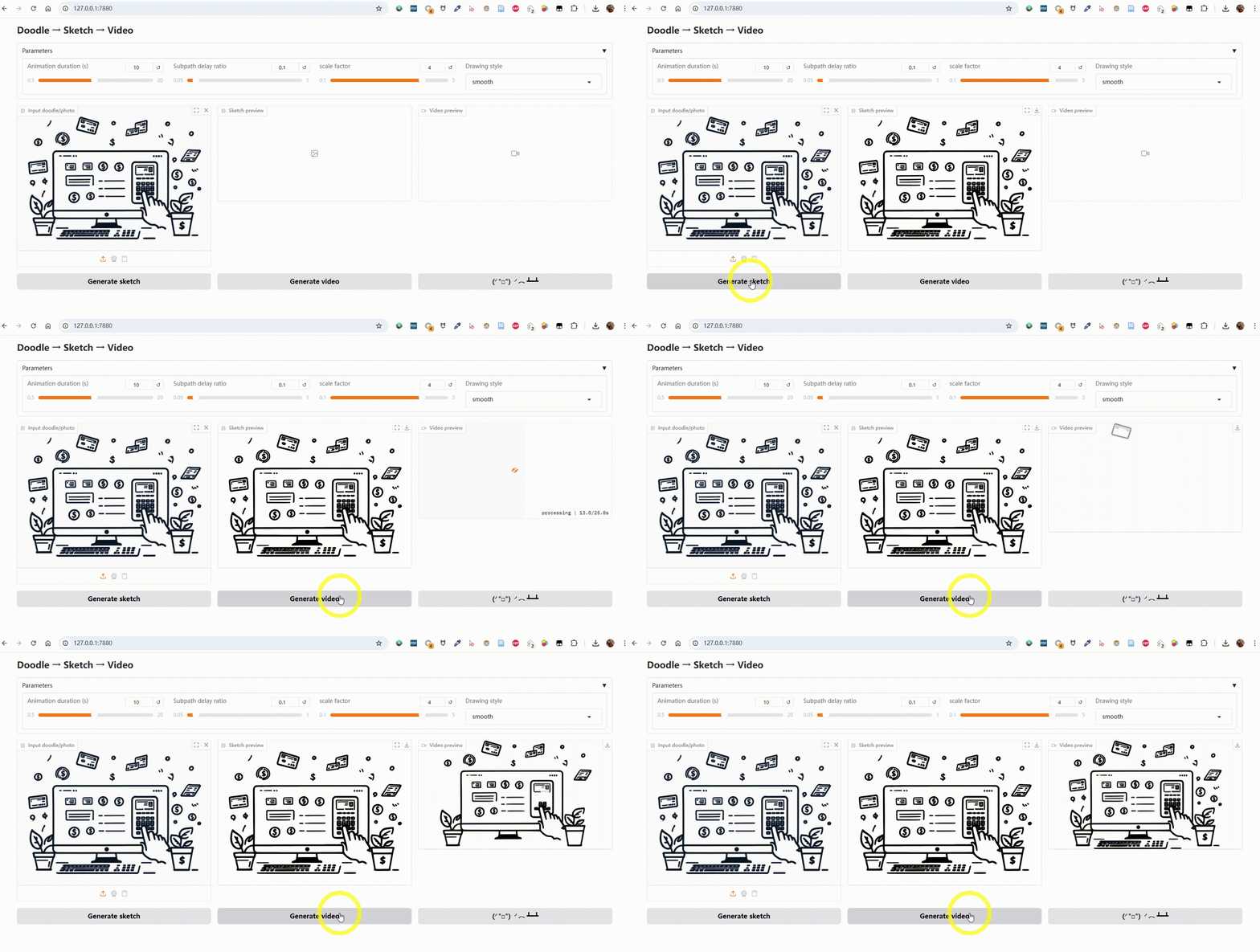
Sketch to Motion
Colorful Version Demo
| Input image | Colorful drawing animation |
|---|---|
 |
 |
Generate it with the color pipeline:
python sketch2svg_color.py input.png 16
python render_color.py input_color.svg --duration 5.0 --delay 0.05 --scale 3.55 --output-file output
The color pipeline quantizes the image into up to 16 colors, traces each color layer separately with potrace, and renders a colored drawing animation with Manim. Generated SVGs include their own background color, so they can be moved or shared without a companion file.
Convert a static image into a smooth drawing animation using Manim.
This project takes a doodle, photo, or sketch, converts it into an SVG vector graphic, and renders it into an animated MP4 video with Manim.
It also prepends the last frame to the start of the video, creating a short pause for a more polished look.
Features
- Image → Sketch → SVG → Animated MP4
- Adjustable animation parameters:
- Animation duration (seconds)
- Subpath delay ratio (fractional delay between subpaths)
- Scale factor (zoom in/out)
- Drawing style (
linear,smooth,there_and_back,wiggle) - Video format: landscape 16:9 (
1920x1080) or portrait 9:16 (1080x1920)
- High-quality vector rendering powered by Manim
- Optional color-preserving SVG and video generation
- Automatic last-frame prepend for a smooth intro
- Simple bilingual Gradio web interface (English / Chinese)
Installation
1. Clone this repository
git clone https://github.com/yourusername/sketch-to-motion.git
cd Sketch2Motion
2. Install Python dependencies
Make sure you have Python 3.9+ installed.
pip install -r requirements.txt
Key dependencies:
- Gradio
- Manim
- ffmpeg (must be installed and in your PATH)
- Potrace (must be installed and in your PATH)
Install Manim:
Install ffmpeg:
- Windows: Download from official site and add
binfolder to PATH - macOS:
brew install ffmpeg - Linux:
sudo apt install ffmpegor use your package manager
Install Potrace:
- macOS:
brew install potrace - Linux:
sudo apt install potraceor use your package manager
Usage
Launch the Gradio app
python app.py
Access the app at:
http://127.0.0.1:7880
3. Web interface workflow
- Use the Language / 语言 selector to switch between English and Chinese.
- Upload a doodle/photo as the Input image. Enable Preserve colors to use the color pipeline and choose its palette size.
- Click Generate sketch to convert it to SVG.
- Adjust Animation duration, Subpath delay ratio, Scale factor, and Drawing style.
- Choose the Video format (landscape is selected by default), then click Generate video to render and preview the animation.
- Download the generated MP4.