
kromatv/kroma
소개
Self-hosted, direct-play, HEVC-first media streaming — Rust server + web, Samsung (Tizen) & LG (webOS) TV clients. A personal Netflix/Plex for your NAS.
웹 및 앱What you can do
- Direct play firstThe server ships the original bytes whenever the client can decode them, 10-bit and HDR included, so a NAS CPU stays idle. What a client cannot decode goes through an on-demand re-encode, on hardware where the box has it. - One binaryRust, axum and SQLite. Starts in milliseconds and idles at almost no CPU. No JVM, no compose file.
- Every screenWeb, iPhone, iPad, Android, Samsung Tizen, LG webOS, Apple TV, Android TV, macOS, Windows, Linux and Steam Deck, from one codebase and one design language. - A library from filenamesThe scanner tells movies from shows by their filenames, groups episodes into seasons, and fetches artwork and metadata with a built-in key.
- A home screen the server buildsContinue watching, recently added, trending and, with the Embeddings module, rows picked for you. - Multi-userProfiles, PIN locks, passkeys, invite links, per-user permissions, resume anywhere.
- Phone to TVA television on the same network shows up in the phone app and signs in with one tap. Start a title from the phone, then drive it. - PrivateYour library and your activity never leave your network.
측정된 스타 증가
- in 24h
- 0
- in 7 days
- +1
- in 15 days
- 기록 수집 중
- in 1 month
- 기록 수집 중
서로 겹치는 기간의 순증가량이며 일별 합계가 아닙니다. 측정값이 없으면 비워 둡니다. 스타는 관심도를 나타내며 품질을 보장하지 않습니다.
README.md
Original
Your own streaming service, on hardware you own.
A self-hosted media server and the apps that play from it.
One Rust binary scans your files and streams them to the web, your phone, your TV and your desktop.
Everything past playback and catalog is a module you install from inside the app.






Website · Download · Setup guides · Join the beta · Contributing
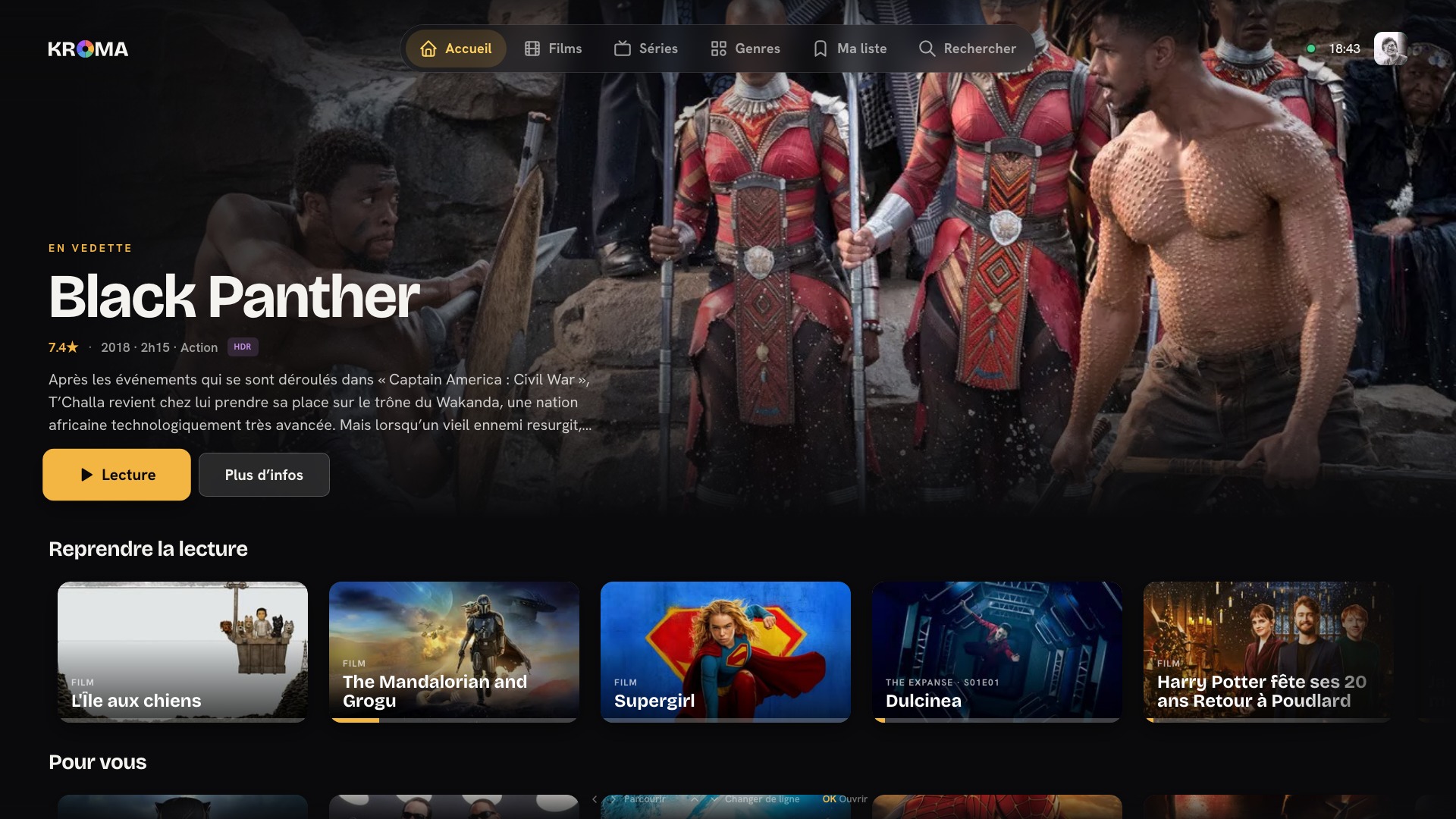 |
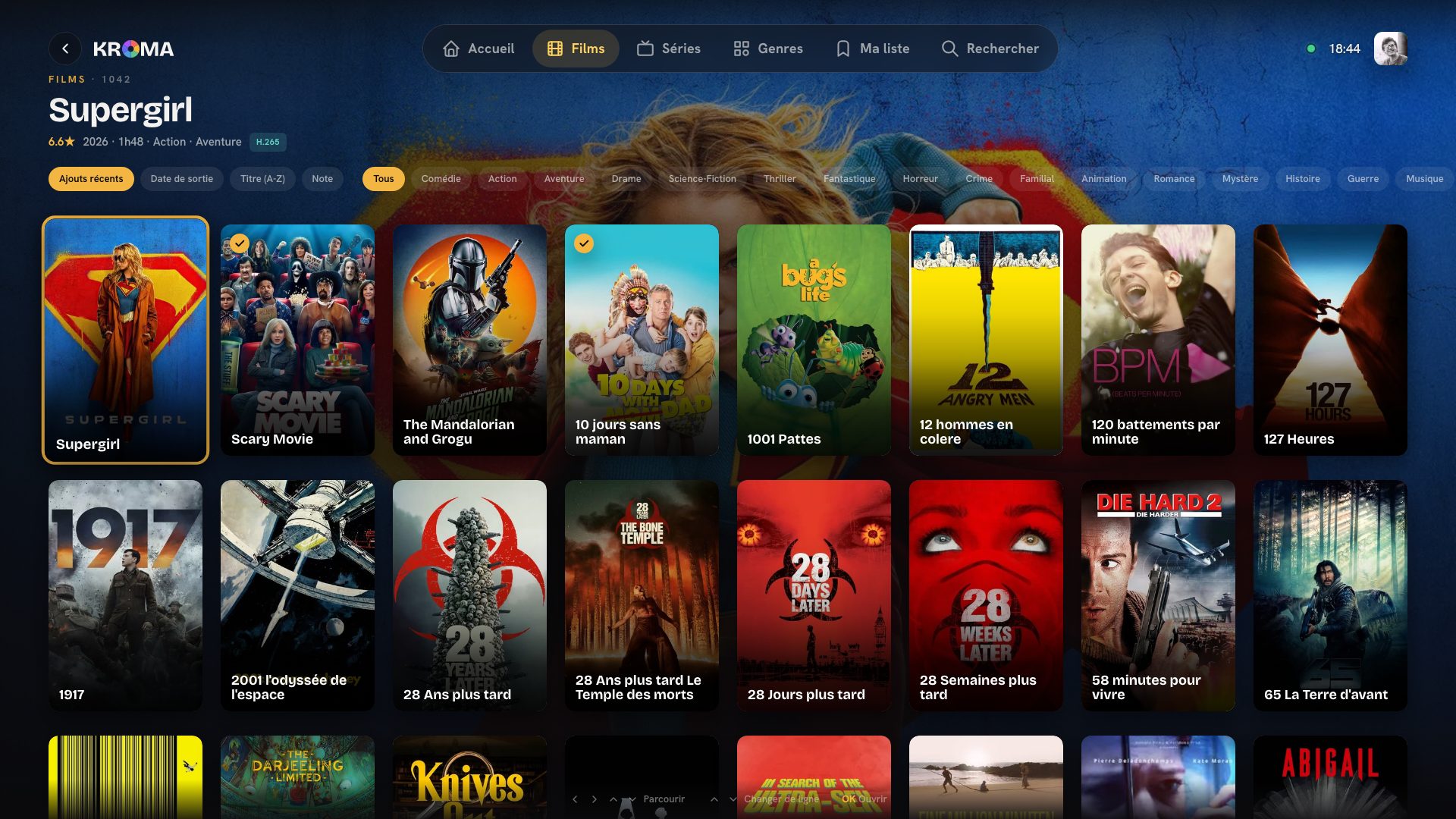 |
| The home the server builds | The library, by remote |
Features
| Direct play first The server ships the original bytes whenever the client can decode them, 10-bit and HDR included, so a NAS CPU stays idle. What a client cannot decode goes through an on-demand re-encode, on hardware where the box has it. |
One binary Rust, axum and SQLite. Starts in milliseconds and idles at almost no CPU. No JVM, no compose file. |
| Every screen Web, iPhone, iPad, Android, Samsung Tizen, LG webOS, Apple TV, Android TV, macOS, Windows, Linux and Steam Deck, from one codebase and one design language. |
A library from filenames The scanner tells movies from shows by their filenames, groups episodes into seasons, and fetches artwork and metadata with a built-in key. |
| A home screen the server builds Continue watching, recently added, trending and, with the Embeddings module, rows picked for you. |
Multi-user Profiles, PIN locks, passkeys, invite links, per-user permissions, resume anywhere. |
| Phone to TV A television on the same network shows up in the phone app and signs in with one tap. Start a title from the phone, then drive it. |
Private Your library and your activity never leave your network. |
Get started
KROMA is a server that holds your films and series, and apps that play them. On a Linux computer or a NAS with Docker, one command starts the server:
docker run -d --name kroma --restart unless-stopped \
  -p 4040:4040 \
  -v kroma-data:/data \
  -v /srv/media:/media \
  ghcr.io/kromatv/kroma:latest
Replace /srv/media with the folder that holds your media. Then open
http://SERVER_IP:4040 from a browser on the same network, create your
account, and add your folders under /media.
The setup guides take you through the rest, step by step:
| To do | Guide |
|---|---|
| Install the server | Docker · Synology · QNAP, Unraid, TrueNAS |
| Give it your media | Media folders and permissions · First run |
| Install the apps | TVs · Samsung · LG · Android TV and Fire TV · Apple TV · Phones · Computers |
| Run it | Hardware transcoding · Remote access · Updates and backups · Configuration · Troubleshooting |
The same guides are on kroma.tv/docs, in English and French. The apps are not in the stores yet: BETA.md explains how to join the beta.
Modules
A fresh install is a media server, not a download stack. The rest is opt-in from Server > Modules in the app. Each module installs in one click and releases on its own tag, independently of the server.
| Module | What it adds |
|---|---|
| Indexers | a native engine running the community-maintained tracker definitions directly |
| Torznab | external Torznab and Newznab indexers |
| Torrent downloads | an embedded torrent engine, or an external download client you already run |
| Acquisition | request a title, score the releases, grab the best one, import and rename it |
| VPN | a managed WireGuard bridge with a live seal test and a kill switch |
| Embeddings | the rows picked for you, themed rows and search by meaning |
| Whisper | on-device subtitle transcription |
| Remote access | a public HTTPS share URL, optionally through a managed tunnel |
| mDNS | the server advertises itself on the LAN |
A module runs inside the server as a WebAssembly component that reaches only what it declared, and the server checks its sha256 before unpacking it. The official catalog is modules.kroma.tv. Operators can add their own.
Write one
Everything a module needs is one npm package,
@kromatv/sdk: the SDK and the
design system as types, the Rust crates a module links, and the kroma CLI.
Bun 1.4 and a Rust toolchain with the wasm32-wasip2 target are the only
requirements.
bunx @kromatv/sdk create            # a few questions, then a project ready to run
cd tv.acme.notes
bunx kroma login http://localhost:4040   # once; an account with settings.manage
bunx kroma dev                      # build, install on your server, rebuild on every save
bunx kroma check                    # manifest, types, clippy
bunx kroma build                    # dist/modules/tv.acme.notes.kmod
module.json is the manifest, ui/src/module.tsx the page the KROMA app
renders with its own design system, server/ the component the server runs.
The page's runtime is the app's, injected when the module loads, so the
package holds types only; kroma build refuses an import the app does not
provide. kroma dev uploads a debug build to whichever server you signed in
to, this machine or the NAS, and again on every save. The authoring guide is
modules/README.md; how the package is built and released
is docs/module-sdk-publishing.md.
Develop
You need Bun 1.4, Rust (installed by rustup, which reads
the pinned version), Node.js 22.12 or later, and ffmpeg.
bun install
bun run dev          # server on :4040, web app on :3000, Samsung TV shell on :5174
CONTRIBUTING.md sets up a development machine step by step and lists the checks a pull request must pass. ARCHITECTURE.md explains how the repository is shaped: a layered Rust server, modules as WebAssembly components, one component library and thin shells. Each package and client has its own README.
Contributing
Issues and pull requests are welcome. Read CONTRIBUTING.md and CODE_STYLE.md first. Security reports go through SECURITY.md.
License
Run it, change it and share it freely. Whoever distributes KROMA, or lets people use a modified version of it over a network, has to offer them its source under the same license.
관련 프로젝트 살펴보기
불러오는 중…