
kopiro/siriwave
kopiro/siriwave has 1,734 GitHub stars and 173 forks. GitHot measured 0 stars in 24 hours, 0 in 7 days, and +2 in 15 days. Last checked 2026-11-25 03:38 UTC. Last push 2024-06-18.
측정된 스타 증가
- in 24h
- 0
- in 7 days
- 0
- in 15 days
- +2
- in 1 month
- 기록 수집 중
서로 겹치는 기간의 순증가량이며 일별 합계가 아닙니다. 측정값이 없으면 비워 둡니다. 스타는 관심도를 나타내며 품질을 보장하지 않습니다.
소개
Apple® Siri의 파형을 재현한 JS 라이브러리.
창작 및 미디어README.md
OriginalSiriWave
The "Apple Siri" wave replicated in pure Javascript using the Canvas API. To learn more about the project, read the blog post here, check the demo or codepen.

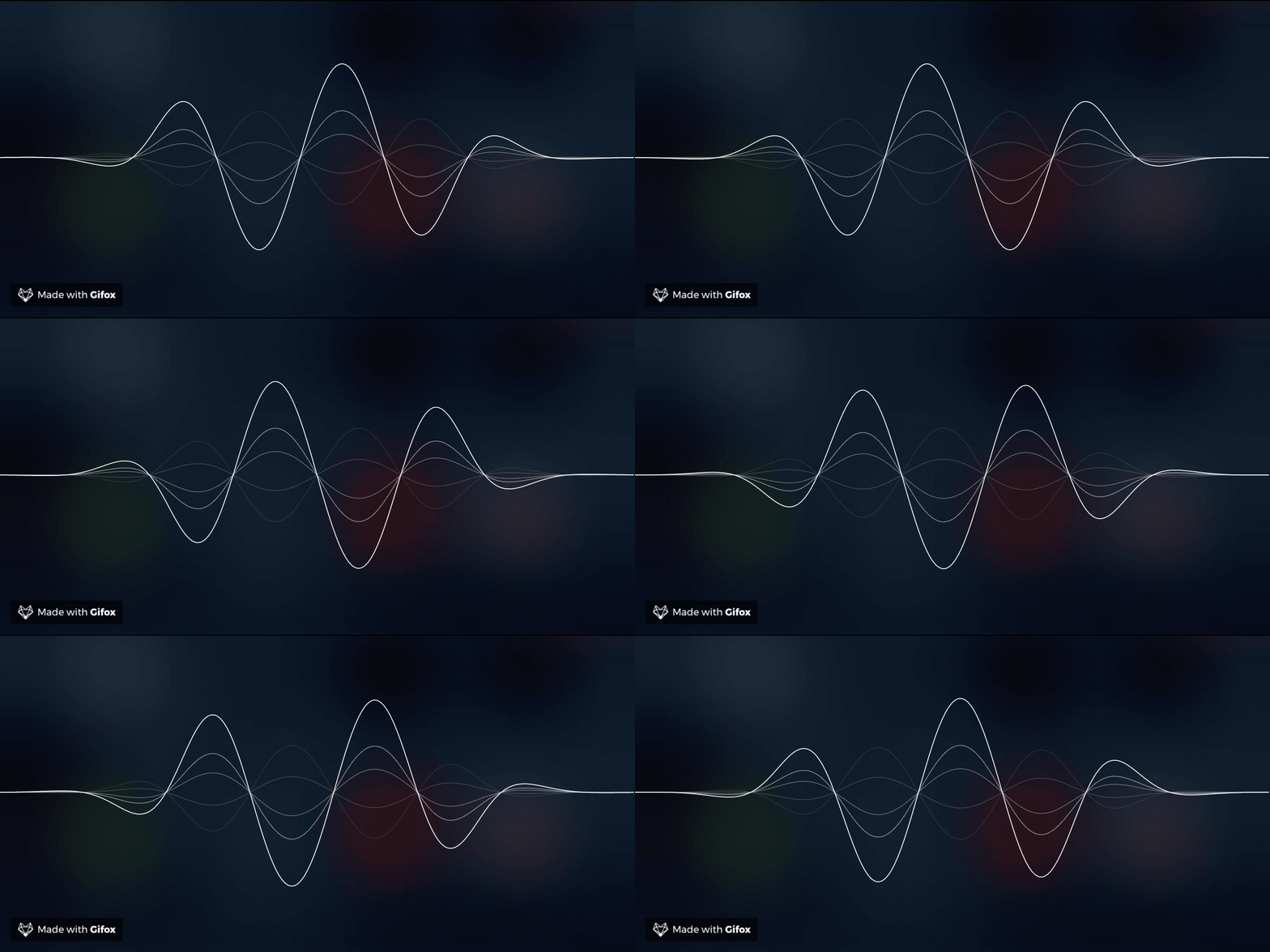
iOS (classic) style
The classic, pre-iOS9 style.
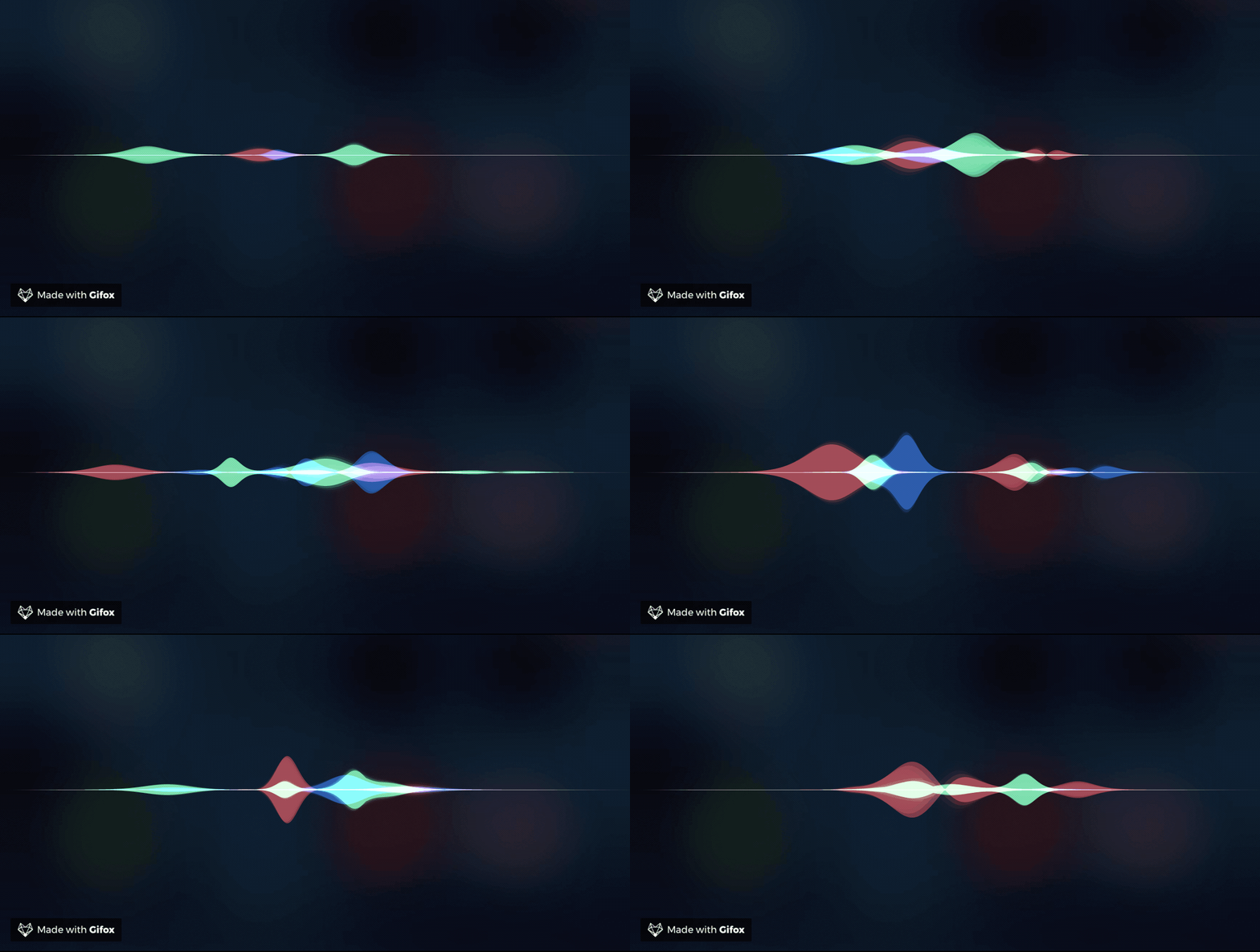
iOS9 style
The new fluorescent wave introduced in iOS9.
iOS13 style
work in progress
The wave reinvented as a bubble.
Usage
Browser (via CDN) usage
Import the UMD package via the unpkg CDN and it's ready to use.
<script src="https://unpkg.com/siriwave/dist/siriwave.umd.min.js"></script>
ES module
Install it through npm install siriwave or npm add siriwave first:
import SiriWave from "siriwave";
Initialize
Create a div container and instantiate a new SiriWave object:
<div id="siri-container"></div>
<script>
  var siriWave = new SiriWave({
    container: document.getElementById("siri-container"),
    width: 640,
    height: 200,
  });
</script>
Constructor options
| Key | Type | Description | Default | Required |
|---|---|---|---|---|
container |
DOMElement | The DOM container where the DOM canvas element will be added. | null | yes |
style |
"ios", "ios9" | The style of the wave. | "ios" | no |
ratio |
Number | Ratio of the display to use. Calculated by default. | calculated | no |
speed |
Number | The speed of the animation. | 0.2 | no |
amplitude |
Number | The amplitude of the complete wave-form. | 1 | no |
frequency |
Number | The frequency of the complete wave-form. Only available in style "ios" | 6 | no |
color |
String | Color of the wave. Only available in style "ios" | "#fff" | no |
cover |
Bool | The canvas covers the entire width or height of the container |
false | no |
autostart |
Bool | Decide wether start the animation on boot. | false | no |
pixelDepth |
Number | Number of step (in pixels) used when drawed on canvas. | 0.02 | no |
lerpSpeed |
Number | Lerp speed to interpolate properties. | 0.01 | no |
curveDefinition |
ICurveDefinition[] | Override definition of the curves, check above for more details. | null | no |
ranges |
IiOS9Ranges | Override the default random ranges of the curves. | null | no |
globalCompositeOperation |
GlobalCompositeOperation | globalCompositeOperation of the canvas, controls wave overlap design. | "lighter" | no |
Ranges
Each wave chooses a random parameter for each of these ranges that factors into their creation. You can override these ranges by passing a ranges object to the constructor.
Here is the type of the ranges object:
export type IiOS9Ranges = {
  noOfCurves?: [number, number];
  amplitude?: [number, number];
  offset?: [number, number];
  width?: [number, number];
  speed?: [number, number];
  despawnTimeout?: [number, number];
};
API
new SiriWave
curveDefinition
By passing this argument, you're overriding the default curve definition resulting in a completely different style.
The default definition for the ios classic style is:
[
  { attenuation: -2, lineWidth: 1, opacity: 0.1 },
  { attenuation: -6, lineWidth: 1, opacity: 0.2 },
  { attenuation: 4, lineWidth: 1, opacity: 0.4 },
  { attenuation: 2, lineWidth: 1, opacity: 0.6 },
  { attenuation: 1, lineWidth: 1.5, opacity: 1 },
];
and it results in 5 different sin-waves with different parameters and amplitude.
You can set 4 attributes for each curve:
attenuation: the power factor determining the attenuationlineWidth: the line widthopacity: the opacitycolor: the color, default toSiriWave.color; optional
The ios9 style definition is instead:
[
  { color: "255,255,255", supportLine: true },
  { color: "15, 82, 169" }, // blue
  { color: "173, 57, 76" }, // red
  { color: "48, 220, 155" }, // green
];
and it results in 3 different colored waves + 1 support wave that needs to be there.
Here you set:
supportLine: only one of these curves must have this totrue, it will be used to draw the support linecolor: the color of the wave
start()
Start the animation
stop()
Stop the animation.
setSpeed(newValue)
Set the new value of speed (animated)
setAmplitude(value)
Set the new value of amplitude (animated)
dispose()
Stop the animation and destroy the canvas, by removing it from the DOM.
Subsequent start() calls on this SiriWave instance will fail with an exception.
Grapher plots
Build and development
If you wanna make some modifications in your local environment, use:
npm dev
this will create a watchable build with RollupJS and automatically create a server to see your changes in the browser.
To finally build all targets:
npm build
QA
How do I integrate this library with a microphone user input?
You can find an excellent demo here by @semmel
관련 프로젝트 살펴보기
불러오는 중…