
jpardogo/GoogleProgressBar
소개
Google이 일부 서비스에서 사용하는 것과 같은 방식으로 진행 상황을 표시하는 Android 라이브러리입니다.
창작 및 미디어측정된 스타 증가
- in 24h
- 0
- in 7 days
- 0
- in 15 days
- -1
- in 1 month
- 기록 수집 중
서로 겹치는 기간의 순증가량이며 일별 합계가 아닙니다. 측정값이 없으면 비워 둡니다. 스타는 관심도를 나타내며 품질을 보장하지 않습니다.
README.md
OriginalGoogleProgressBar
This library is not maintained anymore and there will be no further releases
Android library to display different kind of google related animations for the progressBar.
These animations have been finished so far:



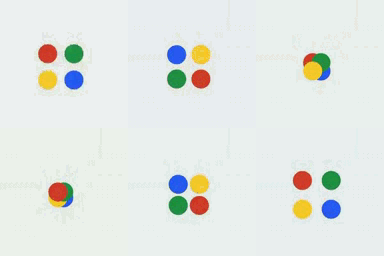
TODO
- Different colors for the already existing `GoogleMusicDicesDrawable'. Either the whole dice or his faces.
I also would love to receive your pull requests to create any of the following animations or others that you think fit on this library:
-
Nexus 5 circles boot progress animation (Just the circles bouncing)
-
Galaxy nexus shinny cross boot animation
Usage
######Dynamically Add a ProgressBar to the xml layout:
     <ProgressBar
            android:id="@+id/google_progress"
            android:layout_width="50dp"
            android:layout_height="50dp"
            android:layout_gravity="center"/>
Choose from the list of Drawables the one you want to use and place it in your code:
    @Override
    protected void onCreate(Bundle savedInstanceState) {
        super.onCreate(savedInstanceState);
        setContentView(R.layout.activity_main);
        ButterKnife.inject(this);
        mProgressBar.setIndeterminateDrawable(new your_list_option.Builder(this)
                    .build());
        //...
    }
your_list_option can be replace for:
- FoldingCirclesDrawable
- GoogleMusicDicesDrawable
- NexusRotationCrossDrawable
- ChromeFloatingCircles
The more custom Drawables finished, the more options in this list.
Attributes depending on the drawable:
######Color
    mProgressBar.setIndeterminateDrawable(new you_list_option.Builder(this)
                                                             .colors(getResources().getIntArray(R.array.colors) //Array of 4 colors
                                                             .build());
- FoldingCirclesDrawable
- NexusRotationCrossDrawable
- ChromeFloatingCirclesDrawable
So far GoogleMusicDicesDrawable doesn't have color options.
The animation speed can be modified easily with android:indeterminateDuration in the xml.
If not colors are define the 4 default google colors (red,blue, yellow and green) will be used.
######From XML
When you want to use the GoogleProgresBar from XML you need to add the following view to your layout:
    <com.jpardogo.android.googleprogressbar.library.GoogleProgressBar
            android:id="@+id/google_progress"
            android:layout_width="50dp"
            android:layout_height="50dp"
            android:layout_gravity="center"
            gpb:type="your_list_option"/>
The require attribute gpb:type will specify the type of ProgressBar to display
your_list_option can be replace for:
- folding_circles
- nexus_rotation_cross
- google_music_dices
- chrome_floating_circles
The more custom Drawables finished, the more options in this list.
Each type of GoogleProgressBar have different attributes:
Attributes depending on type: ######Color
- folding_circles
- nexus_rotation_cross
gpb:colors="@array/colors"- Optional, If not colors are define the 4 default google colors (red,blue, yellow and green) will be used.
- It needs to be an array of 4 colors
So far google_music_dices doesn't have color options.
The animation speed can be modified easily with android:indeterminateDuration in the xml.
Including in your project
You can either add the library to your application as a library project or add the following dependency to your build.gradle:

dependencies {
    compile 'com.jpardogo.googleprogressbar:library:(latest version)'
}
Proguard
In order to use this library with proguard you need to add this line to your proguard.cfg:
-keep class com.jpardogo.android.googleprogressbar.** { *; }
How to contribute?
- Pull request to dev branch NO master.
Acknowledgements
- Thanks to RomainPiel,Melnykov Oleksandr, Evelio Tarazona Cáceres and MewX for his collaboration.
- Thanks to Gabriele Mariotti for his colorpickercollection repo that help me to create the example app.
Developed By
Javier Pardo de Santayana Gómez - [email protected]



License
Copyright 2013 Javier Pardo de Santayana Gómez

Licensed under the Apache License, Version 2.0 (the "License");
you may not use this file except in compliance with the License.
You may obtain a copy of the License at

   http://www.apache.org/licenses/LICENSE-2.0

Unless required by applicable law or agreed to in writing, software
distributed under the License is distributed on an "AS IS" BASIS,
WITHOUT WARRANTIES OR CONDITIONS OF ANY KIND, either express or implied.
See the License for the specific language governing permissions and
limitations under the License.
관련 프로젝트 살펴보기
불러오는 중…