
jogendra/LoadingShimmer
소개
한 줄의 코드만으로 모든 뷰에 반짝이는 효과를 추가할 수 있습니다. 눈에 거슬리지 않는 로딩 인디케이터로 유용합니다.
창작 및 미디어측정된 스타 증가
- in 24h
- 0
- in 7 days
- 0
- in 15 days
- -1
- in 1 month
- 기록 수집 중
서로 겹치는 기간의 순증가량이며 일별 합계가 아닙니다. 측정값이 없으면 비워 둡니다. 스타는 관심도를 나타내며 품질을 보장하지 않습니다.
README.md
OriginalLoadingShimmer
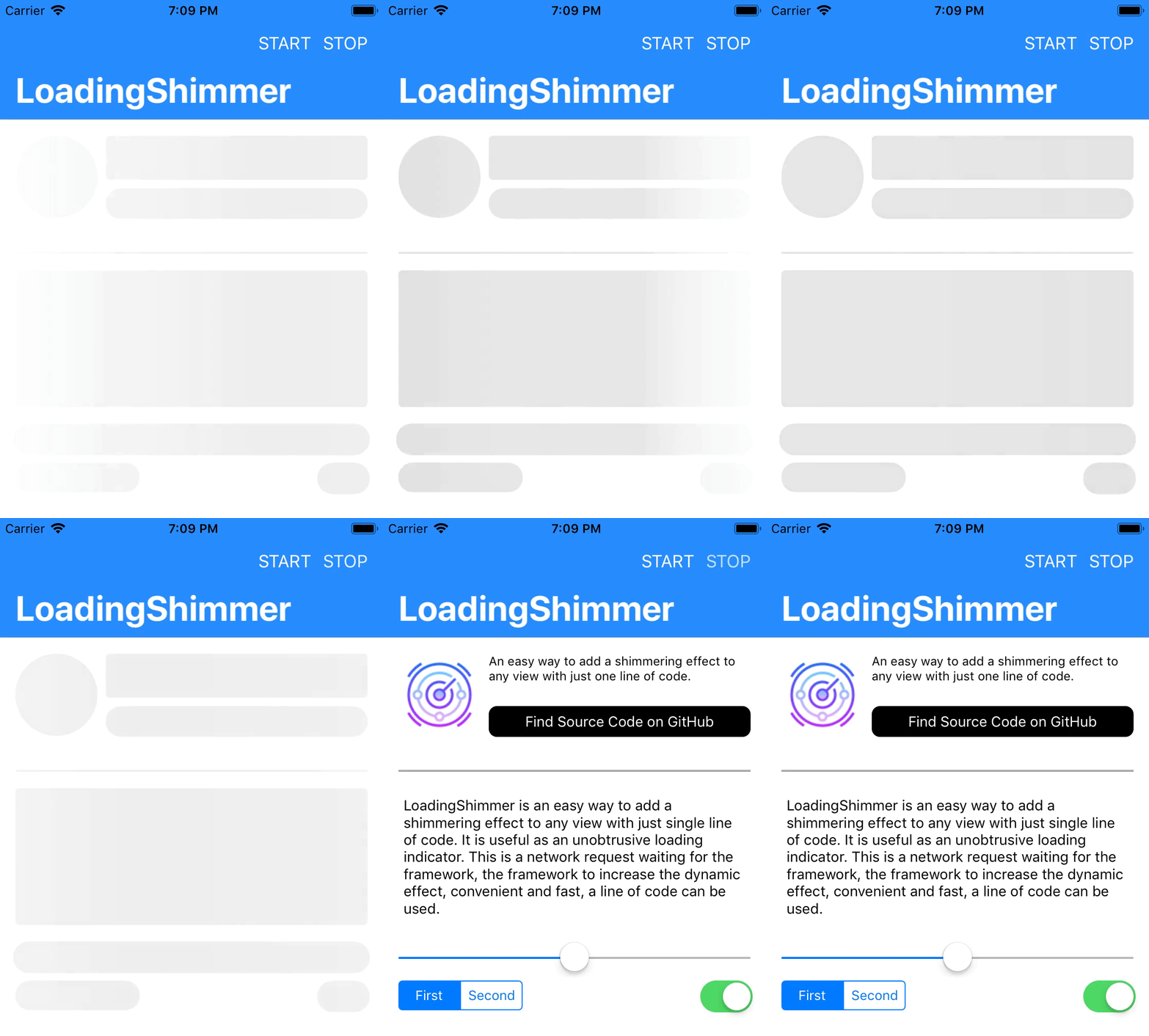
An easy way to add a shimmering effect to any view with just single line of code. It is useful as an unobtrusive loading indicator. This is a network request waiting for the framework, the framework to increase the dynamic effect, convenient and fast, a line of code can be used.


|
 |
Demo/Example
For demo:
$ pod try LoadingShimmer
To run the example project, clone the repo, and run pod install from the Example directory first.
$ cd Example
$ pod install
If you don't have CocoaPods installed, grab it with [sudo] gem install cocoapods.
$ open LoadingShimmer.xcworkspace
Requirements
- iOS 10.0 or later
- Swift 5+
- Xcode 10+
Installation
CocoaPods
LoadingShimmer is available through CocoaPods. To install it, simply add the following line to your Podfile:
pod 'LoadingShimmer'
Manual Installation
Just drag the LoadingShimmer.swift files into your project.
Usage
Start Covering Loading -
LoadingShimmer.startCovering(view)
Stop Covering Loading -
LoadingShimmer.stopCovering(view)
Don't forget to import LoadingShimmer
Author
 Jogendra Singh
|


The pod is inspired by DWLoadingShimmer
License
LoadingShimmer is available under the MIT license. See the LICENSE file for more info.
관련 프로젝트 살펴보기
불러오는 중…