
jellybeansoup/macos-netflix
소개
A lightweight macOS wrapper for browsing and watching Netflix.
창작 및 미디어측정된 스타 증가
- in 24h
- 0
- in 7 days
- 0
- in 15 days
- 기록 수집 중
- in 1 month
- 기록 수집 중
서로 겹치는 기간의 순증가량이며 일별 합계가 아닙니다. 측정값이 없으면 비워 둡니다. 스타는 관심도를 나타내며 품질을 보장하지 않습니다.
README.md
OriginalNetflix wrapper for macOS
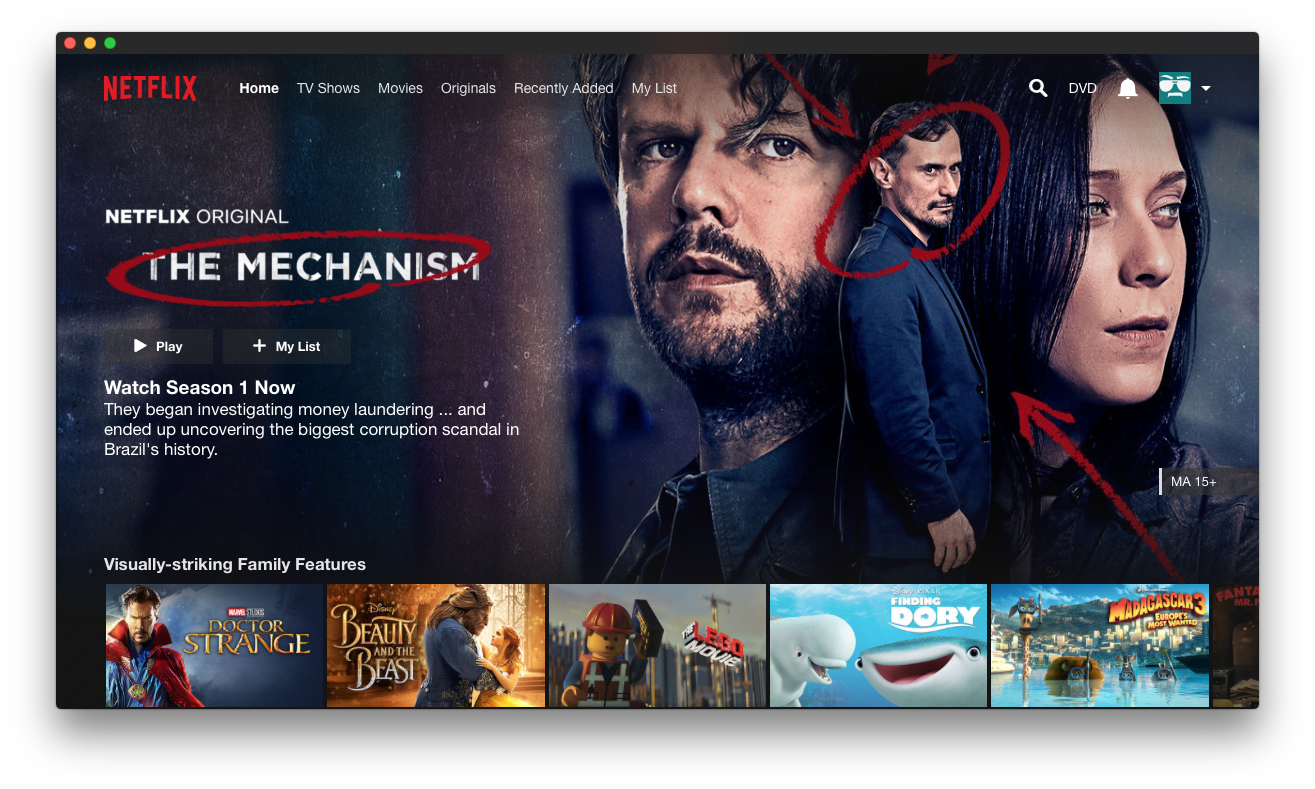
A very simple proof-of-concept app for a WKWebView based app to allow viewing Netflix outside the browser on macOS. The goal is to somewhat allow a picture-in-picture style browsing and watching experience. There's a bunch of similar apps on the Mac App Store, but this one is mine, and the idea is to keep it pretty lightweight (no majorly additive features).
Installation Instructions
Direct Download
Go to the page for the latest release and download the zipped app. You want the file labelled something akin to "Netflix.zip", and not the ones labelled "source code".
Unzip the app, and drag it into your Applications folder. If you accidentally downloaded the source code, you'll be quite confused, so go back a step and download the other zip file.
That's all there is. Run and enjoy.
Homebrew
If you have Homebrew installed, try running the following in your terminal:
brew install --cask jellybeansoup-netflix
Alternative Icons
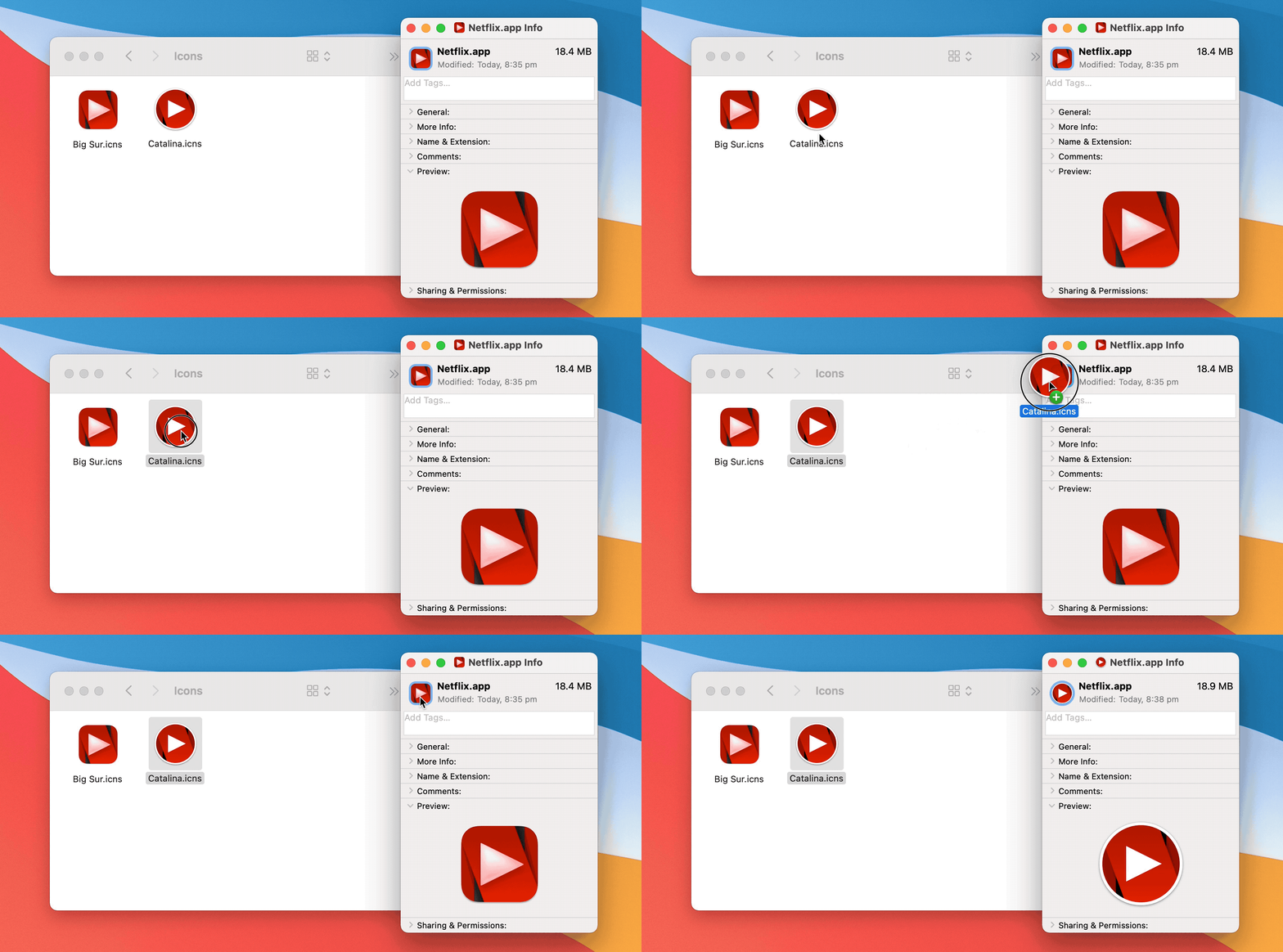
The Icons folder contains alternative icons that may be used with the app. After downloading, you can apply the icon of your choice by right clicking on the installed app in Finder, clicking Get Info, and dragging it into the icon well at the top of the window.
Legal
Copyright © 2020 Daniel Farrelly. Released under the BSD license.
App icon template is from the Bjango Templates repository, which are released under the BSD License, and are copyright © Bjango and Marc Edwards.
This project is not associated with, affiliated with, or endorsed by Netflix, Inc. A Netflix subscription is required to use this app. Please visit Netflix.com to verify that service is available in your country.
관련 프로젝트 살펴보기
불러오는 중…