
htr-tech/zphisher
htr-tech/zphisher has 17,174 GitHub stars and 6,429 forks. GitHot measured +19 stars in 24 hours. Last checked 2026-11-08 02:02 UTC. Last push 2024-08-21.
An automated phishing tool with 30+ templates. This Tool is made for educational purpose only ! Author will not be responsible for any misuse of this toolkit !
What you can do
- Latest and updated login pages.
- Beginners friendly
- Mask URL support
측정된 스타 증가
- in 24h
- +19
- in 7 days
- 기록 수집 중
- in 15 days
- 기록 수집 중
- in 1 month
- 기록 수집 중
서로 겹치는 기간의 순증가량이며 일별 합계가 아닙니다. 측정값이 없으면 비워 둡니다. 스타는 관심도를 나타내며 품질을 보장하지 않습니다.
README.md
Original









A beginners friendly, Automated phishing tool with 30+ templates.
Disclaimer
Any actions and or activities related to Zphisher is solely your responsibility. The misuse of this toolkit can result in criminal charges brought against the persons in question. The contributors will not be held responsible in the event any criminal charges be brought against any individuals misusing this toolkit to break the law.
This toolkit contains materials that can be potentially damaging or dangerous for social media. Refer to the laws in your province/country before accessing, using,or in any other way utilizing this in a wrong way.
This Tool is made for educational purposes only. Do not attempt to violate the law with anything contained here. If this is your intention, then Get the hell out of here!
It only demonstrates "how phishing works". You shall not misuse the information to gain unauthorized access to someones social media. However you may try out this at your own risk.
Features
- Latest and updated login pages.
- Beginners friendly
- Multiple tunneling options
- Localhost
- Cloudflared
- LocalXpose
- Mask URL support
- Docker support
Installation
Just, Clone this repository -
git clone --depth=1 https://github.com/htr-tech/zphisher.gitNow go to cloned directory and run
zphisher.sh-$ cd zphisher $ bash zphisher.shOn first launch, It'll install the dependencies and that's it. Zphisher is installed.
Installation (Termux)
You can easily install zphisher in Termux by using tur-repo
$ pkg install tur-repo
$ pkg install zphisher
$ zphisher
A Note :
Termux discourages hacking .. So never discuss anything related to zphisher in any of the termux discussion groups. For more check : wiki

Installation via ".deb" file
Download
.debfiles from the Latest ReleaseIf you are using termux then download the
*_termux.debInstall the
.debfile by executingapt install <your path to deb file>Or
$ dpkg -i <your path to deb file>
$ apt install -f
Run on Docker
Docker Image Mirror:
- DockerHub :
docker pull htrtech/zphisher - GHCR :
docker pull ghcr.io/htr-tech/zphisher:latest
- DockerHub :
By using the wrapper script run-docker.sh
$ curl -LO https://raw.githubusercontent.com/htr-tech/zphisher/master/run-docker.sh
$ bash run-docker.sh
Temporary Container
docker run --rm -ti htrtech/zphisher- Remember to mount the
authdirectory.
- Remember to mount the
Dependencies
Zphisher requires following programs to run properly -
gitcurlphp
All the dependencies will be installed automatically when you run Zphisher for the first time.
Tested on
- Ubuntu
- Debian
- Arch
- Manjaro
- Fedora
- Termux
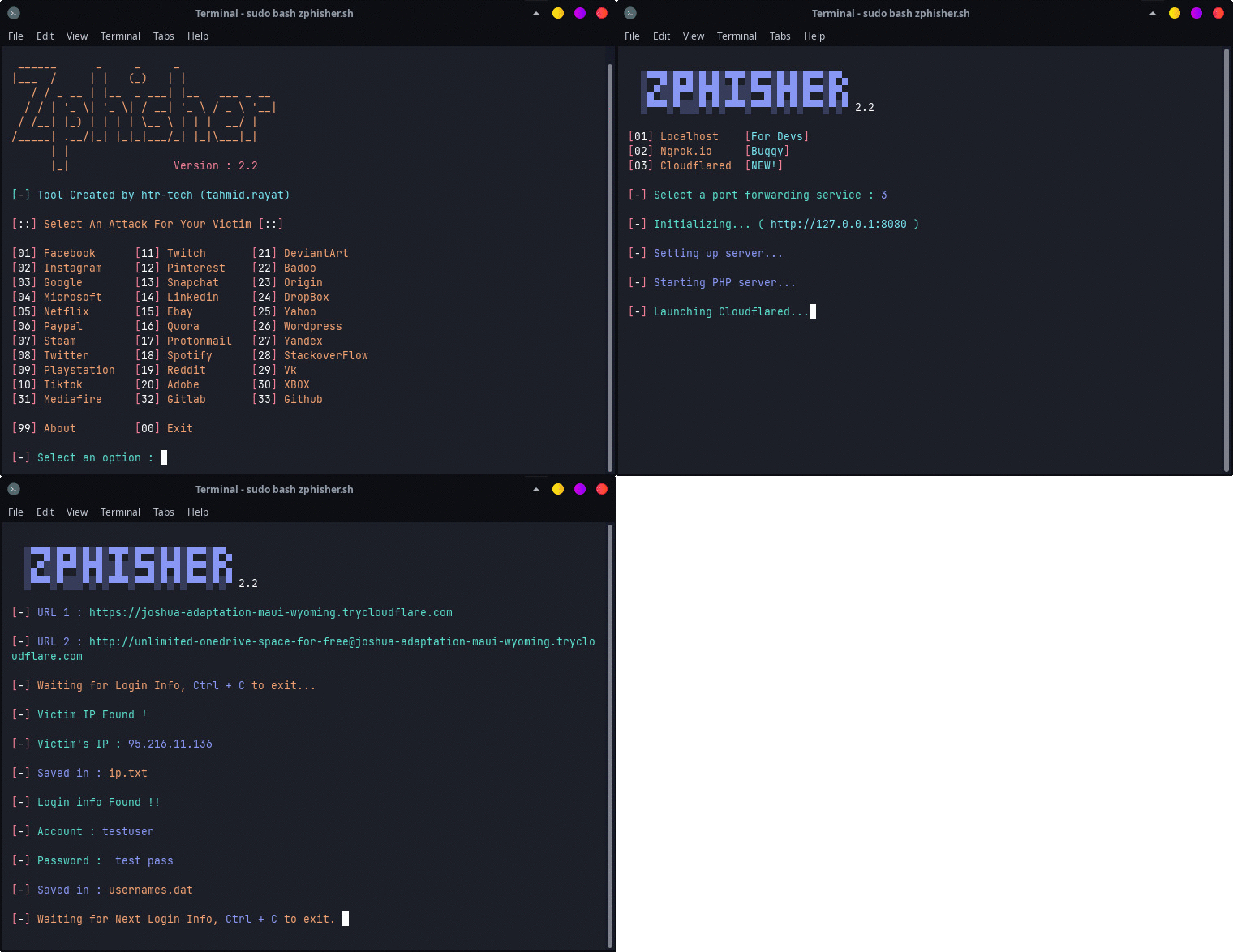
:: Workflow ::
Find Me on:


Thanks to all contributors:
 1RaY-1 |
 Aditya Shakya |
 Ali Milani |
 AmnesiA |
 KasRoudra |
 Moises Tapia |
 Mr.Derek |
 Mustakim Ahmed |
 sepp0 |
 TripleHat |
 Yisus7u7 |
관련 프로젝트 살펴보기
sindresorhus/awesome
😎 온갖 흥미로운 주제에 관한 Awesome 목록 [참고: 기존 풀 리퀘스트를 따라잡을 여유가 생길 때까지 풀 리퀘스트가 일시적으로 비활성화되어 있습니다]
533,252 스타EbookFoundation/free-programming-books
:books: 무료로 이용할 수 있는 프로그래밍 도서
401,226 스타nilbuild/developer-roadmap
개발자의 커리어 성장을 돕는 인터랙티브 로드맵, 가이드 및 기타 교육 콘텐츠.
371,494 스타vinta/awesome-python
“Python으로 X를 하고 싶은데, 어떤 도구를 써야 할까?”에 답하는 결정판 목록.
333,252 스타