
glauberlima/claude-code-statusline
glauberlima/claude-code-statusline has 52 GitHub stars and 7 forks. Star changes are not measured yet. Last checked 2026-11-13 23:44 UTC. Last push 2026-11-13.
What you can do
- 📁 Directory name
- ✏️ File changes
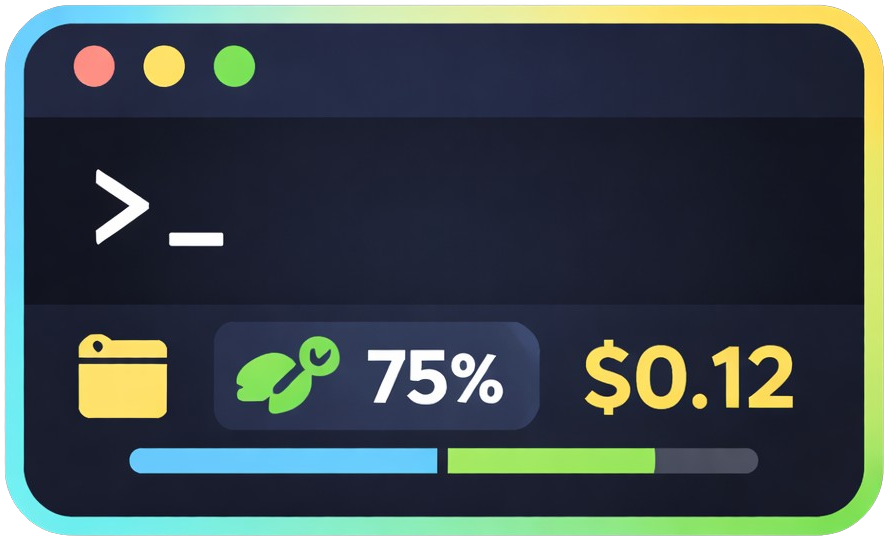
- 📊 Context usage with progress bar and funny messages
- ⏳ Subscription rate limits (5-hour and weekly usage, with countdown to each reset) when available
측정된 스타 증가
- in 24h
- 기록 수집 중
- in 7 days
- 기록 수집 중
- in 15 days
- 기록 수집 중
- in 1 month
- 기록 수집 중
서로 겹치는 기간의 순증가량이며 일별 합계가 아닙니다. 측정값이 없으면 비워 둡니다. 스타는 관심도를 나타내며 품질을 보장하지 않습니다.
소개
Supercharge your Claude Code CLI experience with a powerful statusline that displays key session metrics (Git state, context usage, model info and cost) at a glance — minimal setup, maximum insight.
개발 도구README.md
OriginalClaude Code Statusline
> Ridiculously simple. Surprisingly rich.


💡 What You Get
More context in Claude Code's statusline: directory, git status, file changes, model, context usage with progress bar, and cost — all visible at once.

Install with one command. Works immediately. Configure when you need it.
✨ Quick Install
macOS / Linux / WSL
curl -fsSL https://raw.githubusercontent.com/glauberlima/claude-code-statusline/main/install.sh | bash
Windows — PowerShell
& ([scriptblock]::Create((irm https://raw.githubusercontent.com/glauberlima/claude-code-statusline/main/install.ps1)))
Custom install directory
Override where the binary and config are installed (default: ~/.claude):
# macOS / Linux / WSL
curl -fsSL https://raw.githubusercontent.com/glauberlima/claude-code-statusline/main/install.sh | bash -s -- --install-dir /custom/path
# Windows — PowerShell
& ([scriptblock]::Create((irm 'https://raw.githubusercontent.com/glauberlima/claude-code-statusline/main/install.ps1'))) -InstallDir "C:\Custom\Path"
Install a specific version
To install a specific release (e.g. for testing an unstable build):
# macOS / Linux / WSL
curl -fsSL https://raw.githubusercontent.com/glauberlima/claude-code-statusline/main/install.sh | bash -s -- --version v1.1.0-dev.6f31b35
# Windows — PowerShell
& ([scriptblock]::Create((irm 'https://raw.githubusercontent.com/glauberlima/claude-code-statusline/main/install.ps1'))) -Version v1.1.0-dev.6f31b35
Both parameters can be combined:
# macOS / Linux / WSL
curl -fsSL https://raw.githubusercontent.com/glauberlima/claude-code-statusline/main/install.sh | bash -s -- --install-dir /custom/path --version v1.1.0-dev.6f31b35
# Windows — PowerShell
& ([scriptblock]::Create((irm 'https://raw.githubusercontent.com/glauberlima/claude-code-statusline/main/install.ps1'))) -InstallDir "C:\Custom\Path" -Version v1.1.0-dev.6f31b35
Release tags are listed on the GitHub releases page.
Features
- 📁 Directory name
- 🌿 Git branch
- ✏️ File changes
- 🤖 Model name
- 📊 Context usage with progress bar and funny messages
- ⏳ Subscription rate limits (5-hour and weekly usage, with countdown to each reset) when available
- 💰 Cost tracking
- 🎨 Color themes (Dracula, Tokyo Night, One Dark, Solarized Dark, Phosphor)
⚙️ Configuration
Edit ~/.claude/statusline.toml to customize features. Generate the default config:
macOS / Linux / WSL
~/.claude/statusline --print-defaults > ~/.claude/statusline.toml
Windows — PowerShell
& "$env:USERPROFILE\.claude\statusline.exe" --print-defaults | Set-Content "$env:USERPROFILE\.claude\statusline.toml"
Available options: cost, messages, messages_language (en/pt/es), usage_bar_style (plain/rainbow/gradient/gsd/dracula/tokyo-night/one-dark/solarized-dark/phosphor), theme (default/dracula/tokyo-night/one-dark/solarized-dark/phosphor).
🎨 Themes
theme recolors the directory, git branch, file changes, model, cost, and context (plain bar style only) segments using the official palette of the selected theme. The rainbow and gsd bar styles are unaffected by theme — they always use their own fixed colors. The gradient and per-theme bar styles below are also independent of theme — pick them via usage_bar_style regardless of which theme is active.
| Theme | Source palette |
|---|---|
default |
Original 16-color ANSI (no theme applied) |
dracula |
Dracula |
tokyo-night |
Tokyo Night |
one-dark |
Atom One Dark |
solarized-dark |
Solarized Dark |
phosphor |
P1 phosphor CRT green (80s terminal) |
theme = "dracula"
📊 Themed progress bars
usage_bar_style also accepts each theme's name (dracula/tokyo-night/one-dark/solarized-dark/phosphor), rendering the progress bar as a gradient across that theme's 6 semantic colors — independent of whichever theme is currently active. For example, theme = "default" with usage_bar_style = "phosphor" keeps default colors everywhere except a phosphor-green progress bar.
usage_bar_style = "phosphor"
🛠️ Development
Testing
cargo test
Contributing
- Fork and create a feature branch
- Make changes and run tests
- Submit a pull request
See CLAUDE.md for architecture details and development commands.