
geftimov/android-pathview
geftimov/android-pathview has 2,880 GitHub stars and 517 forks. GitHot measured -1 stars in 24 hours and -2 in 7 days. Last checked 2026-11-15 12:11 UTC. Last push 2022-01-23.
측정된 스타 증가
- in 24h
- -1
- in 7 days
- -2
- in 15 days
- 기록 수집 중
- in 1 month
- 기록 수집 중
서로 겹치는 기간의 순증가량이며 일별 합계가 아닙니다. 측정값이 없으면 비워 둡니다. 스타는 관심도를 나타내며 품질을 보장하지 않습니다.
소개
Android view with both path from constructed path or from svg.
창작 및 미디어README.md
Originalandroid-pathview


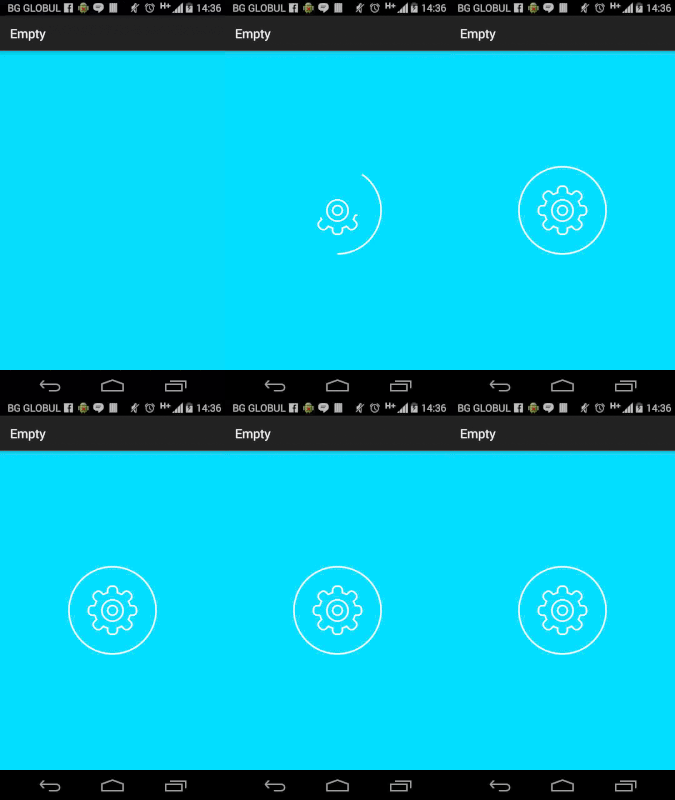
You want to animate svg or normal Paths?<br> Change the color, pathWidth or add svg.<br> Animate the "procentage" property to make the animation.
There are two types of paths :
1. From Svg
<com.eftimoff.androipathview.PathView
    xmlns:app="http://schemas.android.com/apk/res-auto"
    android:id="@+id/pathView"
    android:layout_width="150dp"
    android:layout_height="150dp"
    app:pathColor="@android:color/white"
    app:svg="@raw/settings"
    app:pathWidth="5dp"/>
Result
2. From Path
<com.eftimoff.androipathview.PathView
    xmlns:app="http://schemas.android.com/apk/res-auto"
    android:id="@+id/pathView"
    android:layout_width="wrap_content"
    android:layout_height="wrap_content"
    app:pathColor="@android:color/white"
    app:pathWidth="3dp"/>
In Code
    final Path path = new Path();
        path.moveTo(0.0f, 0.0f);
        path.lineTo(length / 4f, 0.0f);
        path.lineTo(length, height / 2.0f);
        path.lineTo(length / 4f, height);
        path.lineTo(0.0f, height);
	    path.lineTo(length * 3f / 4f, height / 2f);
	    path.lineTo(0.0f, 0.0f);
	    path.close();

pathView.setPath(path);
Result

Use the animator for parallel animation
    pathView.getPathAnimator()
        .delay(100)
        .duration(500)
        .listenerStart(new AnimationListenerStart())
        .listenerEnd(new AnimationListenerEnd())
        .interpolator(new AccelerateDecelerateInterpolator())
        .start();
Use the animator for sequential animation
    pathView.getSequentialPathAnimator()
        .delay(100)
        .duration(500)
        .listenerStart(new AnimationListenerStart())
        .listenerEnd(new AnimationListenerEnd())
        .interpolator(new AccelerateDecelerateInterpolator())
        .start();
If you want to use the svg colors.
pathView.useNaturalColors();
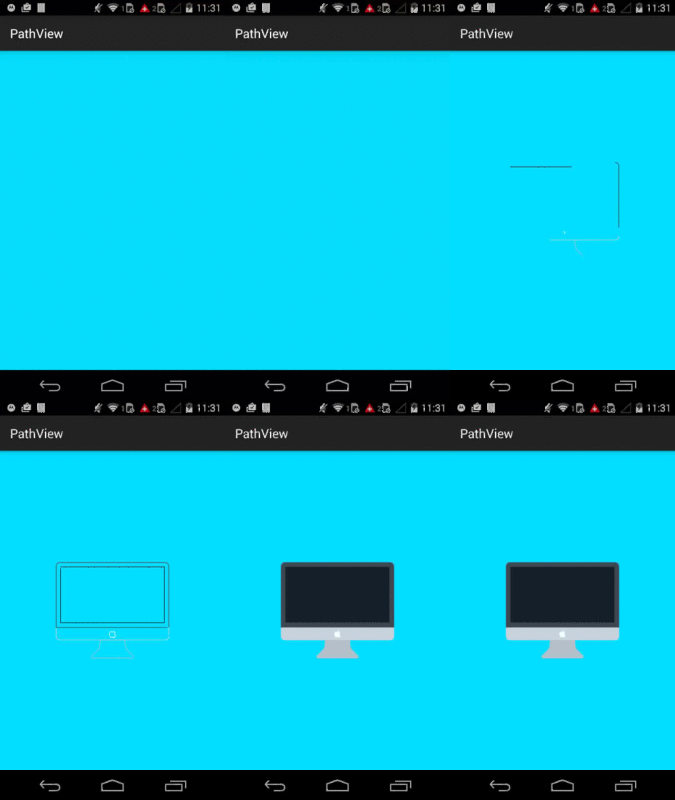
If you want to draw the real SVG after the path animation.
It is in still in development.
pathView.setFillAfter(true);
TODO
- Make persistent "percentage" field on orientation change.
Limitations
When working with SVGs you can not WRAP_CONTENT your views.
Used in apps
Message me if you want to be included in this list.
Thanks to
- https://github.com/romainguy/road-trip
- http://www.curious-creature.com/2013/12/21/android-recipe-4-path-tracing/
- https://github.com/matthewrkula/AnimatedPathView
Contributors
I want to update this library and make it better. So any help will be appreciated. Make and pull - request and we can discuss it.
Download
dependencies {
	compile 'com.eftimoff:android-pathview:1.0.8@aar'
}
Changelog
1.0.8
[Fix] Removed not properly used android:allowBackup.
1.0.7
[Feature] Sequential path animation.
[Fix] Use dimensions instead of float for pathWidth.
Licence
Copyright 2016 Georgi Eftimov

Licensed under the Apache License, Version 2.0 (the "License");
you may not use this file except in compliance with the License.
You may obtain a copy of the License at

   http://www.apache.org/licenses/LICENSE-2.0

Unless required by applicable law or agreed to in writing, software
distributed under the License is distributed on an "AS IS" BASIS,
WITHOUT WARRANTIES OR CONDITIONS OF ANY KIND, either express or implied.
See the License for the specific language governing permissions and
limitations under the License.