
dev-labs-bg/transitioner
dev-labs-bg/transitioner has 2,044 GitHub stars and 142 forks. GitHot measured 0 stars in 24 hours, -1 in 7 days, and -2 in 15 days. Last checked 2026-11-23 07:06 UTC. Last push 2020-04-24.
측정된 스타 증가
- in 24h
- 0
- in 7 days
- -1
- in 15 days
- -2
- in 1 month
- 기록 수집 중
서로 겹치는 기간의 순증가량이며 일별 합계가 아닙니다. 측정값이 없으면 비워 둡니다. 스타는 관심도를 나타내며 품질을 보장하지 않습니다.
소개
뷰 간 동적 전환을 위한 라이브러리
창작 및 미디어README.md
Original


Transitioner provides easy, dynamic and adjustable animations between two views with nested children.

App design feature here.
Usage
First you need to create a Transitioner object containing your original and ending views:
val transition = Transitioner(original_view, ending_view)
The view pairs must have matching "tag" attributes so that they can be bound together:
<ConstraintLayout
        android:id="@+id/original_view"
        android:tag="constrView"
        ...>

        <TextView
            android:id="@+id/text"
            android:tag="firstView"
            .../>
</ConstraintLayout>

<ConstraintLayout
        android:id="@+id/ending_view"
        android:tag="constrView"
        android:visibility="invisible"
        ...>

        <EditText
            android:id="@+id/text3"
            android:tag="firstView"
            .../>
 </ConstraintLayout>
I recommend you hide the second view layout, since it's only used as a placeholder for the end destination. The views can be of any type, you can mix and match them, the two layouts can have a different number of views and nested layouts are 100% supported. The only things to keep in mind are:
all views which you would want to match together must have the same tag attribute in both layouts
all unmatched views will remain at their original place inside the original layout
the second layout is just a placeholder. It doesn't hold any logic, it only shows where the original layout should move to.
Basic Usage
 transition.setProgress(0.5f)
 //or
 transition.setProgress(50)
Additional methods and tweaks
transition.duration = 500

transition.interpolator = AccelerateDecelerateInterpolator()

transition.animateTo(percent = 0f)

transition.onProgressChanged {
//triggered on every progress change of the transition
    seekBar.progress = (it * 100).toInt()
    }

val progress: Float = transition.currentProgress
Here is a preview of a simple application made using this library
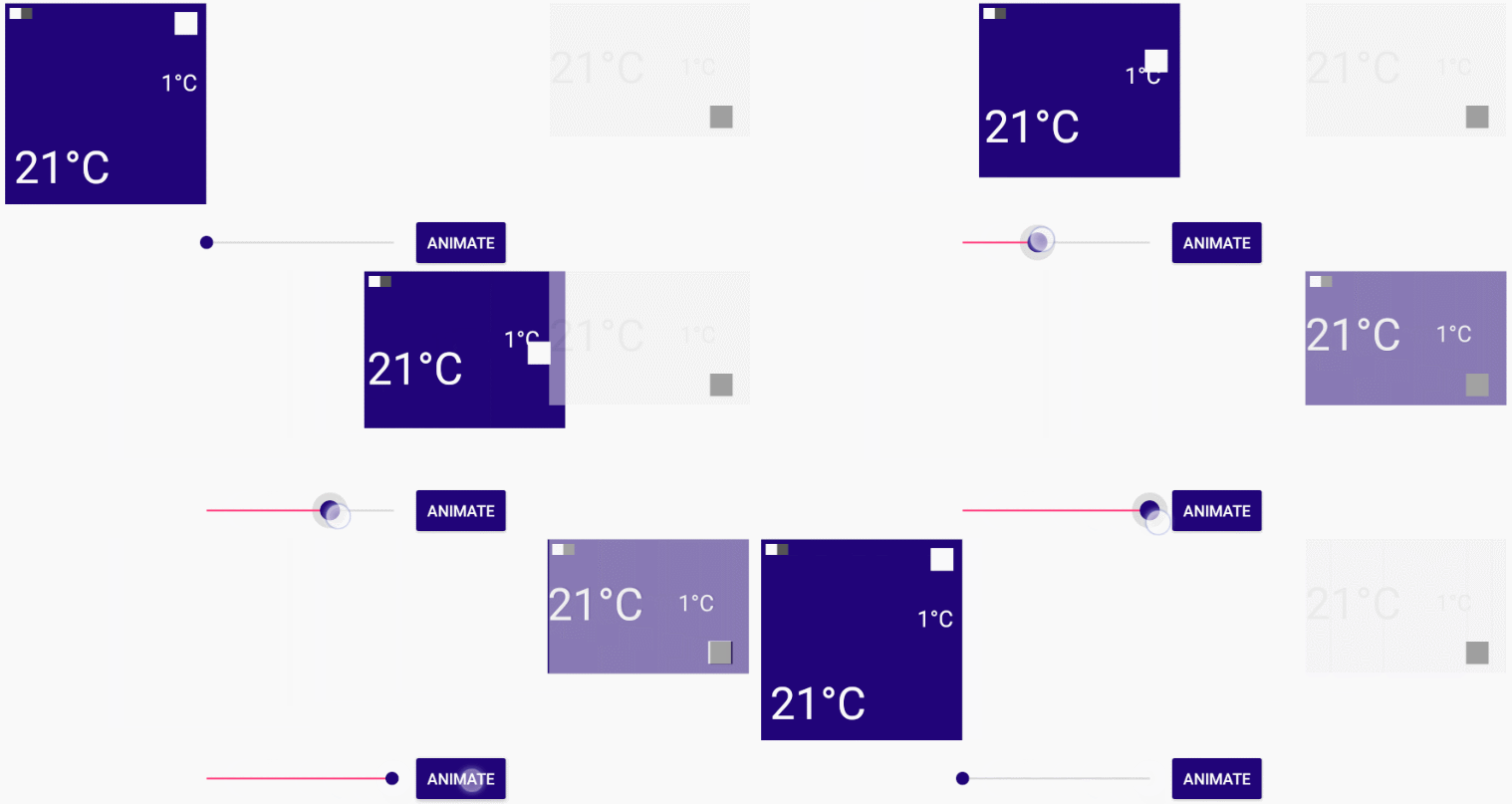
This effect can be reproduced by placing the "Transitioner.setProgress(Float)" function inside a onTouch or a onProgressChanged method.
Download
Manually
The recommended way to download is to copy the single library class file and use it in your application.
Gradle
dependencies {
  compile 'bg.devlabs.transitioner:transitioner:<latest_version>'
}
Getting help
Dev Labs @devlabsbg
Radoslav Yankov @rado__yankov
Under MIT License.
관련 프로젝트 살펴보기
불러오는 중…