
dataspren-analytics/datastudio
dataspren-analytics/datastudio has 79 GitHub stars and 4 forks. GitHot measured 0 stars in 24 hours, 0 in 7 days, and 0 in 15 days. Last checked 2026-11-22 20:05 UTC. Last push 2026-03-12.
What you can do
- Notebook interface - Multi-cell notebooks with Python, SQL, and Markdown cells. SQL cells automatically materialize as views accessible from Python.
- In-browser execution - Python (Pyodide) and DuckDB run entirely in WebAssembly. Nothing leaves your machine.
- Data visualization - Built-in charting (bar, line, area, scatter, pie) powered by ECharts.
- File management - Upload, browse, and query CSV, Parquet, JSON, and Excel files.
측정된 스타 증가
- in 24h
- 0
- in 7 days
- 0
- in 15 days
- 0
- in 1 month
- 기록 수집 중
서로 겹치는 기간의 순증가량이며 일별 합계가 아닙니다. 측정값이 없으면 비워 둡니다. 스타는 관심도를 나타내며 품질을 보장하지 않습니다.
소개
A local Python/SQL notebook in the browser for exploring, transforming and visualizing data using WebAssembly.
데이터README.md
OriginalDataStudio
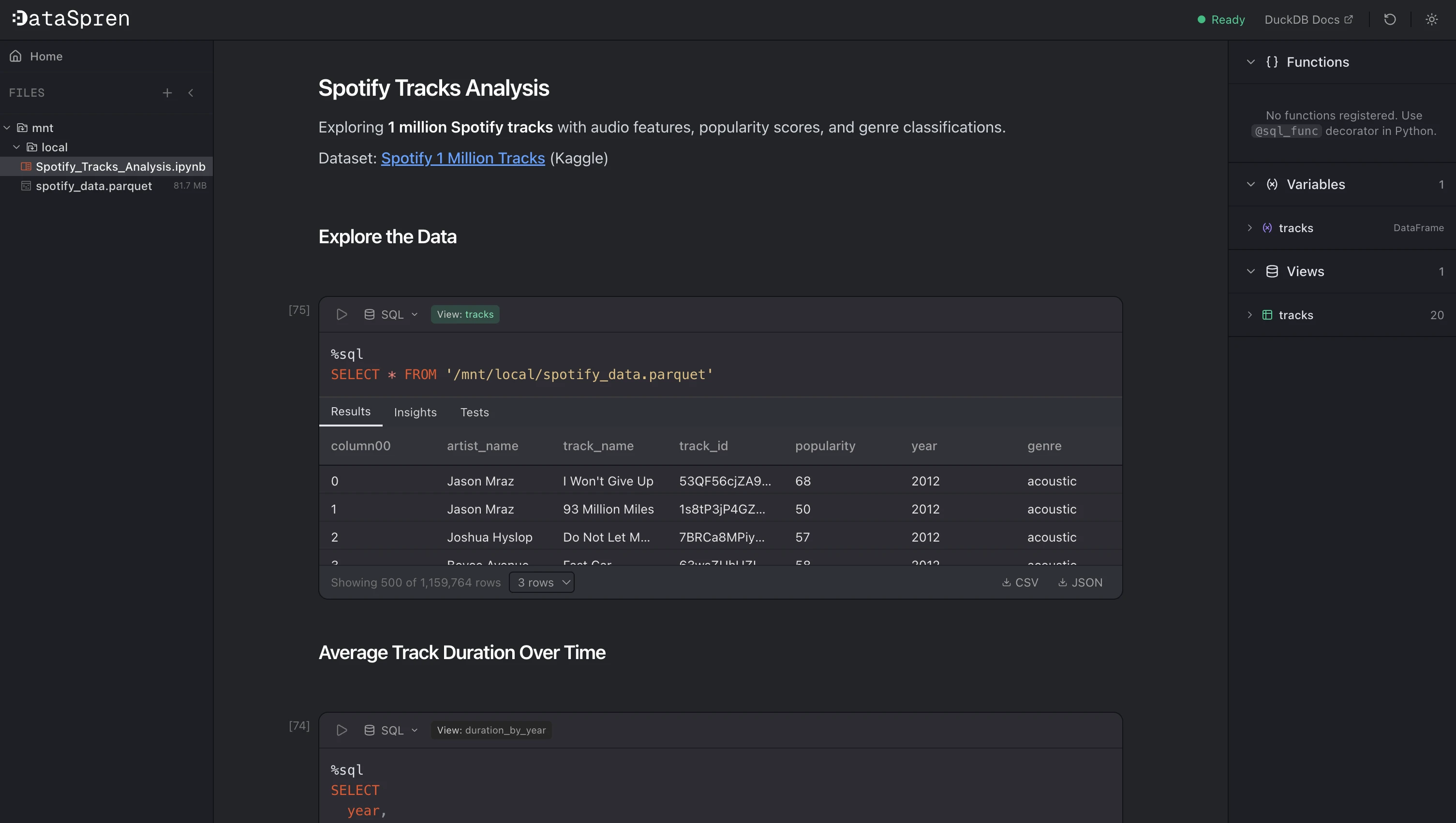
Explore and visualize data, entirely in your browser. Powered by WebAssembly and DuckDB. Your data stays on your machine.



Live Demo | Getting Started | Features
Roadmap
- External Storage - Mount S3 buckets
- AI UDFs - AI SQL UDFs
embed(col),cosine_sim(u, v),llm(model, prompt, col) - Ad hoc SQL - .sql file support with executor + viewer
Have a feature request? Open an issue and let us know!
Why DataStudio?
Most data tools require a backend, cloud account, or sending your data somewhere. DataStudio runs entirely in your browser. Python and DuckDB execute via WebAssembly, and files are stored locally using the browser's Origin Private File System. There is no server, no upload, and nothing to install.
This makes it ideal for:
- Quick data exploration: drag in a CSV or Parquet file and start querying in seconds
- Sensitive data: financial, medical, or proprietary datasets that can't leave your machine
- Offline work: everything works without an internet connection after the initial load
- Sharing analyses: notebooks use the standard Jupyter
.ipynbformat
Table of Contents
Features
| Feature | Description |
|---|---|
| Notebook interface | Multi-cell notebooks with Python, SQL, and Markdown cells. SQL cells automatically materialize as views accessible from Python. |
| In-browser execution | Python (Pyodide) and DuckDB run entirely in WebAssembly. Nothing leaves your machine. |
| Data visualization | Built-in charting (bar, line, area, scatter, pie) powered by ECharts. |
| File management | Upload, browse, and query CSV, Parquet, JSON, and Excel files. |
| Data validation | Built-in checks for uniqueness, not-null, accepted values, and custom SQL validations. |
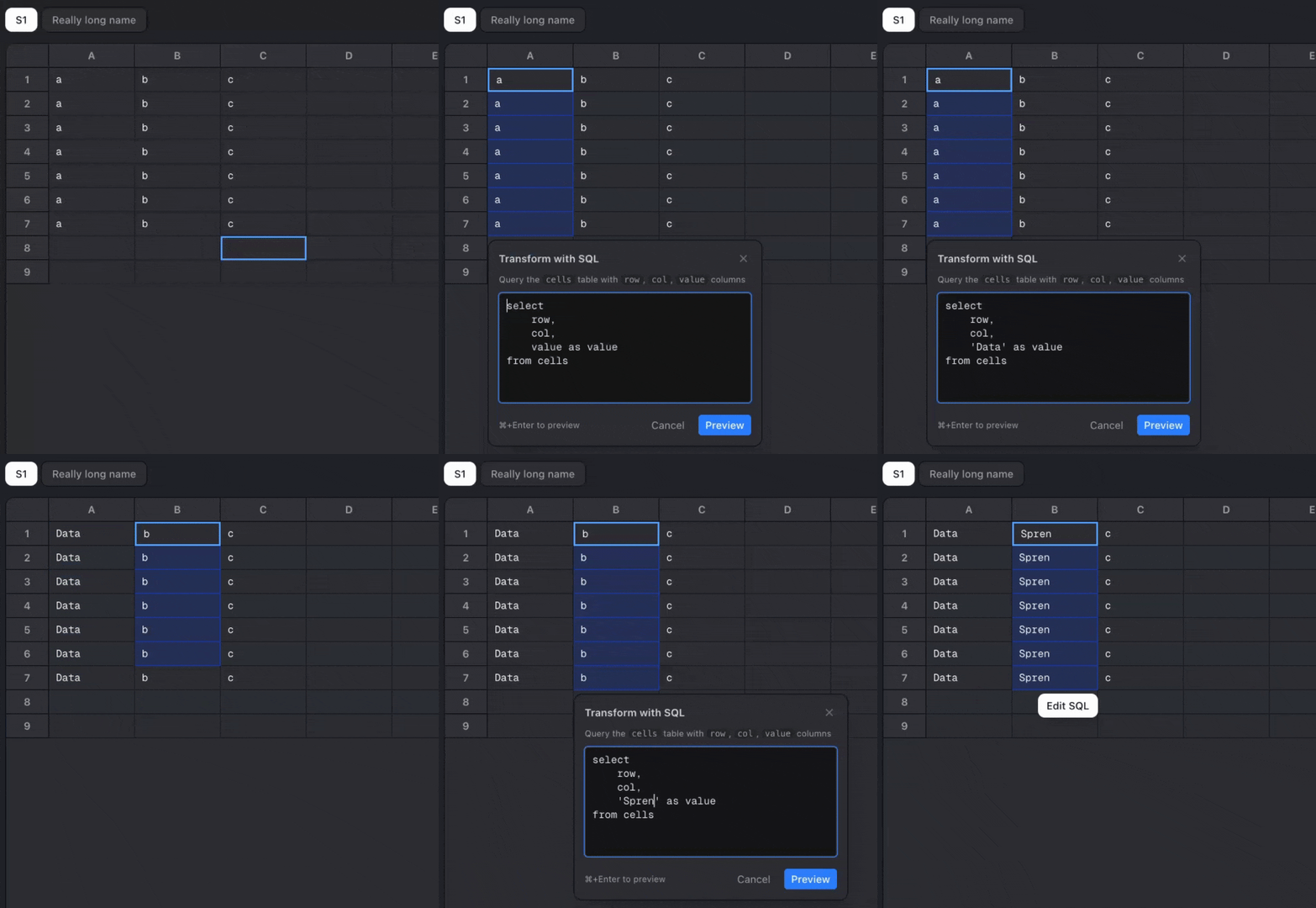
| Excel editing with SQL | Query and transform Excel files directly using SQL. |
Demo
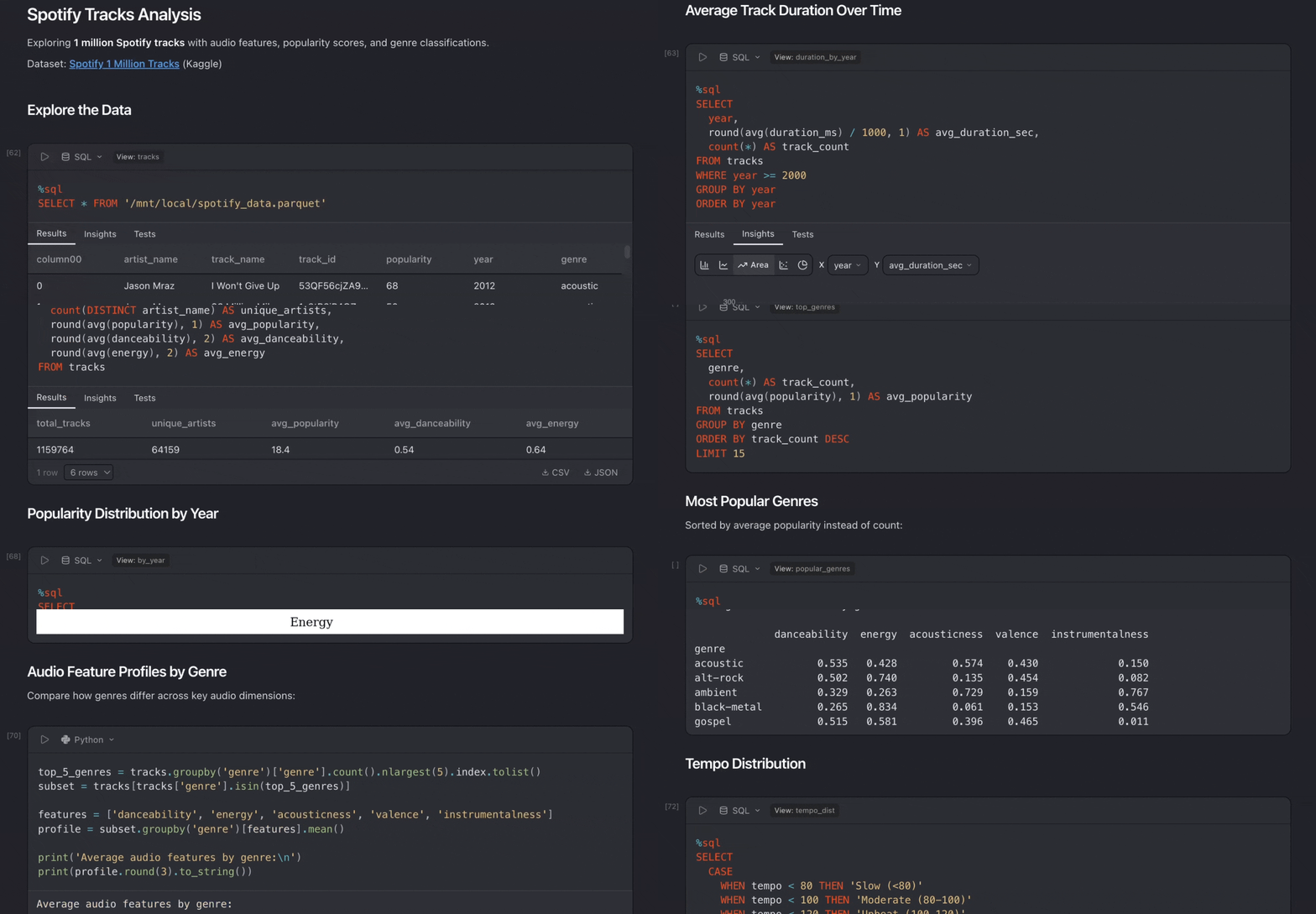
Notebook: Python, SQL, and Charts
Excel Editing
Getting Started
Prerequisites
- Node.js 22+
- pnpm
Run locally
pnpm install
pnpm dev
Open http://localhost:3000.
Run with Docker
cp .env.example .env
docker compose up --build
Tech Stack
| Technology | Role |
|---|---|
| Next.js + React 19 | UI framework |
| Pyodide | Python compiled to WebAssembly |
| DuckDB | In-process analytical SQL engine |
| ECharts | Data visualization |
| CodeMirror | Code editor |
| Tailwind CSS + Radix UI | Styling and components |
Contributing
Contributions are welcome! Feel free to open an issue or submit a pull request.
License
MIT. Copyright (c) 2026 Dataspren
관련 프로젝트 살펴보기
불러오는 중…