
datasifaw/SAZOTECH-TRADING
datasifaw/SAZOTECH-TRADING has 36 GitHub stars and 0 forks. GitHot measured +1 stars in 24 hours. Last checked 2026-11-09 16:33 UTC. Last push 2026-11-02.
Trading Order Management System built with C# and ASP.NET Core
측정된 스타 증가
- in 24h
- +1
- in 7 days
- 업데이트 지연
- in 15 days
- 업데이트 지연
- in 1 month
- 업데이트 지연
서로 겹치는 기간의 순증가량이며 일별 합계가 아닙니다. 측정값이 없으면 비워 둡니다. 스타는 관심도를 나타내며 품질을 보장하지 않습니다.
README.md
OriginalSAZOTECH-TRADING
Trading Order Management System | C# .NET 10 | ASP.NET Core Web API
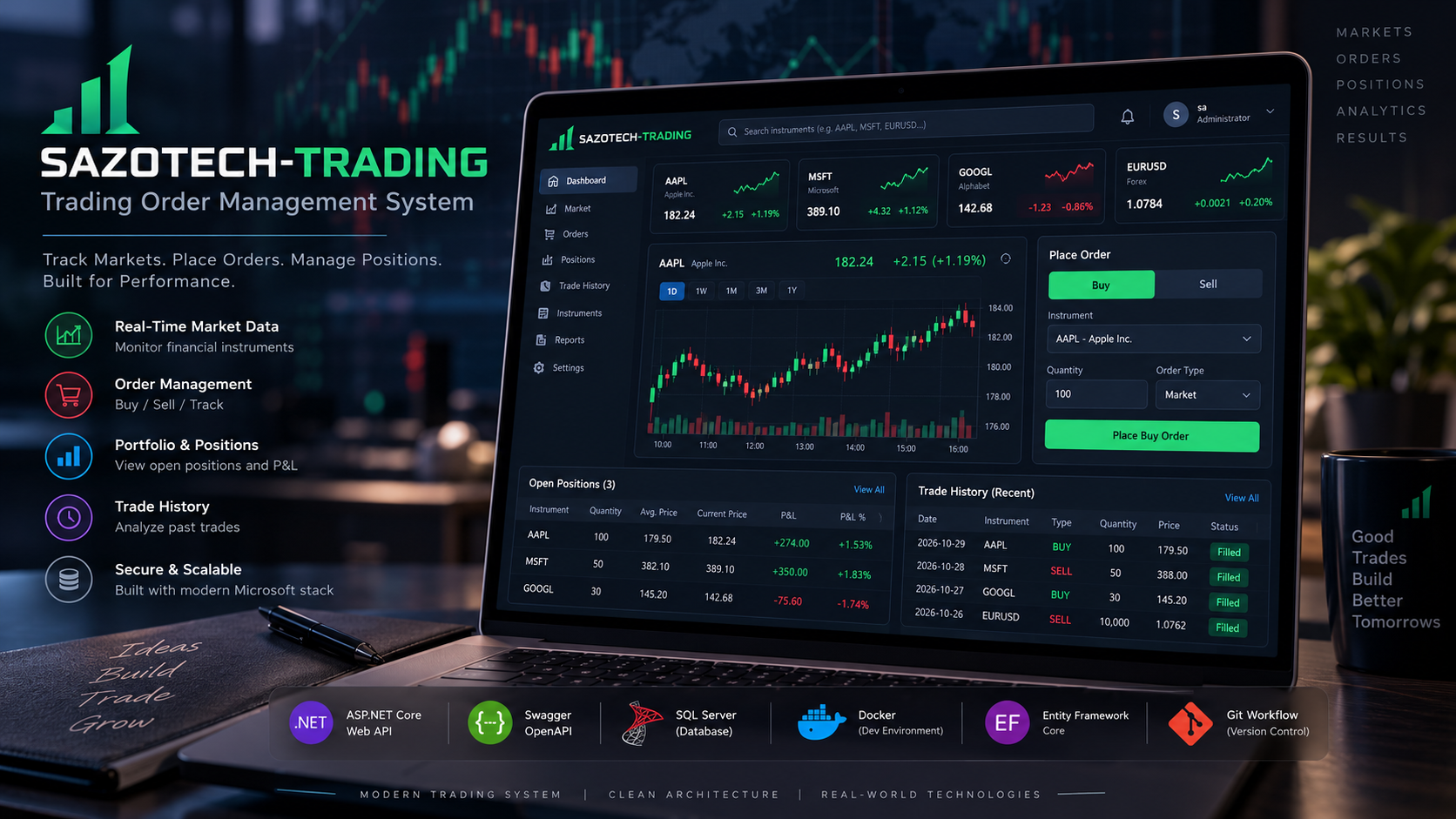
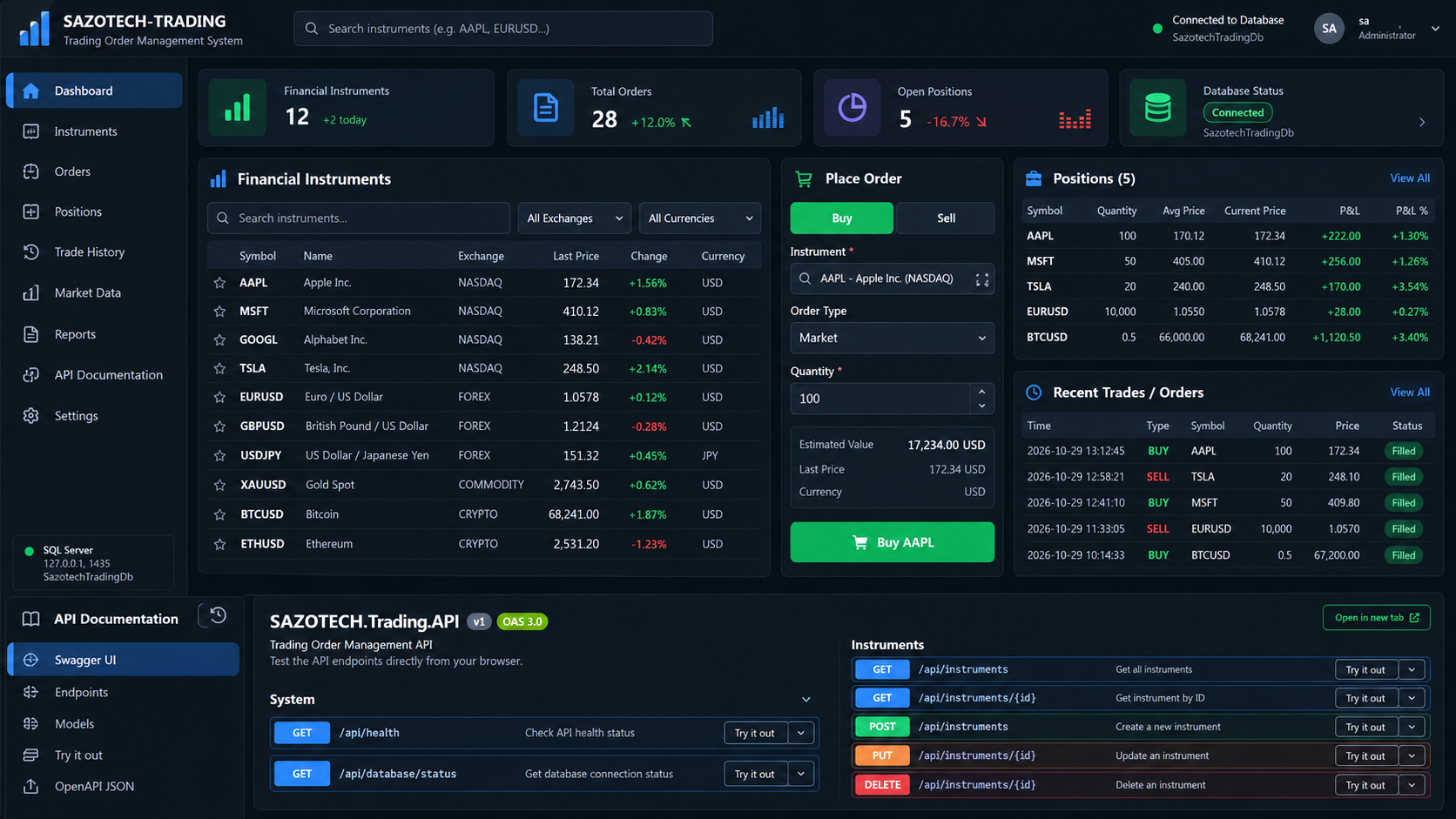
Project Status: Phase 7 — Final Validation in Progress
Release Target: MVP V1.0
Completed Phases: 0–6
Trading Environment: Simulated trading only
Project Overview
SAZOTECH-TRADING is a backend-focused trading order management system developed with C#, .NET 10, ASP.NET Core Web API, Entity Framework Core, and Microsoft SQL Server.
The application provides financial instrument management, BUY and SELL order registration, simulated order execution, portfolio position tracking, and basic portfolio valuation.
The project follows a Git feature-branch workflow with Conventional Commits and GitHub Pull Requests.
No real trading or financial transactions are performed.
Technology Stack
| Category | Technology |
|---|---|
| Backend | C#, .NET 10, ASP.NET Core Web API |
| API Documentation | Swagger / OpenAPI |
| Database | Microsoft SQL Server 2022 |
| ORM | Entity Framework Core 10 |
| Database Migrations | EF Core Code First |
| Containers | Docker / Docker Compose |
| Database Management | SQL Server Management Studio |
| Automated Tests | xUnit |
| Test Database | SQLite in-memory |
| Security | .NET User Secrets, environment variables |
| Development | Visual Studio Code |
| Version Control | Git / GitHub |
Development Progress
| Phase | Description | Status |
|---|---|---|
| 0 | Project Initialization & Git Setup | Completed |
| 1 | REST API & Swagger Setup | Completed |
| 2 | SQL Server, Docker & EF Core Integration | Completed |
| 3 | Financial Instruments CRUD API | Completed |
| 4 | Trading Orders Management | Completed |
| 5 | Order Execution & Portfolio Positions | Completed |
| 6 | Automated Testing with xUnit | Completed |
| 7 | Final Docker Setup & Documentation | In Progress |
Implemented Features
Phase 0 — Project Initialization
- Create the .NET solution and ASP.NET Core Web API project.
- Initialize Git and configure GitHub.
- Set up project documentation and
.gitignore. - Establish a feature-branch development workflow.
Phase 1 — REST API & Swagger
- Configure ASP.NET Core API controllers.
- Enable Swagger / OpenAPI.
- Provide an application health-check endpoint.
Phase 2 — Database Integration
- Run SQL Server 2022 using Docker Compose.
- Configure Entity Framework Core 10.
- Implement
TradingDbContext. - Create and apply database migrations.
- Configure local database credentials using .NET User Secrets.
- Provide a database connectivity endpoint.
Phase 3 — Financial Instruments CRUD
- Create financial instruments.
- Retrieve all instruments or one instrument by ID.
- Update instrument information.
- Delete instruments when relational constraints permit.
- Validate instrument properties.
- Prevent duplicate instrument symbols.
Phase 4 — Trading Orders Management
- Register BUY and SELL orders.
- Associate orders with existing instruments.
- Validate order types and quantities.
- Calculate order values using recorded prices.
- Store orders in SQL Server.
- Retrieve orders by ID or as a collection.
- Initialize orders with
NEWstatus.
Phase 5 — Order Execution & Portfolio Positions
- Execute pending BUY and SELL orders.
- Update successful orders to
EXECUTED. - Prevent sequential double execution.
- Reject SELL executions with insufficient holdings.
- Create and update aggregated portfolio positions.
- Calculate weighted average acquisition prices.
- Reduce holdings after SELL execution.
- Remove fully closed positions.
- Use database transactions to update orders and positions together.
- Provide portfolio retrieval endpoints.
- Calculate market value, cost basis, and unrealized P&L.
Phase 6 — Automated Testing
- Create a dedicated xUnit test project.
- Configure SQLite in-memory databases for isolated tests.
- Test portfolio position model properties.
- Test BUY position creation and weighted average prices.
- Test partial and full SELL execution.
- Test insufficient holdings and missing positions.
- Test invalid orders and HTTP error responses.
- Verify sequential double-execution prevention.
Latest validated result: 16 tests passed, 0 failed.
Phase 7 — Final Docker Setup & Documentation
Finalization activities include:
- Validate Docker Compose and SQL Server connectivity.
- Check database persistence and host-port mappings.
- Protect local secrets with
.gitignore. - Provide a safe
.env.example. - Ensure both API and xUnit projects are included in the solution.
- Document local port reservations.
- Perform final build, test, and startup verification.
API Endpoints
System
| Method | Endpoint | Description |
|---|---|---|
| GET | /api/health |
Application health check |
| GET | /api/database/status |
Database connectivity check |
Financial Instruments
| Method | Endpoint | Description |
|---|---|---|
| GET | /api/instruments |
Retrieve all instruments |
| GET | /api/instruments/{id} |
Retrieve an instrument |
| POST | /api/instruments |
Create an instrument |
| PUT | /api/instruments/{id} |
Update an instrument |
| DELETE | /api/instruments/{id} |
Delete an instrument |
Trading Orders
| Method | Endpoint | Description |
|---|---|---|
| GET | /api/orders |
Retrieve all orders |
| GET | /api/orders/{id} |
Retrieve an order |
| POST | /api/orders |
Create a BUY or SELL order |
| POST | /api/orders/{id}/execute |
Execute a pending order |
Portfolio Positions
| Method | Endpoint | Description |
|---|---|---|
| GET | /api/positions |
Retrieve open positions |
| GET | /api/positions/{id} |
Retrieve a position |
Trading Workflow
- Register or retrieve a financial instrument.
- Create a BUY or SELL order.
- Confirm that its status is
NEW. - Execute the order.
- Update the portfolio position and mark the order as
EXECUTED. - Retrieve updated portfolio information.
BUY Execution
A BUY increases the quantity held.
When a position already exists, the weighted average acquisition price is calculated using:
New Average Price = (Existing Quantity × Existing Average Price + Purchased Quantity × Purchase Price) / Total Quantity
SELL Execution
A SELL decreases the quantity held.
The execution is refused if the requested quantity exceeds available holdings. Fully closed portfolio positions are removed while order history is retained.
Order Statuses
| Status | Meaning |
|---|---|
NEW |
Registered but not yet executed |
EXECUTED |
Successfully executed |
A failed execution due to insufficient holdings returns HTTP 409, while the order remains NEW.
Portfolio Valuation
| Indicator | Formula |
|---|---|
| Market Value | Quantity × Current Price |
| Cost Basis | Quantity × Average Acquisition Price |
| Unrealized P&L | Market Value − Cost Basis |
These calculations use simulated prices and exclude fees, taxes, and realized P&L.
Database Architecture
Database: SazotechTradingDb
| Table | Description |
|---|---|
FinancialInstruments |
Financial instrument reference data |
TradingOrders |
BUY and SELL order history |
PortfolioPositions |
Current aggregated holdings |
__EFMigrationsHistory |
EF Core migration history |
Relationships
FinancialInstruments
       |
       +------< TradingOrders
       |
       +------- PortfolioPositions
Each instrument may have multiple orders and at most one aggregated portfolio position.
Project Structure
SAZOTECH-TRADING/
├── SAZOTECH.Trading.API/
│   ├── Controllers/
│   ├── Data/
│   ├── Migrations/
│   ├── Models/
│   └── Program.cs
├── SAZOTECH.Trading.Tests/
│   ├── Controllers/
│   │   └── OrderExecutionsControllerTests.cs
│   ├── Models/
│   │   └── PortfolioPositionTests.cs
│   └── SAZOTECH.Trading.Tests.csproj
├── docs/
│   └── PORTS.md
├── image/
│   ├── INTERFACE_SAZOTECH_TRADING.png
│   └── INTERFACE_2.png
├── .env.example
├── README.md
├── docker-compose.yml
└── SAZOTECH-TRADING.slnx
Local Development Ports
| Service | Host | Port |
|---|---|---|
| ASP.NET Core Web API | localhost | 5187 |
| Swagger UI | localhost | 5187 |
| SQL Server Docker | 127.0.0.1 | 1435 |
| SQL Server Container | Internal Docker network | 1433 |
Important: The Windows host port 1435 forwards traffic to SQL Server's internal container port 1433.
Complete Port Reference
See Local Port Reference for the full list of reserved development ports, Docker mappings, and Windows troubleshooting commands.
Getting Started
Prerequisites
- .NET 10 SDK
- Docker Desktop with Docker Compose
- Visual Studio Code or another compatible editor
- SQL Server Management Studio (optional)
- Git
1. Configure Docker Environment
Create a local .env file based on .env.example.
Replace the password placeholder with a strong SQL Server password.
Do not commit the real .env file.
2. Start SQL Server
docker compose up -d
docker compose ps
3. Restore Dependencies
dotnet restore
dotnet tool restore
4. Configure Database Access
Configure ConnectionStrings:TradingDb using .NET User Secrets for the API project.
The local database connection must point to SQL Server at 127.0.0.1,1435.
Never store real database passwords in committed configuration files.
5. Apply Database Migrations
dotnet tool run dotnet-ef database update --project SAZOTECH.Trading.API --startup-project SAZOTECH.Trading.API
6. Build the Solution
dotnet build
7. Run Automated Tests
dotnet test
Or run the test project directly:
dotnet test SAZOTECH.Trading.Tests/SAZOTECH.Trading.Tests.csproj
8. Start the API
dotnet run --project SAZOTECH.Trading.API --launch-profile http
9. Open Swagger
10. Check Database Connectivity
Execute:
GET /api/database/status
A healthy connection should return HTTP 200.
Automated Testing Results
| Metric | Latest Validated Result |
|---|---|
| Total | 16 |
| Passed | 16 |
| Failed | 0 |
| Skipped | 0 |
Tests use xUnit and SQLite in-memory databases to verify key trading rules without modifying the SQL Server development database.
Testing Limitations
- SQL Server-specific integration testing remains future work.
- Concurrent execution scenarios require additional testing.
- SQLite behavior may differ from SQL Server transaction and locking behavior.
API Usage Examples
Create a BUY Order
POST /api/orders
{
  "financialInstrumentId": 1,
  "orderType": "BUY",
  "quantity": 10
}
Execute an Order
POST /api/orders/1/execute
The order and portfolio position are updated following successful execution.
Retrieve the Portfolio
GET /api/positions
Example response:
[
  {
    "id": 1,
    "financialInstrumentId": 1,
    "symbol": "AAPL",
    "name": "Apple Inc.",
    "quantity": 10,
    "averagePrice": 225.75,
    "currentPrice": 230.00,
    "marketValue": 2300.00,
    "costBasis": 2257.50,
    "unrealizedPnL": 42.50,
    "updatedAt": "2026-11-02T10:00:00Z"
  }
]
All identifiers and values in this example are illustrative.
Git Workflow
Development uses feature branches, Conventional Commits, and GitHub Pull Requests.
main
 ├── feature/project-setup
 ├── feature/database
 ├── feature/instruments
 ├── feature/trading-orders
 ├── feature/positions
 ├── feature/unit-tests
 └── feature/docker
Known Limitations
- Single aggregated simulated portfolio
- No multi-account support
- No live market connections
- No real transactions
- No realized P&L calculation
- No custom web dashboard
- No comprehensive concurrent-execution tests
- No SQL Server-specific automated integration tests
Future Improvements
- SQL Server integration testing
- Concurrency and transaction stress testing
- Additional order lifecycle states
- Authentication and authorization
- Multiple trading accounts and portfolios
- Realized profit and loss tracking
- Centralized logging and monitoring
- Fully containerized API deployment
- Custom trading dashboard
Project Interface Preview
The images displayed at the top of this README are conceptual interface mockups.
The current MVP exposes a backend REST API documented through Swagger UI. A custom trading dashboard has not yet been implemented.
Disclaimer
SAZOTECH-TRADING is an educational and portfolio project. All prices and trading operations are simulated. The application does not connect to live financial exchanges, provide investment advice, or perform real financial transactions.
관련 프로젝트 살펴보기
Asabeneh/30-Days-Of-Python
30 Days of Python 프로그래밍 챌린지는 Python 프로그래밍 언어를 30일 동안 배우기 위한 단계별 가이드입니다. 이 챌린지는 100일 이상 걸릴 수 있습니다. 자신의 속도에 맞춰 진행하세요. 다음 동영상도 도움이 될 수 있습니다: https://www.youtube.com/channel/UC7PNRuno1rzYPb1xLa4yktw
78,486 스타grafana/grafana
개방적이고 조합 가능한 옵저버빌리티 및 데이터 시각화 플랫폼입니다. Prometheus, Loki, Elasticsearch, InfluxDB, Postgres 등 여러 소스의 메트릭, 로그, 트레이스를 시각화합니다.
77,790 스타redis/redis
실시간 데이터 기반 애플리케이션을 구축하는 개발자에게 Redis는 가장 선호되고, 가장 빠르며, 기능이 가장 풍부한 캐시, 데이터 구조 서버이자 문서 및 벡터 쿼리 엔진입니다.
77,332 스타apache/superset
Apache Superset는 데이터 시각화 및 데이터 탐색 플랫폼입니다.
75,455 스타