
dataform-co/dataform
dataform-co/dataform has 998 GitHub stars and 209 forks. GitHot measured 0 stars in 24 hours and -1 in 7 days. Last checked 2026-11-22 20:13 UTC. Last push 2026-11-22.
측정된 스타 증가
- in 24h
- 0
- in 7 days
- -1
- in 15 days
- 기록 수집 중
- in 1 month
- 기록 수집 중
서로 겹치는 기간의 순증가량이며 일별 합계가 아닙니다. 측정값이 없으면 비워 둡니다. 스타는 관심도를 나타내며 품질을 보장하지 않습니다.
소개
Dataform is a framework for managing SQL based data operations in BigQuery
데이터README.md
OriginalDataform Core
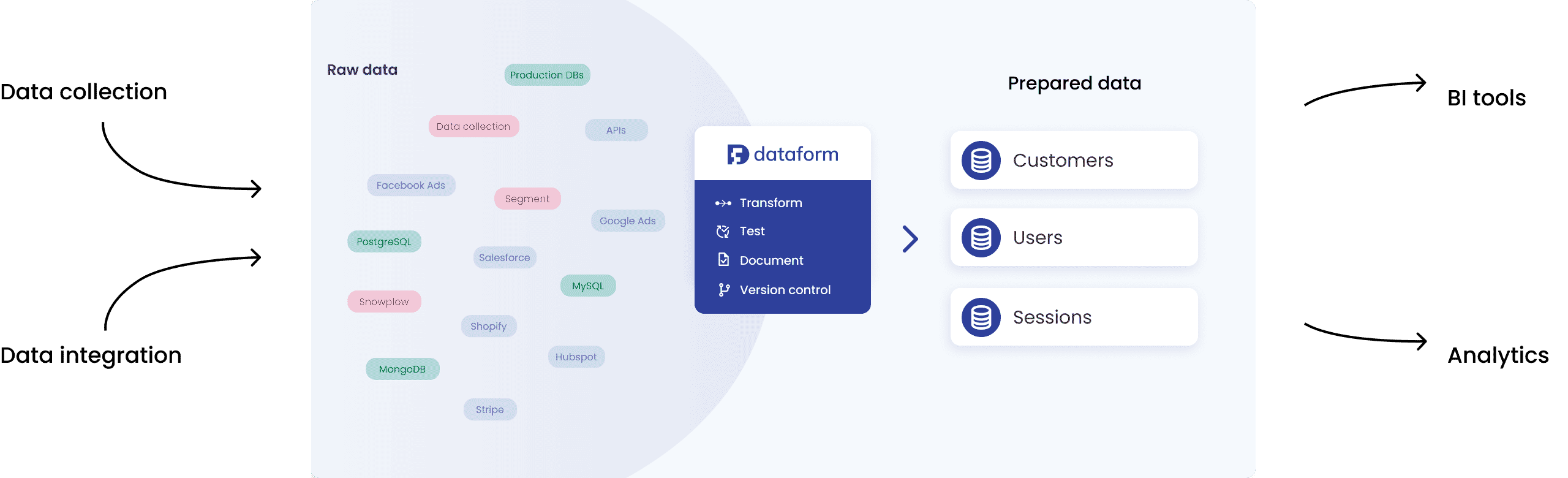
Dataform Core is an open source meta-language to create SQL tables and workflows in BigQuery. Dataform Core extends SQL by providing a dependency management system, automated data quality testing, and data documentation.
Using Dataform Core, data teams can build scalable SQL data transformation pipelines following software engineering best practices, like version control and testing.
For more details, see how Dataform works.
Get started
In Google Cloud Platform
Dataform in Google Cloud Platform provides a fully managed experience to build scalable data transformations pipelines in BigQuery using SQL. It includes:
- A cloud development environment to develop data assets with SQL and Dataform Core and version control code with GitHub, GitLab, and other Git providers.
- A fully managed, serverless orchestration environment for data pipelines, fully integrated in Google Cloud Platform.
Follow the quickstart guide!
With the CLI
You can run Dataform locally using the Dataform CLI tool, which can be installed using the following command line. Follow the CLI guide to get started, or see the CLI reference for all commands and flags.
npm i -g @dataform/cli
To emit table-level data lineage to Google Cloud Data Lineage during CLI runs, enable datalineage.googleapis.com and run dataform run --emit-lineage (or set lineage: { enabled: true } in workflow_settings.yaml). See the Data Lineage guide for prerequisites and configuration details.
Note on Project Execution & Security: Dataform compiles SQLX and JavaScript project code using Node.js's native
node:vmcontext. While module resolution is scoped to the project directory,node:vmis not a security sandbox against untrusted code. Dataform projects execute with the privileges of the local process; only run and compile Dataform projects from trusted sources.
Useful Links
- Documentation home page.
- Create tables and views.
- Configure dependencies.
- Write data quality checks.
- Enable scripting and code re-use with a JavaScript API.
- Import pre-defined packages, or create your own.
- Define BigQuery property graphs using YAML (
graph.yaml). - Emit table-level data lineage to Knowledge Catalog.
- View the Dataform Core reference.
- View the Dataform CLI reference.
- View the Dataform configs reference.
Note: this readme can also be viewed on https://dataform-co.github.io/dataform.
Example Projects
- https://github.com/GoogleCloudPlatform/marketing-data-engine-dataform.
- https://github.com/wintermi/movielens-dataform.
- https://github.com/wintermi/bqe-dataform.
- https://github.com/wintermi/imdb-dataform.
- https://github.com/wintermi/fashion-dataform.
- https://github.com/G2H/dataform-stackoverflow.
- https://github.com/karcot1/dataform_deployment_sample.
Want to report a bug or request a feature?
- For Dataform Core / open source requests, you can open an issue in GitHub.
- For Dataform in Google Cloud Platform, you can file a bug here, and file feature requests here.
Want to contribute?
Check out our contributors guide to get started with setting up the repo.
관련 프로젝트 살펴보기
불러오는 중…