
dataforgelabs/dataforge-core
dataforgelabs/dataforge-core has 62 GitHub stars and 2 forks. GitHot measured 0 stars in 24 hours and +1 in 7 days. Last checked 2026-11-22 21:14 UTC. Last push 2026-11-18.
측정된 스타 증가
- in 24h
- 0
- in 7 days
- +1
- in 15 days
- 기록 수집 중
- in 1 month
- 기록 수집 중
서로 겹치는 기간의 순증가량이며 일별 합계가 아닙니다. 측정값이 없으면 비워 둡니다. 스타는 관심도를 나타내며 품질을 보장하지 않습니다.
소개
DataForge helps data teams write functional transformation pipelines by leveraging software engineering principles
데이터README.md
Original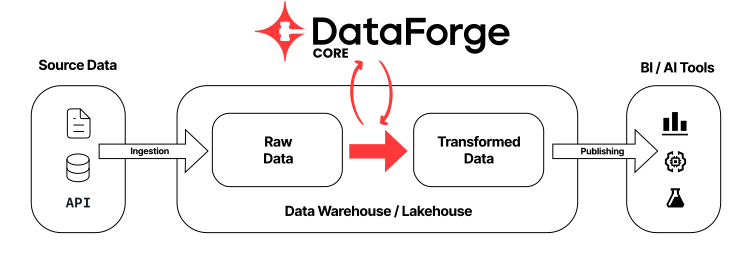

DataForge helps data analysts and engineers build and extend data solutions by leveraging modern software engineering principles.

Understanding DataForge
DataForge enables writing of inline functions using single-column SQL expressions rather than CTEs, procedural scripts, or set-based models.
For an overview of the underlying concepts, check out this introduction blog.
Each function:
- is pure, with no side effects
- returns single column
- is composable with other functions
DataForge software engineering principles:
These principles allow DataForge projects to be easy to modify and extend - even with thousands of integrated pipelines.
Explore the Core CLI or learn more about how Core powers DataForge Cloud.
Requirements
Dataforge Core is a code framework and command line tool to develop transformation functions and compile them into executable Spark SQL.
To run the CLI you will need:
- Java 8 or higher
- Amazon Corretto is a great option
- A PostgreSQL v14+ server with a dedicated empty database
- Check out our friends over at Tembo
- Python version 3.12+
The CLI also includes an integration to run the code in Databricks. To support this you need:
Installation and Quickstart
Open a new command line window
Validate Java and Python are installed correctly:
> java --version
openjdk 21.0.3 2024-04-16 LTS
> python --version Python 3.12.3Install Dataforge by running:
> pip install dataforge-core
Collecting dataforge-core...
Installing collected packages: dataforge-core
Successfully installed dataforge-core...
Validate installation:
> dataforge --version
dataforge-core 1.0.0
Configure connections and credentials to Postgres and optionally Databricks
> dataforge --configure
Enter postgres connection string: postgresql://postgres:<postgres-server-url>:5432/postgres
Do you want to configure Databricks SQL Warehouse connection (y/n)? y
Enter Server hostname: <workspace-url>.cloud.databricks.com
Enter HTTP path: /sql/1.0/warehouses/<warehouse-guid>
Enter access token: <token-guid>
Enter catalog name: <unity_catalog_name>
Enter schema name: <schema_in_catalog_name>
Connecting to Databricks SQL Warehouse <workspace-url>.cloud.databricks.com
Databricks connection validated successfully
Profile saved in C:\Users...
Navigate to an empty folder and initialize project structure and sample files:
> dataforge --init
Initialized project in C:\Users...
Deploy dataforge structures to Postgres
> dataforge --seed
All objects in schema(s) log,meta in postgres database will be deleted. Do you want to continue (y/n)? y
Initializing database..
Database initialized
Build sample project
> dataforge --build
Validating project path C:\Users...
Started import with id 1
Importing project files...
<list of files>
Files parsed
Loading objects...
Objects loaded
Expressions validated
Generated 8 source queries
Generated 1 output queries
Generated run.sql
Import completed successfully
Execute in Databricks
> dataforge --run
Connecting to Databricks SQL Warehouse <workspace-url>.cloud.databricks.com
Executing query
Execution completed successfully
Commands
| -h, --help | Display this help message and exit |
| -v, --version | Display the installed DataForge version |
| -c, --configure | Connect to Postgres database and optionally Databricks SQL Warehouse |
| -s, --seed | Deploy tables and scripts to postgres database |
| -i, --init [Project Path] | Initialize project folder structure with sample code |
| -b, --build [Project Path] | Compile code, store results in Postgres, and generate target SQL files |
| -r, --run [Project Path] | Run compiled project on Databricks SQL Warehouse |
| -p, --profile [Profile Path] | Update path of stored credentials profile file |
Links
관련 프로젝트 살펴보기
불러오는 중…