
cweijan/vscode-database-client
cweijan/vscode-database-client has 2,928 GitHub stars and 384 forks. GitHot measured +1 stars in 24 hours and +1 in 7 days. Last checked 2026-11-12 13:04 UTC. Last push 2026-06-13.
Database Client For Visual Studio Code
측정된 스타 증가
- in 24h
- +1
- in 7 days
- +1
- in 15 days
- 기록 수집 중
- in 1 month
- 기록 수집 중
서로 겹치는 기간의 순증가량이며 일별 합계가 아닙니다. 측정값이 없으면 비워 둡니다. 스타는 관심도를 나타내며 품질을 보장하지 않습니다.
README.md
OriginalDatabase Client
This repository contains the early source code. The new version is closed source.
This project is a database client for Visual Studio Code, supporting the management MySQL/MariaDB, PostgreSQL, SQLite, Redis, ClickHouse, 达梦, and ElasticSearch, and works as an SSH client, boost your maximum productivity!
Project site: vscode-database-client, 中文文档

Installation
Install from the Visual Studio Code Marketplace or Open VSX.
Telemetry Reporting
The Database Client extension will collects and sends anonymous usage data to the Database Client server to help improve our products and services. Read our Privacy Statement to learn more.
Telemetry reporting follows the telemetry settings of VS Code. Additionally, you can independently disable it by setting "database-client.telemetry.usesOnlineServices": false.
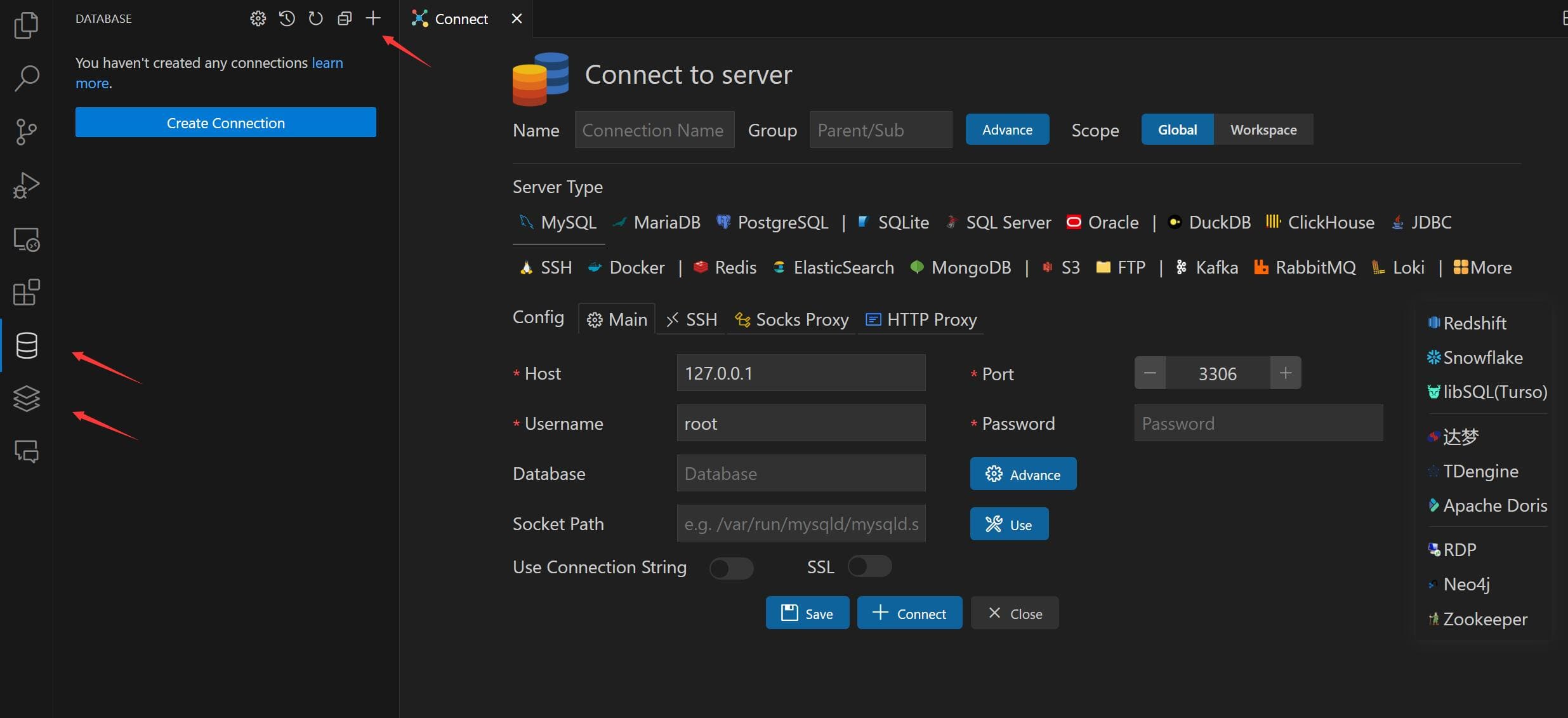
Connect
- Open Database Explorer panel, then click the
+button. - Select your database type, input connection config then click the connect button.
Table
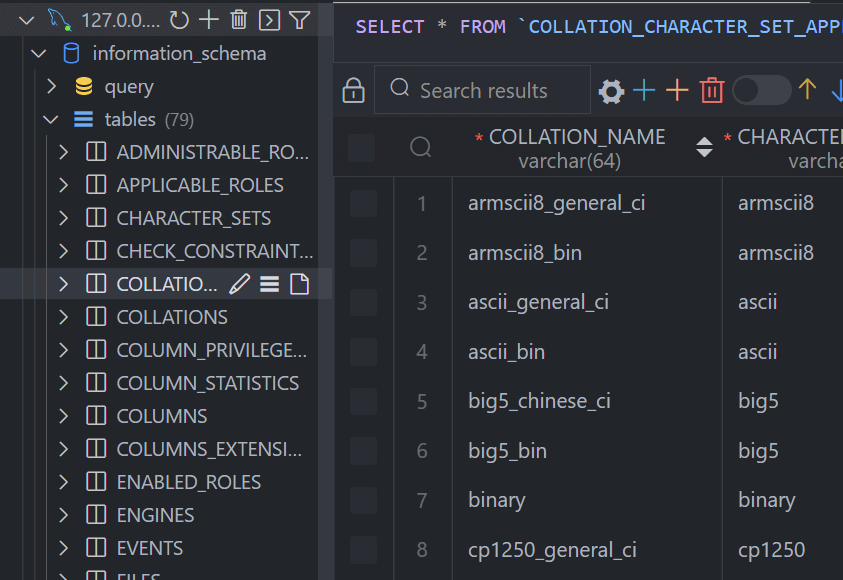
- Click table to open table view.
- Click button beside table to open new table view.
- Then you can do data modification on the table view.
Execute SQL Query
In the Database Explorer panel, click the Open Query button.
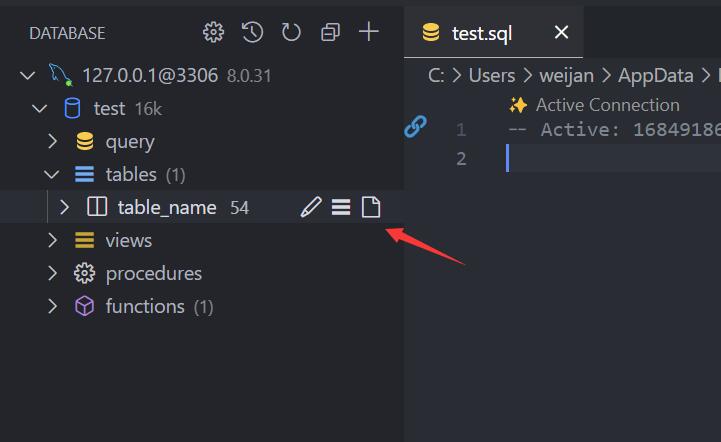
That will open a SQL editor bind of database, it provider:
- IntelliSense SQL edit.
- snippets:
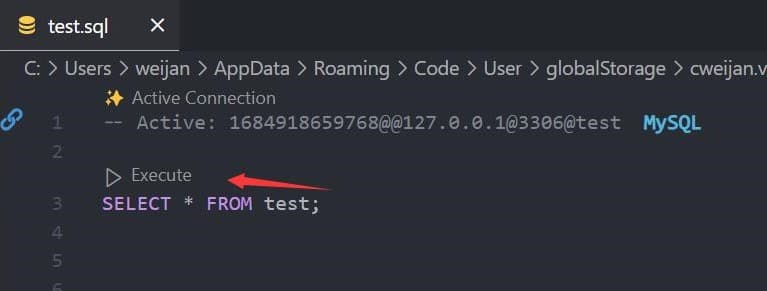
sel、del、ins、upd、joi... - Run selected or current cursor SQL (Shortcut : Ctrl+Enter).
- Run all SQL (Shortcut : Ctrl+Shift+Enter, Command ID:
mysql.runSQL).
The database can be searched by clicking the search button to the right of "Tables".

Cache
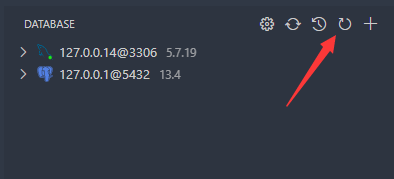
In order to improve performance, the database information is cached. If your database structure changes externally, you need to click the refresh button to refresh the cache。
Backup/Import
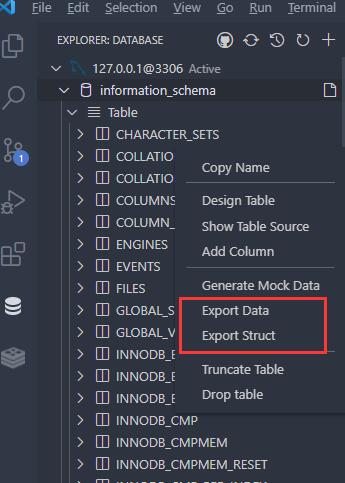
Move to ant DatabaseNode or TableNode. The export/import options are listed in the context menu (right click to open).
The extension implements the backup function, but it is not stable enough. You can add mysql_dump or pg_dump to the environment variable, and the extension will use these tools for backup.
Setting
The extension provides some settings, you can refer to the following operations to go to the console settings.

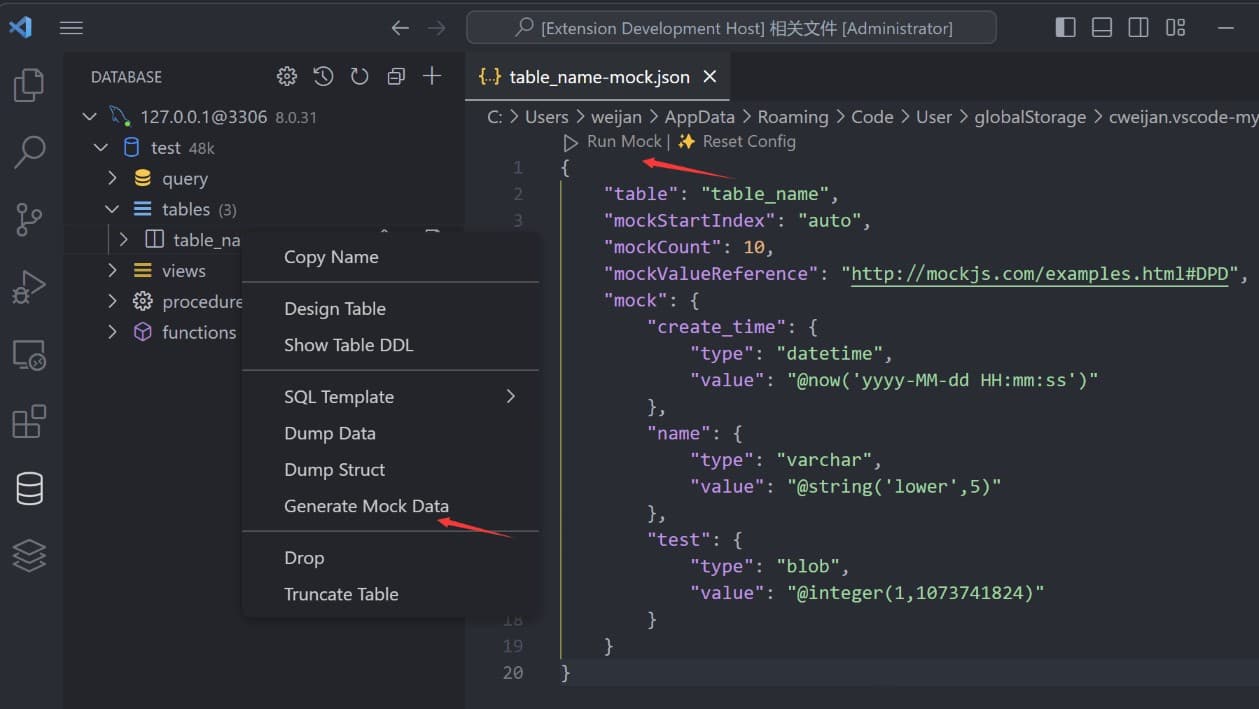
Generate Mock Data
You can easily generate test data.
History
Click the history button to open the list of recently executed query history records.

Credits
- ssh2: SSH client.
- sql-formatter SQL format lib.
- Client Lib:
- node-mysql2 : MySQL client.
- node-postgres: PostgreSQL client.
- tedious: SqlServer client.
- ioredis: Redis client.
- vscode-sqlite: SQLite client code reference.
관련 프로젝트 살펴보기
Asabeneh/30-Days-Of-Python
30 Days of Python 프로그래밍 챌린지는 Python 프로그래밍 언어를 30일 동안 배우기 위한 단계별 가이드입니다. 이 챌린지는 100일 이상 걸릴 수 있습니다. 자신의 속도에 맞춰 진행하세요. 다음 동영상도 도움이 될 수 있습니다: https://www.youtube.com/channel/UC7PNRuno1rzYPb1xLa4yktw
78,618 스타grafana/grafana
개방적이고 조합 가능한 옵저버빌리티 및 데이터 시각화 플랫폼입니다. Prometheus, Loki, Elasticsearch, InfluxDB, Postgres 등 여러 소스의 메트릭, 로그, 트레이스를 시각화합니다.
77,859 스타redis/redis
실시간 데이터 기반 애플리케이션을 구축하는 개발자에게 Redis는 가장 선호되고, 가장 빠르며, 기능이 가장 풍부한 캐시, 데이터 구조 서버이자 문서 및 벡터 쿼리 엔진입니다.
77,472 스타apache/superset
Apache Superset는 데이터 시각화 및 데이터 탐색 플랫폼입니다.
75,495 스타