
coleifer/sqlite-web
coleifer/sqlite-web has 4,181 GitHub stars and 408 forks. GitHot measured +3 in 7 days. Last checked 2026-11-10 19:57 UTC. Last push 2026-10-15.
Web-based SQLite database browser written in Python
What you can do
- Works with your existing SQLite databases, or can be used to create new databases.
- Columns (with support for older versions of Sqlite)
- Export data as JSON or CSV.
- Import JSON or CSV files.
측정된 스타 증가
- in 24h
- 업데이트 지연
- in 7 days
- +3
- in 15 days
- 업데이트 지연
- in 1 month
- 업데이트 지연
서로 겹치는 기간의 순증가량이며 일별 합계가 아닙니다. 측정값이 없으면 비워 둡니다. 스타는 관심도를 나타내며 품질을 보장하지 않습니다.
README.md
Original
sqlite-web is a web-based SQLite database browser written in Python.
Project dependencies:
Installation
$ pip install sqlite-web
Usage
$ sqlite_web /path/to/database.db
If you have multiple databases:
$ sqlite_web /path/to/db1.db /path/to/db2.db /path/to/db3.db
Or run with docker:
$ docker run -it --rm \
    -p 8080:8080 \
    -v /path/to/your-data:/data \
    ghcr.io/coleifer/sqlite-web:latest \
    db_filename.db
Or run with the high-performance gevent WSGI server (requires gevent):
$ sqlite_wsgi /path/to/db.db
Then navigate to http://localhost:8080/ to view your database.
Features
- Works with your existing SQLite databases, or can be used to create new databases.
- Add or drop:
- Tables
- Columns (with support for older versions of Sqlite)
- Indexes
- Export data as JSON or CSV.
- Import JSON or CSV files.
- Browse table data.
- Insert, Update or Delete rows.
- Load and unload databases at run-time (see
--enable-loador--enable-filesystem)
Screenshots
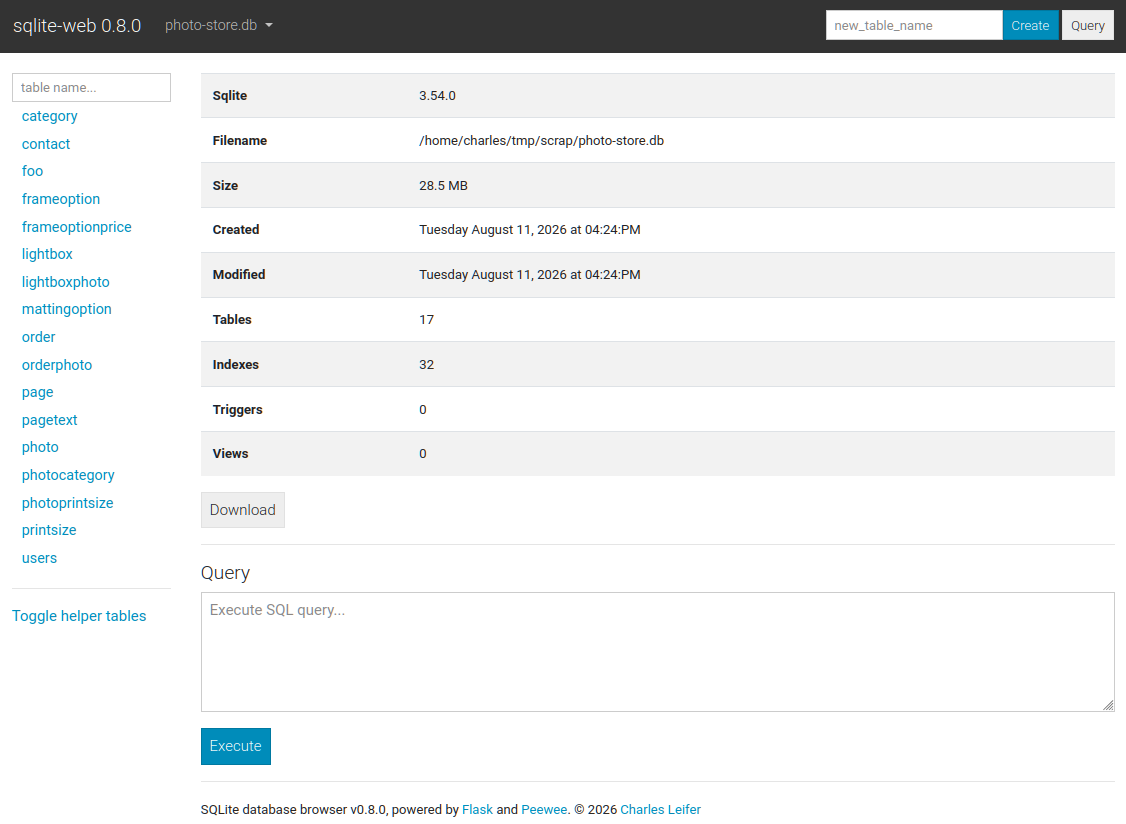
The index page shows some basic information about the database, including the number of tables and indexes, as well as its size on disk:
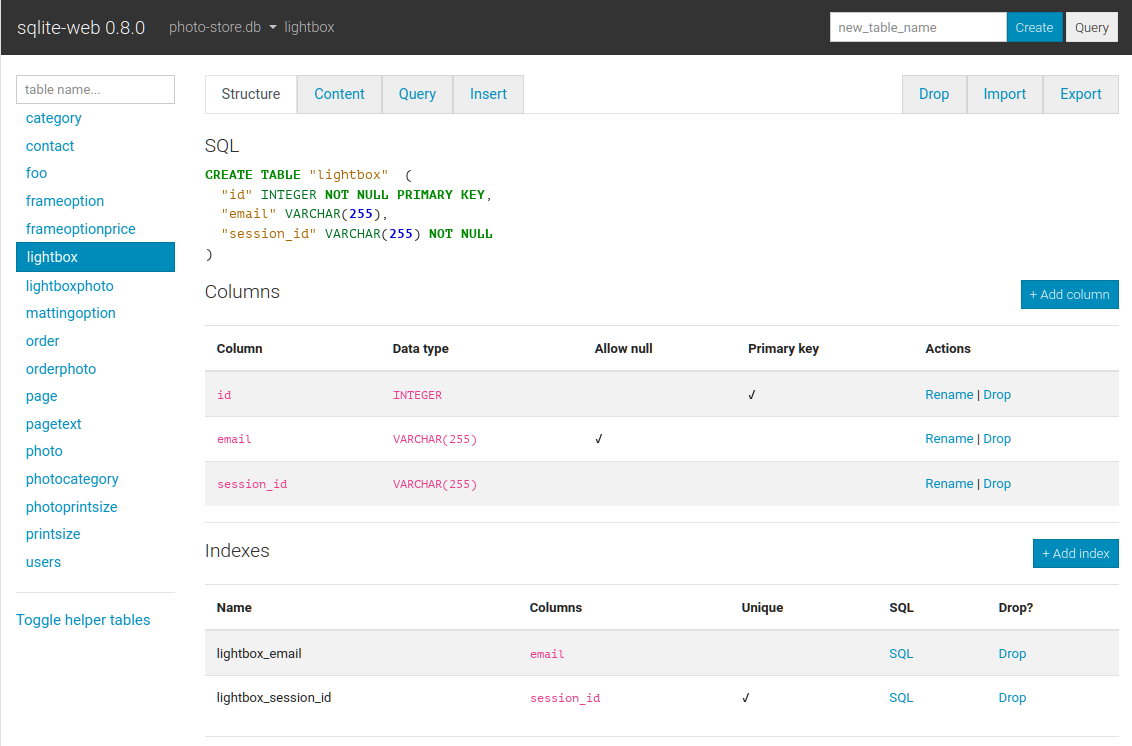
The structure tab displays information about the structure of the table,
including columns, indexes, triggers, and foreign keys (if any exist). From
this page you can also create, rename or drop columns and indexes.
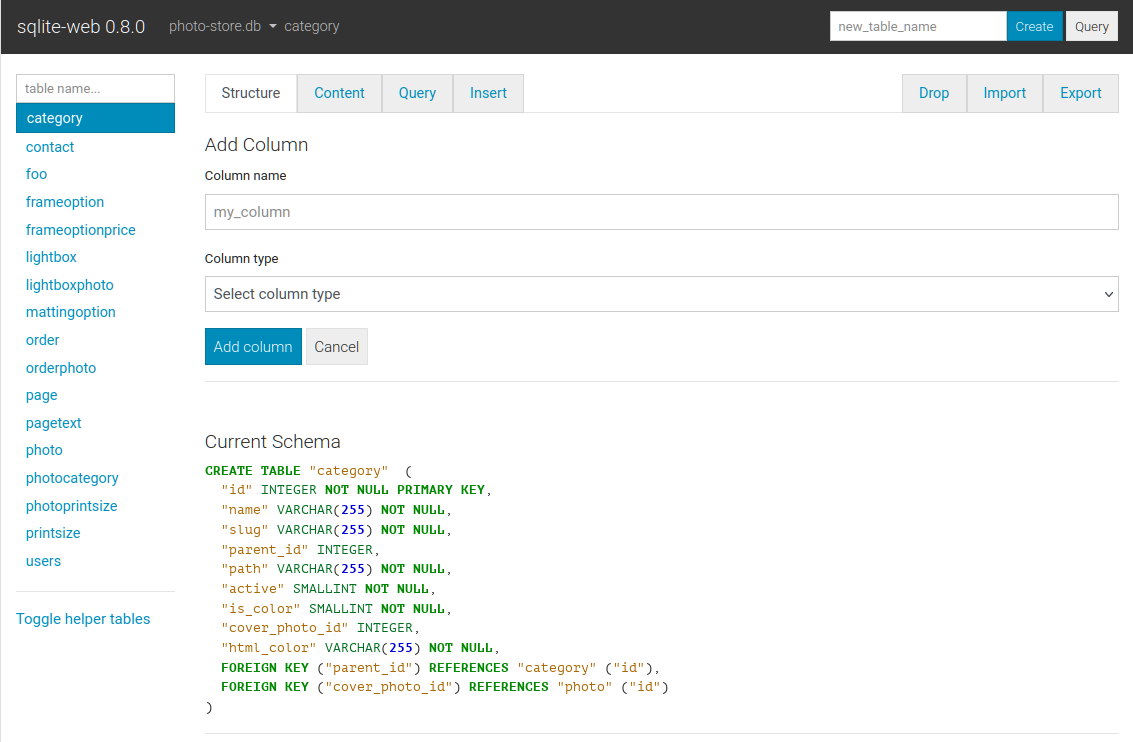
Columns are easy to add, drop or rename:
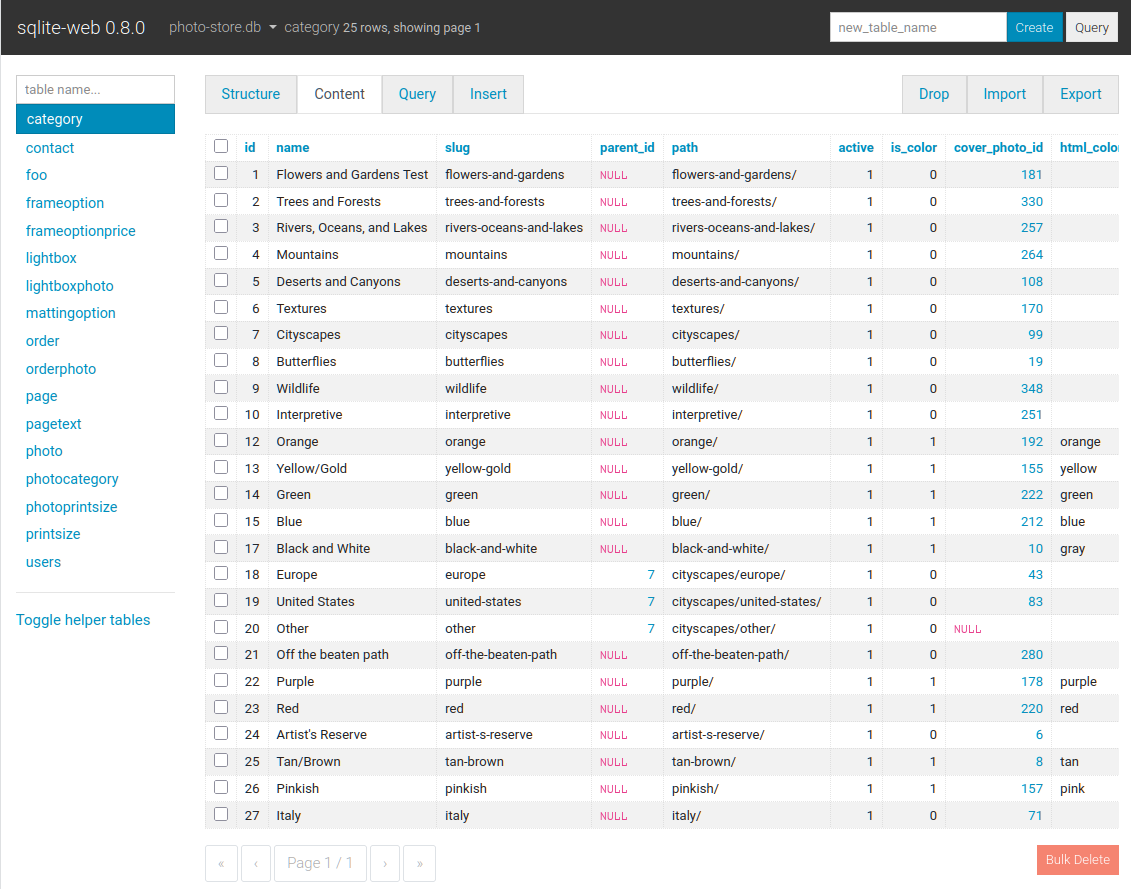
The content tab displays all the table data. Links in the table header can be
used to sort the data, foreign-keys are shown as clickable links, and row-data
can be copied easily:
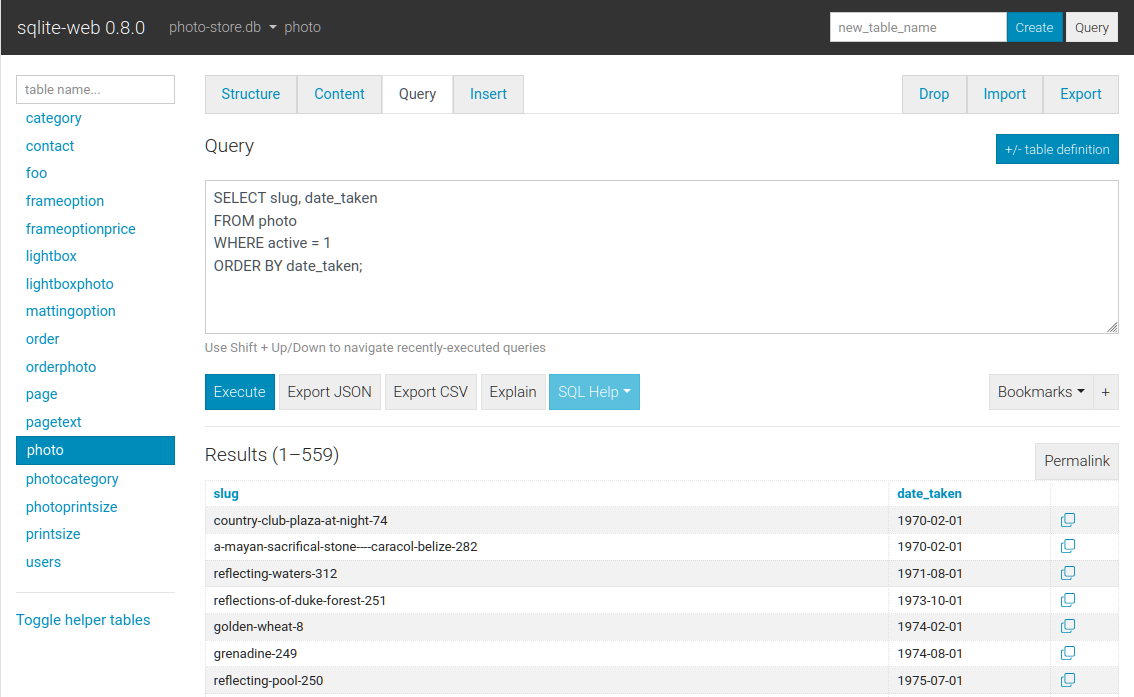
The query tab allows you to execute queries on a table. The query results are
displayed in a table and can be exported to either JSON or CSV. Multiple
queries can be executed, and results for each will be displayed. Data-modifying
queries report the number of rows changed.
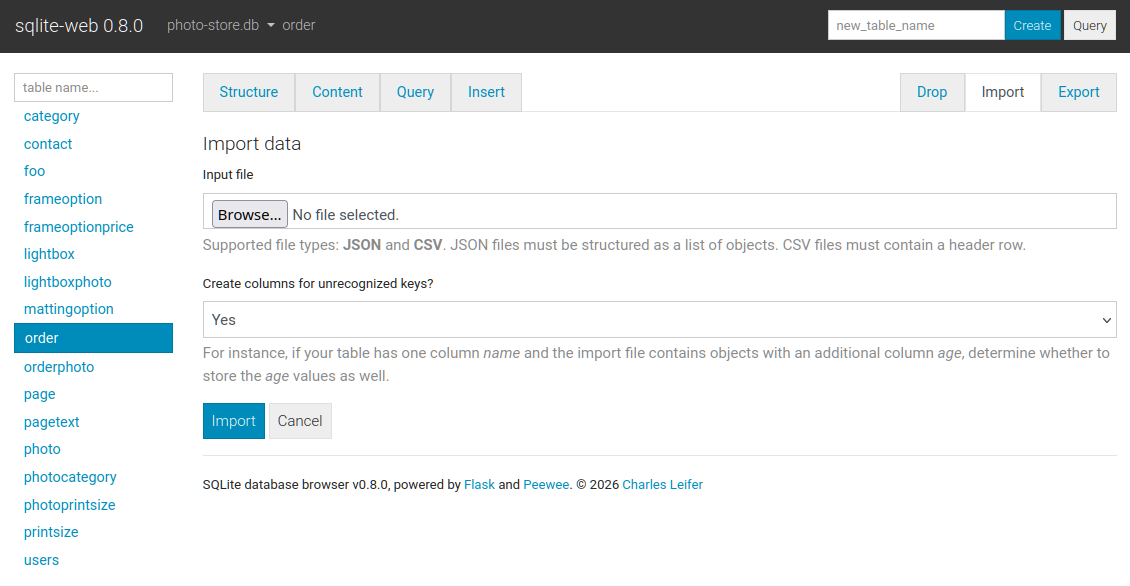
The import tab supports importing CSV and JSON files into a table. There is
an option to automatically create columns for any unrecognized keys in the
import file:
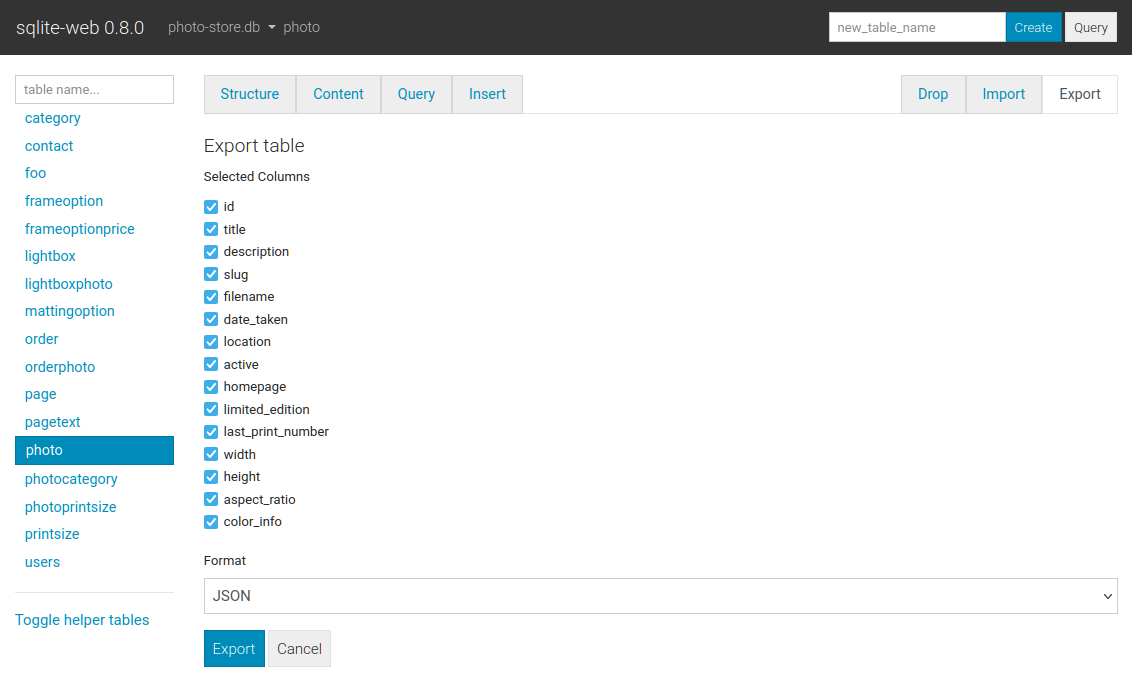
The export tab supports exporting all, or a subset, of columns:
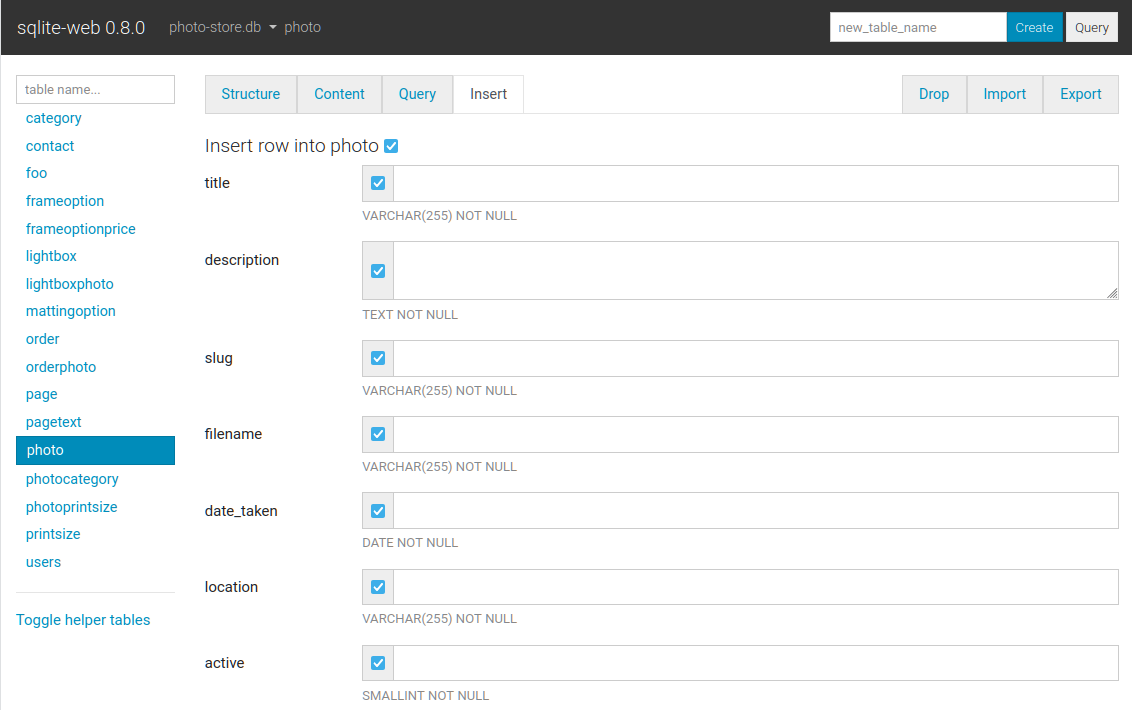
Basic INSERT, UPDATE and DELETE queries are supported:
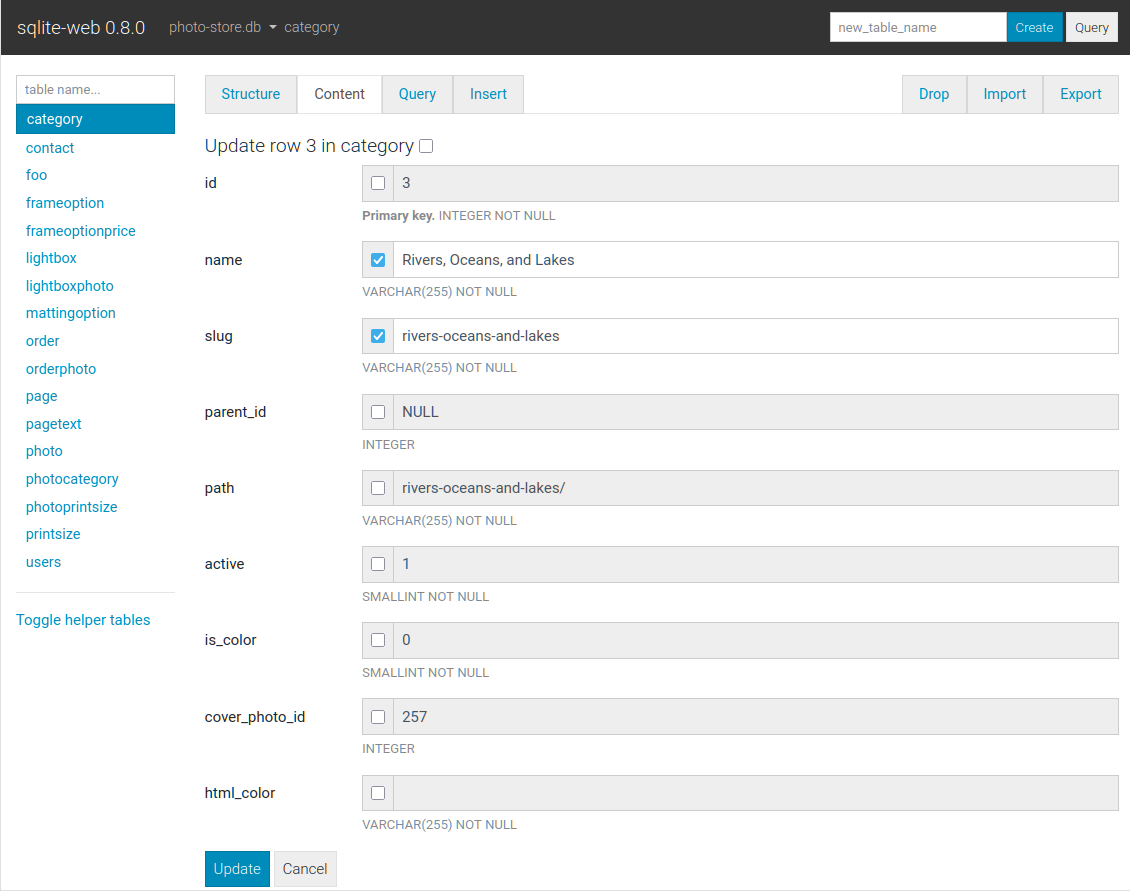
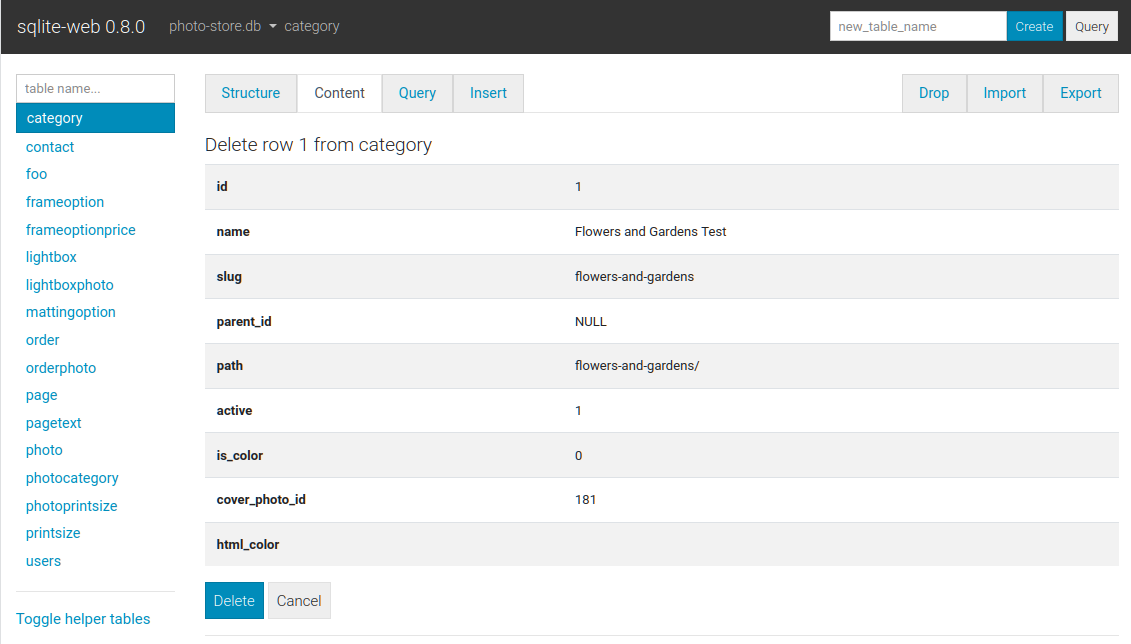
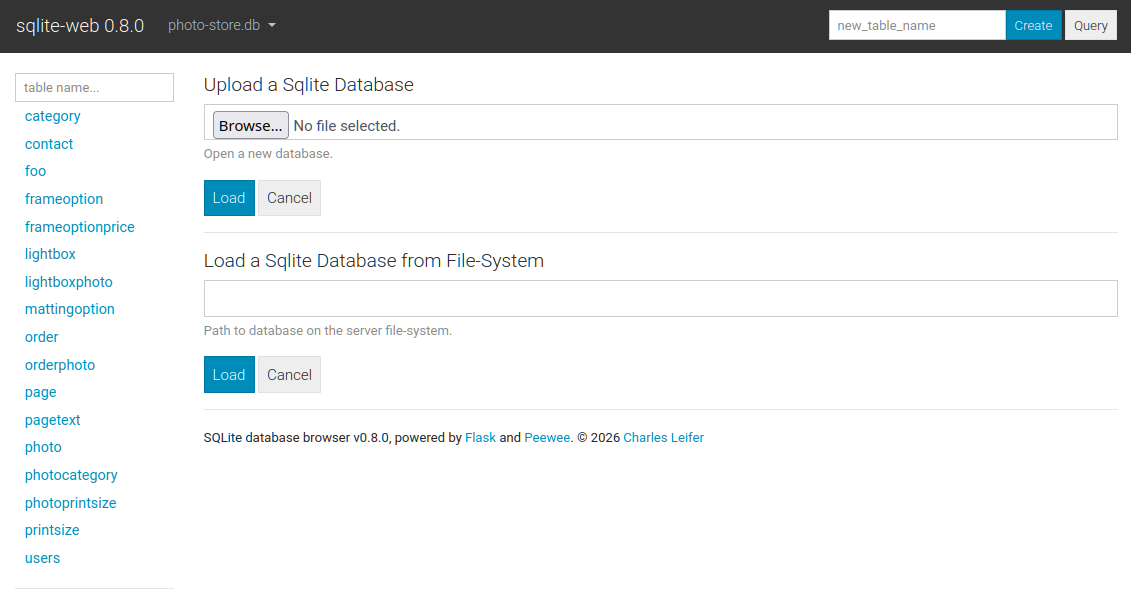
When configured with --enable-load or --enable-filesystem additional
databases can be loaded or unloaded at run-time:
Command-line options
The syntax for invoking sqlite-web is:
$ sqlite_web [options] /path/to/database.db /path/to/another.db
The following options are available:
-p,--port: default is 8080-H,--host: default is 127.0.0.1-d,--debug: default is false-l,--log-file: filename for application logs.-q,--quiet: only log errors.-b,--browser: open a web-browser when sqlite-web starts.-x,--no-browser: do not open a web-browser when sqlite-web starts.-P,--password: prompt for password to access sqlite-web. Alternatively, the password can be stored in the "SQLITE_WEB_PASSWORD" environment variable, in which case the application will not prompt for a password, but will use the value from the environment.-r,--read-only: open database in read-only mode.-R,--rows-per-page: set pagination on content page, default 50 rows.-Q,--query-rows-per-page: set pagination on query page, default 1000 rows.-T,--no-truncate: disable ellipsis for long text values. If this option is used, the full text value is always shown.-B,--base64: BLOB data as base64 (default is hex).-e,--extension: path or name of loadable extension(s). To load multiple extensions, specify-e [path]for each extension.-s,--startup-hook: path to a startup hook used to initialize the connection before each request, e.g.my.module.some_callable. Should accept one parameter, theSqliteDatabaseinstance.-f,--foreign-keys: enable foreign-key constraint pragma.-u,--url-prefix: URL prefix for application, e.g. "/sqlite-web".-L,--enable-load: Enable loading additional databases at runtime (upload only). For adding local databases use--enable-filesystem.-U,--upload-dir: Destination directory for uploaded database. Only has an effect together with-L. If not specified, a system tempdir is used.-F,--enable-filesystem: Enable loading additional databases by specifying on-disk path at runtime. Be careful with this.-c,--ssl-certand-k,--ssl-key- specify SSL cert and private key.-a,--ad-hoc- run using an ad-hoc SSL context. Requires thecryptographypackage (pip install sqlite-web[ssl]).
Using docker
A Dockerfile is provided with sqlite-web. To use:
#
# Use GitHub container registry:
#

$ docker run -it --rm \
    -p 8080:8080 \
    -v /path/to/your-data:/data \
    ghcr.io/coleifer/sqlite-web:latest \
    db_filename.db

#
# OR build the image yourself (run from the repository root):
#

$ docker build -t coleifer/sqlite-web -f docker/Dockerfile .
$ docker run -it --rm \
    -p 8080:8080 \
    -v /path/to/your-data:/data \
    coleifer/sqlite-web \
    db_filename.db
Command-line options can be passed in when running via Docker. For example, if
you want to run it at a separate URL prefix, for example /sqlite-web/:
$ docker run -it --rm \
    -p 8080:8080 \
    -v /path/to/your-data:/data \
    ghcr.io/coleifer/sqlite-web:latest \
    db_filename.db \
    --url-prefix="/sqlite-web/"
High-performance WSGI Server
To run sqlite-web with the high-performance gevent WSGI server, you can run
sqlite_wsgi instead of sqlite_web:
$ sqlite_wsgi /path/to/db.db
More complete example:
$ sqlite_wsgi -p 8000 -H '0.0.0.0' /path/to/db1.db /path/to/db2.db
관련 프로젝트 살펴보기
Asabeneh/30-Days-Of-Python
30 Days of Python 프로그래밍 챌린지는 Python 프로그래밍 언어를 30일 동안 배우기 위한 단계별 가이드입니다. 이 챌린지는 100일 이상 걸릴 수 있습니다. 자신의 속도에 맞춰 진행하세요. 다음 동영상도 도움이 될 수 있습니다: https://www.youtube.com/channel/UC7PNRuno1rzYPb1xLa4yktw
78,560 스타grafana/grafana
개방적이고 조합 가능한 옵저버빌리티 및 데이터 시각화 플랫폼입니다. Prometheus, Loki, Elasticsearch, InfluxDB, Postgres 등 여러 소스의 메트릭, 로그, 트레이스를 시각화합니다.
77,830 스타redis/redis
실시간 데이터 기반 애플리케이션을 구축하는 개발자에게 Redis는 가장 선호되고, 가장 빠르며, 기능이 가장 풍부한 캐시, 데이터 구조 서버이자 문서 및 벡터 쿼리 엔진입니다.
77,395 스타apache/superset
Apache Superset는 데이터 시각화 및 데이터 탐색 플랫폼입니다.
75,473 스타