
coderDJing/Track-Studio
coderDJing/Track-Studio has 39 GitHub stars and 0 forks. GitHot measured 0 stars in 24 hours and +1 in 7 days. Last checked 2026-11-22 23:05 UTC. Last push 2026-11-21.
What you can do
- Organize real files: Build Filter, Curated, and SET playlists; move or merge libraries; restore deleted tracks from the recycle bin.
- Find and understand tracks: Deduplicate by audio content, analyze BPM, key, energy, and sections, and fill metadata and cover art.
- Choose compatible tracks: Filter with a Camelot key wheel or match the current Master deck's key. Keep sorting, columns, and filters per playlist, and check the total duration of selected tracks.
- Repair BPM drift: Analyze selected local tracks and correct drifting audio to a chosen steady BPM. Save a new version or overwrite the original after verification.
측정된 스타 증가
- in 24h
- 0
- in 7 days
- +1
- in 15 days
- 기록 수집 중
- in 1 month
- 기록 수집 중
서로 겹치는 기간의 순증가량이며 일별 합계가 아닙니다. 측정값이 없으면 비워 둡니다. 스타는 관심도를 나타내며 품질을 보장하지 않습니다.
소개
Track Studio (formerly FRKB) — Rapid Audio Organization Tool For WIN/MAC
창작 및 미디어README.md
Original
Track Studio
Organize real audio files. Preview, analyze, and prepare music in one desktop workspace.
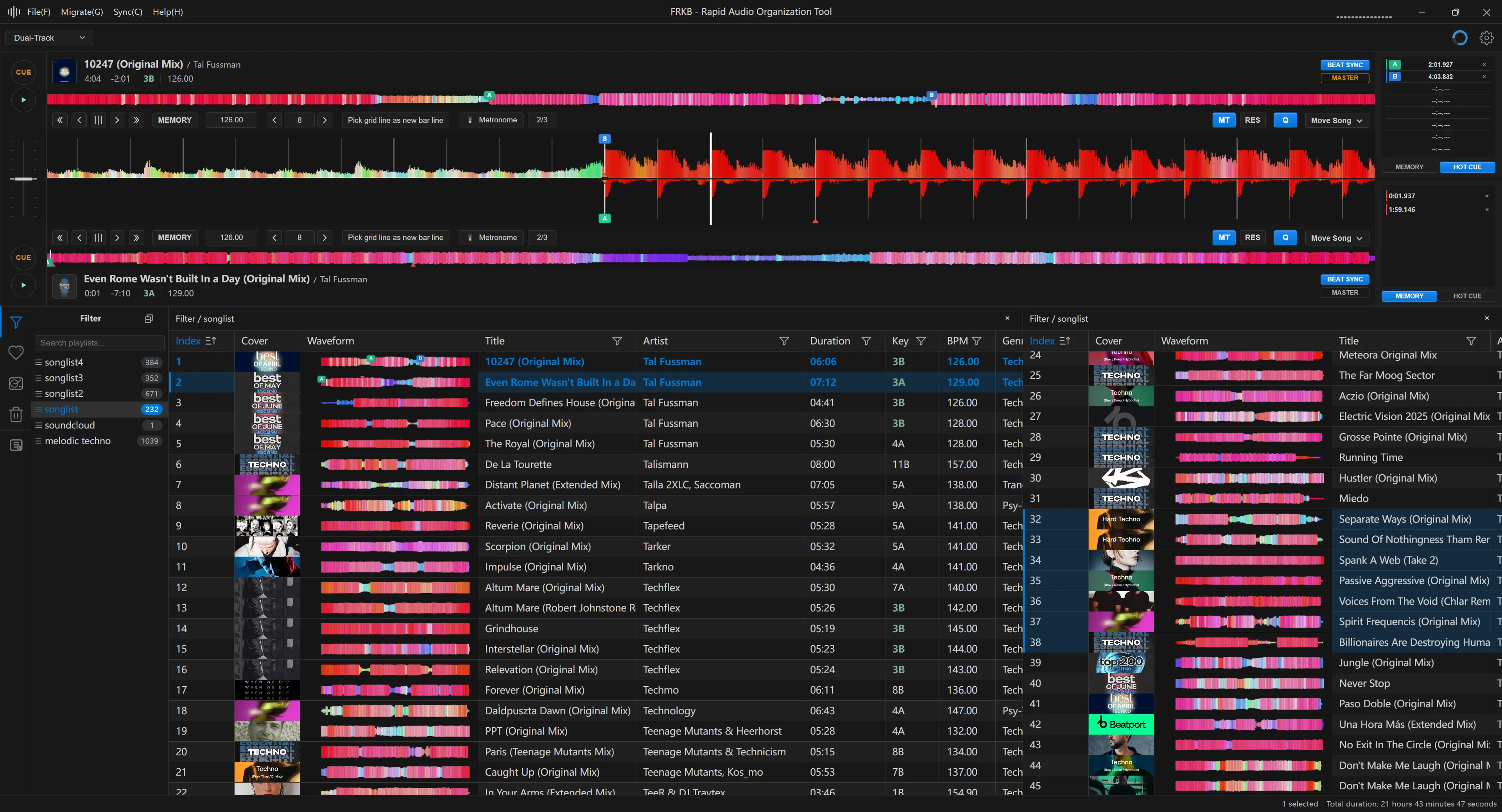
Track Studio helps DJs and music collectors organize large collections without losing track of the files on disk. Library and playlist changes follow the real audio files, so the result remains usable outside the app.
Download
Get the latest Windows and macOS installers, or visit the website.
- Windows: 10 or later (x64)
- macOS: 12 or later. Intel Mac support is planned through summer 2027.
- No official Linux release.
Already using FRKB? Track Studio updates the same installation and keeps your settings and music library.
What You Can Do
- Organize real files: Build Filter, Curated, and SET playlists; move or merge libraries; restore deleted tracks from the recycle bin.
- Find and understand tracks: Deduplicate by audio content, analyze BPM, key, energy, and sections, and fill metadata and cover art.
- Choose compatible tracks: Filter with a Camelot key wheel or match the current Master deck's key. Keep sorting, columns, and filters per playlist, and check the total duration of selected tracks.
- Repair BPM drift: Analyze selected local tracks and correct drifting audio to a chosen steady BPM. Save a new version or overwrite the original after verification.
- Listen and edit: Browse RGB waveforms, audition two decks side by side, record mixes, and edit a track’s audio without leaving the app.
- Work with DJ libraries: Browse Rekordbox desktop and USB libraries, Serato crates, and Traktor collections. Edit playlists, cues, and beat grids on supported Rekordbox USB drives.
- Sync your collection: Keep the Curated library’s folders, playlists, and audio aligned across devices; sync fingerprints and curated artists.
- Prepare mixes: Arrange Mixtape timelines, adjust transitions, and prepare or export single-track Stems.
See the complete feature guide for workflows, supported formats, and the full capability list.
Development
pnpm install
pnpm run dev
pnpm run build:win # Windows
pnpm run build:mac # macOS
To build the Rust native module separately:
pnpm add -g @napi-rs/cli
cd rust_package
napi build --platform --release
Project and Contribution
Track Studio grew out of a DJ workflow: sort music quickly, hear it, move the real files, and keep the library useful outside the app. Issues, feature suggestions, and pull requests are welcome.
- Planned work
- Cloud sync backend (FRKB-API)
- License: Project code by CoderDJing uses the PolyForm Noncommercial License 1.0.0. Packaged builds include GPL/LGPL components; see third-party notices.
관련 프로젝트 살펴보기
불러오는 중…