
cmu-db/bustub
cmu-db/bustub has 5,158 GitHub stars and 2,083 forks. GitHot measured 0 stars in 24 hours. Last checked 2026-11-08 13:43 UTC. Last push 2026-10-26.
The BusTub Relational Database Management System (Educational)
측정된 스타 증가
- in 24h
- 0
- in 7 days
- 업데이트 지연
- in 15 days
- 업데이트 지연
- in 1 month
- 업데이트 지연
서로 겹치는 기간의 순증가량이며 일별 합계가 아닙니다. 측정값이 없으면 비워 둡니다. 스타는 관심도를 나타내며 품질을 보장하지 않습니다.
README.md
Original

BusTub is a relational database management system built at Carnegie Mellon University for the Introduction to Database Systems (15-445/645) course. This system was developed for educational purposes and should not be used in production environments.
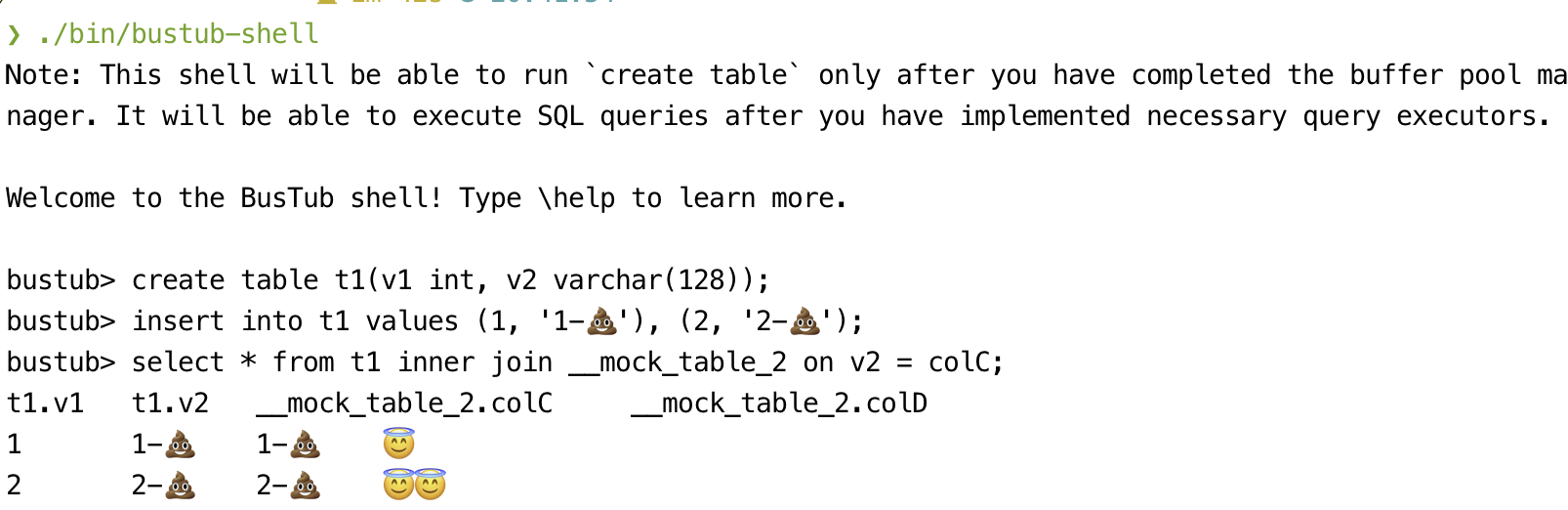
BusTub supports basic SQL and comes with an interactive shell. You can get it running after finishing all the course projects.
WARNING: IF YOU ARE A STUDENT IN THE CLASS, DO NOT DIRECTLY FORK THIS REPO. DO NOT PUSH PROJECT SOLUTIONS PUBLICLY. THIS IS AN ACADEMIC INTEGRITY VIOLATION AND CAN LEAD TO GETTING YOUR DEGREE REVOKED, EVEN AFTER YOU GRADUATE.
We make the autograder for each assignment available to non-CMU students on Gradescope after their due date for CMU students. In exchange for making this available to the public, we ask that you do not make your project implementations public on GitHub or other source code repositories. Please read the course FAQ on how to use the autograder on Gradescope. Run python3 gradescope_sign.py to sign an agreement before submitting to the autograder.
WARNING: IF YOU ARE A STUDENT OUTSIDE CMU, DO NOT MAKE YOUR SOLUTION PUBLICLY AVAILABLE, AND DO SUBMIT YOUR OWN WORK. OTHERWISE, YOU WILL BE BANNED FROM USING THE AUTOGRADER. Thank you for creating a fair learning environment.
Cloning this Repository
The following instructions are adapted from the GitHub documentation on duplicating a repository. The procedure below walks you through creating a private BusTub repository that you can use for development.
- Create a new repository under your account. Pick a name (e.g.
bustub-private) and select Private for the repository visibility level. - On your development machine, create a bare clone of the public BusTub repository:
$ git clone --bare https://github.com/cmu-db/bustub.git bustub-public - Next, mirror the public BusTub repository to your own private BusTub repository. Suppose your GitHub name is
studentand your repository name isbustub-private. The procedure for mirroring the repository is then:
This copies everything in the public BusTub repository to your own private repository. You can now delete your local clone of the public repository:$ cd bustub-public # If you pull / push over HTTPS $ git push https://github.com/student/bustub-private.git master # If you pull / push over SSH $ git push [email protected]:student/bustub-private.git master$ cd .. $ rm -rf bustub-public - Clone your private repository to your development machine:
# If you pull / push over HTTPS $ git clone https://github.com/student/bustub-private.git # If you pull / push over SSH $ git clone [email protected]:student/bustub-private.git - Add the public BusTub repository as a second remote. This allows you to retrieve changes from the CMU-DB repository and merge them with your solution throughout the semester:
You can verify that the remote was added with the following command:$ git remote add public https://github.com/cmu-db/bustub.git$ git remote -v origin https://github.com/student/bustub-private.git (fetch) origin https://github.com/student/bustub-private.git (push) public https://github.com/cmu-db/bustub.git (fetch) public https://github.com/cmu-db/bustub.git (push) - You can now pull in changes from the public BusTub repository as needed with:
$ git pull public master - Disable GitHub Actions from the project settings of your private repository; otherwise, you may run out of GitHub Actions quota.
Settings > Actions > General > Actions permissions > Disable actions.
We suggest working on your projects in separate branches. If you do not understand how Git branches work, learn how. If you fail to do this, you might lose all your work at some point in the semester, and nobody will be able to help you.
Build
We recommend developing BusTub on Ubuntu 24.04, or macOS (M1/M2/Intel). We do not support any other environments (i.e., do not open issues or come to office hours to debug them). We do not support WSL. The grading environment runs Ubuntu 24.04.
Linux (Recommended) / macOS (Development Only)
To ensure that you have the proper packages on your machine, run the following script to automatically install them:
# Linux
$ sudo build_support/packages.sh
# macOS
$ build_support/packages.sh
Then run the following commands to build the system:
$ mkdir build
$ cd build
$ cmake ..
$ make
If you want to compile the system in debug mode, pass in the following flag to cmake: Debug mode:
$ cmake -DCMAKE_BUILD_TYPE=Debug ..
$ make -j`nproc`
This enables AddressSanitizer by default.
If you want to use other sanitizers,
$ cmake -DCMAKE_BUILD_TYPE=Debug -DBUSTUB_SANITIZER=thread ..
$ make -j`nproc`
There are some differences between macOS and Linux (i.e., mutex behavior) that might cause test cases to produce different results in different platforms. We recommend students to use a Linux VM for running test cases and reproducing errors whenever possible.
관련 프로젝트 살펴보기
Asabeneh/30-Days-Of-Python
30 Days of Python 프로그래밍 챌린지는 Python 프로그래밍 언어를 30일 동안 배우기 위한 단계별 가이드입니다. 이 챌린지는 100일 이상 걸릴 수 있습니다. 자신의 속도에 맞춰 진행하세요. 다음 동영상도 도움이 될 수 있습니다: https://www.youtube.com/channel/UC7PNRuno1rzYPb1xLa4yktw
78,423 스타grafana/grafana
개방적이고 조합 가능한 옵저버빌리티 및 데이터 시각화 플랫폼입니다. Prometheus, Loki, Elasticsearch, InfluxDB, Postgres 등 여러 소스의 메트릭, 로그, 트레이스를 시각화합니다.
77,763 스타redis/redis
실시간 데이터 기반 애플리케이션을 구축하는 개발자에게 Redis는 가장 선호되고, 가장 빠르며, 기능이 가장 풍부한 캐시, 데이터 구조 서버이자 문서 및 벡터 쿼리 엔진입니다.
77,309 스타apache/superset
Apache Superset는 데이터 시각화 및 데이터 탐색 플랫폼입니다.
75,453 스타