
cloudofoz/godot-deformablemesh
cloudofoz/godot-deformablemesh has 452 GitHub stars and 18 forks. GitHot measured 0 stars in 24 hours. Last checked 2026-11-22 01:15 UTC. Last push 2025-10-21.
What you can do
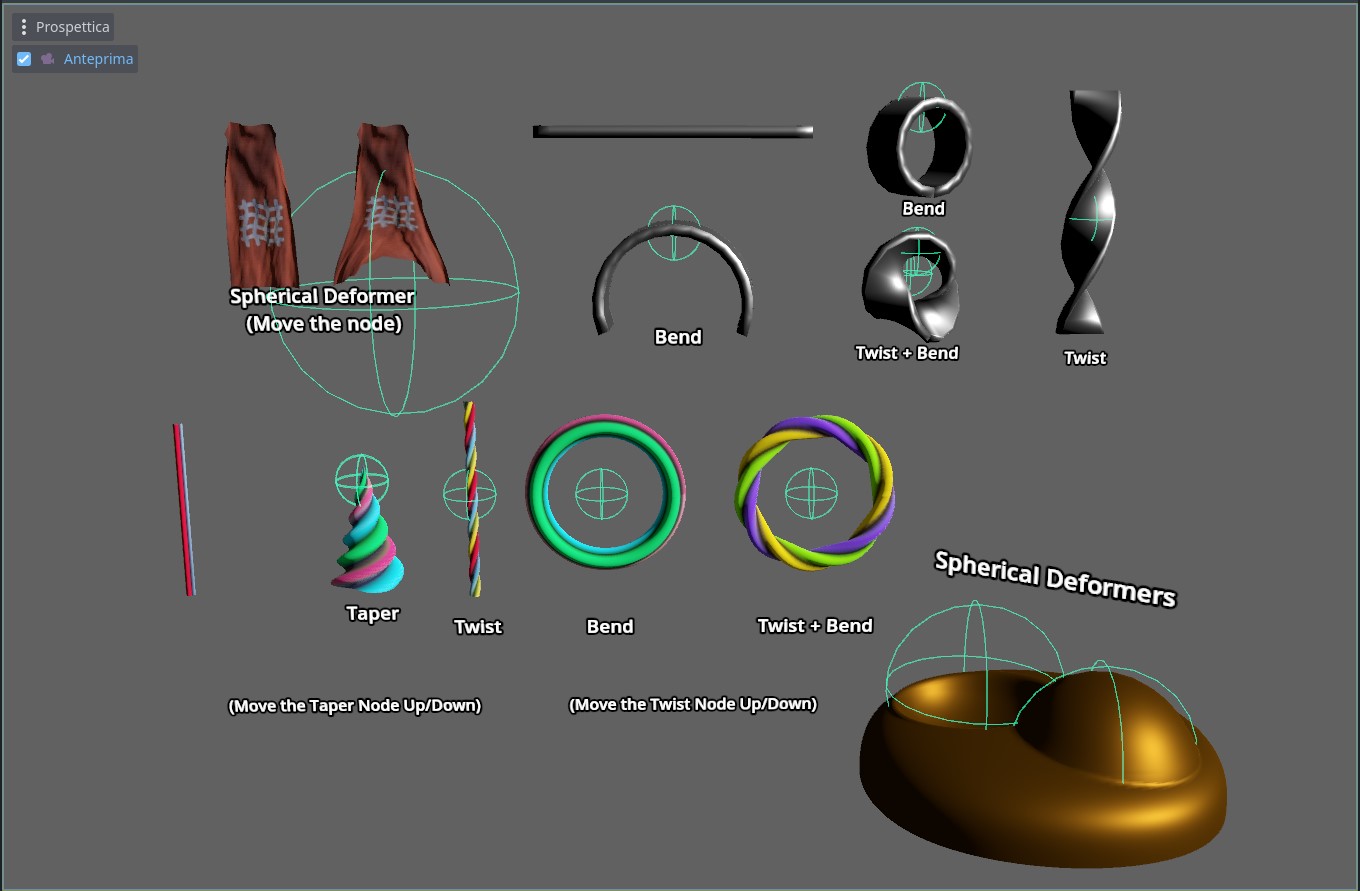
- SphericalDeformer
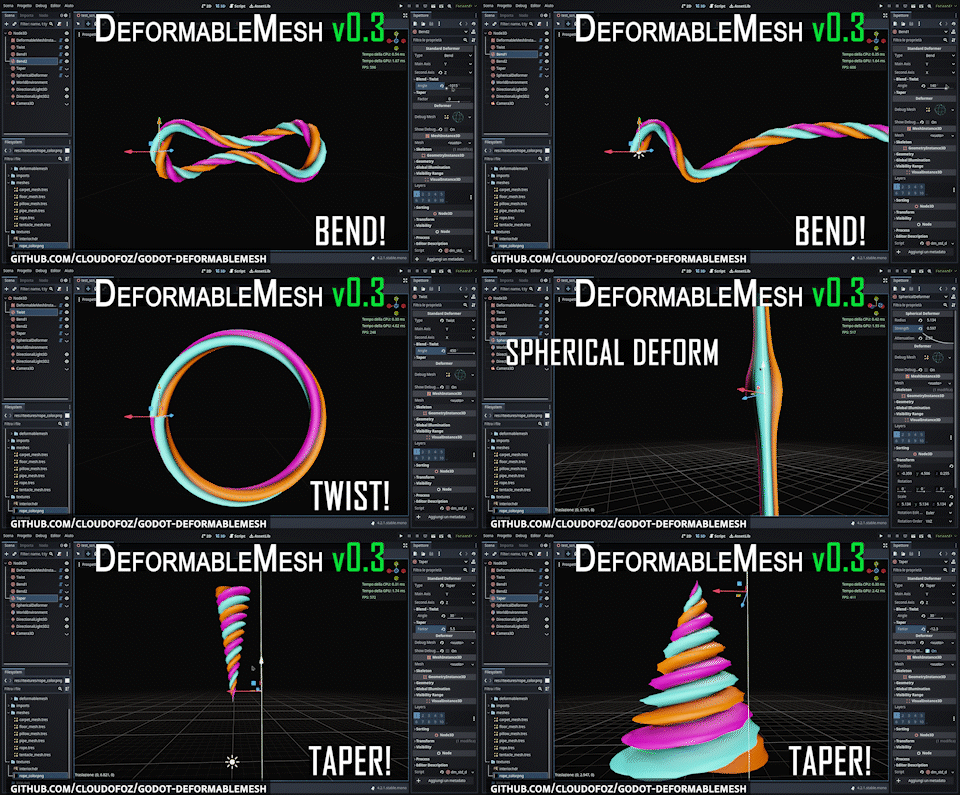
- StandardDeformer (Bend, Twist, and Taper)
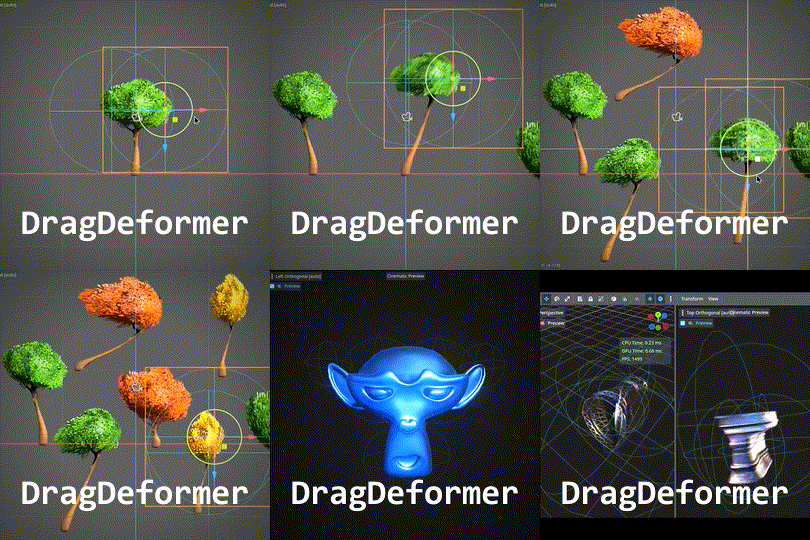
- DragDeformer (In Rest Pose Mode, position the deformer, toggle it off, and deform the mesh by moving the node.)
측정된 스타 증가
- in 24h
- 0
- in 7 days
- 기록 수집 중
- in 15 days
- 기록 수집 중
- in 1 month
- 기록 수집 중
서로 겹치는 기간의 순증가량이며 일별 합계가 아닙니다. 측정값이 없으면 비워 둡니다. 스타는 관심도를 나타내며 품질을 보장하지 않습니다.
소개
Addon to deform 3D meshes using customizable deformers at run-time.
창작 및 미디어README.md
Original


godot-deformablemesh
This addon allows to deform 3D meshes using a stack of customizable deformers at run-time
Main Features
Use the default deformers:
SphericalDeformer
StandardDeformer (Bend, Twist, and Taper)
DragDeformer (In Rest Pose Mode, position the deformer, toggle it off, and deform the mesh by moving the node.)
Or easily create your own by extending the base class and overriding just a couple of methods in dm_deformer.gd.
Getting Started
Download the repository or download the previous version of the addon from the AssetLib in Godot (link).
Import the addons folder into your project.
Activate
DeformableMeshunder Project > Project Settings > Plugins.

- Add a deformer node to the scene.
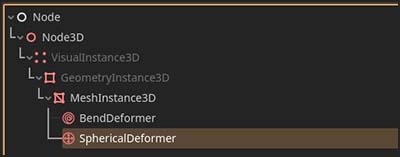
- Add a
DeformableMeshInstance3Dnode to the scene.
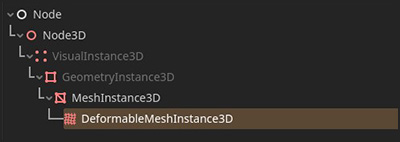
- Set the mesh resource you want to deform in the Original Mesh property.
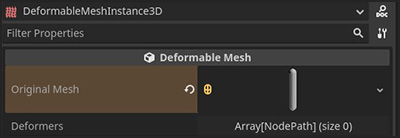
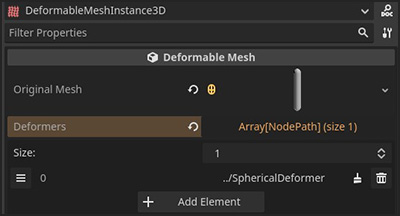
- Link the deformer node you created before to the list of Deformers that will affect this mesh in the property panel.
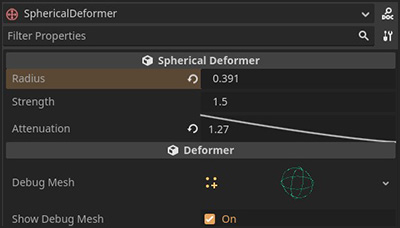
- Tweak the deformer properties to achieve the desired result.
Example Project
- You can download here an example project that shows the basic functionalities of
DeformableMesh. - Unzip the file
- Import the project with Godot Engine 4+
- Open the scene
dm_example_scene_v030.tscn(if it's not already opened)
You can now try tweaking the deformer parameters. Some effects are also controlled by the positions and the rotations of the deformer nodes.
DeformableMesh can apply multiple deformers like in a stack, so the order is important to achieve the correct effect.
You need also to specify the correct deformation axis (for some effects like bending, but it's not important with spherical deformers).
Known Limitations
This addon is designed with simplicity and versatility as primary goals, making it well-suited for simple, standard use cases. However, it is not optimized for specialized use cases, such as higher-density meshes (and, in some cases, multiple surfaces, which may also impact performance) in performance-critical applications. Users are encouraged to thoroughly test the addon to ensure it meets their specific requirements.
While other deformers support deforming multiple meshes at once, a
DragDeformercan only be tied to a single mesh at a time.
Credits
I wish to thank the community for any contribution or feedback. Special thanks to:
- Kevin Loustau, for sparking the idea behind the
DragDeformerfeature.
Changelog
v0.40
- Add:
DragDeformernode. - Add:
_on_end_update()overridable method for the deformer base class. - Fix: Removing a deformer now correctly unregisters the linked event listeners.
- Fix:
_on_begin_update()is now called only once, even with multiple surfaces.
- Add:
StandardDeformer(Bend, Twist, and Taper). - Remove:
BendDeformer(now included as part ofStandardDeformer). - Improve: Deformer selection list.
- Add: Bend deformers.
- Add: Base class to easily create custom deformers.
- Refactor: Codebase and minor improvements.
- First release
License
관련 프로젝트 살펴보기
불러오는 중…