
cloudera/hue has 1,410 GitHub stars and 412 forks. GitHot measured 0 in 7 days. Last checked 2026-11-10 01:33 UTC. Last push 2026-10-30.
Open source SQL Query Assistant service for Databases/Warehouses
What you can do
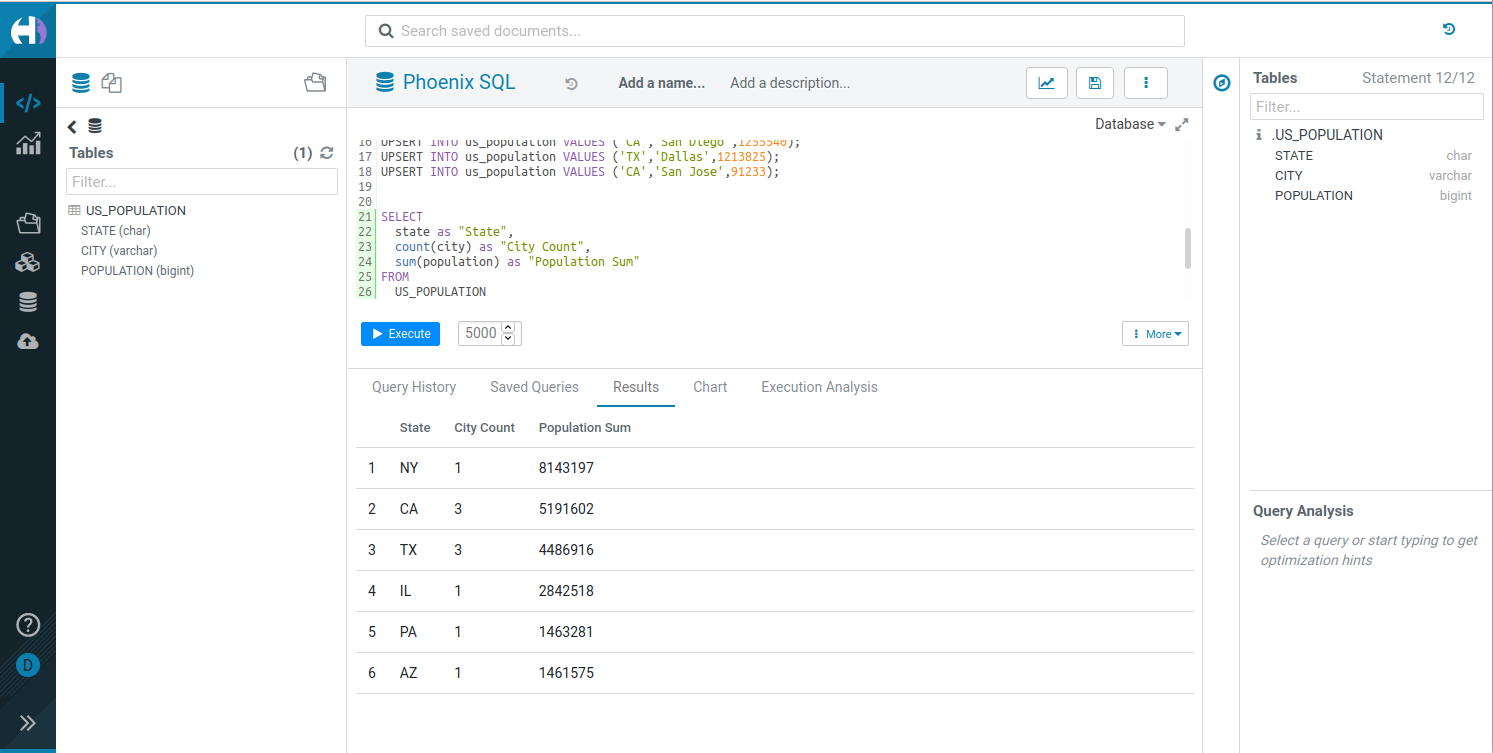
- Interactive SQL editor with syntax highlighting and autocomplete.
- File Browser to navigate and operate on HDFS, S3, ABFS, Ozone, and Google Storage (GS) files.
- Job Browser to monitor and manage Hive queries, Impala queries, YARN applications, and Livy Spark jobs.
- Table Browser to explore and manage database tables, schemas, and metadata.
측정된 스타 증가
- in 24h
- 업데이트 지연
- in 7 days
- 0
- in 15 days
- 업데이트 지연
- in 1 month
- 업데이트 지연
서로 겹치는 기간의 순증가량이며 일별 합계가 아닙니다. 측정값이 없으면 비워 둡니다. 스타는 관심도를 나타내며 품질을 보장하지 않습니다.
README.md
OriginalHue - SQL Assistant for Databases and Data Warehouses



Query. Explore. Share.
Overview
Hue is an open-source SQL Assistant for querying databases and data warehouses. Use it to explore your data, write SQL with autocomplete, and share the results.
Key features
- Interactive SQL editor with syntax highlighting and autocomplete.
- File Browser to navigate and operate on HDFS, S3, ABFS, Ozone, and Google Storage (GS) files.
- Job Browser to monitor and manage Hive queries, Impala queries, YARN applications, and Livy Spark jobs.
- Table Browser to explore and manage database tables, schemas, and metadata.
- Table Importer to create Hive and Impala tables from CSV and Excel files, uploaded from your computer or imported from a remote file system (HDFS, S3, ABFS, Ozone, GS).
- Multiple database connectors, including Hive, Impala, MySQL, and PostgreSQL.
Useful links
- Website: gethue.com
- Documentation: docs.gethue.com
- Connect to a database: Connectors
- Build your own editor: SQL Scratchpad
- Query service: Kubernetes setup and API
Get started
- Live demo: demo.gethue.com
- Quick integrations:
Choose a deployment option to start the server. Then configure the databases you want to query.
Docker
Start Hue:
docker run -it -p 8888:8888 gethue/hue:latest
Open http://localhost:8888. The first user to log in becomes the superuser.
Note: The image uses an embedded SQLite database by default. Connect Hue to MySQL or PostgreSQL before real use. See the Docker guide.
Kubernetes
helm repo add gethue https://helm.gethue.com
helm repo update
helm install hue gethue/hue
See the Kubernetes guide and the Hue Helm chart for the configuration options.
Build from source
Hue requires Python 3.11 and Node.js 22.13 or later.
Install the dependencies for your operating system.
Clone the repository and build Hue:
git clone https://github.com/cloudera/hue.git
cd hue
export PYTHON_VER=python3.11
make apps
Start the development server:
build/env/bin/hue runserver
Open http://localhost:8000.
For a development environment in Docker, see Dev Docker. For more details, see the development documentation.
Components
- SQL Editor: interactive query interface.
- SQL Parsers: syntax handling for multiple dialects.
- REST and Python APIs: programmatic access to Hue.
Learn more about the components and the APIs.
Contributing
Contributions are welcome. Read CONTRIBUTING.md to get started.
License
관련 프로젝트 살펴보기
Asabeneh/30-Days-Of-Python
30 Days of Python 프로그래밍 챌린지는 Python 프로그래밍 언어를 30일 동안 배우기 위한 단계별 가이드입니다. 이 챌린지는 100일 이상 걸릴 수 있습니다. 자신의 속도에 맞춰 진행하세요. 다음 동영상도 도움이 될 수 있습니다: https://www.youtube.com/channel/UC7PNRuno1rzYPb1xLa4yktw
78,560 스타grafana/grafana
개방적이고 조합 가능한 옵저버빌리티 및 데이터 시각화 플랫폼입니다. Prometheus, Loki, Elasticsearch, InfluxDB, Postgres 등 여러 소스의 메트릭, 로그, 트레이스를 시각화합니다.
77,830 스타redis/redis
실시간 데이터 기반 애플리케이션을 구축하는 개발자에게 Redis는 가장 선호되고, 가장 빠르며, 기능이 가장 풍부한 캐시, 데이터 구조 서버이자 문서 및 벡터 쿼리 엔진입니다.
77,395 스타apache/superset
Apache Superset는 데이터 시각화 및 데이터 탐색 플랫폼입니다.
75,473 스타