
chriswebb09/ARKitNavigationDemo
소개
ARKit Demo Application
개발 도구측정된 스타 증가
- in 24h
- 0
- in 7 days
- 0
- in 15 days
- 기록 수집 중
- in 1 month
- 기록 수집 중
서로 겹치는 기간의 순증가량이며 일별 합계가 아닙니다. 측정값이 없으면 비워 둡니다. 스타는 관심도를 나타내며 품질을 보장하지 않습니다.
README.md
OriginalARKitNavigationDemo


- Work in progress.
In Progress
Region — For one, we could render far fewer nodes. In fact, it’s a bit distracting that the entire trip is rendered. To fix this, we could render one leg of the journey at a time. Then we could use our location service to monitor for when we enter that region, or we could calculate the distance from the point of view to the last node in the leg triggering a mechanism to render a new leg and remove the old when they are in proximity.
Dynamic Destination — Another easy way we could improve it is we could allow the user to set their destination while they are navigating, instead having to go back to the map.
Reset — As the project is as of this writing, the reset functionality hasn’t been completed. Sometimes ARKit gets confused, sometimes the GPS gets confused (more on the location problems in a bit.) So we can build a mechanism which resets the screen so we can start over. That way you don’t have to quit to reset the trip.
ARKit Demo Application
When it loads to the map, tap a place on the map where you want to navigate to and press okay. The tap can be sluggish, so you might have to try once or twice before you get it. When the navigation screen loads, tap the screen, then give it a few seconds. You should see the nodes render.
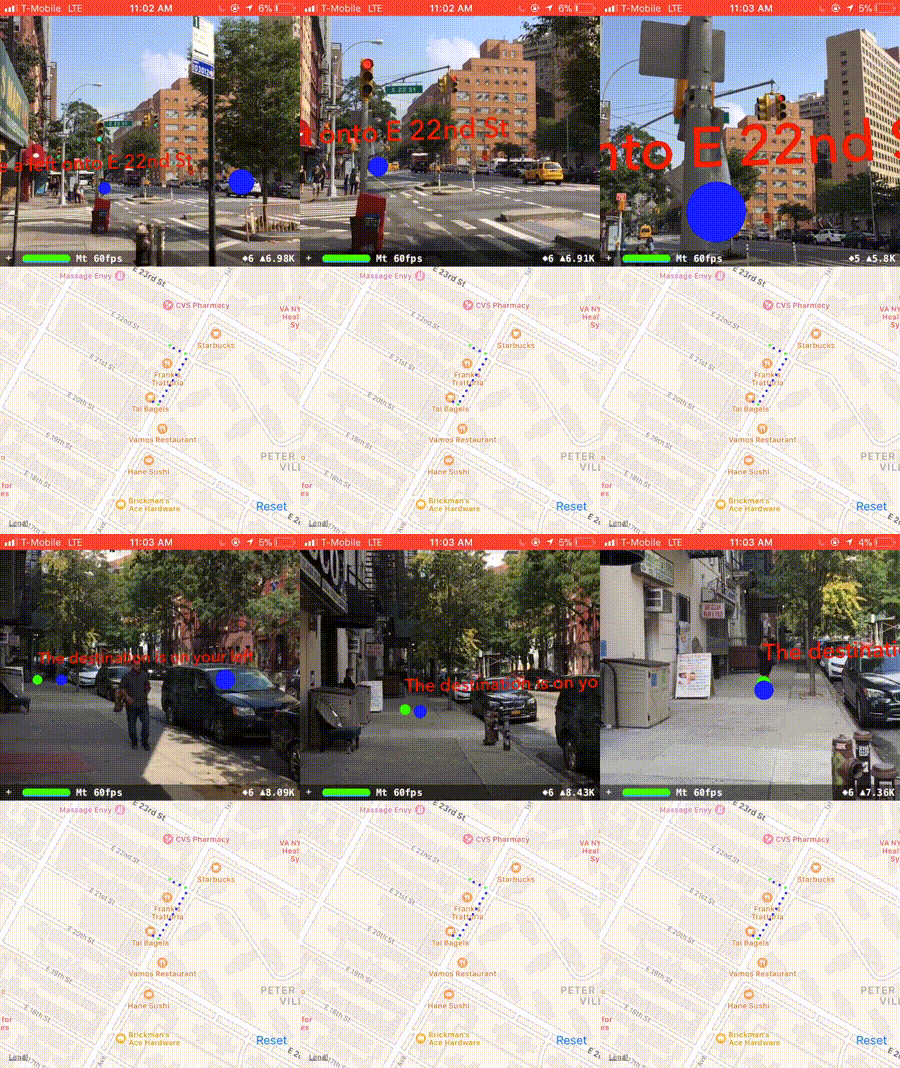
Demo project for:
ARKit and CoreLocation: Part One
ARKit and CoreLocation: Part Two
ARKit and CoreLocation: Part Three
Related Projects:
관련 프로젝트 살펴보기
불러오는 중…