프로젝트

소개
FlatColor vim 색 구성표
개발 도구측정된 스타 증가
- in 24h
- 0
- in 7 days
- 0
- in 15 days
- 기록 수집 중
- in 1 month
- 기록 수집 중
서로 겹치는 기간의 순증가량이며 일별 합계가 아닙니다. 측정값이 없으면 비워 둡니다. 스타는 관심도를 나타내며 품질을 보장하지 않습니다.
README.md
Original
Challenger Deep Theme for VIM
To enable this color scheme, set it in your vimrc:
colorscheme challenger_deep
Terminal True Color Support
Add this to your .vimrc to enable true colors:
if has('nvim') || has('termguicolors')
  set termguicolors
endif
Installation
vim-plug
Plug 'challenger-deep-theme/vim', { 'as': 'challenger-deep' }
vundle
Plugin 'challenger-deep-theme/vim', {'name': 'challenger-deep-theme'}
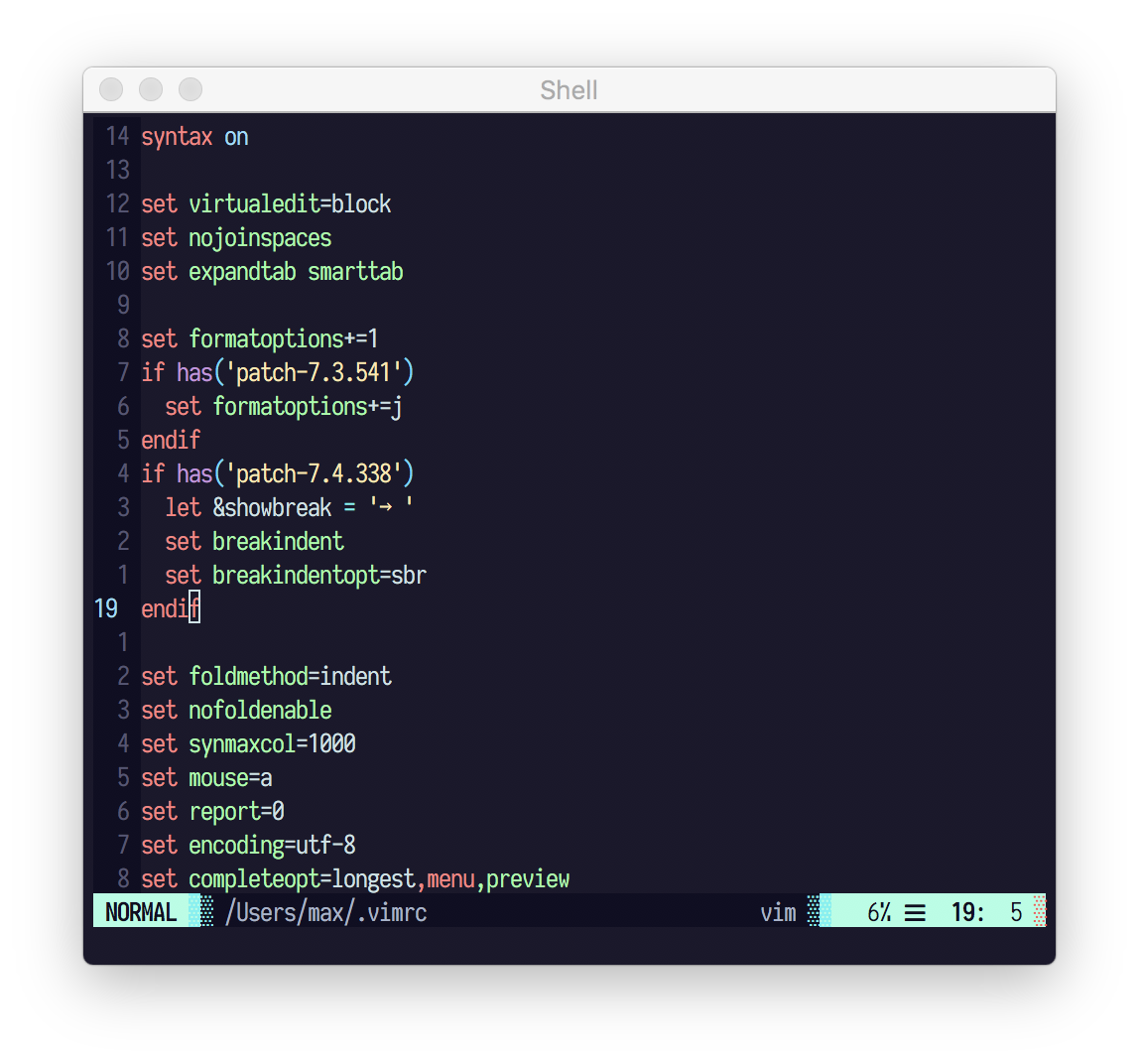
Screenshot
Options
- g:challenger_deep_termcolors This options sets the terminal colors to 16 or 256 Colors. Default value is 256. If it is set to 16 ,this colorscheme will attempt to use the standard 16 colors of your terminal emulator and background color will be the default background color of your terminal emulator. For the best colors in terminal, its recommended to set set your terminalcolors to Challenger Deep Terminal Colors and use 16 colors.
Challenger Deep Terminal Colors
! ~/.Xresource
*.foreground:   #cbe3e7
*.background:   #1e1c31
*.cursorColor:  #fbfcfc

! black
*.color0:       #565575
*.color8:       #100e23

! red
*.color1:       #ff8080
*.color9:       #ff5458

! green
*.color2:       #95ffa4
*.color10:      #62d196

! yellow
*.color3:       #ffe9aa
*.color11:      #ffb378

! blue
*.color4:       #91ddff
*.color12:      #65b2ff

! magenta
*.color5:       #c991e1
*.color13:      #906cff

! cyan
*.color6:       #aaffe4
*.color14:      #63f2f1

! white
*.color7:       #cbe3e7
*.color15:      #a6b3cc
Lightline Theme

Challenger Deep supports lightline.vim. To enable the colorscheme,
add one of the following lines to your .vimrc:
let g:lightline = { 'colorscheme': 'challenger_deep'}
Lualine Theme
Challenger Deep also supports lualine.vim. To enable the colorscheme,
add the following lines to your init.lua:
require'lualine'.setup {
  options = { theme = 'challenger_deep' }
}
Troubleshooting
If you are running vim inside tmux with the alacritty terminal, make sure to set default-terminal to xterm-256color in your tmux config (see this issue for more details:
# ...
set-option -g default-terminal "xterm-256color"
# ...
관련 프로젝트 살펴보기
불러오는 중…