
chainreactors/cyber-harness
chainreactors/cyber-harness has 395 GitHub stars and 67 forks. GitHot measured +9 stars in 24 hours. Last checked 2026-11-10 01:24 UTC. Last push 2026-11-07.
AI 기반 pi형 사이버 보안 에이전트입니다. 단일 바이너리로 침투 테스트, 레드팀 활동, 버그 바운티에 사용할 수 있습니다.
측정된 스타 증가
- in 24h
- +9
- in 7 days
- 업데이트 지연
- in 15 days
- 업데이트 지연
- in 1 month
- 업데이트 지연
서로 겹치는 기간의 순증가량이며 일별 합계가 아닙니다. 측정값이 없으면 비워 둡니다. 스타는 관심도를 나타내며 품질을 보장하지 않습니다.
README.md
Original
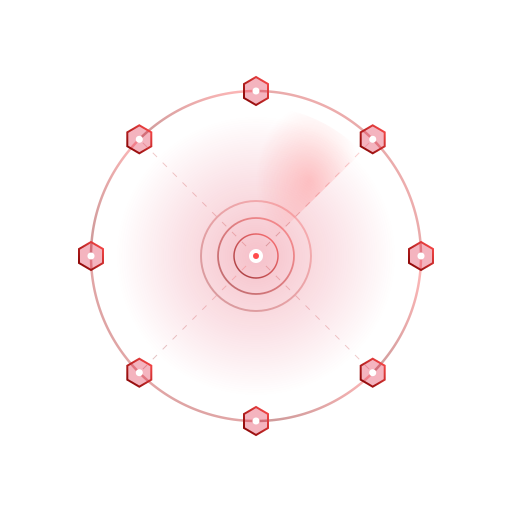
cyber-harness
A general-purpose agent harness for cyber workflows — everything is an extension


cyber-harness is a general-purpose agent harness for cyber workflows. Model reasoning, tool execution, knowledge, observation, and collaboration are assembled through the same extension lifecycle. Tasks and installed extensions determine the tools and workflows to use. Use the reference distribution or compose the capabilities your own Go application needs.
Choose an entry point for your task:
| Entry point | Use it for |
|---|---|
aiscan / aiscan-full |
Agent tasks, scanners, proxy routing and IOA; the full edition adds Web, browser automation, passive recon and crawling |
cyber-audit |
Model-led source-code and binary audits, evidence collection and reports |
cyber-web (from source) |
A profile-neutral Web Hub for sessions, events and artifacts from scan, audit or custom AOP nodes |
agent |
A minimal local Agent built from source, with files, terminal, Skills and local subagents |
Use only on explicitly authorized targets.
Start here
Download the archive matching your operating system and architecture from GitHub Releases. For CLI use, choose aiscan or cyber-audit, extract it and put the executable on PATH. Configure a model as described below before running an Agent task:
# With an LLM configured: run a local task and save its events
aiscan agent -p "Read the current directory and explain its structure; do not modify files" -o jsonl -f first-run.jsonl

# Audit a local repository
cyber-audit --workdir /path/to/repository -p "Audit authentication and tenant isolation"

# Run a deterministic scan against your own local lab, without AI verification
aiscan scan -i http://127.0.0.1:3000 --verify=off
For the Web workbench, download aiscan-full and start it:
aiscan-full web --token replace-me
Open http://127.0.0.1:8080 and sign in with the access key. Quick Connect generates a one-line command that downloads and starts a scan or audit node on the execution host. To connect a node you already installed, run one of these commands in another terminal:
aiscan agent --server-url http://[email protected]:8080
cyber-audit --workdir /path/to/repository --server-url http://[email protected]:8080
See Getting started (中文) for installation, PowerShell configuration and a complete first run. The Agent lets the model choose tool calls; the scan pipeline chooses work through rules and scan events, with optional AI stages.
Configure a model
Run cyber-web init or aiscan init to configure your model in ~/.cyber/cyber.yaml. For project overrides, add --project. These are shared cyber-harness commands, also available in the minimal agent CLI. Existing files are preserved. Configuration guide.
Example cyber.yaml:
llm:
  provider: openai
  base_url: https://api.deepseek.com/v1
  model: deepseek-chat
Set CYBER_API_KEY to your credential and use the endpoint and model available to your account. For Anthropic-compatible services, use provider: anthropic and the corresponding settings. See the configuration reference for protocols, profiles and precedence.
Documentation
Start at the documentation home. The guides and references describe current behavior and are maintained primarily in Chinese. For a release, read the documentation at its Git tag.
| What you need | Guide |
|---|---|
| Understand the harness, models, tools and sessions | Concepts |
| Install, configure and complete a first task | Getting started · Model configuration |
| Use sessions, tools, Skills, scanning and collaboration | User guide · Audit guide |
| Build a Go application or embed a session | Developer guide |
| Connect an external client or look up parameters | Client integration · API · Configuration and commands |
| Understand lifecycle, execution and data ownership | Architecture |
| Review changes before upgrading | Changelog |
Build and embed
Prepare the source
Install Git and the Go version declared in go.mod (currently Go 1.26). The Makefile requires GNU Make and a POSIX shell; on Windows, install an MSYS2 toolchain and put its tools on PATH, or use the direct PowerShell build below.
git clone --recurse-submodules https://github.com/chainreactors/cyber-harness.git
cd cyber-harness
# For an existing checkout
git submodule update --init --recursive
Build a distribution
Run these commands from the repository root. Outputs go to bin/; Windows binaries have an .exe suffix.
| Command | Output | Capabilities | Frontend required |
|---|---|---|---|
make / make standard |
bin/aiscan |
Agent, core scanners, proxy, Skills and IOA | No |
make full / make web-build |
bin/aiscan-full |
Standard capabilities plus Web, browser, passive recon and crawling | Yes |
make audit |
bin/cyber-audit |
Source-code and binary audit; built from the independent cmd/audit module |
No |
make agent |
bin/agent |
Local Agent, files, terminal, Skills and local subagents | No |
make all |
bin/aiscan and bin/aiscan-full |
Standard and full editions | Yes |
For targets that require the frontend, install Node.js/npm (CI uses Node.js 22), then install dependencies once before building:
npm --prefix web/frontend ci
make
make full
These targets use CGO_ENABLED=0. make web-build builds the full edition; make web also starts its Web service. Build tags are maintained in editions.env, and the build steps in Makefile. To build the separate cyber-web Hub from source, run make frontend, then CGO_ENABLED=0 go build -tags "full sqlite" -o bin/cyber-web ./cmd/cyber-web. Native recording uses make record, requires CGO and its SDK, and has separate build instructions.
Build the minimal local Agent
make agent needs only Go and the Makefile toolchain. It excludes scanner, proxy, IOA, browser, recording and Web dependencies. After configuring a model, run it directly with -p:
make agent
./bin/agent -p "Read the current directory and explain its structure; do not modify files"
To build without Make, use PowerShell from the repository root:
$env:CGO_ENABLED = "0"
go build -trimpath -buildvcs=false -ldflags "-s -w" -o bin/agent.exe ./cmd/agent
.\bin\agent.exe -p "Read the current directory and explain its structure; do not modify files"
Customize a minimal application
A minimal tool host, without a model. Save as cmd/my-agent/main.go:
package main

import (
    "context"
    "fmt"
    "os"

    "github.com/chainreactors/cyber/agent/provider"
    "github.com/chainreactors/cyber/core/tool"
    "github.com/chainreactors/cyber/pkg/harness"
)

func main() {
    dir, err := os.Getwd()
    check(err)
    ctx := context.Background()
    app, err := harness.New(harness.Config{Base: harness.BaseConfig{
        Directory: dir,
        Provider: provider.StartupConfig{Mode: provider.StartupDisabled},
    }})
    check(err)
    defer func() { check(app.Close(ctx)) }()
    check(app.Load(ctx))

    bash, err := app.Bash()
    check(err)
    result, err := bash.Execute(ctx, `{"command":"echo Hello, Cyber!"}`)
    check(err)
    fmt.Println(tool.ResultText(result))
}

func check(err error) {
    if err != nil {
        panic(err)
    }
}
Build and run from the repository root:
CGO_ENABLED=0 go build -o bin/my-agent ./cmd/my-agent
./bin/my-agent
# Hello, Cyber!
PowerShell:
$env:CGO_ENABLED = "0"
go build -o bin/my-agent.exe ./cmd/my-agent
.\bin\my-agent.exe
Extend it: register tools · add a model and session · retain the CLI.
Advanced builds
Resource embedding switches · External tools and offline distribution · Native recording.
Contributing
Read the development guide and documentation standards. Test instructions are available for the repository harness, Web frontend and audit. Describe the behavior change, affected entry points and validation in your PR. Update the relevant guide or reference with behavior changes.
Disclaimer
- This harness supports authorized agent tasks and research in cyber workflows. Run scanning examples in your own lab or another environment you are authorized to test.
- Before using this tool for any scanning, you must ensure compliance with local laws and regulations and obtain sufficient authorization. Do not scan unauthorized targets.
- If you engage in any illegal activity while using this tool, you shall bear all consequences yourself. We assume no legal or joint liability.
- Before installing and using this tool, please carefully read and fully understand all terms. Limitation and disclaimer clauses may be highlighted for your attention.
- Unless you have fully read, understood, and accepted all terms of this agreement, please do not install or use this tool. Your use or any other express or implied acceptance constitutes your agreement to be bound by these terms.
License
This project is licensed under the GNU Affero General Public License v3.0 (AGPL-3.0).
Links
- chainreactors — Organization
- IOA — Internet of Agents
- sdk — Scanner SDK
- proxyclient — Multi-protocol proxy client
- crtm — CLI tool package registry
- utils — Shared utilities & PTY manager
- parsers — Protocol & data parsers
관련 프로젝트 살펴보기
trimstray/the-book-of-secret-knowledge
영감을 주는 목록, 매뉴얼, 치트시트, 블로그, 팁, 원라이너, CLI/웹 도구 등을 모은 컬렉션.
257,460 스타Hack-with-Github/Awesome-Hacking
해커, 펜테스터, 보안 연구자를 위한 다양한 Awesome 목록 모음.
125,103 스타swisskyrepo/PayloadsAllTheThings
웹 애플리케이션 보안과 모의 침투 테스트/CTF에 유용한 페이로드 및 우회 방법 목록.
82,542 스타caddyserver/caddy
빠르고 확장 가능한 멀티플랫폼 HTTP/1-2-3 웹 서버이며, 자동 HTTPS를 지원합니다
78,935 스타