프로젝트 GitHub에서 보기
bloznelis/typioca
소개
터미널에서 사용하는 편안한 타자 속도 테스트 도구
개발 도구What you can do
- Time or word/sentence count based typing speed tests
- Proper WPM results based on https://www.speedtypingonline.com/typing-equations
- Multiple word/sentence lists made out of classical books to spice your test up
- Cursor aware word lines
측정된 스타 증가
- in 24h
- 0
- in 7 days
- -1
- in 15 days
- 0
- in 1 month
- 기록 수집 중
서로 겹치는 기간의 순증가량이며 일별 합계가 아닙니다. 측정값이 없으면 비워 둡니다. 스타는 관심도를 나타내며 품질을 보장하지 않습니다.
README.md
Originaltypioca
Minimal, terminal based typing speed tester.


Tapioca (/ˌtæpiˈoʊkə/) is a starch extracted from the storage roots of the cassava plant. Pearl tapioca is a common ingredient in Asian desserts...and sweet drinks such as bubble tea.
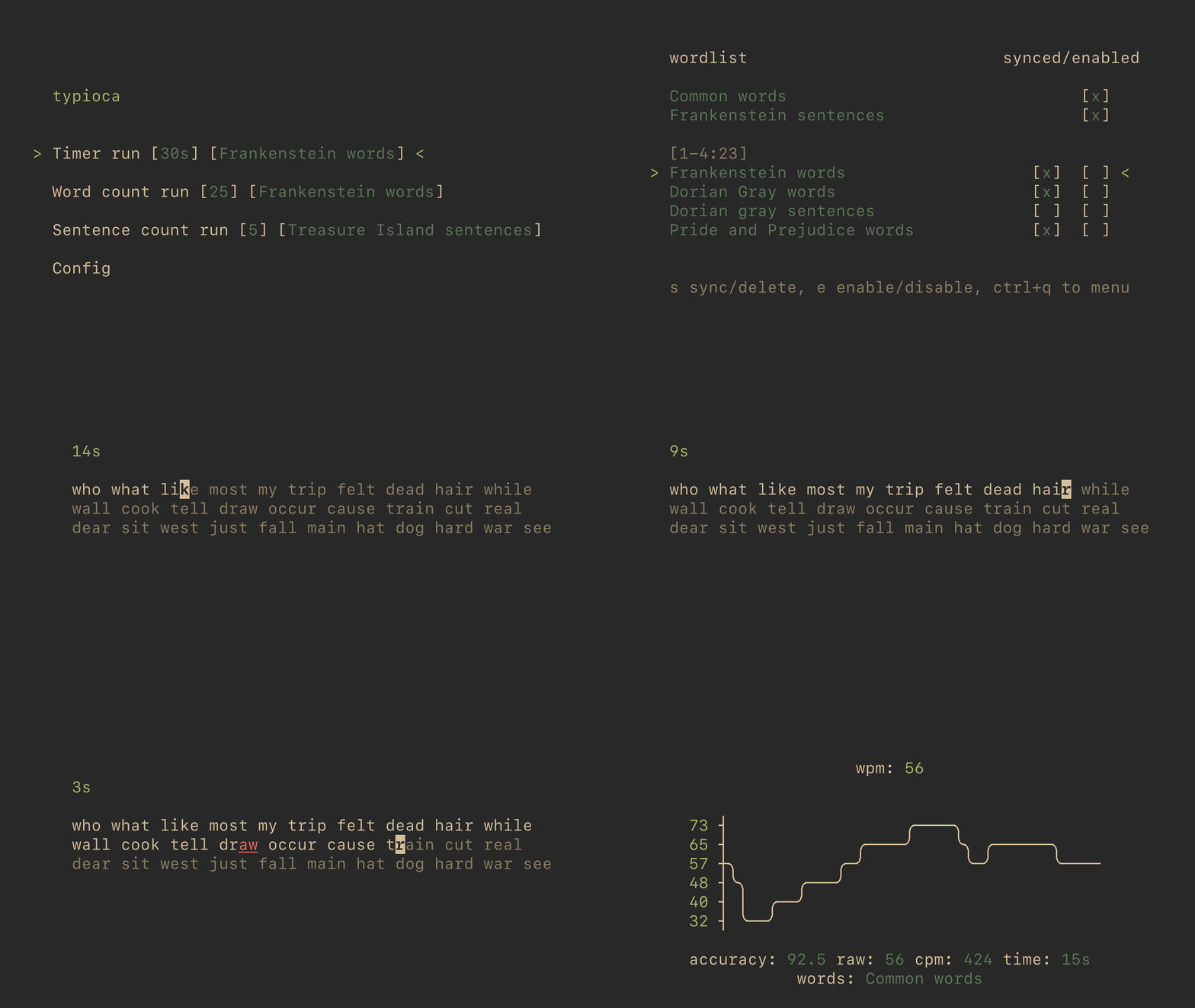
Features
- Time or word/sentence count based typing speed tests
- Proper WPM results based on https://www.speedtypingonline.com/typing-equations
- Multiple word/sentence lists made out of classical books to spice your test up
- Cursor aware word lines
- Interactive menu
- ctrl+w support
- SSH server
typioca serve - Dynamic word lists
- Custom word lists
- Linux/Mac/Win support
Installation

AUR
yay -S typioca-git
Go
go install github.com/bloznelis/typioca@latest
Note: This will install typioca in $GOBIN, which defaults to $GOPATH/bin or $HOME/go/bin if the GOPATH environment variable is not set.
Homebrew
brew install typioca
Nix
nix-shell -p typioca
openSUSE Tumbleweed
zypper install typioca
Scoop
scoop bucket add extras
scoop install typioca
Void Linux
xbps-install typioca
Winget
winget install bloznelis.typioca
Building from source
- Checkout the code
make build./execs/typioca
Prerequisites
makego
Custom wordlists
- Create your word list in a new line separated manner:
custom
words
are
the
best
or in the same JSON format as the official ones:
{
  "metadata" : {
    "name" : "My words",
    "size" : 5,
    "packagedAt" : "1970-01-01T00:00:00Z",
    "version" : 1
  },
  "words": [ "custom", "words", "are", "the", "best" ]
}
- Place your configuration to platform specific location:
| Platform | User configuration |
|---|---|
| Windows | %APPDATA%\typioca\typioca.conf or C:\Users\%USER%\AppData\Roaming\typioca\typioca.conf |
| Linux | $XDG_CONFIG_HOME/typioca/typioca.conf or $HOME/.config/typioca/typioca.conf |
| macOS | $HOME/Library/Application Support/typioca/typioca.conf |
Config example (it is TOML):
[[words]]
  name      = "Best hits '22"
  enabled   = false
  sentences = false
  path      = "/home/words/best-hits-22.json"
[[words]]
  name      = "Even better hits '23"
  enabled   = true
  sentences = false
  path      = "/home/words/better-hits-23.json"
- Use your words!

Note: Notice that custom wordlist controls are greyed-out, personal configuration must be handled via the file only.


Acknowledgments
Built with bubbletea
🧋
관련 프로젝트 살펴보기
불러오는 중…