프로젝트 GitHub에서 보기
binaryage/dirac
소개
ClojureScript 개발자를 위한 Chrome DevTools 포크
개발 도구측정된 스타 증가
- in 24h
- 0
- in 7 days
- 0
- in 15 days
- 기록 수집 중
- in 1 month
- 기록 수집 중
서로 겹치는 기간의 순증가량이며 일별 합계가 아닙니다. 측정값이 없으면 비워 둡니다. 스타는 관심도를 나타내며 품질을 보장하지 않습니다.
README.md
OriginalDirac DevTools


Dirac is a flavored Chrome DevTools with extra tweaks for ClojureScript developers.
DOC : Motivation | Installation | Configuration | Integration | Examples | FAQ
Quick start
- install the command-line tool
- run
diracand wait for Chrome to launch - in Chrome navigate away from "chrome://welcome" to some normal page, e.g. https://clojurescript.org
- in Chrome open DevTools (CTRL+SHIFT+I or CMD+OPT+I on a Mac)
- in DevTools switch to Console => Dirac prompt should enter
dirac.playgroundand let you type in cljs code - in Console enter
(js/console.log (str "Hello" \space "Dirac!"))
Introduction
Dirac project maintains a set of patches rolling on top of official Chrome DevTools. That means you don't lose any functionality, you just sprinkle cljs enhancements on top. Additionally we provide a command-line tool which allows you to launch Chrome with Dirac swapped in place of normal DevTools.
- enables custom formatters by default (for cljs-devtools)
- custom formatters are displayed inline on Source Panel (during debugging)
- better display of cljs function names
- better display of cljs property names:
- macro-generated names are renamed to friendly names using sub-indexes
- properties are grouped, most important properties go first
- REPL integrated into DevTools Console
- eval cljs code in the context of currently selected stack frame (when paused on a breakpoint)
- cljs code completion suggestions (like completions in Javascript console)
- Parinfer goodness
- initialized blackboxing patterns of cljs core libraries for better stack-trace experience
Screenshots
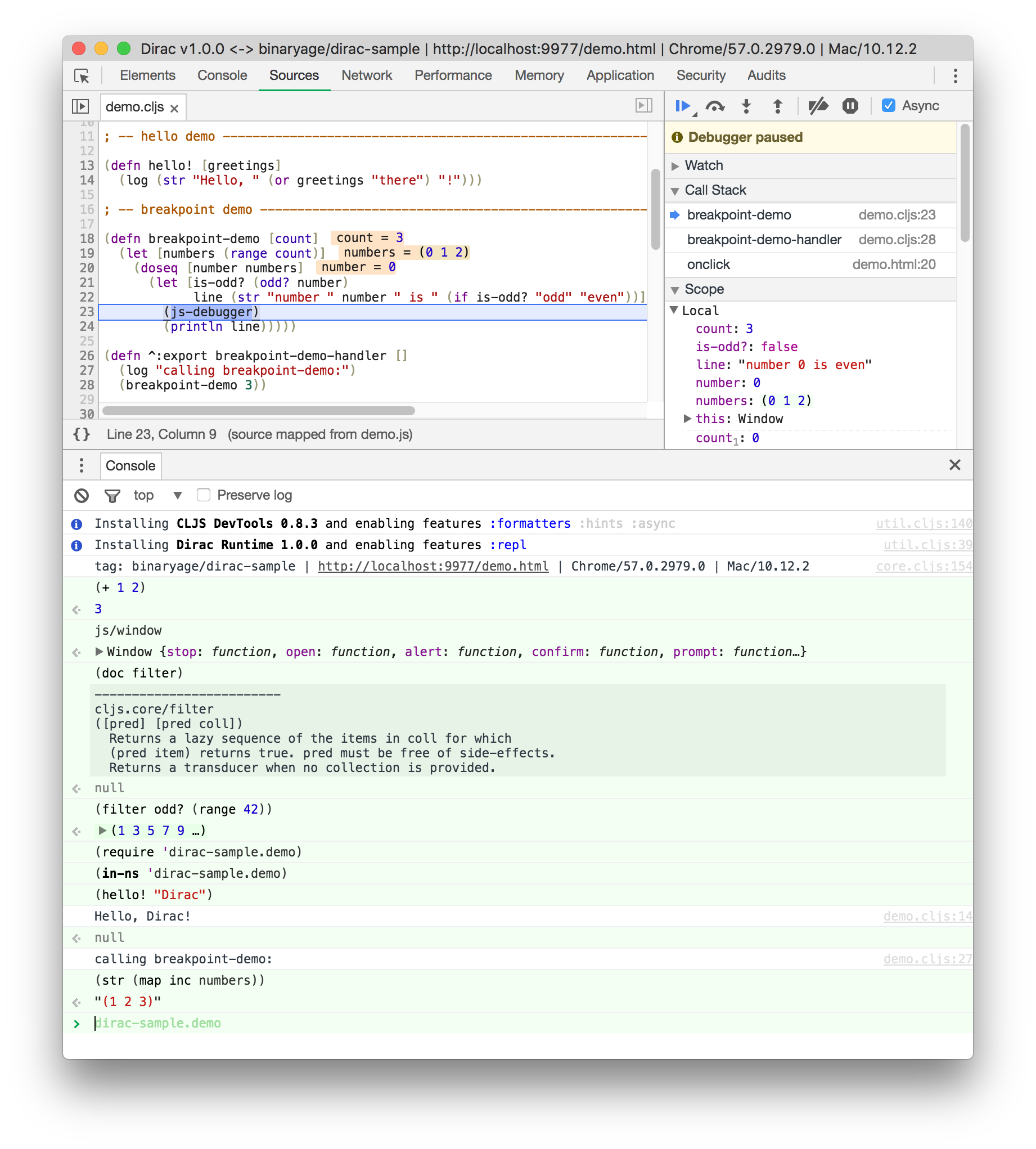
 |
 |
 |
관련 프로젝트 살펴보기
불러오는 중…