
bigcalendar/react-big-calendar
bigcalendar/react-big-calendar has 8,766 GitHub stars and 2,296 forks. GitHot measured 0 stars in 24 hours, 0 in 7 days, and +2 in 15 days. Last checked 2026-11-24 12:22 UTC. Last push 2026-06-01.
측정된 스타 증가
- in 24h
- 0
- in 7 days
- 0
- in 15 days
- +2
- in 1 month
- 기록 수집 중
서로 겹치는 기간의 순증가량이며 일별 합계가 아닙니다. 측정값이 없으면 비워 둡니다. 스타는 관심도를 나타내며 품질을 보장하지 않습니다.
소개
Google 캘린더와 Outlook 같은 캘린더 컴포넌트
개발 도구README.md
Originalreact-big-calendar
An events calendar component built for React and designed for modern browsers (read: not IE) and uses flexbox over the classic tables-caption approach.
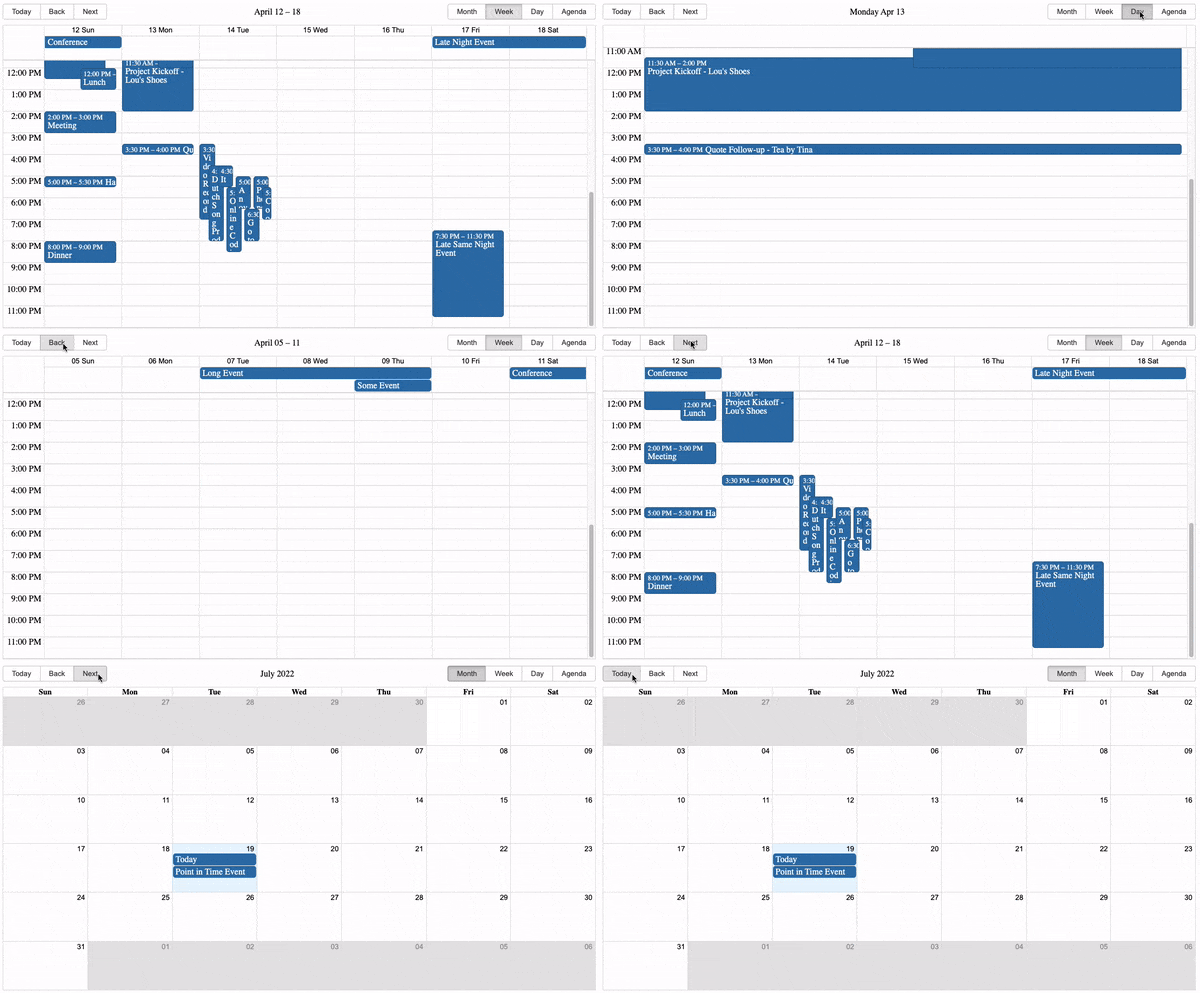
Inspired by Full Calendar.
Use and Setup
yarn add react-big-calendar or npm install --save react-big-calendar
Include react-big-calendar/lib/css/react-big-calendar.css for styles, and make sure your calendar's container
element has a height, or the calendar won't be visible. To provide your own custom styling, see the Custom Styling topic.
Starters
- react-big-calendar
- react-big-calendar with drag and drop
- react-big-calendar with TypeScript and React hooks bundled with Vite
Run examples locally
$ git clone [email protected]:bigcalendar/react-big-calendar.git
$ cd react-big-calendar
$ yarn
$ yarn storybook
- Open localhost:9002.
Localization and Date Formatting
react-big-calendar includes four options for handling the date formatting and culture localization, depending
on your preference of DateTime libraries. You can use either the Moment.js, Globalize.js, date-fns, Day.js localizers.
Regardless of your choice, you must choose a localizer to use this library:
Moment.js
import { Calendar, momentLocalizer } from 'react-big-calendar'
import moment from 'moment'

const localizer = momentLocalizer(moment)

const MyCalendar = (props) => (
  <div>
    <Calendar
      localizer={localizer}
      events={myEventsList}
      startAccessor="start"
      endAccessor="end"
      style={{ height: 500 }}
    />
  </div>
)
Globalize.js v0.1.1
import { Calendar, globalizeLocalizer } from 'react-big-calendar'
import globalize from 'globalize'

const localizer = globalizeLocalizer(globalize)

const MyCalendar = (props) => (
  <div>
    <Calendar
      localizer={localizer}
      events={myEventsList}
      startAccessor="start"
      endAccessor="end"
      style={{ height: 500 }}
    />
  </div>
)
date-fns v2
import { Calendar, dateFnsLocalizer } from 'react-big-calendar'
import format from 'date-fns/format'
import parse from 'date-fns/parse'
import startOfWeek from 'date-fns/startOfWeek'
import getDay from 'date-fns/getDay'
import enUS from 'date-fns/locale/en-US'

const locales = {
  'en-US': enUS,
}

const localizer = dateFnsLocalizer({
  format,
  parse,
  startOfWeek,
  getDay,
  locales,
})

const MyCalendar = (props) => (
  <div>
    <Calendar
      localizer={localizer}
      events={myEventsList}
      startAccessor="start"
      endAccessor="end"
      style={{ height: 500 }}
    />
  </div>
)
Day.js
Note that the dayjsLocalizer extends Day.js with the following plugins:
import { Calendar, dayjsLocalizer } from 'react-big-calendar'
import dayjs from 'dayjs'

const localizer = dayjsLocalizer(dayjs)

const MyCalendar = (props) => (
  <div>
    <Calendar
      localizer={localizer}
      events={myEventsList}
      startAccessor="start"
      endAccessor="end"
      style={{ height: 500 }}
    />
  </div>
)
Custom Styling
Out of the box, you can include the compiled CSS files and be up and running. But, sometimes, you may want to style Big Calendar to match your application styling. For this reason, SASS files are included with Big Calendar.
  @import 'react-big-calendar/lib/sass/styles';
  @import 'react-big-calendar/lib/addons/dragAndDrop/styles'; // if using DnD
SASS implementation provides a variables file containing color and sizing variables that you can
update to fit your application. Note: Changing and/or overriding styles can cause rendering issues with your
Big Calendar. Carefully test each change accordingly.
Join The Community
Help us improve Big Calendar! Join us on Slack. (Slack invite links do expire. If you can't get in, just file an issue and we'll get a new link.)
Translations
관련 프로젝트 살펴보기
불러오는 중…