
berzniz/react-overdrive
berzniz/react-overdrive has 2,958 GitHub stars and 82 forks. GitHot measured 0 stars in 24 hours and -2 in 7 days. Last checked 2026-11-14 04:33 UTC. Last push 2022-12-08.
측정된 스타 증가
- in 24h
- 0
- in 7 days
- -2
- in 15 days
- 기록 수집 중
- in 1 month
- 기록 수집 중
서로 겹치는 기간의 순증가량이며 일별 합계가 아닙니다. 측정값이 없으면 비워 둡니다. 스타는 관심도를 나타내며 품질을 보장하지 않습니다.
소개
Super easy magic-move transitions for React apps
웹 및 앱README.md
Originalreact-overdrive
Super easy magic-move transitions for React apps.
Demos


Install
$ npm install react-overdrive --save
Usage
Example with routing
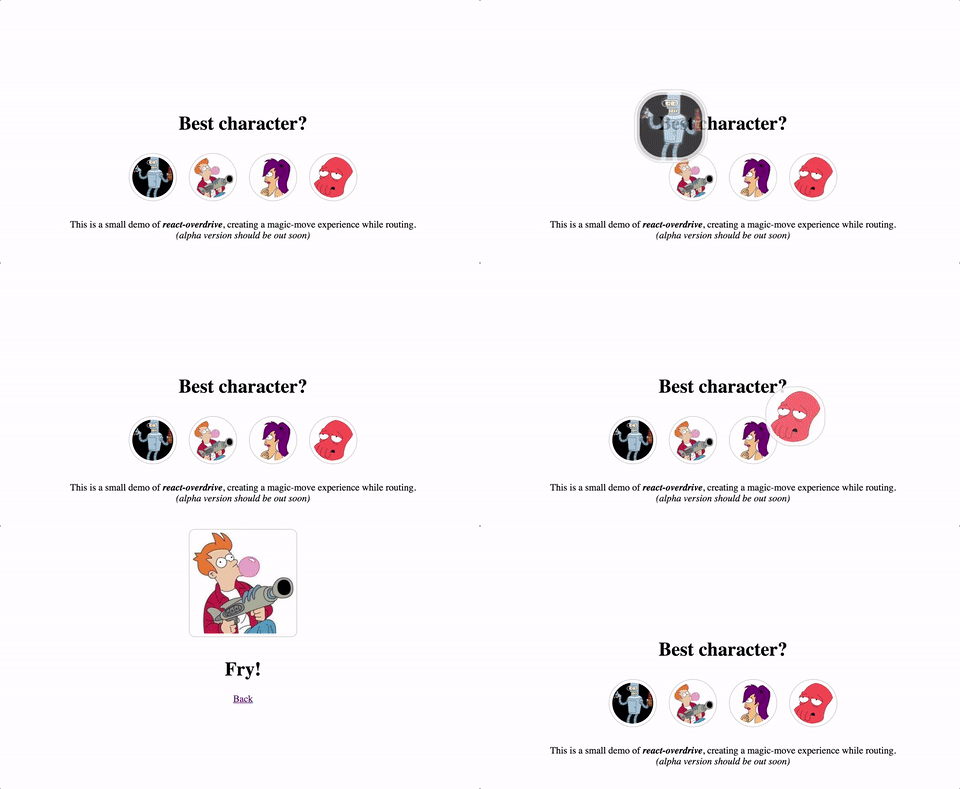
Wrap any element (not just images) in a <Overdrive id=""></Overdrive> component. Add the same id to create a transition between the elements.
On page1.js:
import Overdrive from 'react-overdrive'

const pageA = (props) => (
  <div>
    <h1>Page A</h1>
    <Overdrive id="bender-to-big-fry">
      <img src="bender.png" width="100" height="100"/>
    </Overdrive>
  </div>
);
On page2.js:
import Overdrive from 'react-overdrive'

const pageB = (props) => (
  <div>
    <h1>Page B</h1>
    <Overdrive id="bender-to-big-fry">
      <img src="fry.png" width="300" height="300"/>
    </Overdrive>
  </div>
);
Now route between the pages.
Example without routing
On page.js:
import Overdrive from 'react-overdrive'

const page = (props) => (
  <div>
    {props.loading && <Overdrive id="content"><Loader/></Overdrive>}
    {!props.loading && <Overdrive id="content"><Content/></Overdrive>}
  </div>
);
API
| Prop | Description | Default Value |
|---|---|---|
| id | Required. A unique string to identify the component. | |
| element | Wrapping element type. | 'div' |
| duration | Animation duration (in milliseconds). | 200 |
| easing | Animation easing function. | '' |
| animationDelay | Add delay of calculating the mounted component position. Setting to 1 usually helps avoiding issues with window scrolling. |
null |
| onAnimationEnd | Event dispatched when the animation has finished. | null |
How does it work?
A transition is made when an <Overdrive id="example"/> component is unmounted and another <Overdrive id="example"/> is mounted not later than 100ms.
The transition is made by cloning the unmounted and mounted components, adding them with absolute position and CSS transformed from the source to the target position.
Sponsors
Thanks to the following companies for generously providing their services/products to help improve this project:

Thanks to BrowserStack for providing cross-browser testing.
Who made this?
Tal Bereznitskey. Find me on Twitter as @ketacode.
관련 프로젝트 살펴보기
freeCodeCamp/freeCodeCamp
freeCodeCamp.org의 오픈 소스 코드베이스와 커리큘럼입니다. 수학, 프로그래밍, 컴퓨터 과학을 무료로 배울 수 있습니다.
459,110 스타donnemartin/system-design-primer
대규모 시스템 설계 방법을 배우고 시스템 설계 면접을 준비할 수 있습니다. Anki 플래시카드가 포함되어 있습니다.
377,826 스타react/react
웹과 네이티브 사용자 인터페이스를 위한 라이브러리.
252,593 스타vuejs/vue
Vue 2 저장소입니다. Vue 3은 https://github.com/vuejs/core를 방문하세요.
212,523 스타