프로젝트 GitHub에서 보기
benawad/destiny
benawad/destiny has 3,509 GitHub stars and 80 forks. GitHot measured 0 stars in 24 hours, +1 in 7 days, and +1 in 15 days. Last checked 2026-11-24 14:15 UTC. Last push 2023-01-05.
측정된 스타 증가
- in 24h
- 0
- in 7 days
- +1
- in 15 days
- +1
- in 1 month
- 기록 수집 중
서로 겹치는 기간의 순증가량이며 일별 합계가 아닙니다. 측정값이 없으면 비워 둡니다. 스타는 관심도를 나타내며 품질을 보장하지 않습니다.
소개
파일 구조를 정리해 주는 Prettier
개발 도구README.md
OriginalDestiny
Prettier for File Structures





Motivation: https://www.youtube.com/watch?v=rGYbrIf-y58
What does this do?
- Scans a folder for all the files in it
- Creates a directed graph based on how the JavaScript/TypeScript files import each other
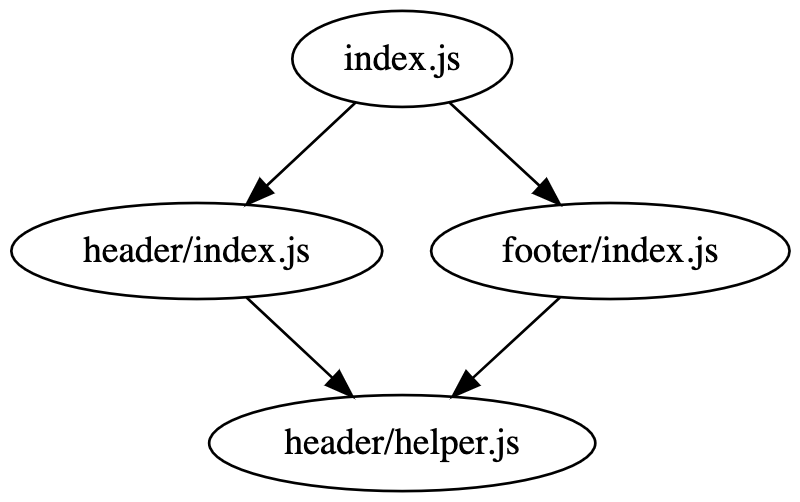
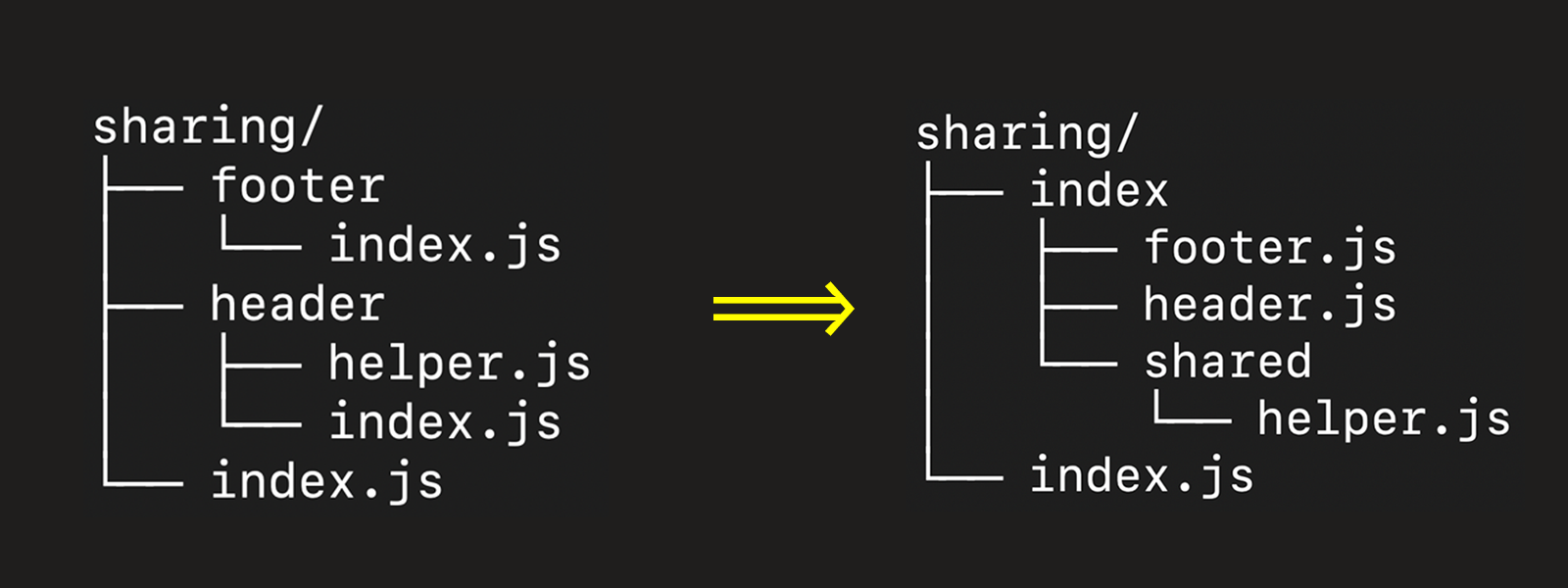
- Creates a fractal representation of the graph (following similar rules outlined here: https://hackernoon.com/fractal-a-react-app-structure-for-infinite-scale-4dab943092af)
- Moves existing files into the fractal structure
- Fixes imports
- Removes all empty folders
- Prints files that are "unused" (not imported by anyone and doesn't import anything)
The end result is a "prettified" file structure.
Disclaimer
- This is a work in progress and 100% has bugs of some kind in it
- BEFORE running this tool on your codebase, make sure you have committed to git or made a backup (I don't expect the tool to destroy your work (although it's possible), but just in case you don't like the results)
- Snapshot tests don't format correctly
- Only works on JavaScript/TypeScript codebases (although this concept could probably be extended to any language)
How to run it
$ destiny --help
destiny - Prettier for file structures.

USAGE

  destiny [option...] [path]

  The path argument can consist of either a file path or a glob.

OPTIONS

  -V, --version              Output version number
  -h, --help                 Output usage information
  -w, --write                Restructure and edit folders and files
  -S, --avoid-single-file    Flag to indicate if single files in folders should be avoided
  --debug [?output file]     Print debugging info
Dry run which will output what the resulting file structure will look like:
npx destiny "src/**/*.*"
This will actually move files around and fix imports:
npx destiny -w "src/**/*.*"
Documentation
You can find the full documentation at this url.
This tool might be useless
It might be better to just name your folders.
Why did you name it destiny?

Contributing
Pull requests are welcome :)
Badge
[](https://github.com/benawad/destiny)
관련 프로젝트 살펴보기
불러오는 중…