
beltex/dshb
소개
macOS 시스템 모니터
개발 도구측정된 스타 증가
- in 24h
- 0
- in 7 days
- 0
- in 15 days
- 기록 수집 중
- in 1 month
- 기록 수집 중
서로 겹치는 기간의 순증가량이며 일별 합계가 아닙니다. 측정값이 없으면 비워 둡니다. 스타는 관심도를 나타내며 품질을 보장하지 않습니다.
README.md
Originaldshb
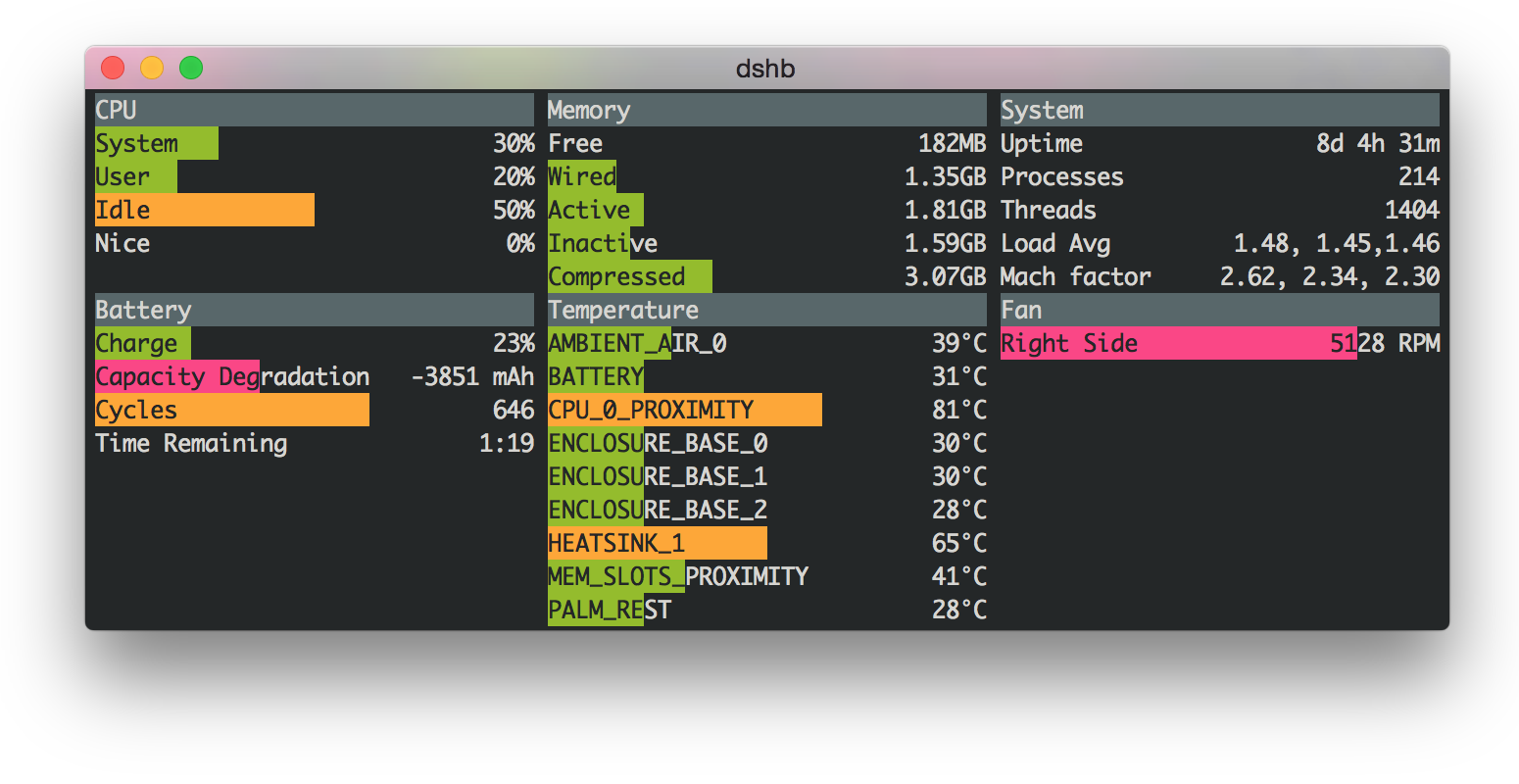
A macOS system monitor in Swift, inspired by top & htop. Displays live readings of system CPU & memory usage, machine temperature sensors, fan speeds, battery information and other miscellaneous system statistics. The ncurses based TUI (text-based user interface) uses color coating to imply status and is fully resizable. Stats are updated at one second intervals while still maintaining low overhead (the observer effect is inescapable in this case sadly).
Why?
- Exploration of Swift. In particular, systems programming and interfacing with low-level C APIs
Homebrew :beer:
$ brew install dshb
Requirements
- Xcode 8.3.3 (Swift 3.1)
- macOS 10.9+
- This is due to Swift
Clone
Make sure to use the recursive option on clone to auto init all submodules.
git clone --recursive https://github.com/beltex/dshb
Incase you have already cloned the repository, run the following inside the project directory.
git submodule update --init
Install
This will build dshb from source and place the binary and manual page in your path.
make install
Stack
- ncurses
- For drawing to the terminal (tested with version 5.4 - default on macOS)
- SystemKit
- For almost all statistics
- SMCKit
- For temperature & fan statistics
- CommandLine
- For the CLI
- ronn
- For generating the manual page
All Git submodules are built part of the project as simply source files, not
frameworks (which are essentially dynamic libraries). This is because currently,
the Swift runtime dynamic libraries must be packaged with the application in
question. In the case of dshb, a single binary is generated which has the
runtime statically linked. Thus, frameworks, which expect to find the libraries
inside the application bundle (.app), cannot "see" them.
For more see:
References
License
This project is under the MIT License.
P.S.
Working on this always brought a smile to my face. I hope it brings a smile to yours too. Enjoy :)
관련 프로젝트 살펴보기
불러오는 중…