
basilelt/overseer
basilelt/overseer has 9 GitHub stars and 2 forks. GitHot measured 0 stars in 24 hours and 0 in 7 days. Last checked 2026-11-24 02:34 UTC. Last push 2026-11-21.
측정된 스타 증가
- in 24h
- 0
- in 7 days
- 0
- in 15 days
- 기록 수집 중
- in 1 month
- 기록 수집 중
서로 겹치는 기간의 순증가량이며 일별 합계가 아닙니다. 측정값이 없으면 비워 둡니다. 스타는 관심도를 나타내며 품질을 보장하지 않습니다.
소개
Run and supervise your AI coding agents side by side, locally or on a server over SSH
개발 도구README.md
Original

Overseer
Run and supervise your AI coding agents side by side
on this machine or on a server over SSH, with their terminals, tasks and reviews in one place.









Install · Features · User guide · Changelog
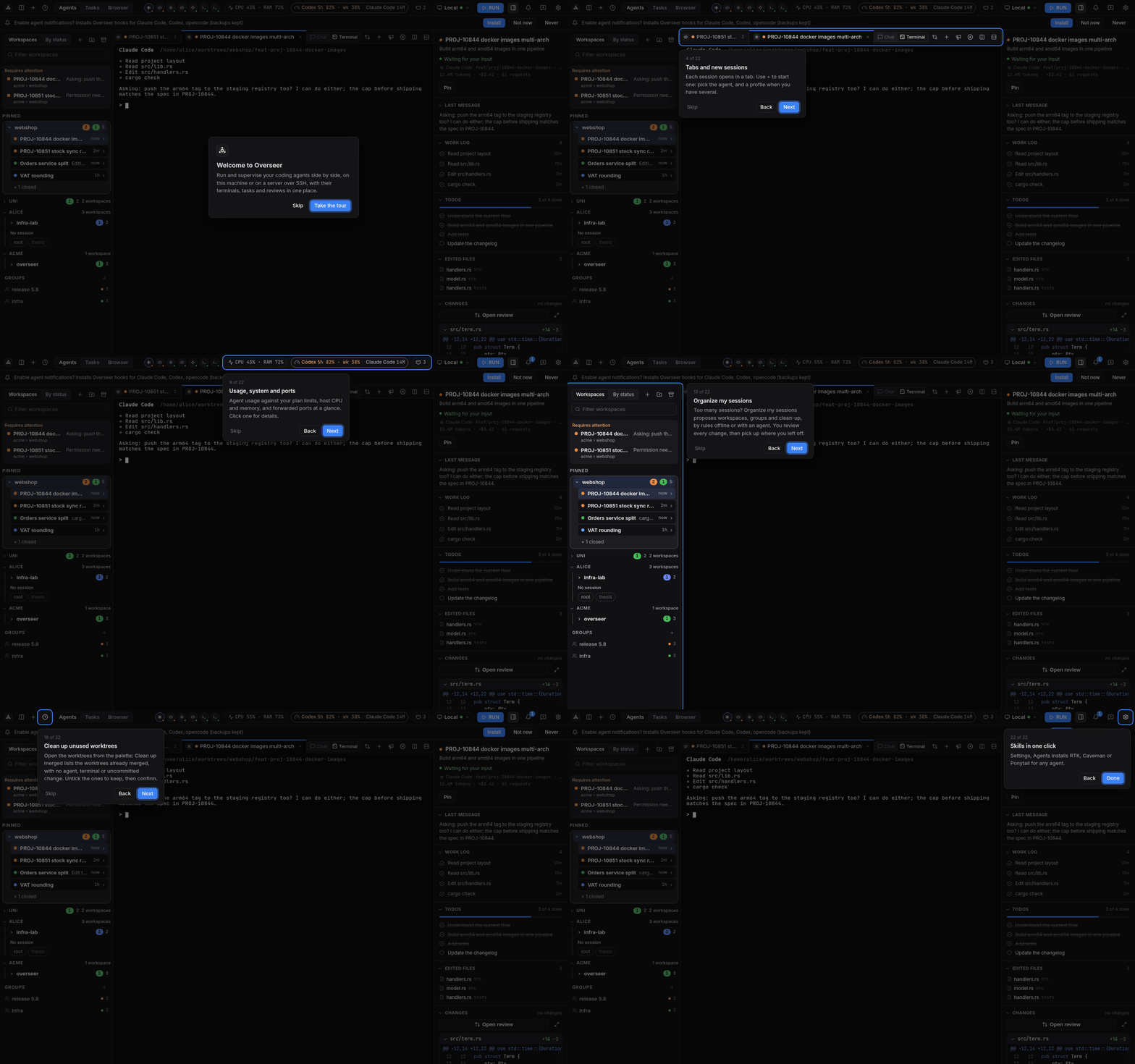
Overseer is a desktop app (Linux, macOS, Windows), a phone and tablet app (Android, iOS) and a small daemon. It works with Claude Code, Codex, Gemini CLI, Antigravity, opencode, Amp, Copilot CLI and Cursor Agent. Each agent session is a line: one agent, in one worktree, on one machine, for one owner. The daemon owns the terminals, so closing the app, losing Wi-Fi or putting the laptop to sleep stops nothing; open the app again and every session is where you left it.
New here? Install the app, open it, and take the tour: it shows each part of the window in about a minute. You can replay it any time from Settings → Help.
Features
Every agent in one window
Workspaces group sessions by project. Inside a workspace, subjects sort its sessions further: a subject covers a sub-folder or a git submodule (submodules show up on their own), sessions running there join it, and you can drag any session onto one or start a new one in it, at the workspace root if your agents read their instructions there. Each session opens in a tab with its live terminal, and the side panel shows what the agent is doing: last message, work log, todos, edited files and changes. Switch to By status to see at a glance who needs your input, who is running and who is done. Agent tabs also have a Chat view rebuilt live from the agent's session file. Terminals can optionally be drawn on the GPU with WebGL (Settings, Terminal, GPU rendering, off by default and experimental), which keeps long output smooth. Clicking in the line you are typing, in a shell or an agent like Claude Code or Codex, moves the cursor there like in a text editor. Coming from Switchboard, the old name of Overseer? When its data is found, Overseer offers to import your sessions, tasks, workspaces and settings in one click (also in Settings, Help).
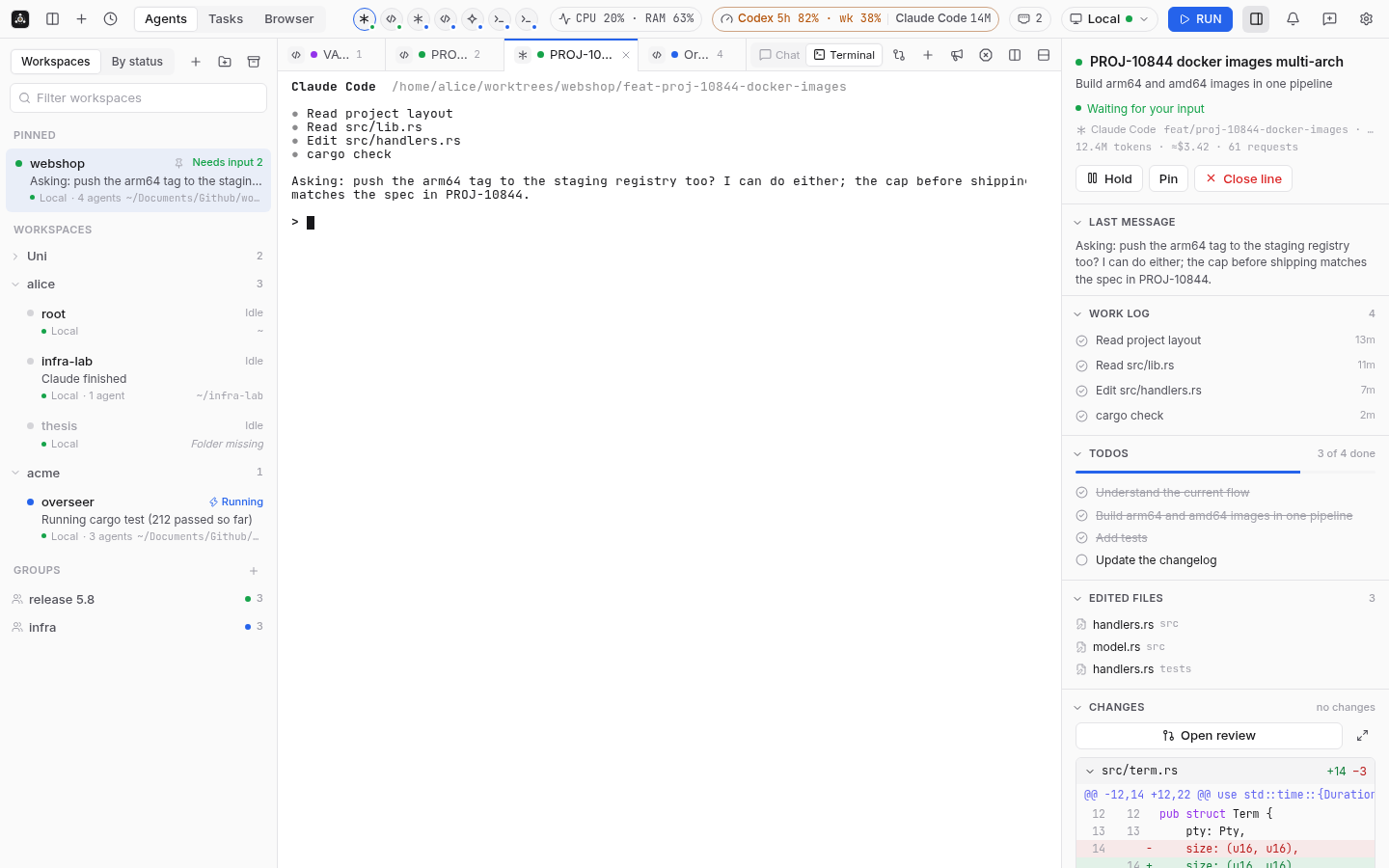
By status, and broadcast to many agents at once
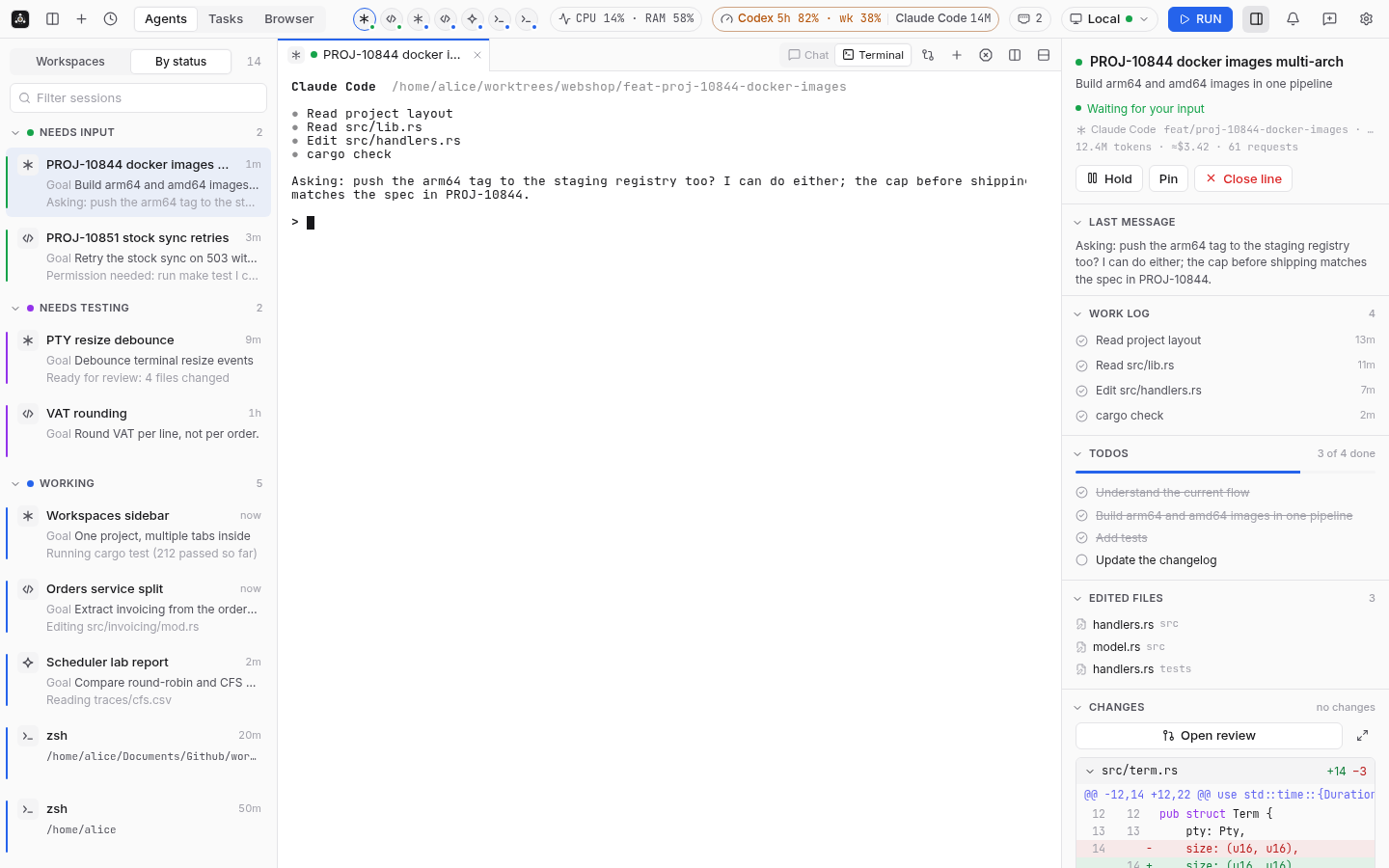
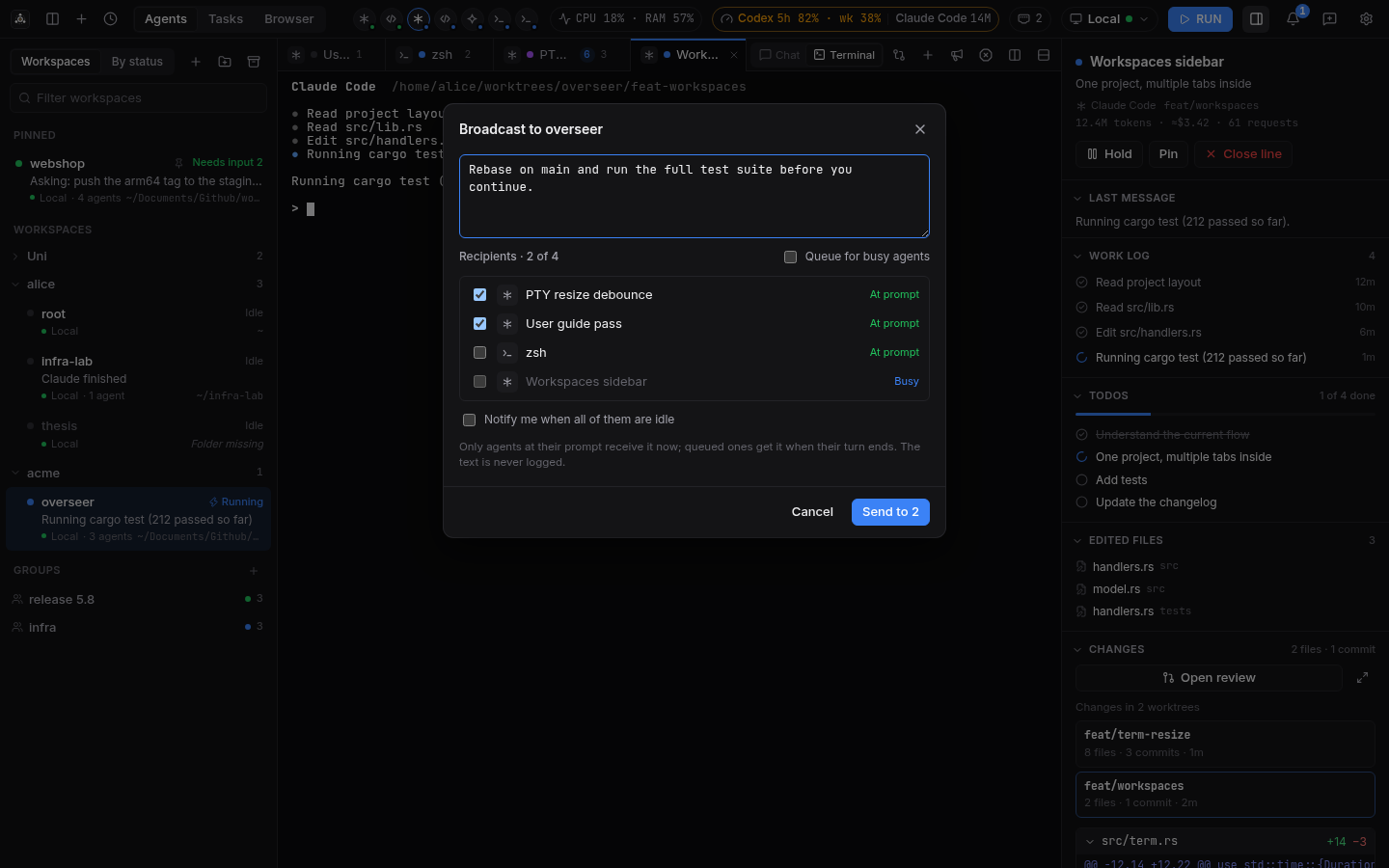
A task board that starts agents for you
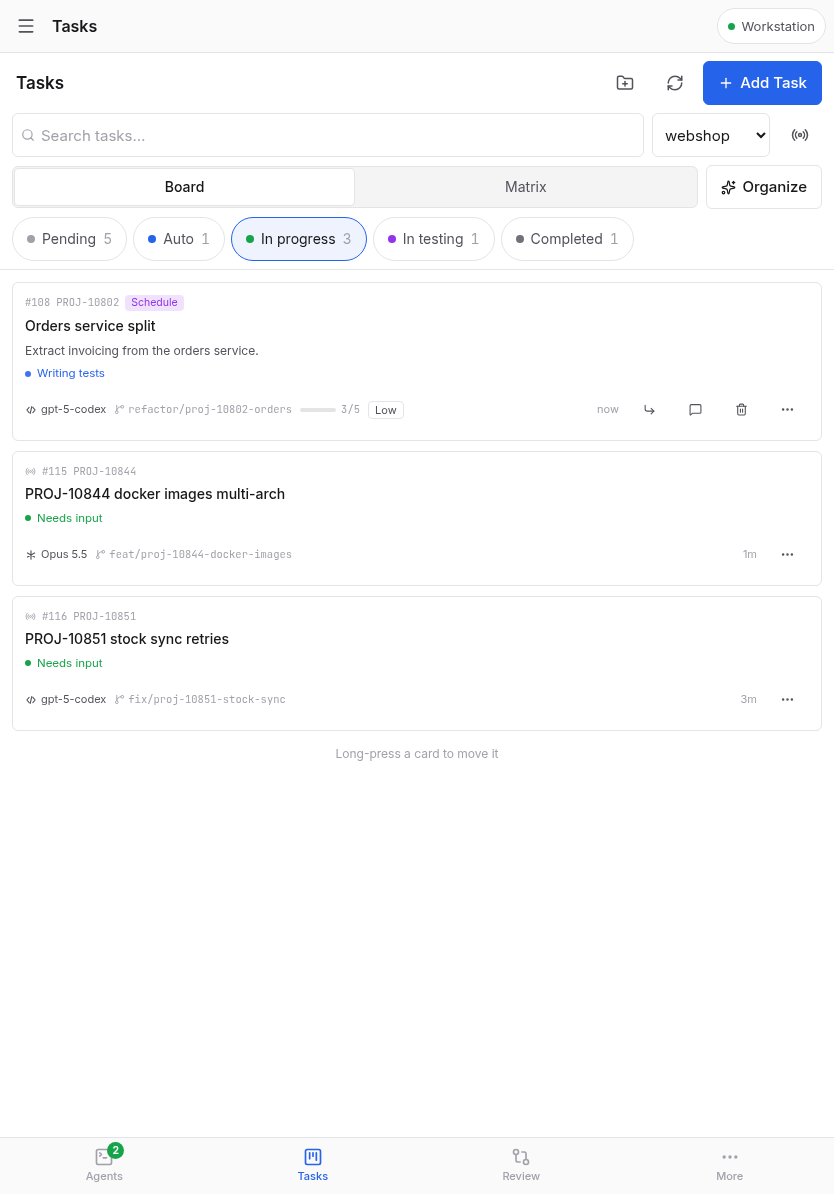
Write a task, pick the agent, its model and reasoning effort, and start it: Overseer creates a worktree on a new branch and types the task into the agent. Tasks in the Auto column start on their own, in order, within your concurrency limit. A new task can be filled from the project's GitHub or GitLab issues or Jira tickets, and agents can read and update tasks through the built-in MCP server. Finished work waits in Review; a task moves to Merged by itself once its branch lands in the default branch, Closed keeps the rest, and an agent moves its task back to In progress when work resumes.
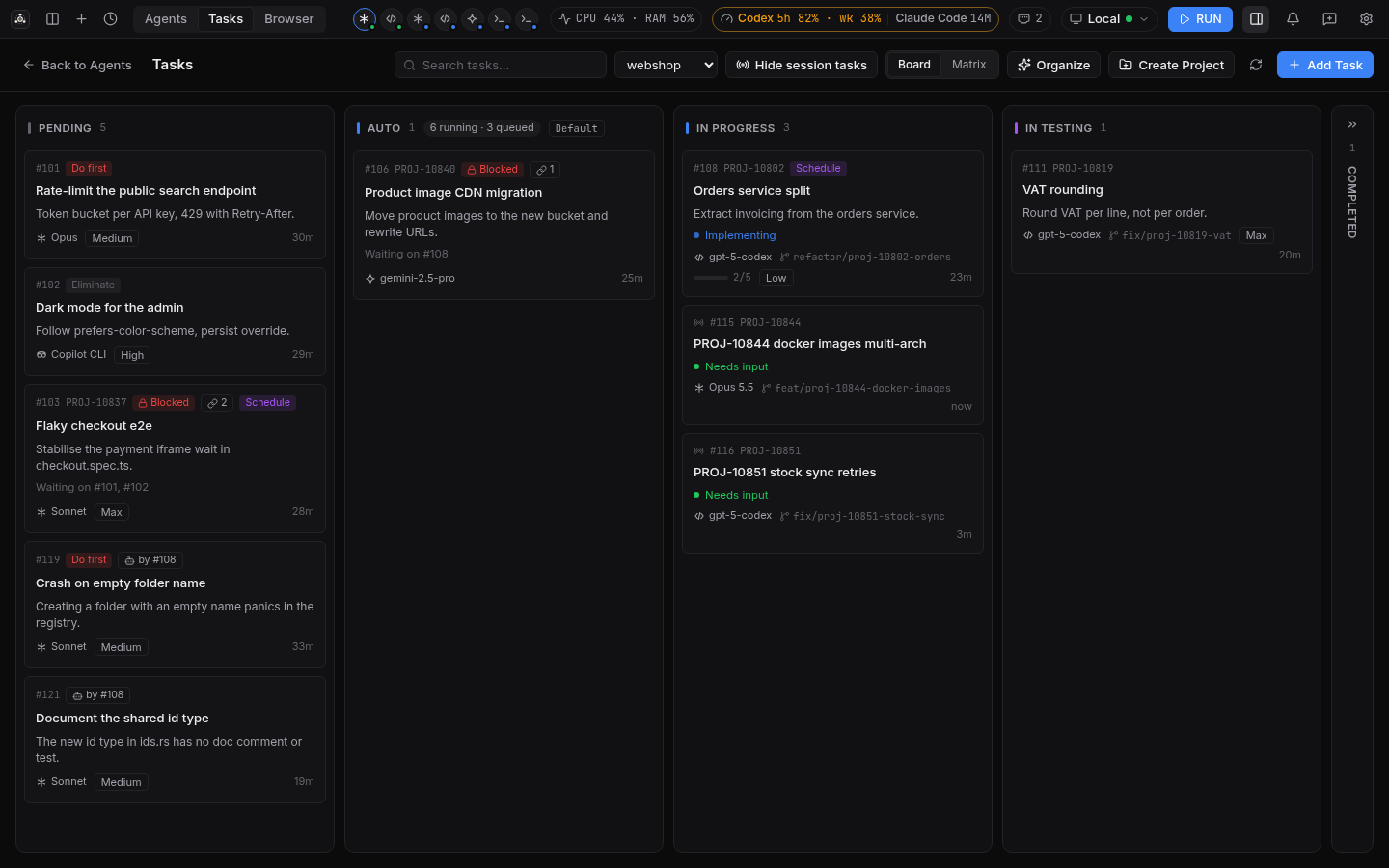
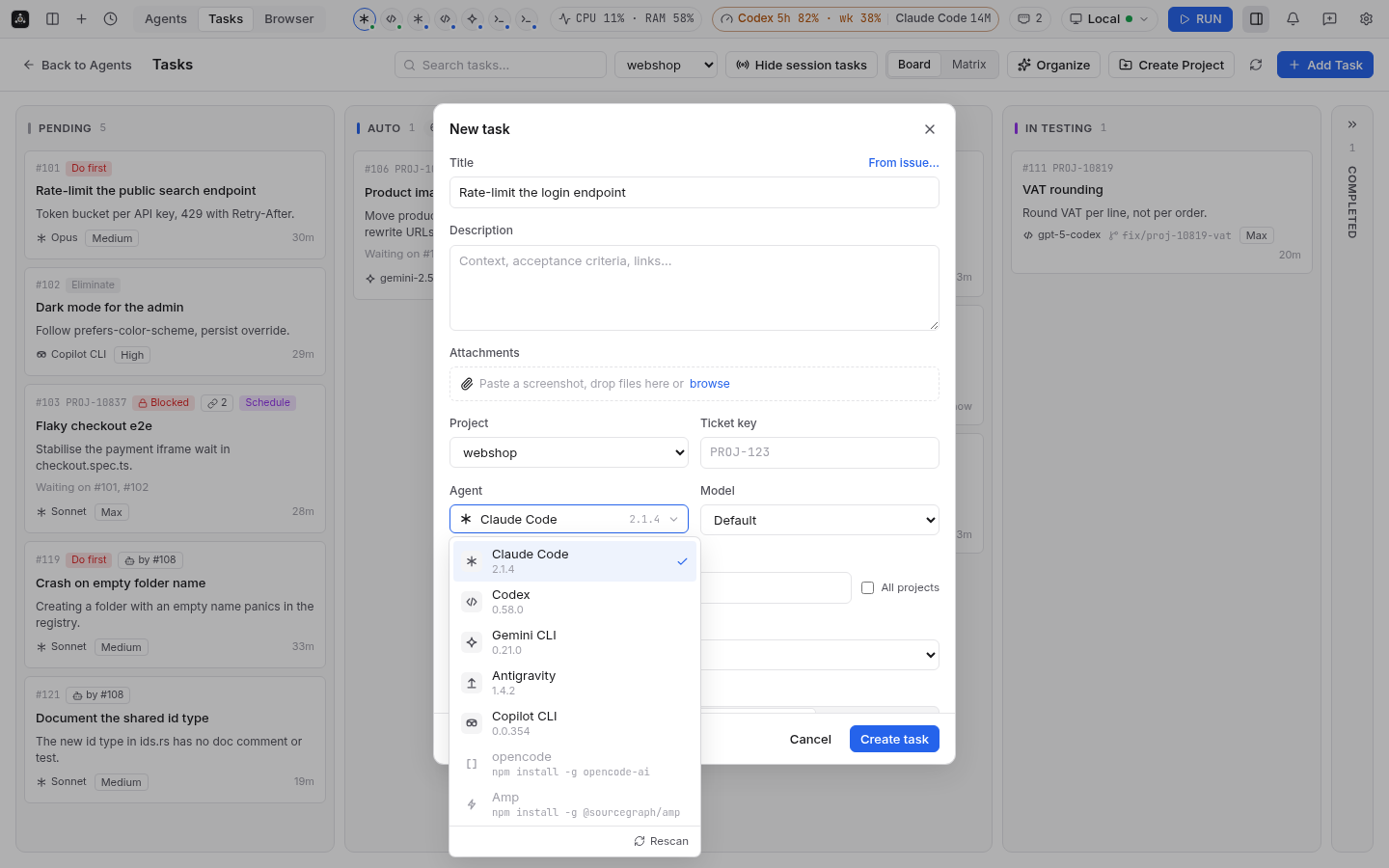
New task with the agent picker
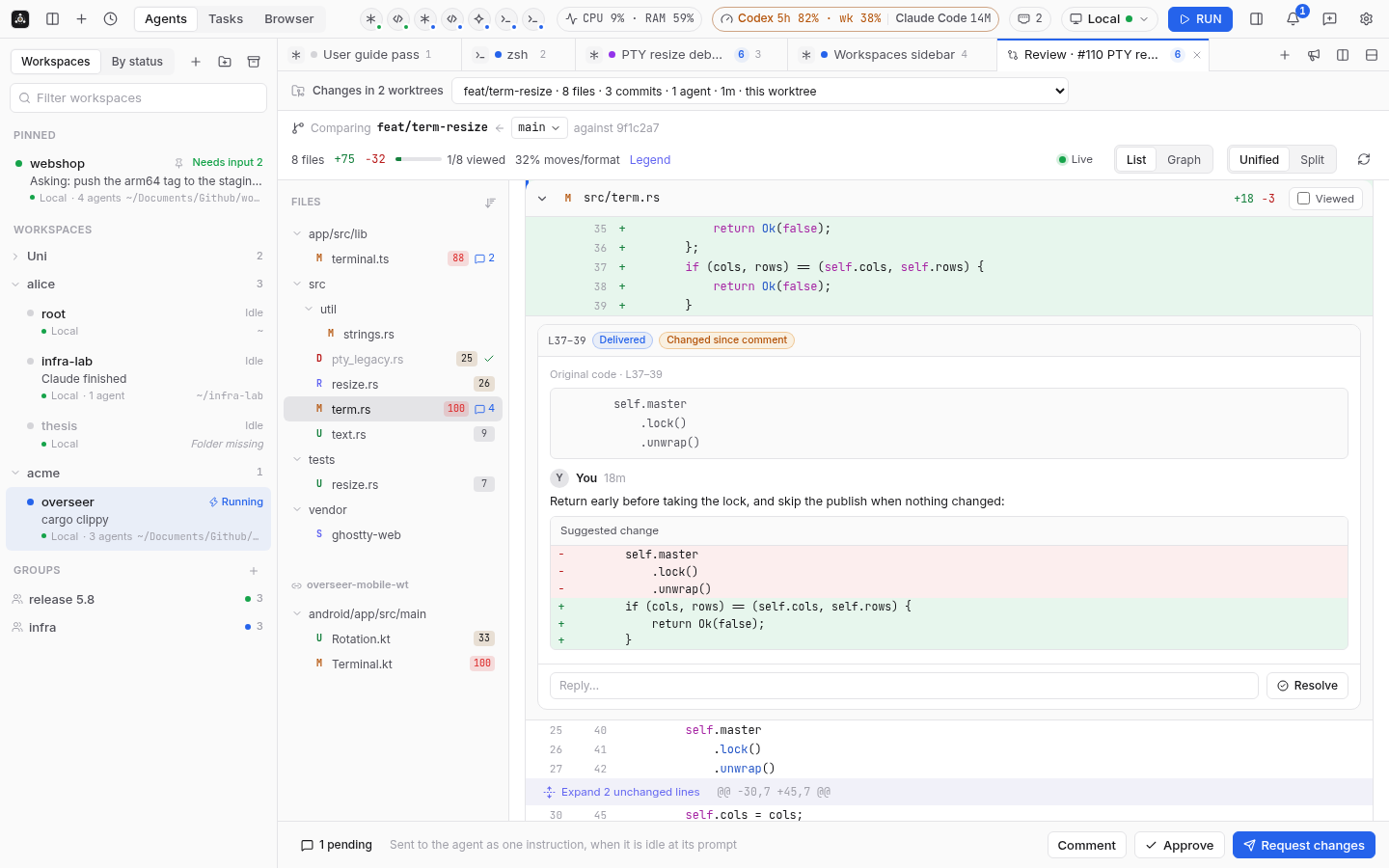
Live review of what agents change
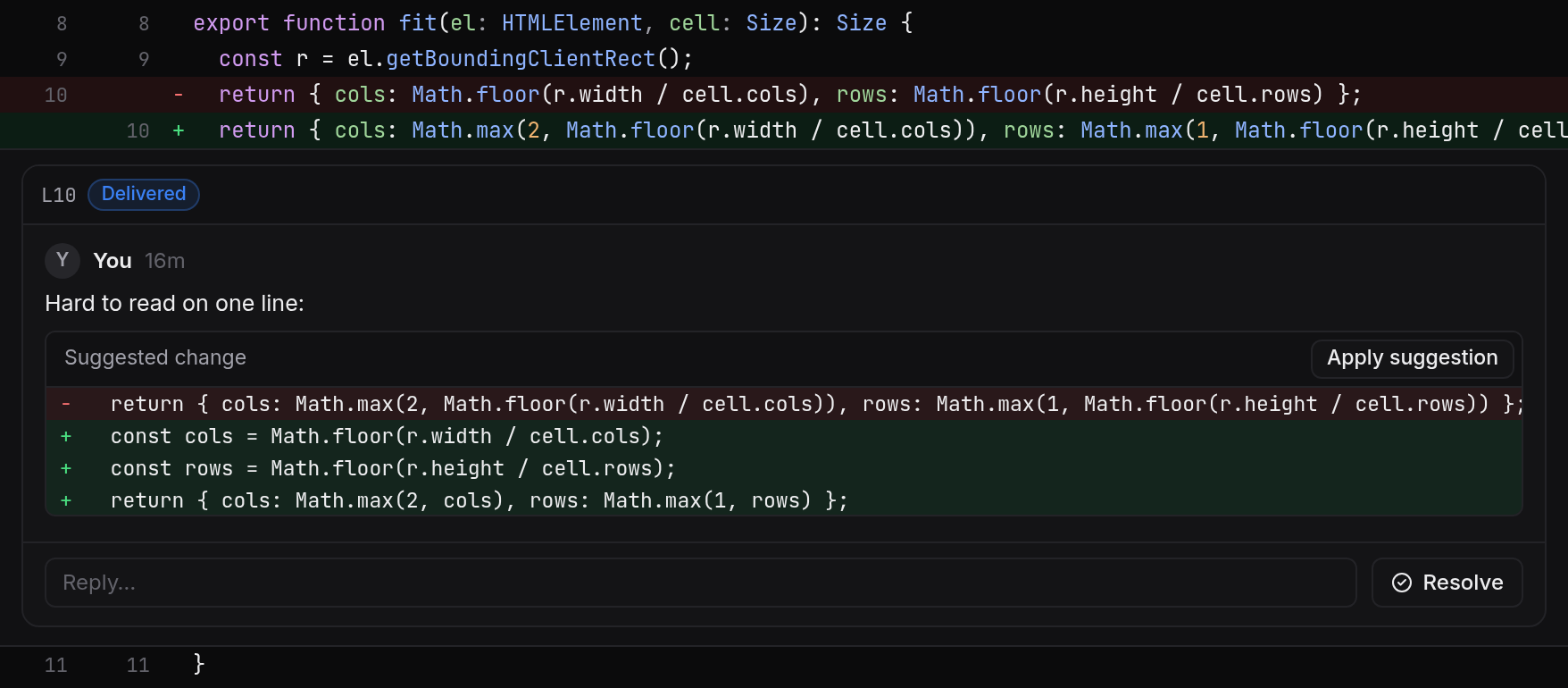
A GitHub-style review of an agent's changes while it works. Comment on lines, suggest edits, and send the comments back to the agent; threads follow the code as it changes. Approve, reject or commit from the Kanban card when the task is in Review.
A review thread with a suggestion
Git graph and worktrees
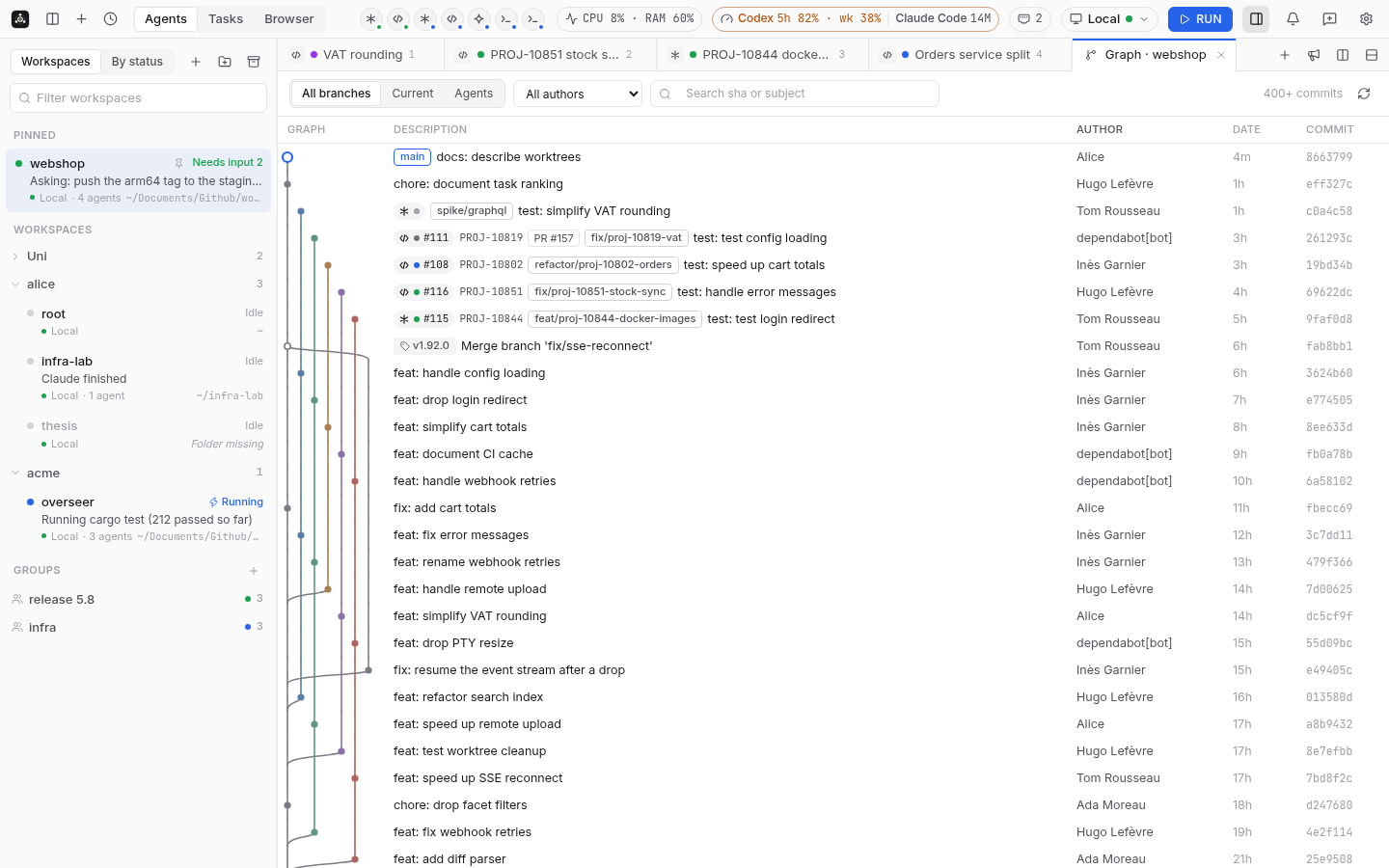
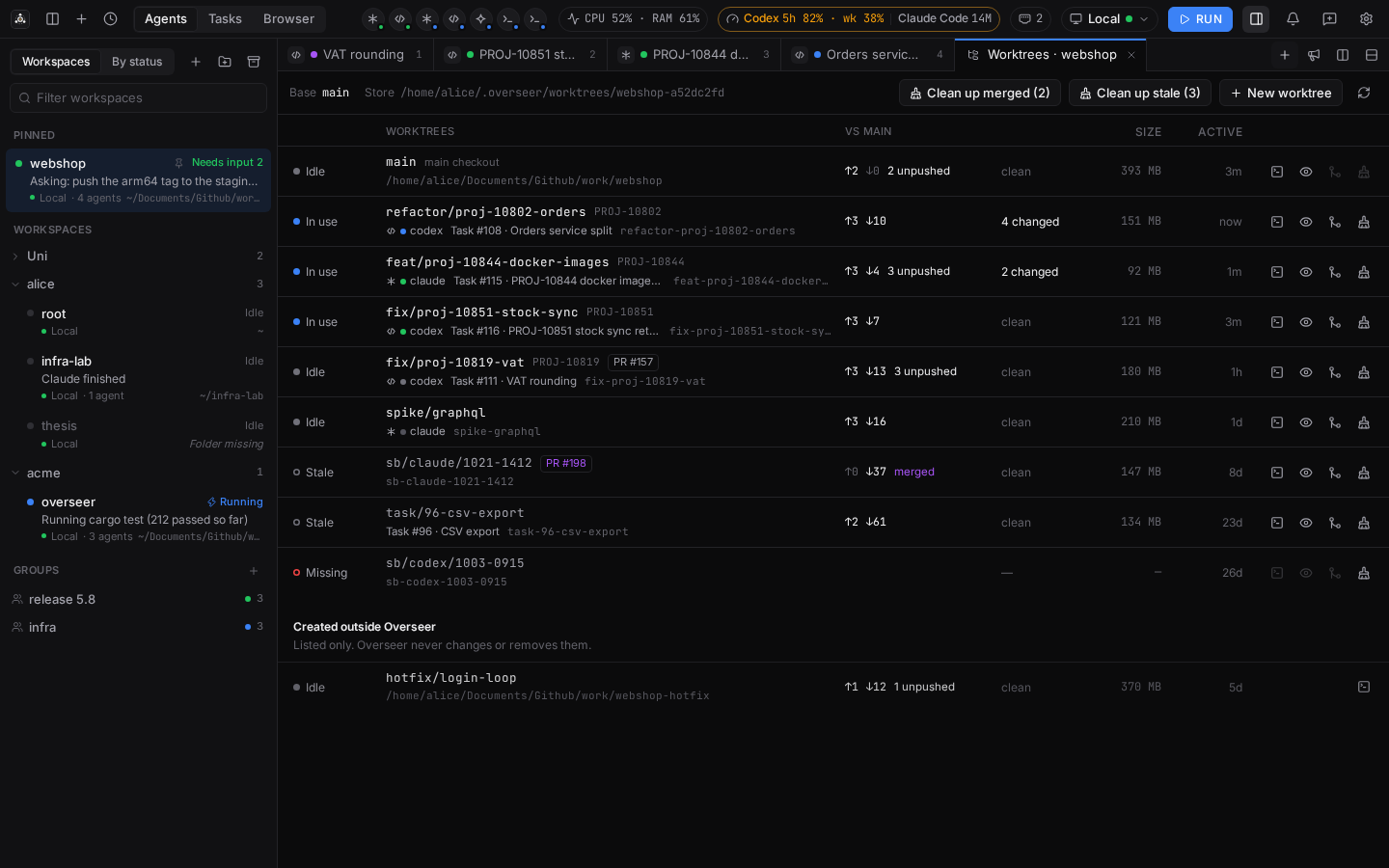
A per-project git graph that stays fast on large histories, with agent branches, tasks and PRs on it. Worktrees live in one store outside your repositories, show whether they are in use, idle or stale, and are cleaned up safely: Clean up merged picks the merged ones with no agent left, and you untick the ones to keep.
Remote machines over SSH
Point the app at any host that works with ssh <host>: your ~/.ssh/config, ProxyJump,
ProxyCommand, agents and keys are used as is. The app installs the daemon on first connection
and carries terminals, events and forwarded ports over a single SSH connection. Nothing listens
on a TCP port on the server.
And also
Phone and tablet apps for Android and iOS (iPhone and iPad), synced with the desktop: follow and answer your agents from anywhere (docs/mobile.md). Tablets get the phone layout in portrait and the full desktop layout, with touch, in landscape.
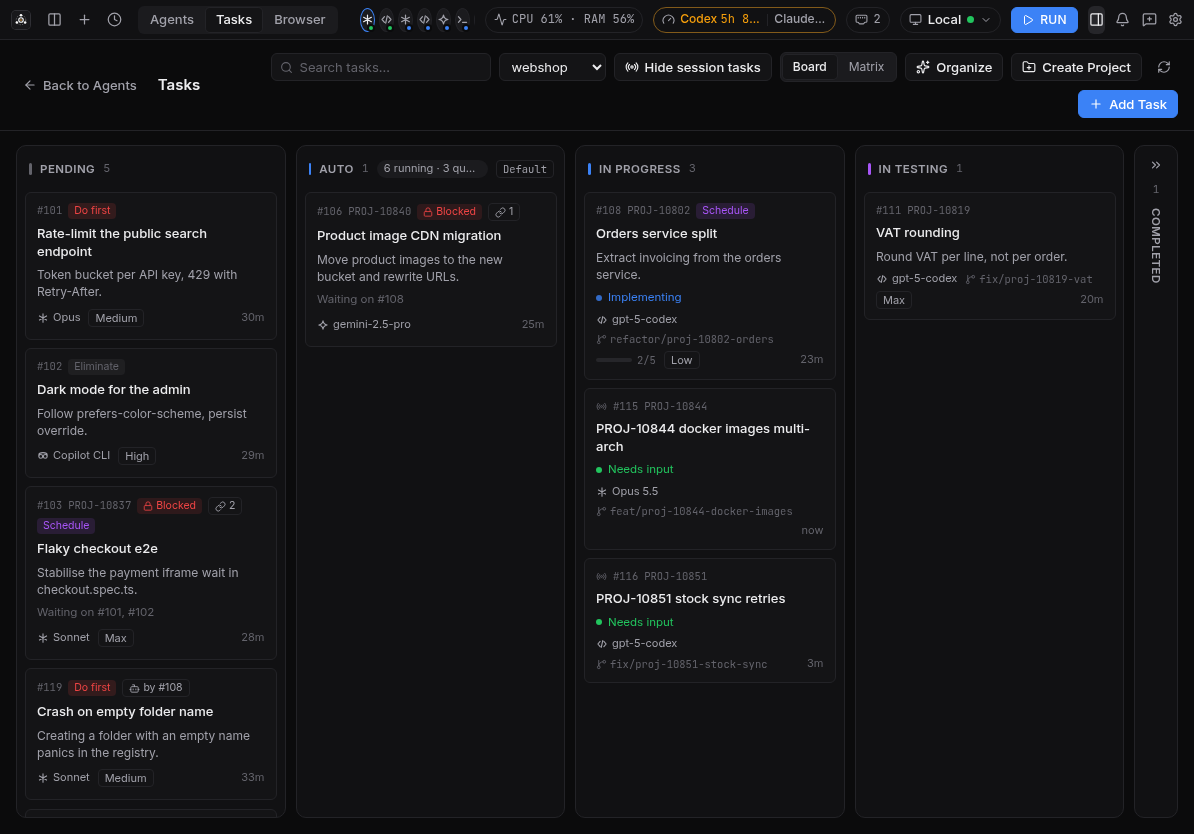
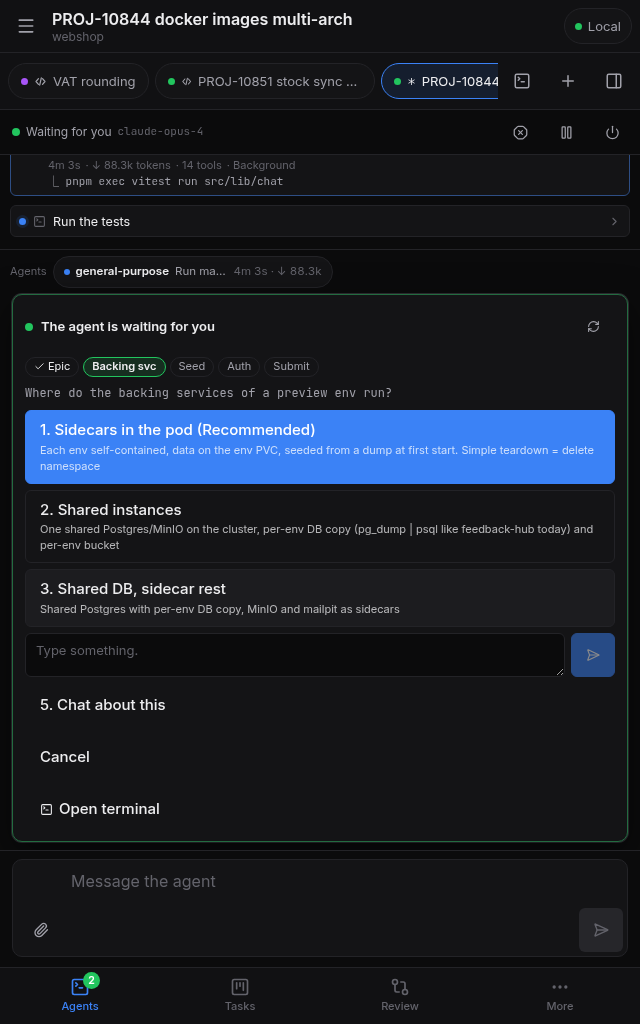
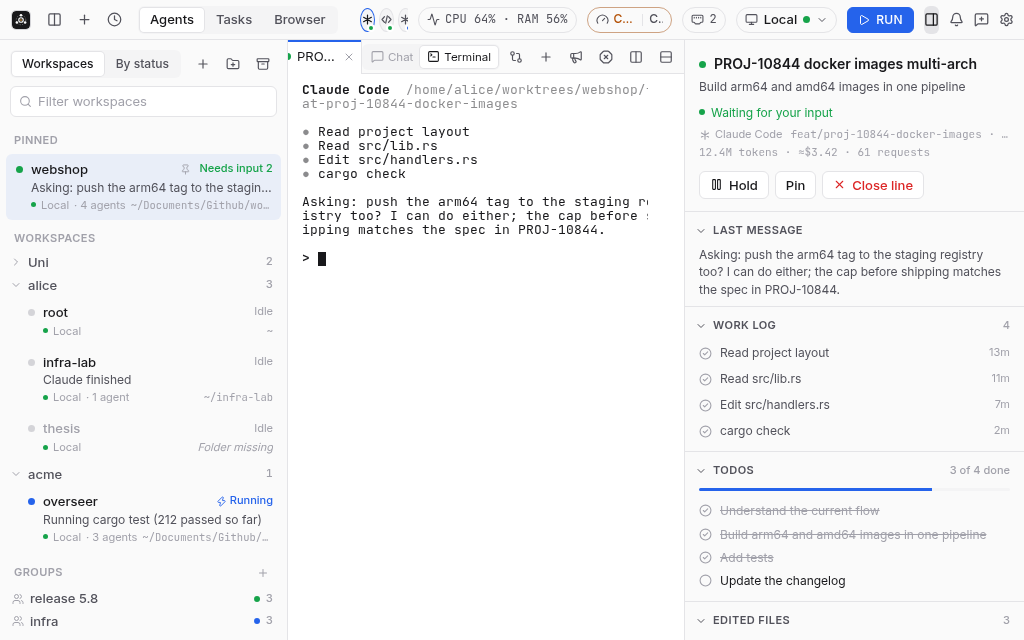
Demo mode: no server yet? Try the demo on the connect screen runs the whole app on sample sessions, tasks, reviews and chats, on the desktop or a phone, with nothing installed. A Demo mode pill stays in the title bar; Exit demo returns to your own hosts and settings, untouched.
Notifications when an agent needs input or finishes, from agent hooks Overseer can install for you.
Agent profiles: save each CLI's supported model and effort choices, plus named subagent models for Gemini CLI and Antigravity. Apply a profile to new work, scope it to a workspace, and choose when to update the agent files.
Auto-approve defaults per agent: choose which CLIs Overseer starts in their native auto-approval mode. The defaults are stored on each connected host and apply to new sessions.
Skills and plugins in one click: install RTK (trims shell output before the agent reads it), Caveman (terse replies) or Ponytail (simplest code that works) for Claude Code, Codex, Gemini CLI, opencode, Copilot CLI, Cursor Agent, Amp or Antigravity, from Settings → Agents or the command palette. The install runs in a terminal you can watch.
Usage and system monitor: agent quotas, token usage, CPU and RAM in the title bar.
Light and Dark palettes: choose System, Light or Dark as the theme (System follows your OS live), then pick a palette for each mode: Default, Graphite or Solarized Soft for Dark, or make your own with color pickers, a live preview and a contrast warning. Find them in Settings → General → Appearance (Graphite, Solarized Soft).
Settings with search: categories in a sidebar, and a search box that finds any setting by name or description, in your language or in English.
Command palette (history, actions, sessions) and keyboard shortcuts.
Organize my sessions: a proposed workspace layout you approve before anything moves.
Built-in browser and port forwarding for the dev servers your agents start; the Ports panel lists them and stops any one an agent left running in the background.
Team mode: a shared API merges every station's lines, relays commands between stations, and publishes events and signed webhooks for other tools.
Updates in the app, and a feedback button with optional diagnostics.
Install
macOS (Homebrew)
Install the desktop app, and the overseer CLI/daemon if you want it on this machine:
brew install --cask basilelt/tap/overseer
brew install --formula basilelt/tap/overseer
The full basilelt/tap/... name taps the repository and tells Homebrew to trust these packages,
so no brew trust or --trust step is needed. Homebrew is only the first install: the app
updates itself afterwards (see Updates) and the cask declares auto_updates true, so
brew upgrade leaves it alone. To upgrade the overseer CLI/daemon formula, run
brew update && brew upgrade --formula basilelt/tap/overseer.
The app is signed with a Developer ID and notarized by Apple, so macOS opens it without a
warning. Each release asset carries a build provenance attestation:
gh attestation verify <file> --repo basilelt/overseer checks a download came from this
repository's release workflow.
Linux and Windows
Download from the latest release (.AppImage, .deb or .rpm on Linux x64 and arm64,
-setup.exe or .msix on Windows x64 and arm64). The Linux builds need glibc 2.35 or newer
(Ubuntu 22.04, Debian 12, Fedora 36 and later). The .msix is self-signed: import
overseer-msix.cer from the release into Local Machine > Trusted People once, then open the
.msix. Every one of these installs updates itself from the app afterwards. For example:
gh release download --repo basilelt/overseer --pattern '*.AppImage'
chmod +x Overseer_*.AppImage
The overseer CLI/daemon alone is a single static binary per platform
(overseer-<version>-<target>), e.g. --pattern '*-x86_64-unknown-linux-musl'. Remote hosts
need nothing: the app installs the daemon over SSH on first connection.
Android and iOS
Android: install and update the APK from the releases with Obtainium
(add it in one tap, settings prefilled), or download it with
gh release download --repo basilelt/overseer --pattern '*android.apk'. Google Play gets a
release now and then, shipped by hand; Play builds are updated by Play instead of the in-app
updater. iOS: Overseer Agents on the App Store, or join the TestFlight beta. Store versions lag behind the GitHub releases. See
docs/mobile.md.
Google Play (closed testing)
Overseer is in closed testing on Google Play before its public release. Testers get it for free with a promo code. To install it from Play and get updates there:
- With the Google account of your Android phone, join the Overseer testers group ("Join group").
- Open the testing invitation with the same account and tap Become a tester. If it says the app is not available, the group join has not reached Play yet: wait a few minutes and reload.
- Get a free promo code: in the group, open the pinned Free promo codes post and its code sheet, take the first code nobody has claimed and write your name next to it. Each code works once.
- Redeem it with the same account: tap its redeem link, or in the Play Store app, your profile picture > Payments & subscriptions > Redeem code. Overseer is then yours at no cost; install it from the Play Store page. Updates arrive through Play like any app.
- Stay in the group and keep the app installed: Play only opens the app to everyone after testers have used it for 14 days. Send feedback from the app (More > Send feedback) or on the Play listing.
No code left? Ask in the group.
No server yet? Tap Try the demo on the first screen to explore the app with sample data.
Already using the APK from the releases? The Play build is signed with a different key, so Android will not install it over the APK: uninstall the APK first (your servers have to be added again). From then on Play updates the app instead of the in-app updater.
TestFlight (iOS beta)
Overseer for iPhone and iPad is in public beta on TestFlight before its App Store release:
- Install TestFlight from the App Store.
- Open the Overseer TestFlight invitation on your iPhone or iPad and tap Accept, then Install. If it says the beta is full or not accepting testers, try again later.
- New builds arrive through TestFlight; each build expires after 90 days, so keep TestFlight updates on. Send feedback from the app (More > Send feedback) or with Send Beta Feedback in TestFlight.
Uninstall
Before deleting the app, use Settings, Connection, Remove Overseer from this computer: it lists
and removes the agent hooks, statusline, boot service and folders Overseer added (worktrees with
uncommitted changes are kept). The Windows uninstaller and brew uninstall --zap --cask overseer
do it for you; on a server run overseer uninstall --apply. See the
user guide.
Updates
The desktop app updates itself from the public GitHub releases; no token or sign-in is needed, and it never runs Homebrew. Whatever way you installed it, one Download & install button fetches the update that matches that install and applies it:
- macOS (from the
.dmgor the Homebrew cask): the app is replaced in place, then Restart to finish. - Linux AppImage: the AppImage is replaced in place.
- Linux
.debor.rpm: the signed package of the release is downloaded and installed withdpkg -iorrpm -Uthroughpkexec, so the system asks for your password; then restart. - Windows
-setup.exe: the signed installer runs in passive mode. - Windows
.msix: the matching x64 or arm64.msixis downloaded, checked against the releaseSHA256SUMS, and Windows App Installer opens it; click Update there.
Components
overseer: CLI and daemon of a station. Reads the agents' sessions, tmux and git; installs agent hooks on request; serves a local API on a Unix socket; syncs with the API.overseer-api: shared registry (Rust, SQLite). Station and user tokens, merged reads, command relay and audit, SSE events, webhooks,POST /v1/linesfor feedback-hub.- Board: web page served by the daemon on loopback; lines grouped by ticket, PR and CI, actions.
- Desktop app support (in the daemon): terminals owned by the daemon, a local task Kanban that starts agents in worktrees, an activity panel from transcripts, an MCP server for agents, a per-project git graph, worktrees managed in one store outside the repositories with safe cleanup (ADR 0031), and a server mode reached over SSH (contract, user guide section 14).
- Desktop app: Tauri client for the daemon, local or remote over SSH; terminals, activity, diffs and a task board.
CLI quickstart
make build                                   # target/release/overseer, target/release/overseer-api
cp target/release/overseer ~/.local/bin/
export OVERSEER_STATE_DIR=~/.local/state/overseer

overseer ls                               # this station's lines
overseer doctor                           # what is installed and what is missing
overseer hooks install                    # dry run; add --apply to write

overseer daemon --http 127.0.0.1:0 &      # daemon with the Board
overseer board                            # prints the Board URL

printf '%s\n' "$STATION_TOKEN" | overseer enroll --api http://api.example.com:8080
overseer sync --once                      # push this station's lines to the API
printf '%s\n' "$USER_TOKEN" | overseer login --api http://api.example.com:8080
State lives in ~/.local/state/overseer (Linux) or ~/Library/Application Support/overseer (macOS); OVERSEER_STATE_DIR overrides it, and bin/overseer defaults it to <checkout>/.state.
Service files for the daemon and sync (systemd user units, launchd agents) and a runner image are
in deploy/; Overseer never installs them.
Contributing
Contributions are welcome. CONTRIBUTING.md explains how to propose a change,
and AGENTS.md holds the rules every change follows (stability, energy, tests, one
draft PR per feature). app/README.md covers the app's development loop and the
mock daemon. make test and make lint run offline; tmux tests use an isolated server. Report
security problems privately, as described in SECURITY.md.
Develop while using the installed app
scripts/dev.sh runs Overseer built from your checkout next to the Overseer you use every day,
without touching it: the dev daemon gets its own HOME, state directory and tmux server under
~/.overseer-dev (OVERSEER_DEV_DIR changes it), and the dev desktop app runs under its own
bundle id, io.github.basilelt.overseer.dev, so its settings, windows and macOS permissions are
separate too.
scripts/dev.sh up       # build the daemon from this checkout and start it
scripts/dev.sh app      # desktop app in dev mode (pnpm tauri dev) on the dev daemon
scripts/dev.sh status   # is the dev daemon running?
scripts/dev.sh down     # stop the dev daemon; its tmux sessions keep running
scripts/dev.sh reset    # stop everything dev and delete ~/.overseer-dev
No code signing is needed: tauri dev runs an unbundled binary you built, which Gatekeeper does
not block. Signing only concerns the released .app (see docs/ci.md).
The dev app is a different app to macOS, so it may ask for Local Network access on its own. The dev HOME starts
with a copy of your ~/.gitconfig and nothing else: agents started from the dev daemon are not
logged in until you log in from one of its terminals (for example claude, then /login). For UI work
alone, pnpm dev in app/ runs the frontend in a browser on the mock daemon.
Never start a daemon from a checkout with your real HOME (for example
OVERSEER_STATE_DIR=$PWD/.state target/debug/overseer daemon): a daemon on a state directory other
than the default one does not repair your global agent hooks or ~/.overseer/bin/overseer (it
logs why), but it shares your agents, tmux and files. Give it its own HOME, as scripts/dev.sh
and scripts/qa/sandbox.sh do.
Documentation
- User guide: setup per station, every command, Board, API, desktop app, troubleshooting.
- Brief: context, architecture and plan.
- Architecture decisions.
- CI and releases.
- Changelog.
- Contracts:
api.openapi.yaml,daemon.openapi.yaml, JSON schemas.
License
Overseer is free software under the GNU Affero General Public License v3.0 or later. You can use, change and share it; if you distribute a modified version, or let people use one over a network, you must publish its source under the same license.
관련 프로젝트 살펴보기
불러오는 중…