
awesome-panel/examples
awesome-panel/examples has 72 GitHub stars and 18 forks. GitHot measured 0 stars in 24 hours, 0 in 7 days, and 0 in 15 days. Last checked 2026-11-12 00:01 UTC. Last push 2022-10-24.
A repository of awesome panel examples. The apps are running entirely in the browser as webassembly apps. NO SERVER REQUIRED.
측정된 스타 증가
- in 24h
- 0
- in 7 days
- 0
- in 15 days
- 0
- in 1 month
- 업데이트 지연
서로 겹치는 기간의 순증가량이며 일별 합계가 아닙니다. 측정값이 없으면 비워 둡니다. 스타는 관심도를 나타내며 품질을 보장하지 않습니다.
README.md
Original✨ Awesome Panel Examples
A repository of awesome Panel data app examples.
The source files are available in the src folder.
The apps are converted to webassembly and released to awesome-panel.github.io/examples/ as simple as
$ panel convert app.py(1 second)$ git push(1 second)
This is THE FASTEST WAY TO DEPLOY DATA APPS in Python.
The apps are very performant when loaded because there is no latency for communication between server and client.
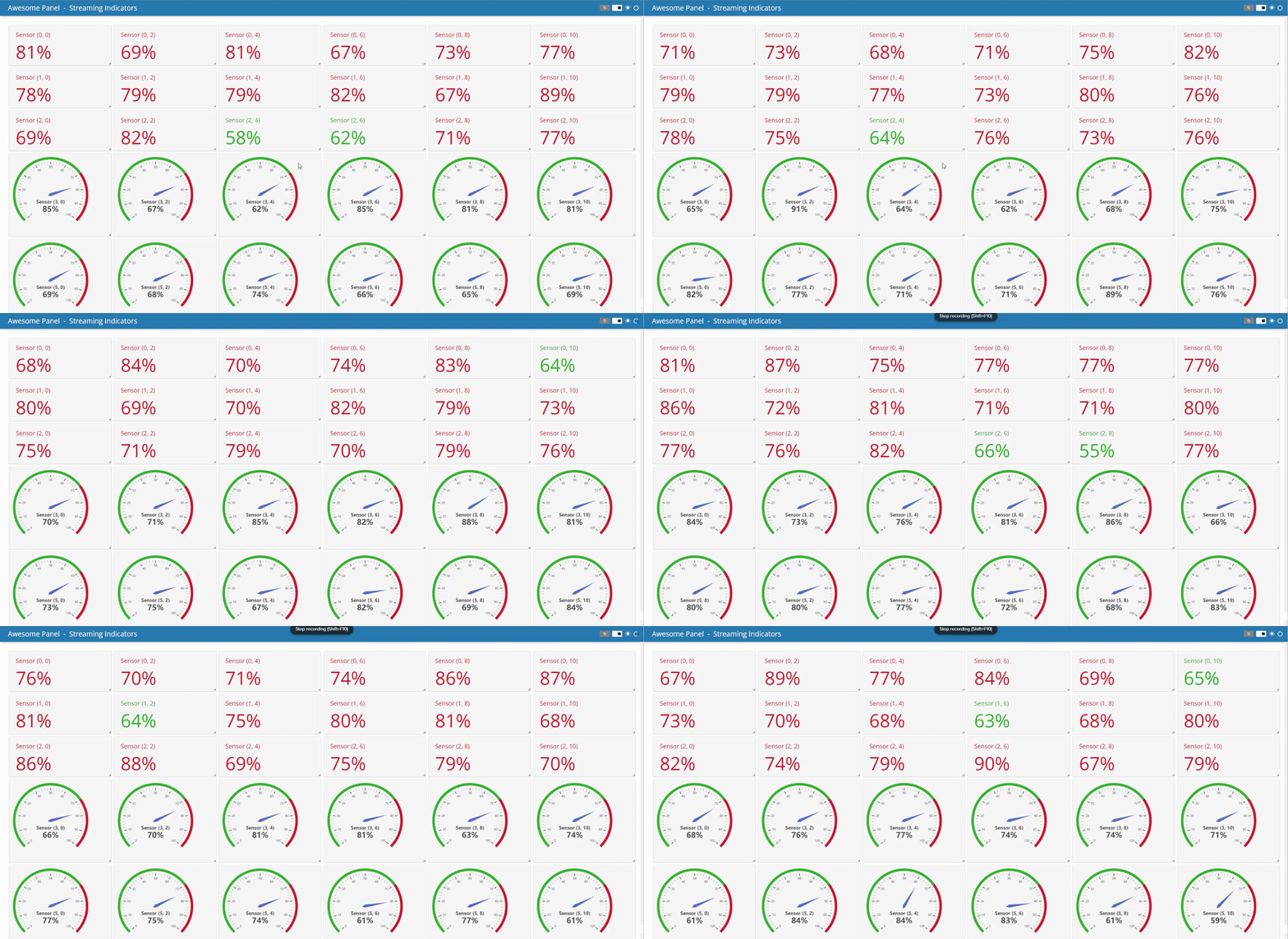
BUT the apps take time to load as they need to download a Python runtime and additional packages (50MB per app).
This is THE FUTURE OF DATAVIZ in Python.
If you like Panel and Awesome Panel please support the projects by giving them a ⭐ on Github
⭐ holoviz/panel ⭐ awesome-panel/awesome-panel ⭐ awesome-panel/examples
Thanks 👍
📙 How to
⚙️ Install the repository
git clone https://github.com/awesome-panel/examples.git
Create and activate a virtual environment, c.f. Python Virtual Environments: A Primer.
Install the requirements.txt file
pip install -r requirements.txt -U
💻 Serve a server app locally
You can serve for example the hello-world application on your Panel server via
panel serve src/hello-world/app.py --autoreload
It will be available at http://localhost:5006/app.
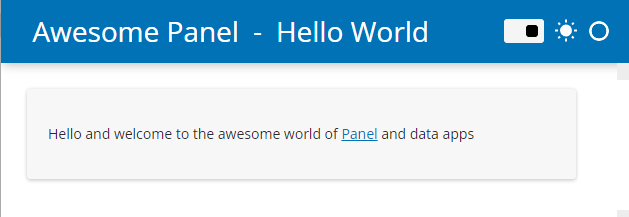
🏗️ Convert an app to webassembly
You can panel convert for example the hello-world application to webassembly via
panel convert src/hello-world/app.py --to pyodide-worker --out docs/hello-world
If you want to avoid repeating the big download over and over again, you can even convert to a
progressive web app that can be installed on
your laptop! It is as simple as adding the --pwa and --title flags.
Check out the Panel WebAssembly Guide for more details.
💻 Serve a webassembly app locally
python3 -m http.server
The app is now available at http://localhost:8000/docs/hello-world/app.html
⚙️ Configure the repository for Github Pages
You can learn how to configure Github Pages in general via the Quickstart for Github Pages.
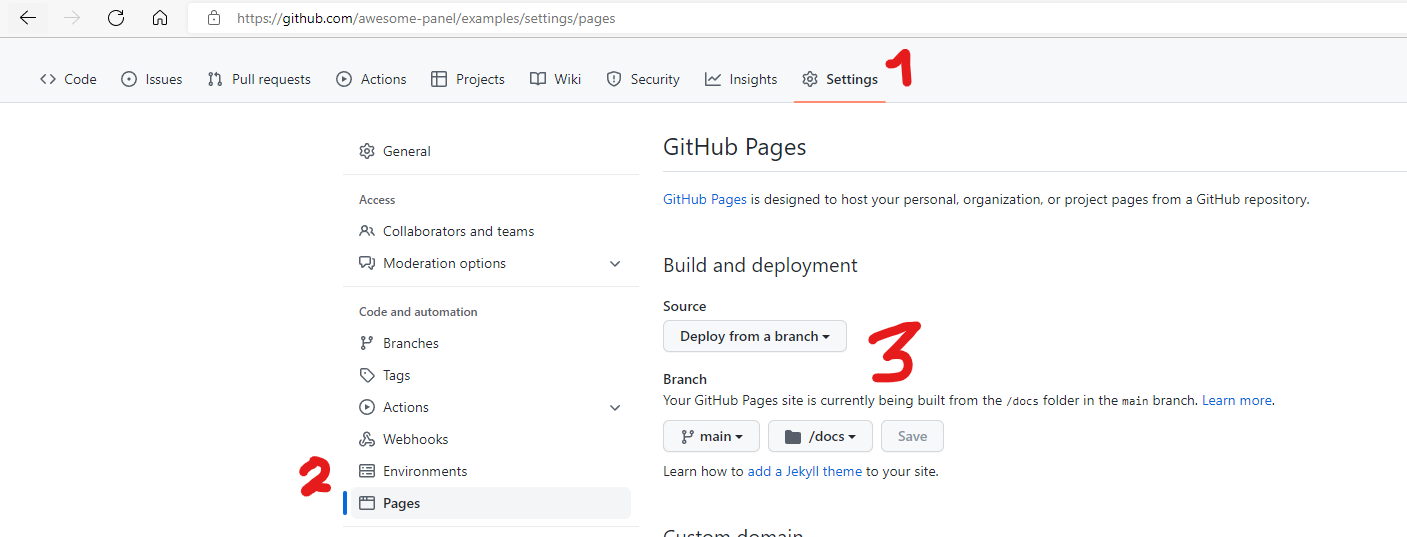
The Github Pages of awesome-panel/examples is configured as described below
- Add a
.nojekyllfile push all changes. - Navigate to the Settings page
- Navigate to the Pages page
- Configure your Pages Settings as shown below
🔥 Release to Github Pages
Git add, commit, push and merge your PR as you would normally do.
The applications are now available at awesome-panel.github.io/examples/ or similar.
Development
The below instructions are preliminary and for the project contributors
Build the project
panel convert src/hello-world/app.py --to pyodide-worker --out docs/hello-world
panel convert src/streaming-indicators/app.py --to pyodide-worker --out docs/streaming-indicators
panel convert src/stumpy-dashboard/app.py --to pyodide-worker --out docs/stumpy-dashboard
panel convert src/videostream-interface/app.py --to pyodide-worker --out docs/videostream-interface --requirements src/videostream-interface/requirements.txt
python src/index/index.py
python3 -m http.server
관련 프로젝트 살펴보기
Asabeneh/30-Days-Of-Python
30 Days of Python 프로그래밍 챌린지는 Python 프로그래밍 언어를 30일 동안 배우기 위한 단계별 가이드입니다. 이 챌린지는 100일 이상 걸릴 수 있습니다. 자신의 속도에 맞춰 진행하세요. 다음 동영상도 도움이 될 수 있습니다: https://www.youtube.com/channel/UC7PNRuno1rzYPb1xLa4yktw
78,618 스타grafana/grafana
개방적이고 조합 가능한 옵저버빌리티 및 데이터 시각화 플랫폼입니다. Prometheus, Loki, Elasticsearch, InfluxDB, Postgres 등 여러 소스의 메트릭, 로그, 트레이스를 시각화합니다.
77,859 스타redis/redis
실시간 데이터 기반 애플리케이션을 구축하는 개발자에게 Redis는 가장 선호되고, 가장 빠르며, 기능이 가장 풍부한 캐시, 데이터 구조 서버이자 문서 및 벡터 쿼리 엔진입니다.
77,472 스타apache/superset
Apache Superset는 데이터 시각화 및 데이터 탐색 플랫폼입니다.
75,495 스타