프로젝트 GitHub에서 보기
atomiks/moonlight-vscode-theme
소개
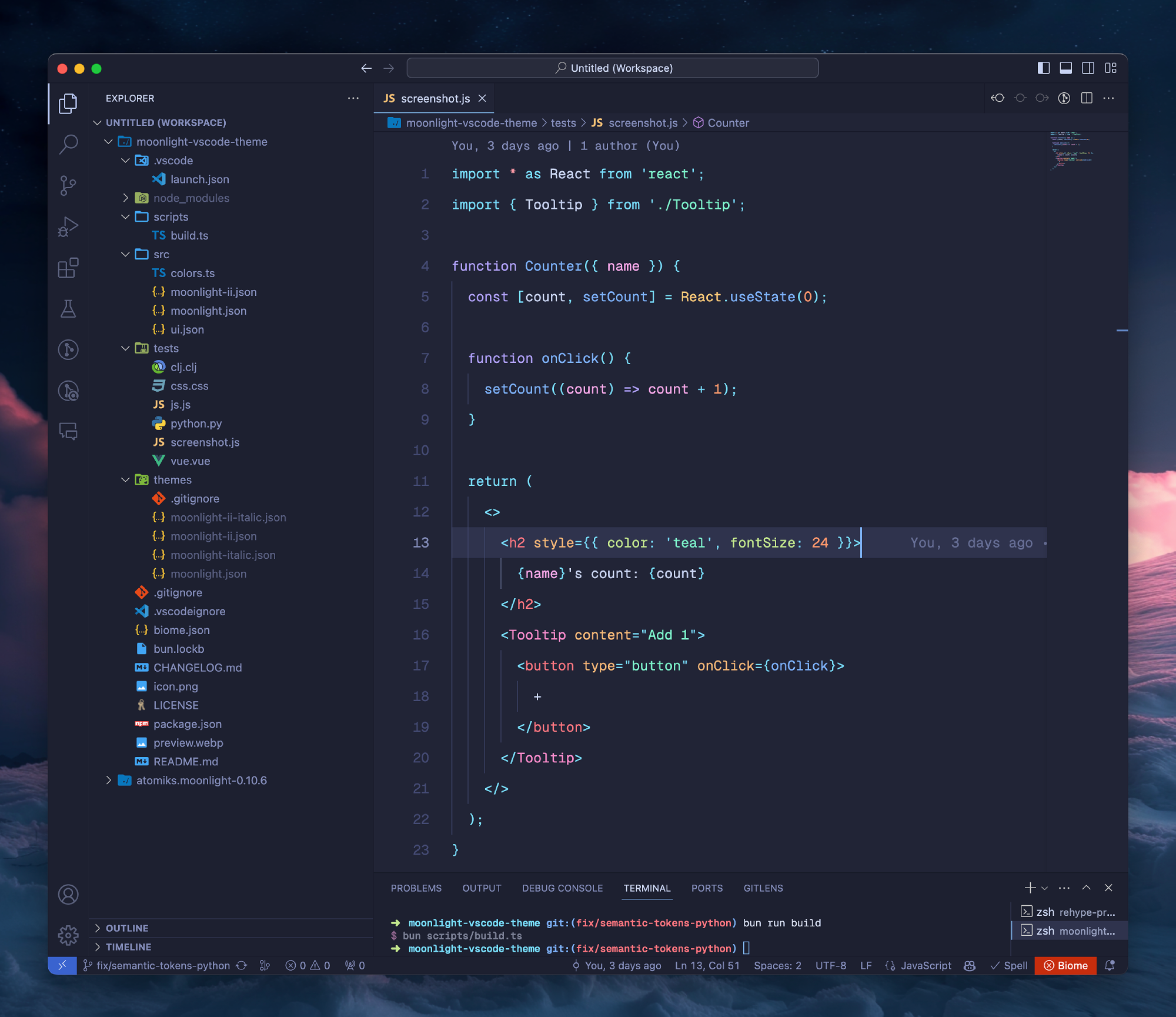
달빛 배경에 버블검 색상을 적용한 VS Code 테마
개발 도구측정된 스타 증가
- in 24h
- 0
- in 7 days
- -1
- in 15 days
- -1
- in 1 month
- 기록 수집 중
서로 겹치는 기간의 순증가량이며 일별 합계가 아닙니다. 측정값이 없으면 비워 둡니다. 스타는 관심도를 나타내며 품질을 보장하지 않습니다.
README.md
OriginalMoonlight 🌌
Variants
- Moonlight (regular and italics)
- Moonlight II (regular and italics)
Installation
- Install Visual Studio Code
- Launch Visual Studio Code
- Choose Extensions from menu
- Search for
atomiks.moonlight - Click Install to install it
- Click Reload to reload the Code
- From the menu bar click: Code > Preferences > Color Theme > Pick your Moonlight variant
Semantic highlighting
Semantic highlighting is enabled by default for Moonlight, but not Moonlight II.
To change the setting, add the following to your settings.json:
"editor.semanticHighlighting.enabled": true
관련 프로젝트 살펴보기
불러오는 중…