
atljeremy/JFMinimalNotifications
소개
UI를 차단하지 않고 높은 수준으로 구성할 수 있는 미니멀 알림을 표시하는 iOS UIView입니다.
개발 도구측정된 스타 증가
- in 24h
- 0
- in 7 days
- 0
- in 15 days
- 기록 수집 중
- in 1 month
- 기록 수집 중
서로 겹치는 기간의 순증가량이며 일별 합계가 아닙니다. 측정값이 없으면 비워 둡니다. 스타는 관심도를 나타내며 품질을 보장하지 않습니다.
README.md
OriginalJFMinimalNotification
This is an iOS UIView for presenting a beautiful notification that is highly configurable and works for both iPhone and iPad.


What It Looks Like:
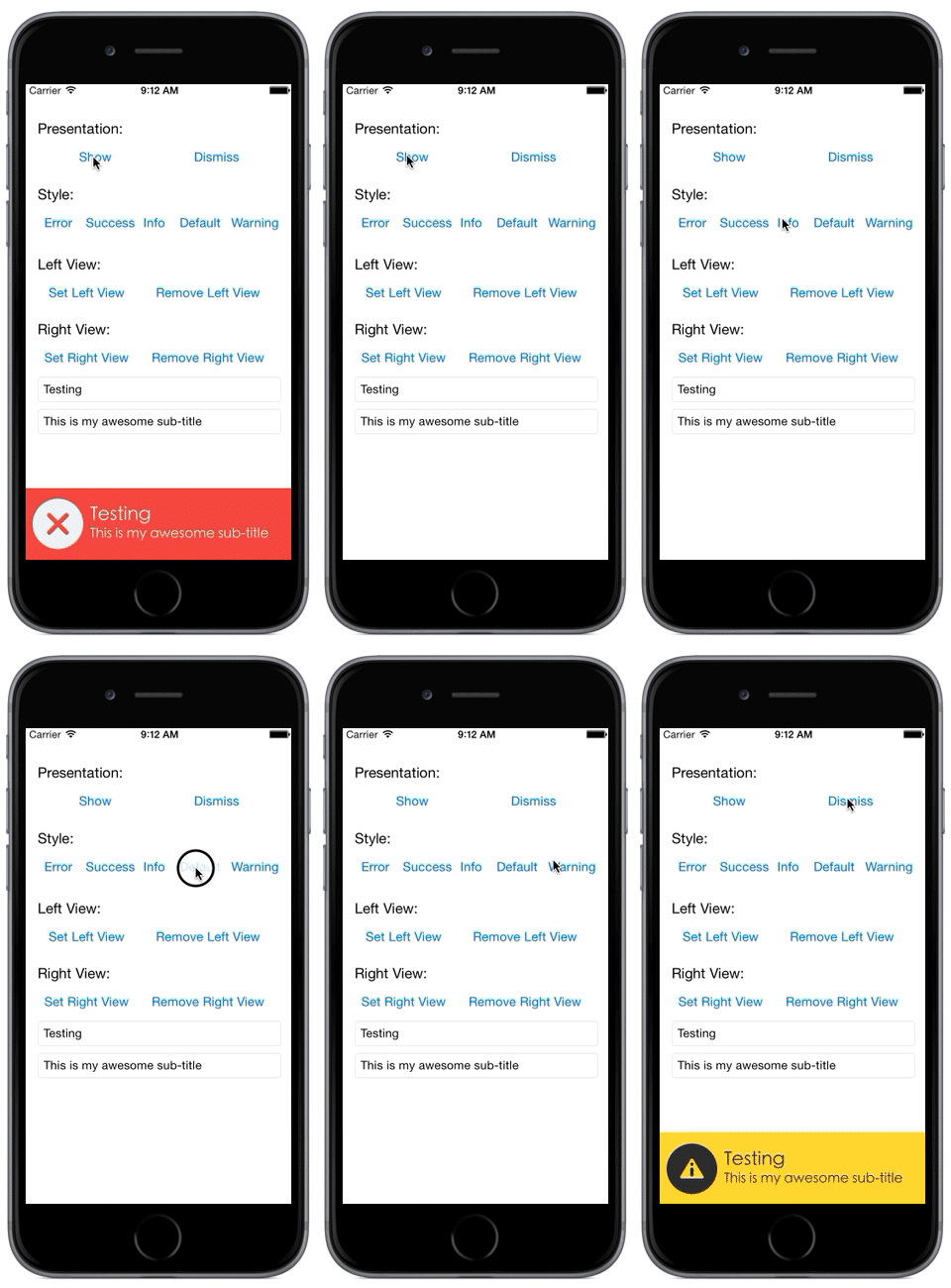
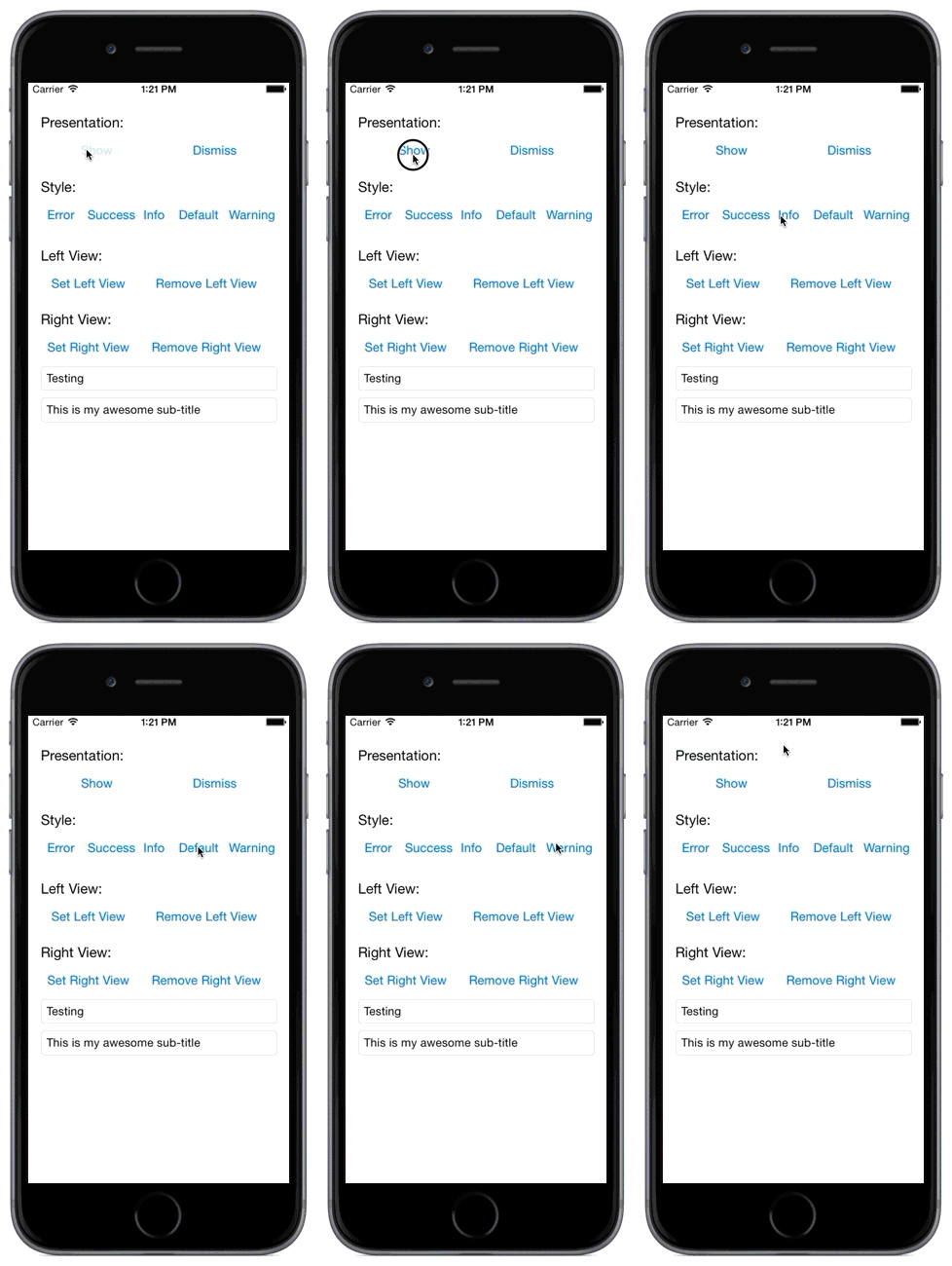
See a short video of this control here: https://www.youtube.com/watch?v=jDYC-NYKl9A
Screen Shots
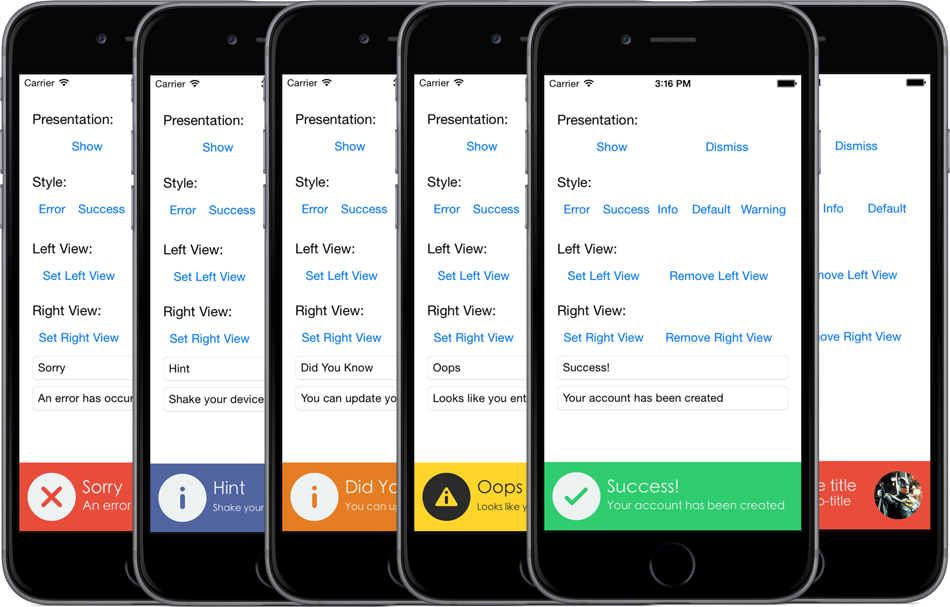
Installation:
CocoaPods
pod 'JFMinimalNotifications', '~> 1.0.1'
Directly include source into your projects
- Simply copy the source files from the "JFMinimalNotification" folder into your project.
- In your application's project app target settings, find the "Build Phases" section and open the "Link Binary With Libraries" block and click the "+" button and select the "CoreGraphics.framework".
How To Use It:
Basic Example
class MyViewController: : UIViewController, JFMinimalNotificationDelegate {

    private var minimalNotification: JFMinimalNotification?

    override func viewDidLoad() {
        super.viewDidLoad()

        // Create the notification
        minimalNotification = JFMinimalNotification(
            withStyle: .custom,
            title: "Title here",
            subTitle: "Subtitle here"
        ) {
            self.minimalNotification?.dismiss()
        }

        // Set the delegate id you'd like to know when the notificaiton `will...` and `did...` show and dismiss
        minimalNotification?.delegate = self

        // Add any needed edge padding (safe areas are handled automatically)
        minimalNotification?.edgePadding = UIEdgeInsets(top: 0, left: 0, bottom: 10, right: 0)

        // Customize the appearnace of the notification and it's labels
        minimalNotification?.backgroundColor = .purple
        minimalNotification?.titleLabel?.textColor = .white
        minimalNotification?.subTitleLabel?.textColor = .white
        minimalNotification?.subTitleLabel?.numberOfLines = 2

        // Set the desired font for title and subtitle labels
        if let titleFont = UIFont(name: "STHeitiK-Light", size: 22) {
            minimalNotification?.setTitleFont(titleFont)
        }
        if let subTitleFont = UIFont(name: "STHeitiK-Light", size: 16) {
            minimalNotification?.setSubTitleFont(subTitleFont)
        }

        // Uncomment to present notification from the top of the screen
        // minimalNotification?.presentFromTop = true

        // Add the notificaiton to the view
        view.addSubview(minimalNotification!)
    }

    /**
    * Showing the notification from a button handler
    */
    @IBAction func show(_ sender: Any? = nil) {
        minimalNotification?.show()
    }

    /**
    * Hiding the notification from a button handler
    */
    @IBAction func dismiss(_ sender: Any? = nil) {
        minimalNotification?.dismiss()
    }

}
Constructors / Options
/**
 * Note: passing a dismissalDelay of 0 means the notification will NOT be automatically dismissed, you will need to
 * dismiss the notification yourself by calling -dismiss on the notification object. If you pass a dismissalDelay
 * value greater than 0, this will be the length of time the notification will remain visisble before being
 * automatically dismissed.
 */

// With dismissalDelay
minimalNotification = JFMinimalNotification(
    withStyle: .custom,
    title: "Title here",
    subTitle: "Subtitle here",
    dismissalDelay: 3
)

// Without dismissalDelay and with touchHandler
minimalNotification = JFMinimalNotification(
    withStyle: .custom,
    title: titleLabelTextField.text ?? "",
    subTitle: subTitleLabelTextField.text ?? "",
) {
    self.minimalNotification?.dismiss()
}
// Available Styles
public enum JFMinimalNotificationStyle {
    case `default`
    case error
    case success
    case info
    case warning

    /**
     * Used to get a title and subtitle, no accessory views, and white background with black label text. Use the `backgroundColor` property on the notification to set the desired background color and `textColor` property on the titleLabel and subTitleLabel UILabels to change text color.
     */
    case custom

    /**
     * A dark blur with vibrancy effect in the background with white label text.
     */
    case blurDark

    /**
     * A light blur with vibrancy effect in the background with black label text.
     */
    case blurLight
}
Please see the example project include in this repo for an example of how to use this notification.
Delegate Methods:
public protocol JFMinimalNotificationDelegate: AnyObject {
    func minimalNotificationWillShow(notification: JFMinimalNotification)
    func minimalNotificationDidShow(notification: JFMinimalNotification)
    func minimalNotificationWillDismiss(notification: JFMinimalNotification)
    func minimalNotificationDidDismiss(notification: JFMinimalNotification)
}
License
Copyright (c) 2012 Jeremy Fox (jeremyfox.me). All rights reserved.
Permission is hereby granted, free of charge, to any person obtaining a copy of this software and associated documentation files (the "Software"), to deal in the Software without restriction, including without limitation the rights to use, copy, modify, merge, publish, distribute, sublicense, and/or sell copies of the Software, and to permit persons to whom the Software is furnished to do so, subject to the following conditions:
The above copyright notice and this permission notice shall be included in all copies or substantial portions of the Software.
THE SOFTWARE IS PROVIDED "AS IS", WITHOUT WARRANTY OF ANY KIND, EXPRESS OR IMPLIED, INCLUDING BUT NOT LIMITED TO THE WARRANTIES OF MERCHANTABILITY, FITNESS FOR A PARTICULAR PURPOSE AND NONINFRINGEMENT. IN NO EVENT SHALL THE AUTHORS OR COPYRIGHT HOLDERS BE LIABLE FOR ANY CLAIM, DAMAGES OR OTHER LIABILITY, WHETHER IN AN ACTION OF CONTRACT, TORT OR OTHERWISE, ARISING FROM, OUT OF OR IN CONNECTION WITH THE SOFTWARE OR THE USE OR OTHER DEALINGS IN THE SOFTWARE.
관련 프로젝트 살펴보기
불러오는 중…