
ashish10alex/vscode-dataform-tools
ashish10alex/vscode-dataform-tools has 95 GitHub stars and 16 forks. GitHot measured 0 stars in 24 hours. Last checked 2026-11-13 06:38 UTC. Last push 2026-11-10.
What you can do
- Compiled query and dry run - ✅ - ✅ - Beside the file on save, with the size and cost of a dry run and the schema of the result
- Errors in the editor - ✅ - ✅ - Compile errors and BigQuery's dry-run errors, on the line you wrote
- Preview query results - ✅ - ✅ - Runs the compiled query and shows its rows; for a dbt test, the rows that fail it
- Scratch queries - ✅ - ✅ - New scratch query opens a file for ad hoc BigQuery SQL: run it with Cmd/Ctrl+Enter, with a dry run on save. From a model, it can start from that model's table; New empty scratch query always opens an empty one. Query table in scratch query starts one that selects from the open model's table
측정된 스타 증가
- in 24h
- 0
- in 7 days
- 기록 수집 중
- in 15 days
- 기록 수집 중
- in 1 month
- 기록 수집 중
서로 겹치는 기간의 순증가량이며 일별 합계가 아닙니다. 측정값이 없으면 비워 둡니다. 스타는 관심도를 나타내며 품질을 보장하지 않습니다.
소개
Dataform Tools - VS Code extension to run and visualise Dataform data pipelines and much more
데이터README.md
OriginalTools for Dataform and dbt
A VS Code extension for Dataform and dbt™ projects on BigQuery. Officially recommended VS Code extension for Dataform by Google[^1] ✨. Supports Dataform versions 2.9.x and 3.x, dbt Core 1.8 and later, and dbt v2, in all major operating systems. Works in: VS Code, Cursor, Antigravity.


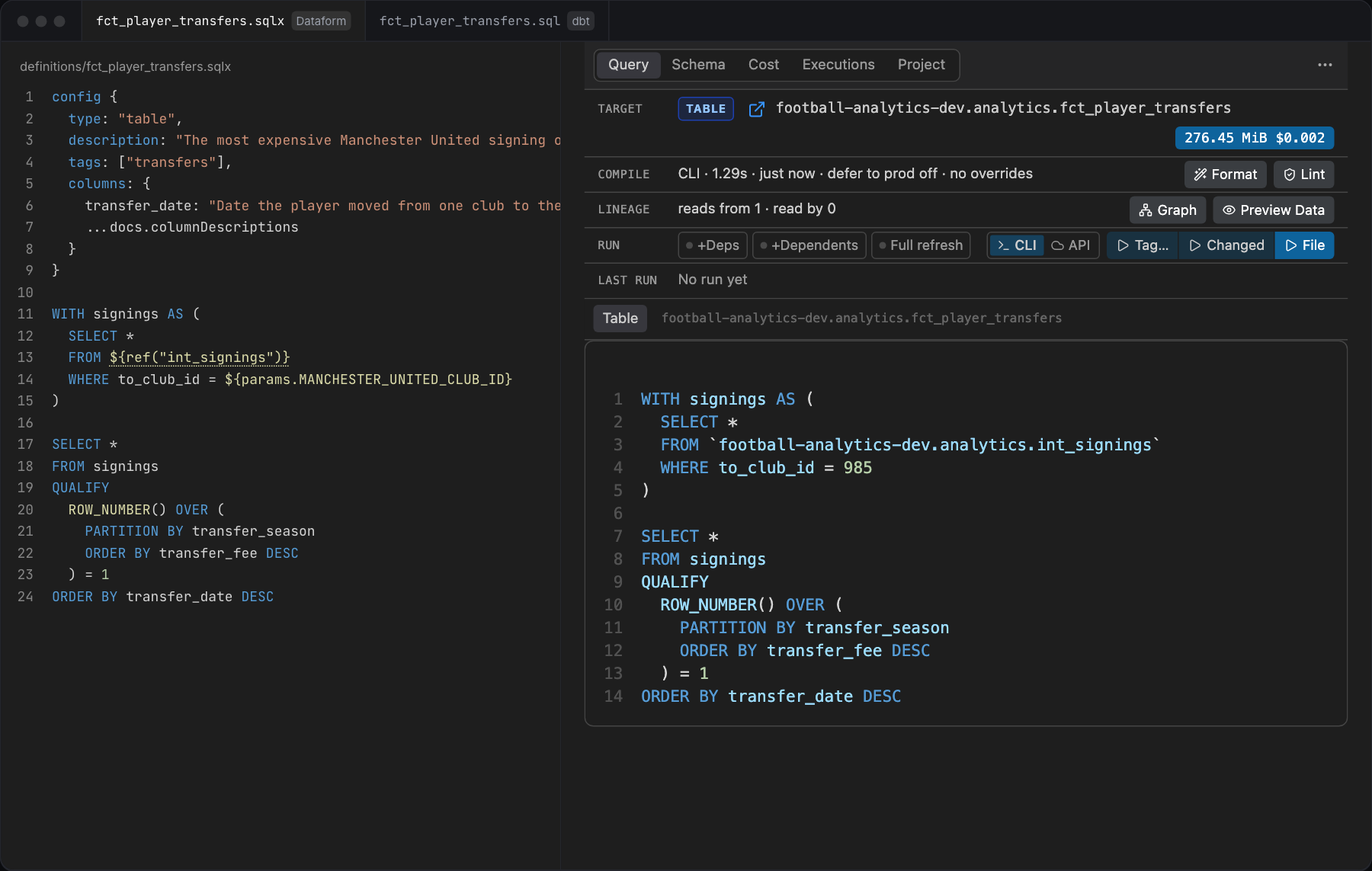
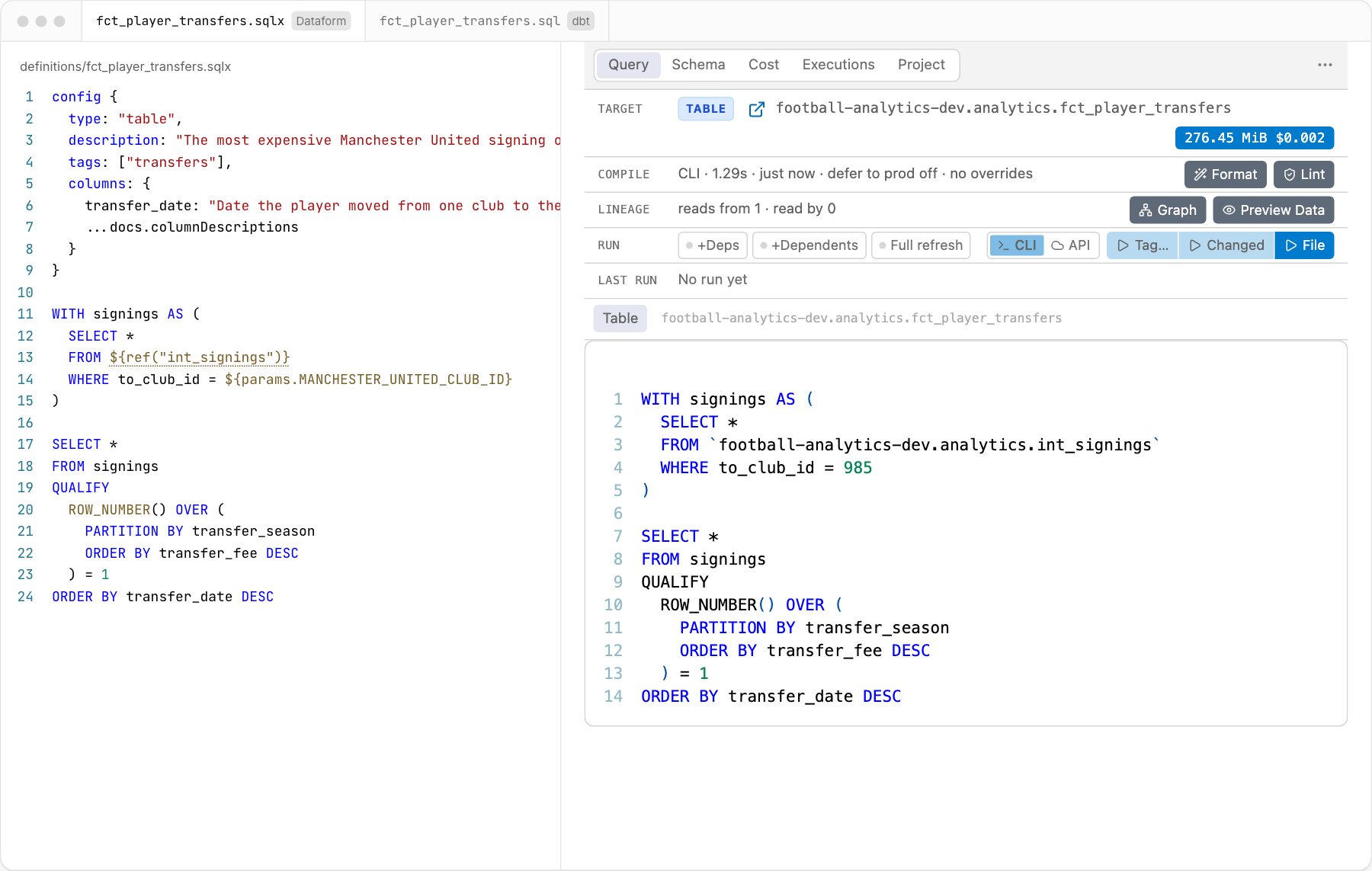
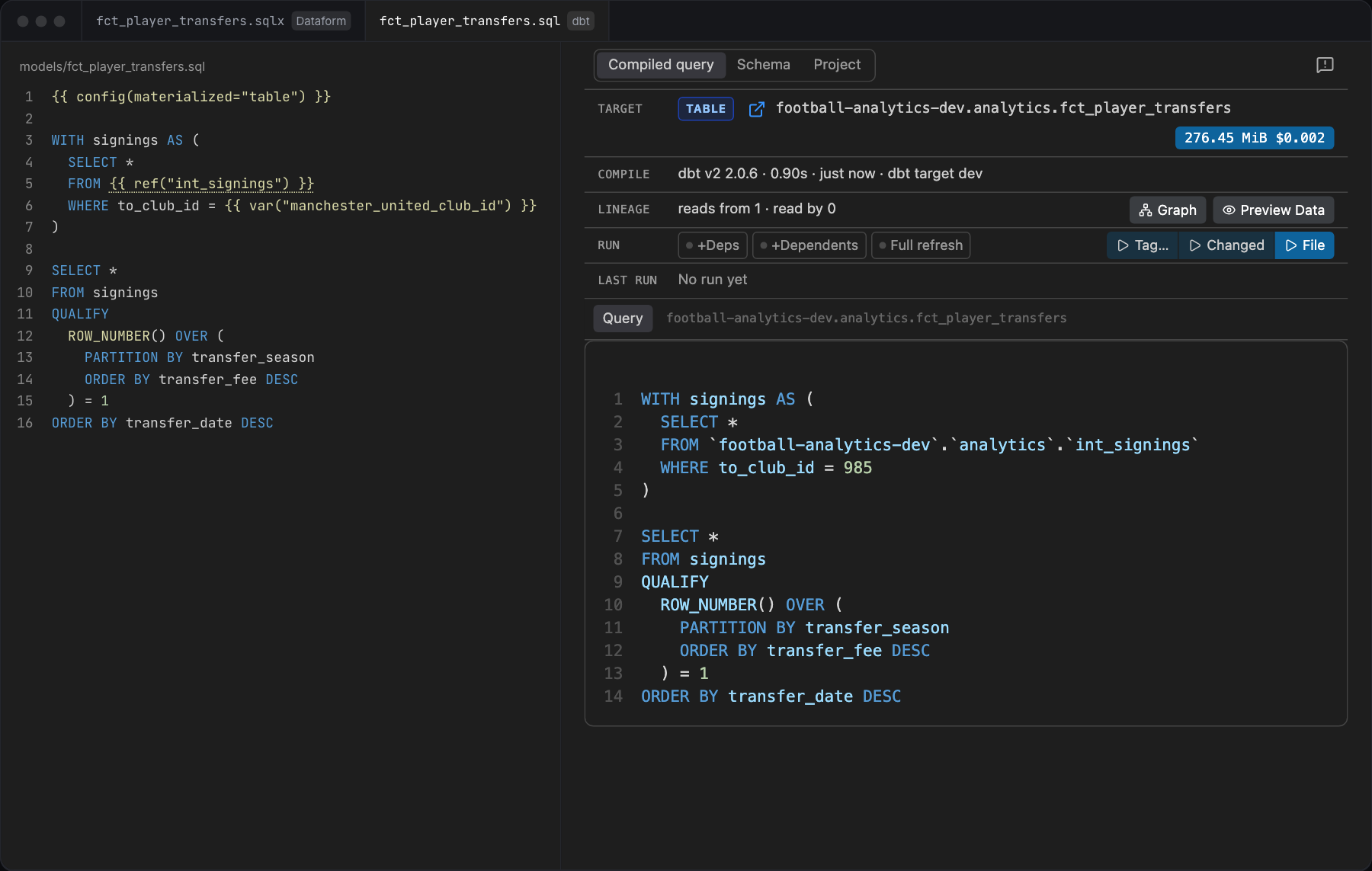
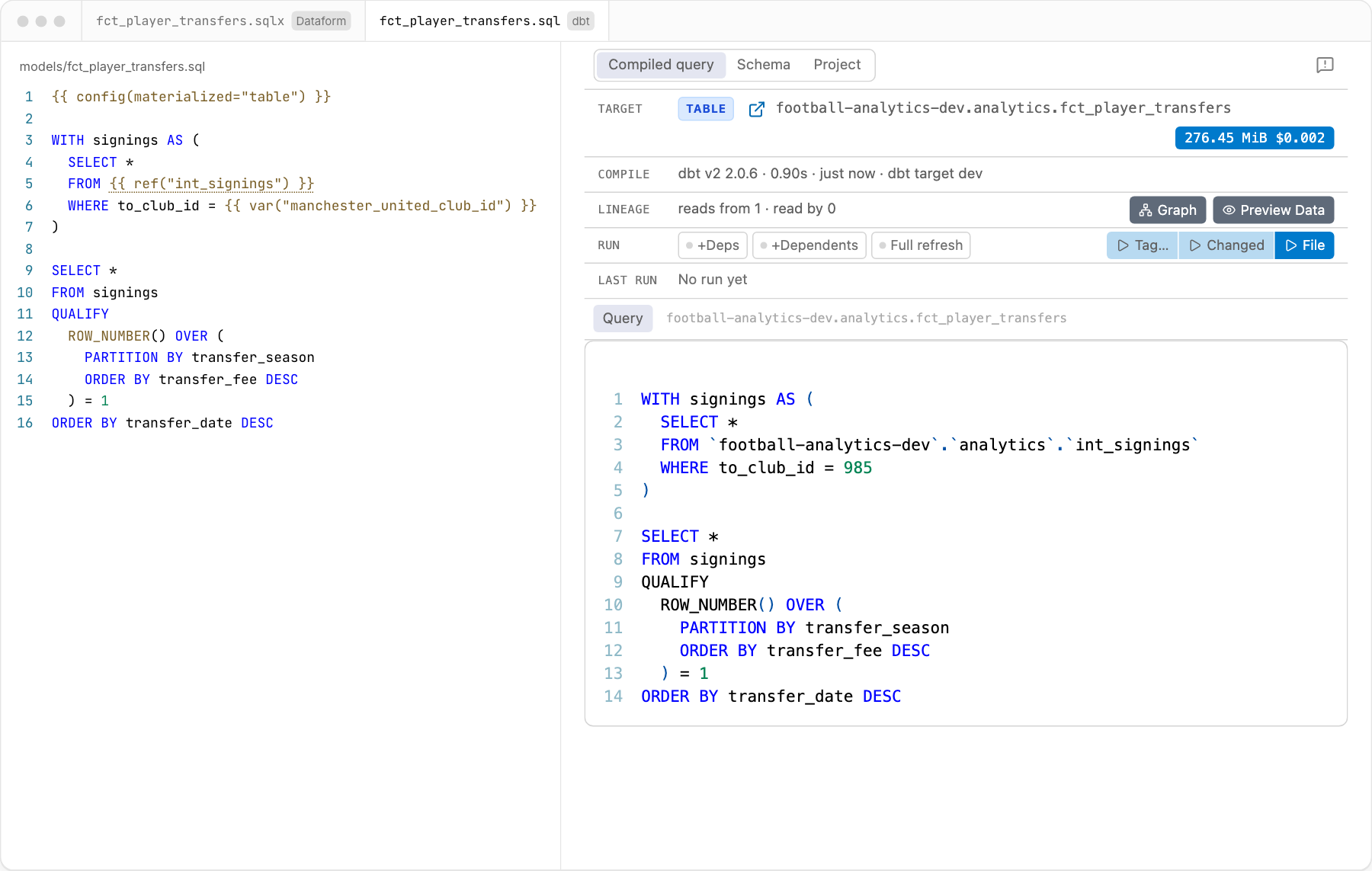
These are pictures. You can click through the real panel, with made-up data, at dataformtools.com.
Features
A dash means not in a dbt project yet. Each name links to its description at dataformtools.com/features.
| Feature | Dataform | dbt | What it does |
|---|---|---|---|
| Compiled query and dry run | ✅ | ✅ | Beside the file on save, with the size and cost of a dry run and the schema of the result |
| Errors in the editor | ✅ | ✅ | Compile errors and BigQuery's dry-run errors, on the line you wrote |
| Preview query results | ✅ | ✅ | Runs the compiled query and shows its rows; for a dbt test, the rows that fail it |
| Scratch queries | ✅ | ✅ | New scratch query opens a file for ad hoc BigQuery SQL: run it with Cmd/Ctrl+Enter, with a dry run on save. From a model, it can start from that model's table; New empty scratch query always opens an empty one. Query table in scratch query starts one that selects from the open model's table |
| Run files and tags | ✅ | ✅ | With dependencies, dependents or a full refresh. Dataform: the CLI or the Dataform API. dbt: dbt build |
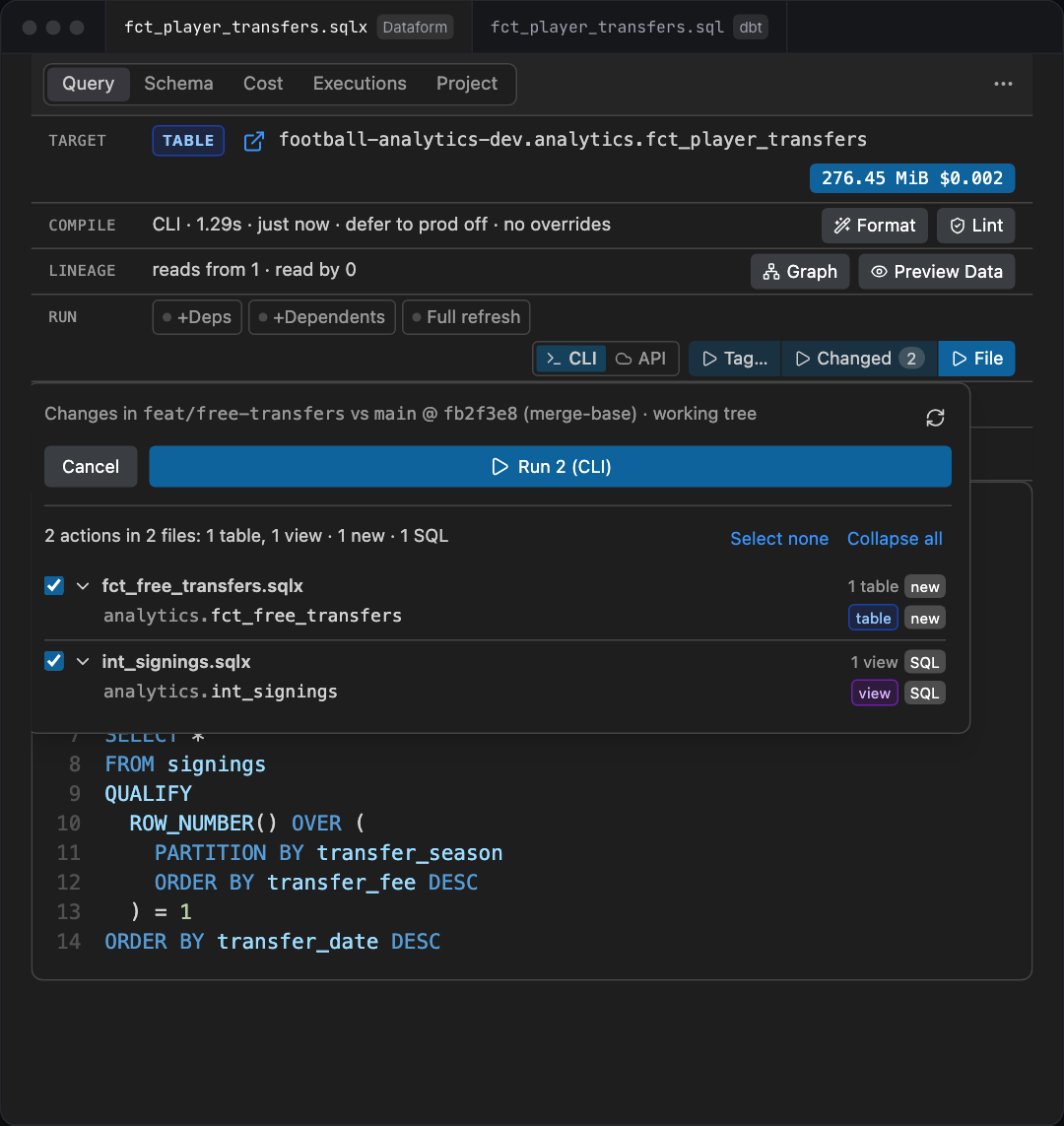
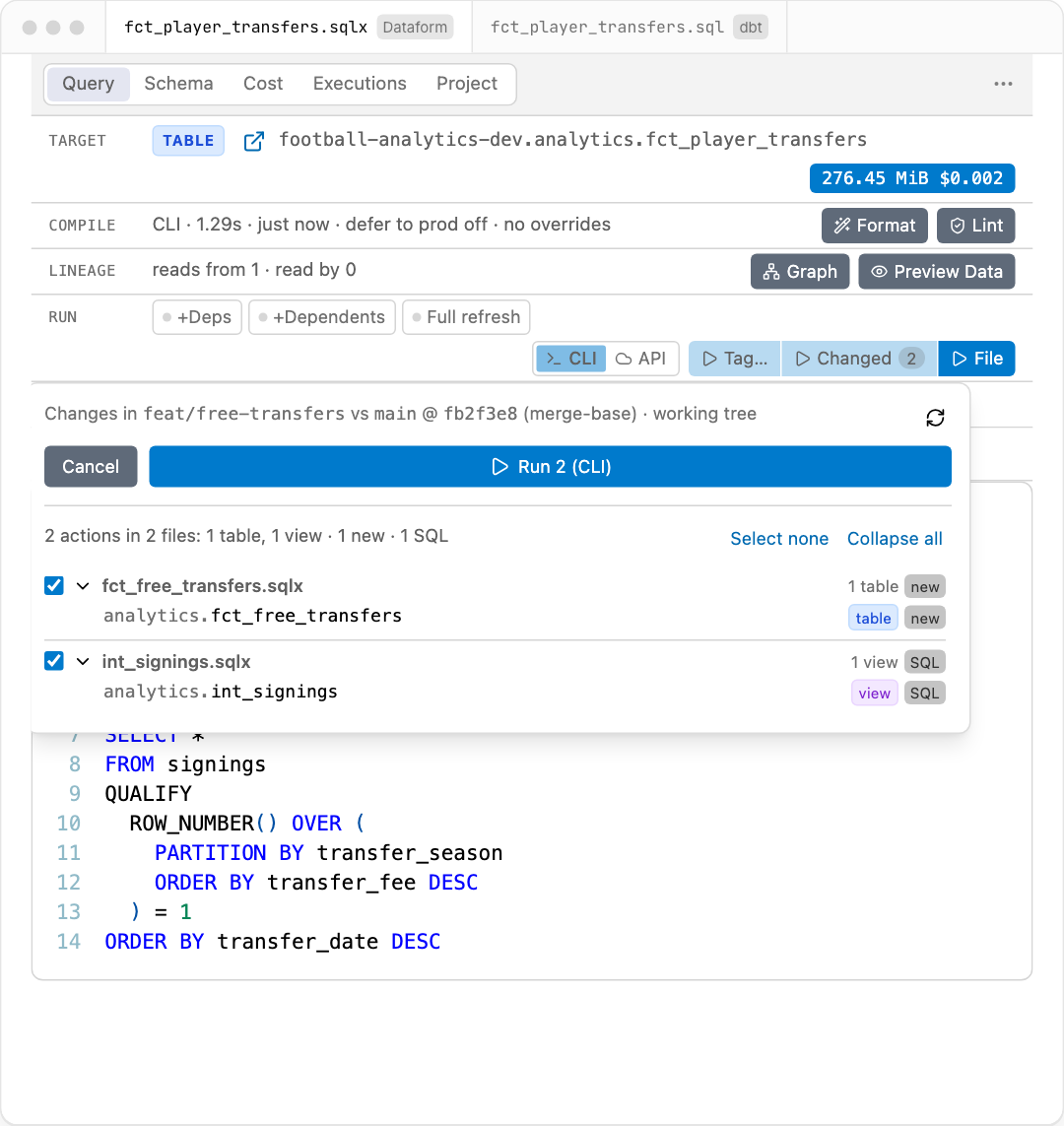
| Run changed actions | ✅ | ✅ | Runs only what differs from the default branch, like dbt's state:modified, with a tick per file |
| Tests | ✅ | ✅ | Dataform assertions and test actions; the dbt tests of a model, beside its compiled query |
| Dependency graph | ✅ | ✅ | The whole project as a graph, centred on the file in the editor |
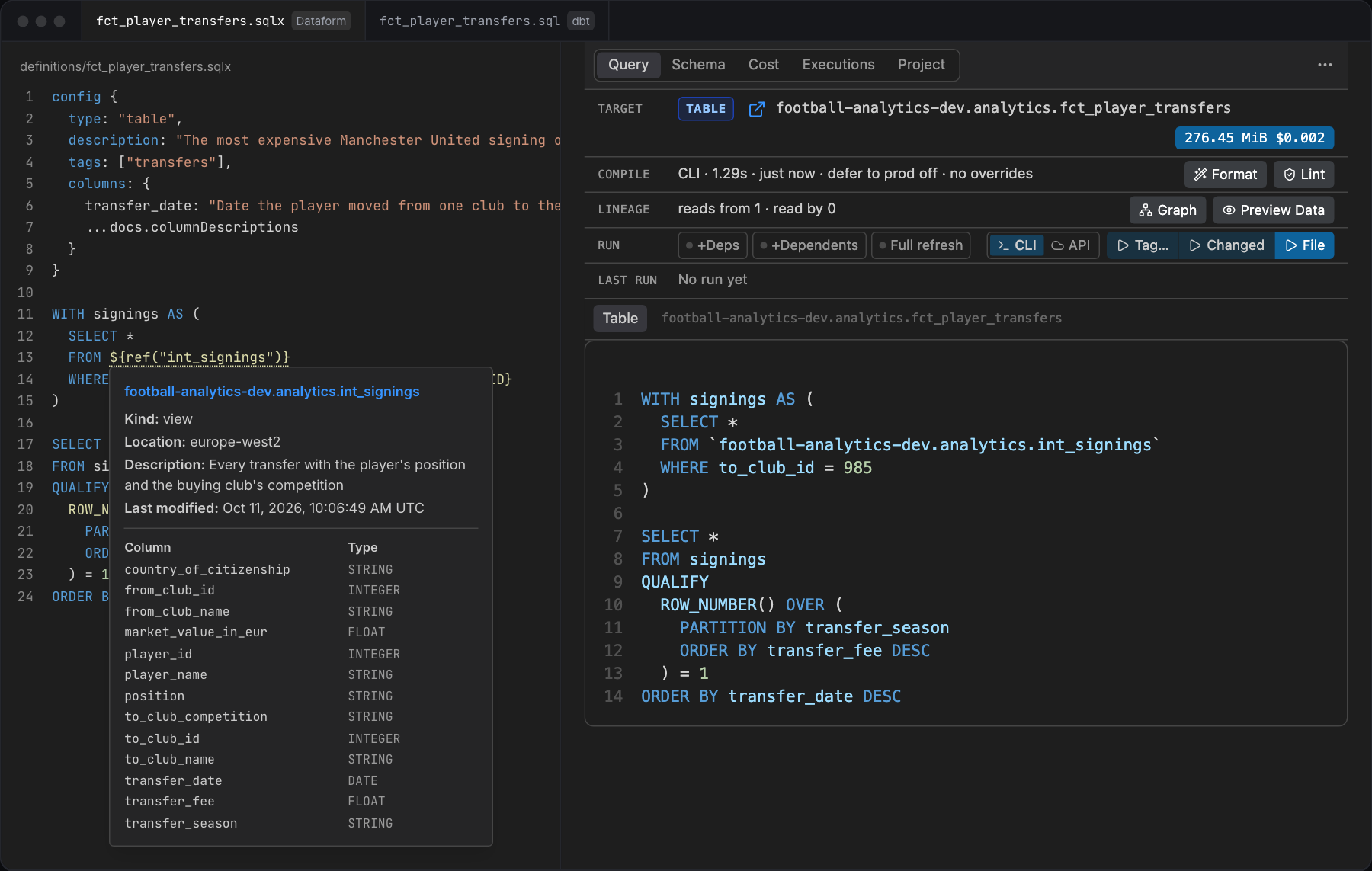
| Hover | ✅ | ✅ | A table's kind, location, description, partition, row count and columns; a column's type and description |
| Go to definition | ✅ | ✅ | From a ref() to its file. Dataform: also JavaScript variables and modules. dbt: also source() and macro calls |
| Completions | ✅ | ✅ | Names inside ref() and source(), the Project's tables after FROM or JOIN, the columns of the tables the file reads with their types and descriptions, and the fields of a STRUCT column after a dot |
| BigQuery function help | ✅ | ✅ | What a function takes, as you type its arguments: each one's type and allowed values, with a hover that has an example and the docs link |
| Column search | ✅ | ✅ | Pick a column of a table by name, type or description |
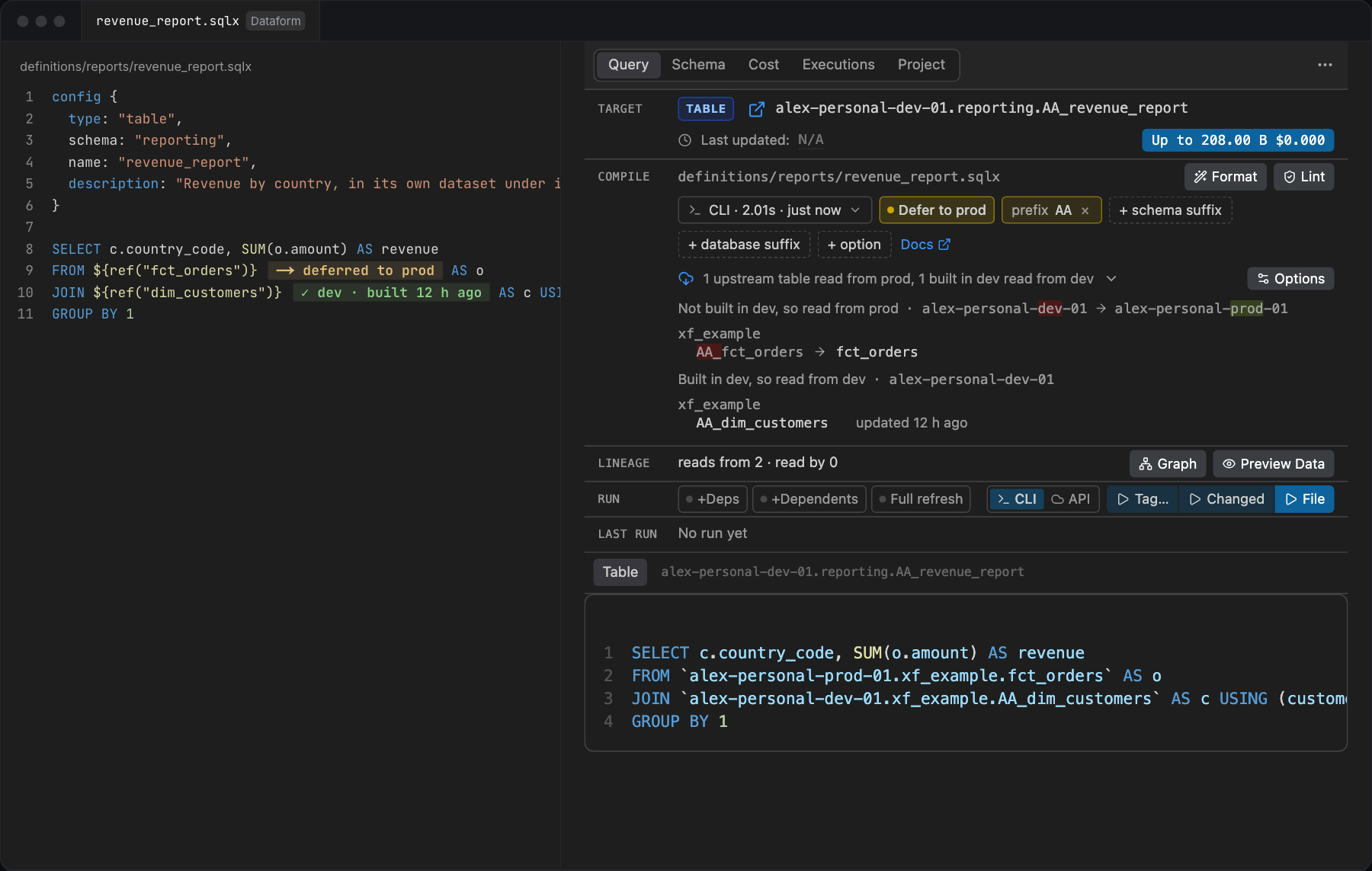
| Defer to production | ✅ | ✅ | Reads upstream tables that are not built in dev from production, like dbt's --defer. In a dbt project dbt does it, and dbtProdTarget names prod |
| Column lineage and impact | ✅ | — | Columns dropped or retyped against prod, and who reads them downstream, from Dataplex |
| Dependency inspector | ✅ | — | One filter across a model and its dependencies, then dry run or run each |
| Cost estimator | ✅ | — | What a tag will cost before you run it |
| BigQuery jobs of a run | ✅ | ✅ | Each job of an API or CLI run, or of a dbt build, live: state, duration, bytes billed and cost. All the workspace's runs are in the Runs view at the bottom, beside the jobs of the one chosen |
| Watch a workflow | ✅ | — | Paste the ID or console URL of a workflow you didn't start (a scheduled one, a colleague's) and see the cost of each of its jobs in the Runs view, costliest first, followed until it ends. It only reads: it never cancels anything |
| Formatting | ✅ | — | Formats .sqlx files with sqlfluff |
| Code actions | ✅ | — | Applies the fix a dry run suggests |
| Config block IntelliSense | ✅ | — | Completion, hover and warnings for config {} options, by action type |
The pictures below are taken from the live demo by just website-demo, of the extension's own panel.
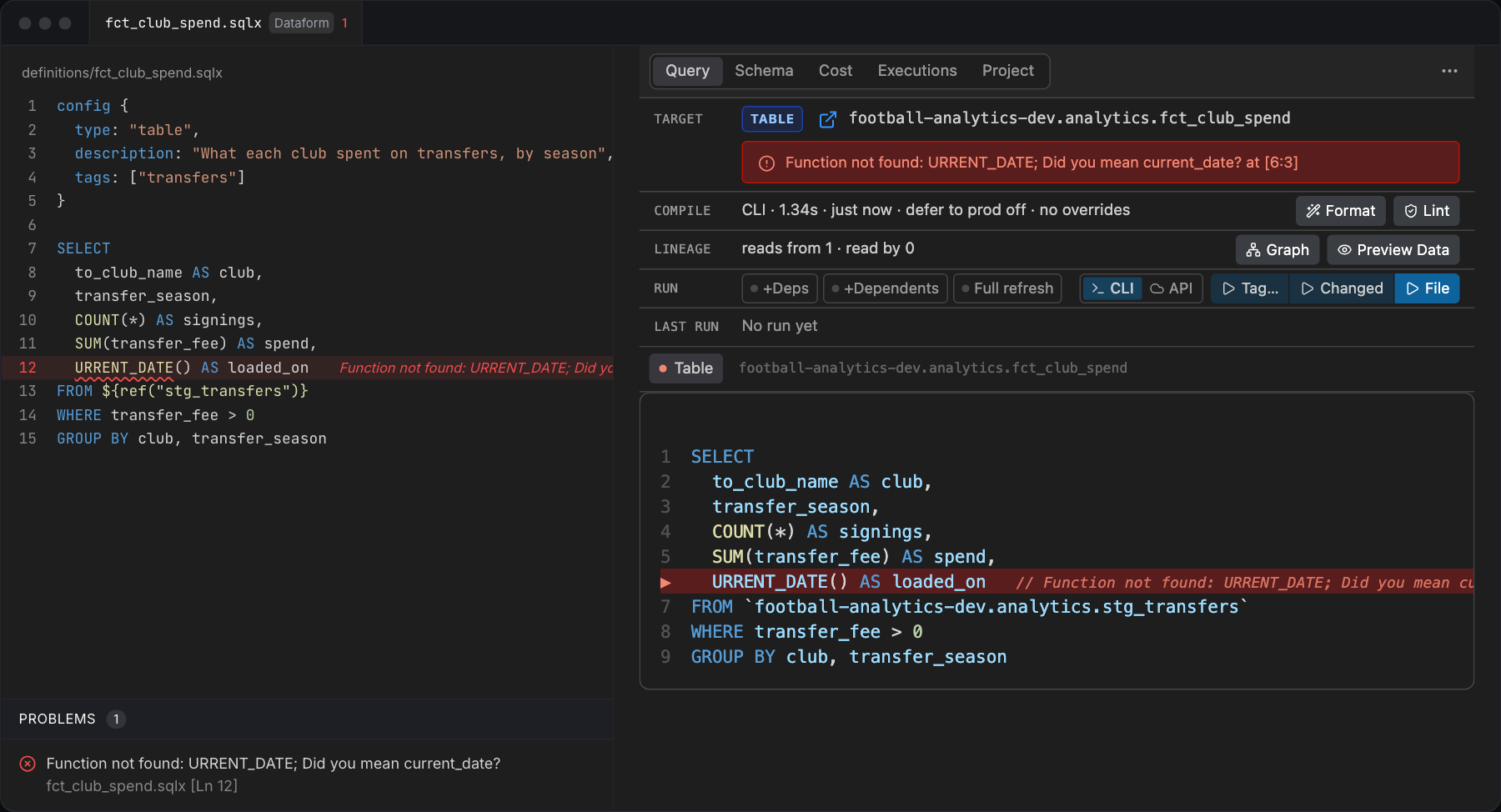
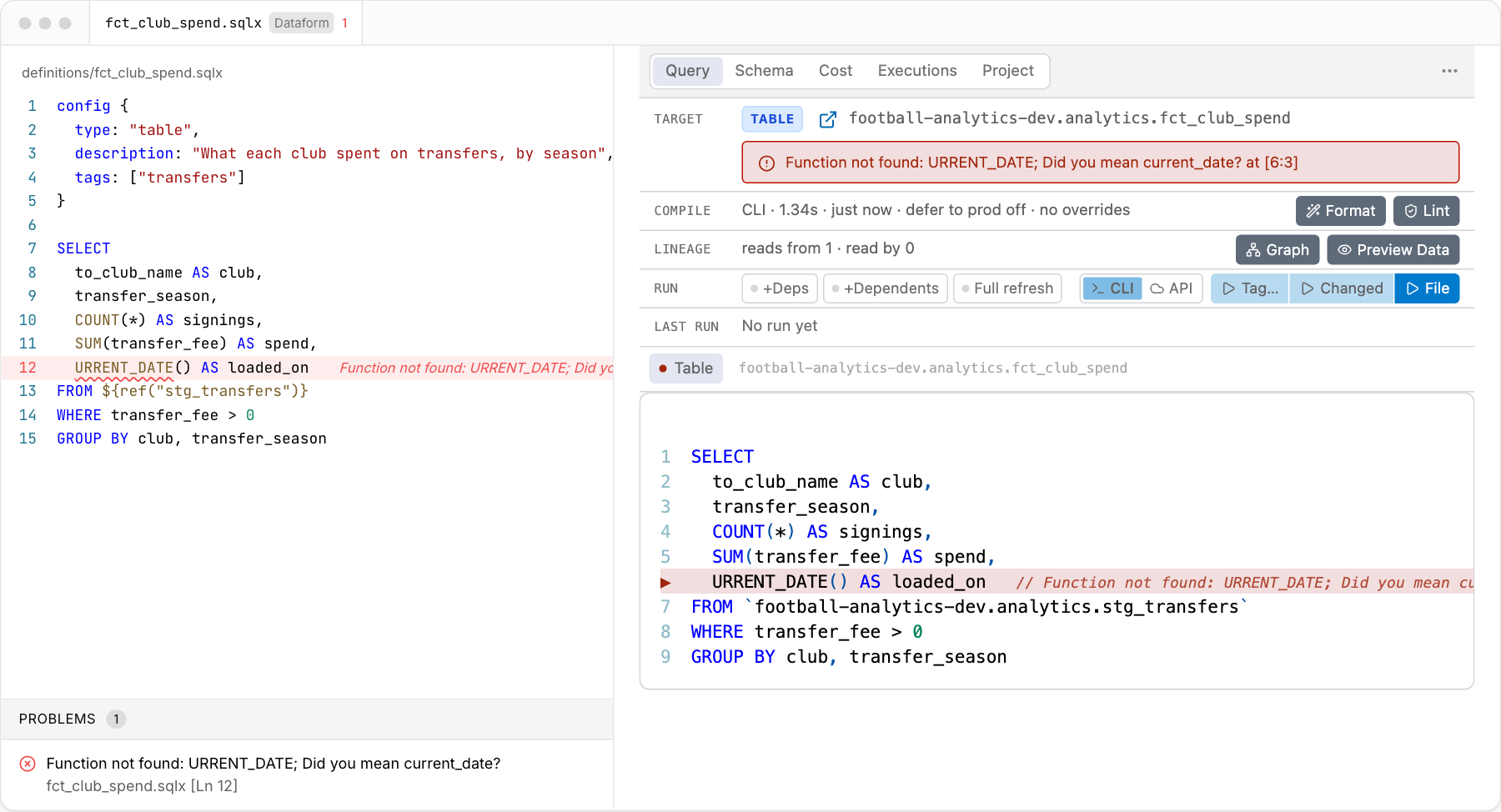
Errors, before anything runs
A dry run checks every save against BigQuery, and what it rejects is marked on the line you wrote, listed in Problems and told in the panel.
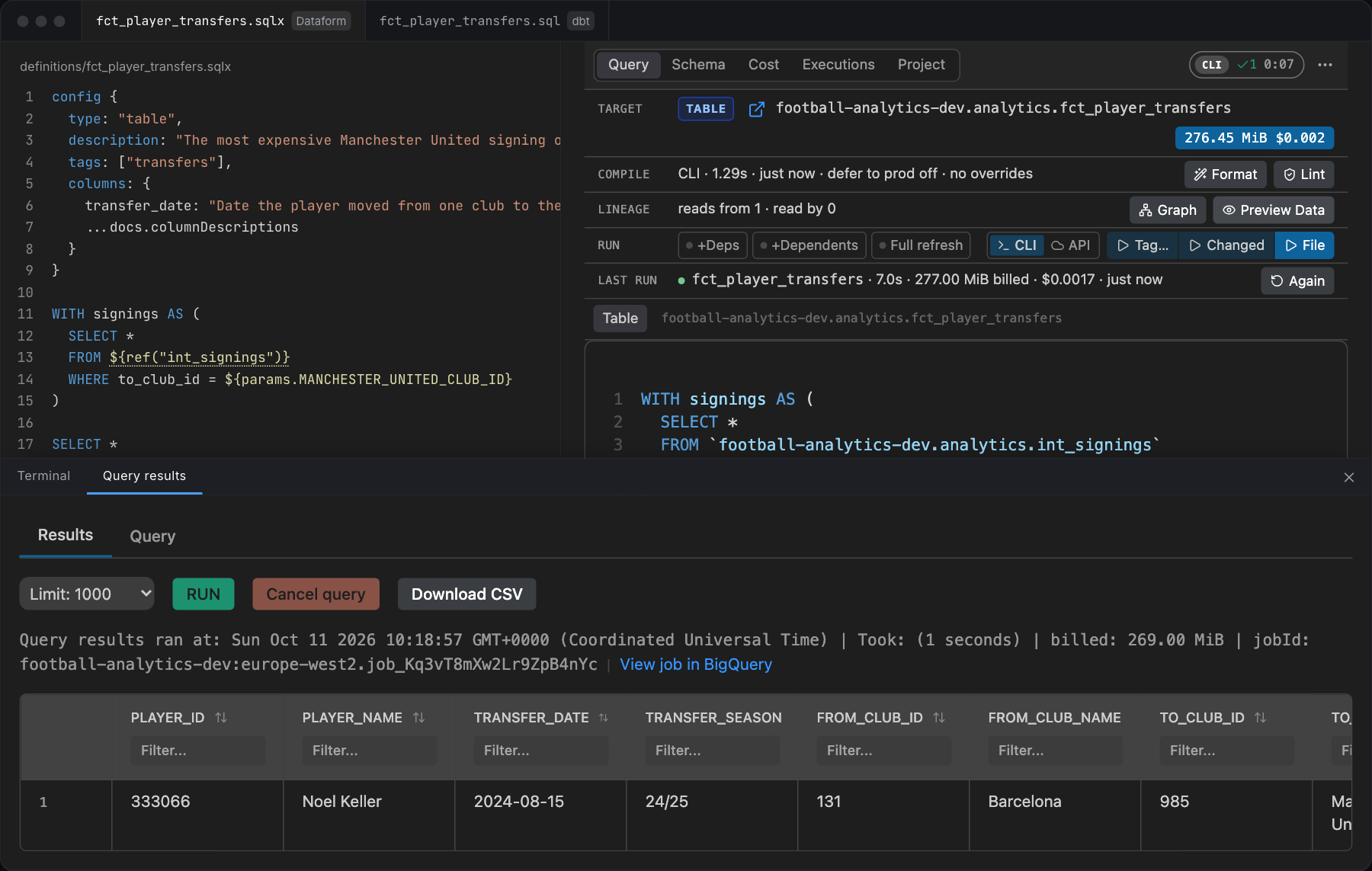
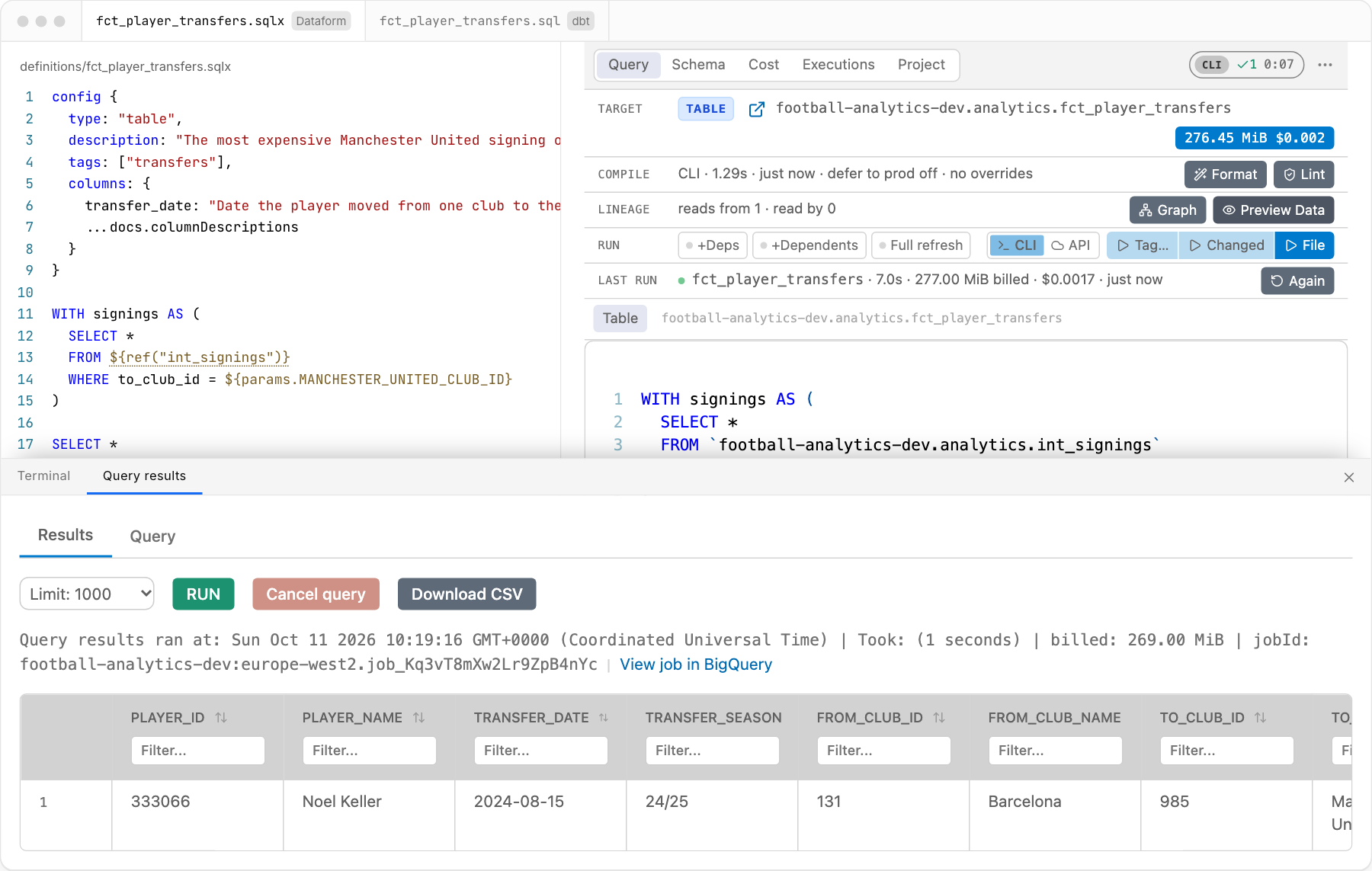
Run a file and preview its rows
Run a file with the Dataform CLI, the Dataform API or dbt build, and preview the rows of its query.
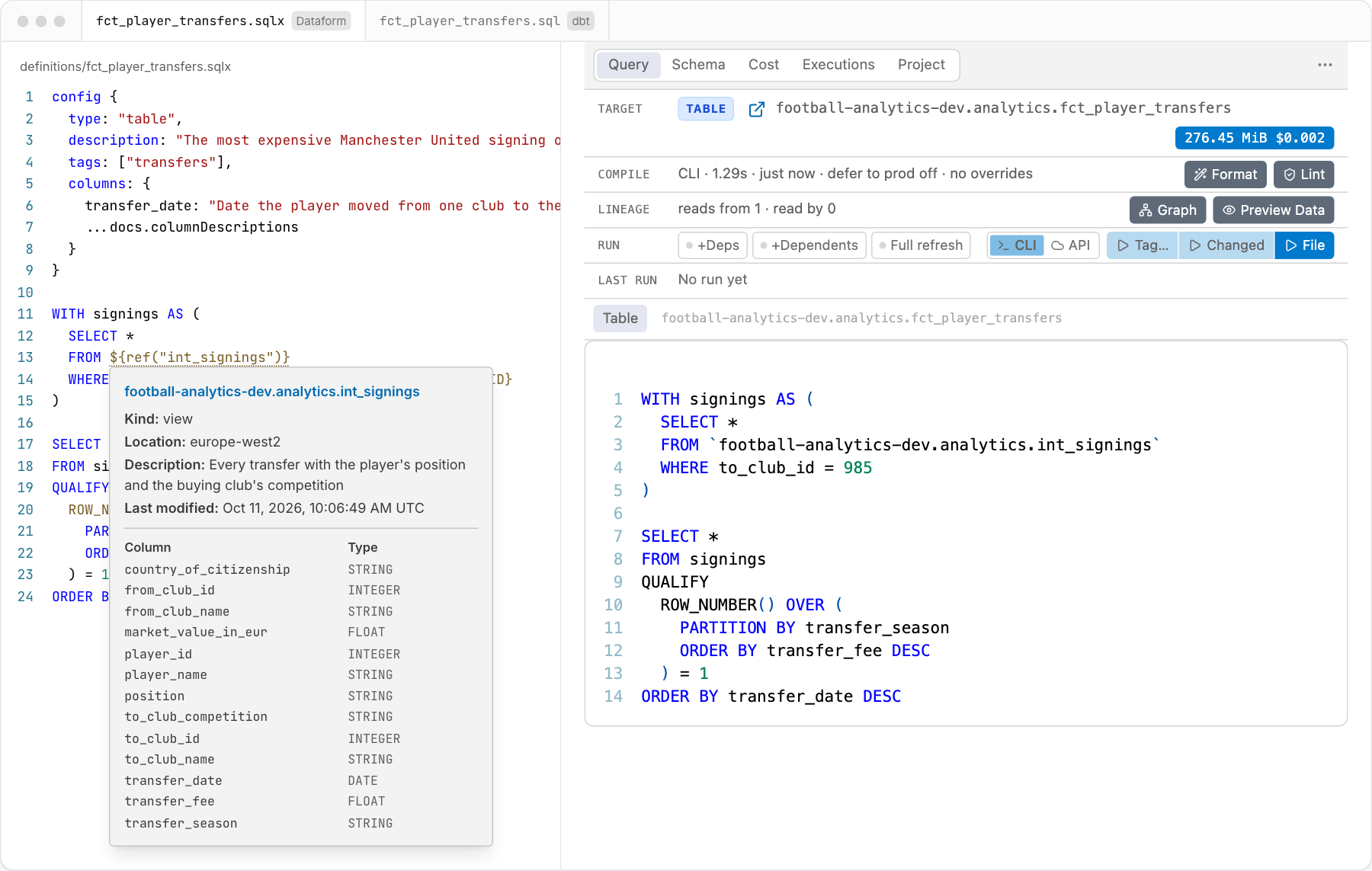
Hover over a table
The hover of a table is the same in a Dataform and a dbt project: its kind, location, description, partition, row count and columns.
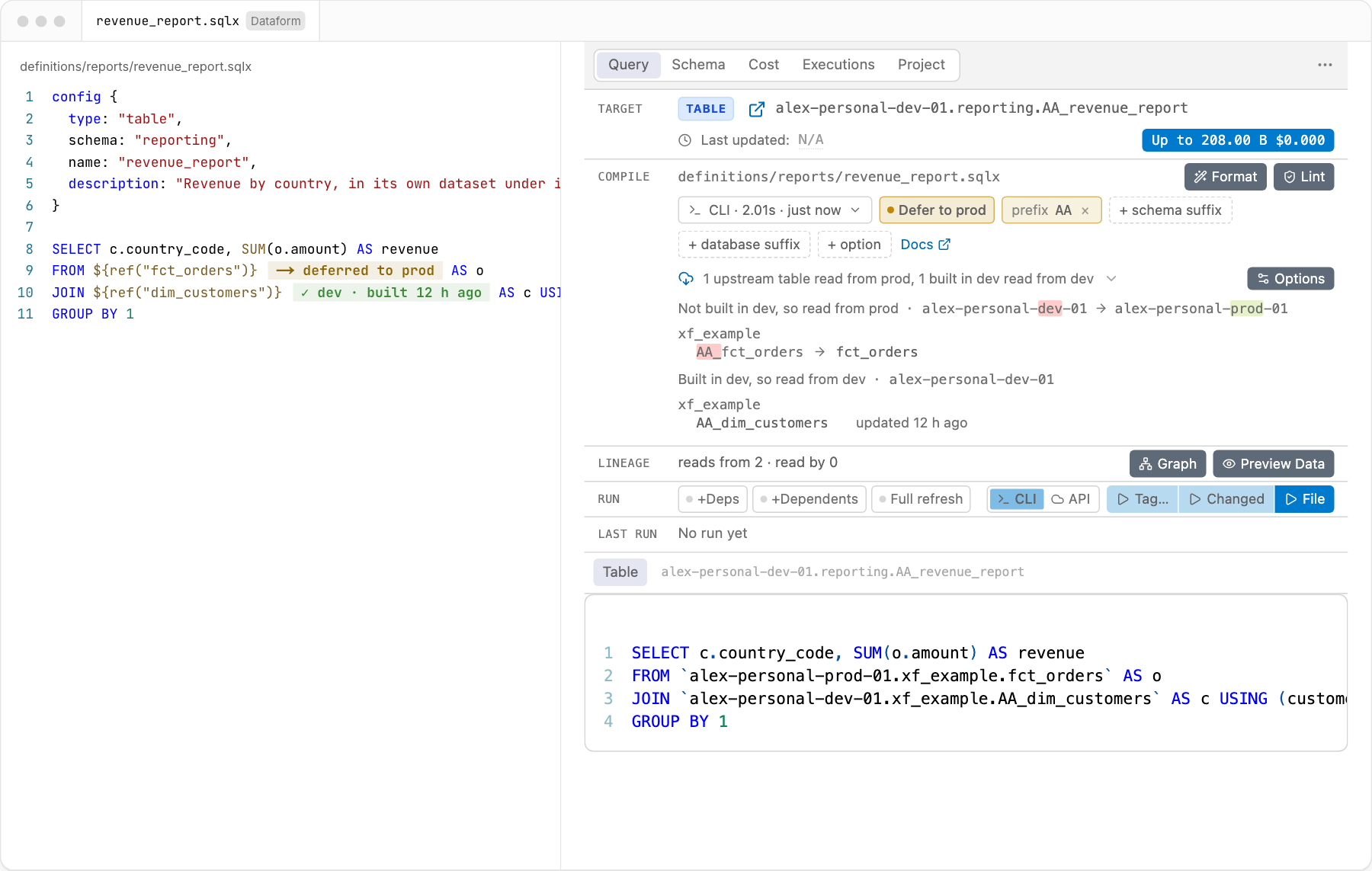
Defer to production
Each ${ref()} says whether its table is read from production or is built in dev.
Run changed actions
The panel lists the actions that differ from the default branch, and runs all of them or the files you tick.
Installation
Install the extension from the marketplace.
Install the CLI of your tool. The extension uses the one you have and installs nothing.
Dataform dbt npm i -g @dataform/clipip install dbt-core dbt-bigqueryorbrew install dbt-labs/dbt/dbtNeeds Node.js. See Dataform CLI. dbt Core 1.8 or later, or dbt v2. See which dbt is used. Install gcloud cli and sign in for BigQuery:
gcloud init
gcloud auth application-default login
gcloud config set project <project_id> #replace with your gcp project id
Open the folder that has
workflow_settings.yaml,dataform.jsonordbt_project.yml, or a folder above it. The project of a file is the nearest folder above it that has a settings file, up to the folder you opened. So a project inside a larger repository works with the repository open. The extension does not look above the folder you opened.Optional, to format
.sqlxfiles:pip install sqlfluff.
[!NOTE] Trouble installing or looking for a specific customization ? Please see FAQ section, if you are still stuck, please raise an issue here
Videos: installation on Windows, installation and demo on Ubuntu, a Dataform workspace run using the API.
Documentation
- dbt projects: which dbt is used, what each feature does in a dbt project, how it compiles, where BigQuery jobs run, a folder that is both kinds of project, settings, and remote hosts (Remote SSH, dev containers, WSL).
- Dataform projects: the BigQuery jobs of a CLI run, and Run Changed from a keybinding.
- FAQ: answers to common problems.
- dataformtools.com/features: every feature, in words.
Commands
Every command is in the Command Palette (CTRL + SHIFT + P, or CMD + SHIFT + P on Mac). Commands in the category "Dataform/dbt" work in both kinds of project; those in "Dataform" are for Dataform and are not listed while a file of a dbt project is in focus. The extension's Feature Contributions tab lists them with their ids, for keybindings.
Products
| Name | Registry | Version | Description |
|---|---|---|---|
| Dataform Tools | VS Code marketplace |   |
This extension. |
| Dataform Tools | Open VSX |   |
The same build, for forks such as Cursor and Antigravity. |
@ashishalex/dataform-graph |
npm |   |
dataform-graph CLI: serves the dependency graph in your browser, without VS Code (readme). |
@ashishalex/dataform-tools |
npm |  |
Programmatic wrapper around the @google-cloud/dataform npm package. |
dataform-tools |
PyPI |  |
Programmatic wrapper around the google-cloud-dataform Python package. |
Support & Feedback
If this extension saves you time and makes working with Dataform or dbt easier, consider supporting the project:
- 📝 Leave a review on the VS Code Marketplace
- ☕ Buy me a coffee:

dbt and dbt Core are trademarks of dbt Labs, LLC. This extension is a community project. It is not affiliated with, endorsed by or sponsored by dbt Labs or Google.
[^1]: Link to confirmation of official recommendation by Google:. Note that this is a community-led project and not an officially supported Google product.
관련 프로젝트 살펴보기
Asabeneh/30-Days-Of-Python
30 Days of Python 프로그래밍 챌린지는 Python 프로그래밍 언어를 30일 동안 배우기 위한 단계별 가이드입니다. 이 챌린지는 100일 이상 걸릴 수 있습니다. 자신의 속도에 맞춰 진행하세요. 다음 동영상도 도움이 될 수 있습니다: https://www.youtube.com/channel/UC7PNRuno1rzYPb1xLa4yktw
78,673 스타grafana/grafana
개방적이고 조합 가능한 옵저버빌리티 및 데이터 시각화 플랫폼입니다. Prometheus, Loki, Elasticsearch, InfluxDB, Postgres 등 여러 소스의 메트릭, 로그, 트레이스를 시각화합니다.
77,876 스타redis/redis
실시간 데이터 기반 애플리케이션을 구축하는 개발자에게 Redis는 가장 선호되고, 가장 빠르며, 기능이 가장 풍부한 캐시, 데이터 구조 서버이자 문서 및 벡터 쿼리 엔진입니다.
77,485 스타apache/superset
Apache Superset는 데이터 시각화 및 데이터 탐색 플랫폼입니다.
75,509 스타