
aschuch/QRCode
소개
Swift로 작성된 QR 코드 생성기입니다.
개발 도구측정된 스타 증가
- in 24h
- 0
- in 7 days
- -1
- in 15 days
- 기록 수집 중
- in 1 month
- 기록 수집 중
서로 겹치는 기간의 순증가량이며 일별 합계가 아닙니다. 측정값이 없으면 비워 둡니다. 스타는 관심도를 나타내며 품질을 보장하지 않습니다.
README.md
OriginalQRCode 🔳



A QRCode generator written in Swift.
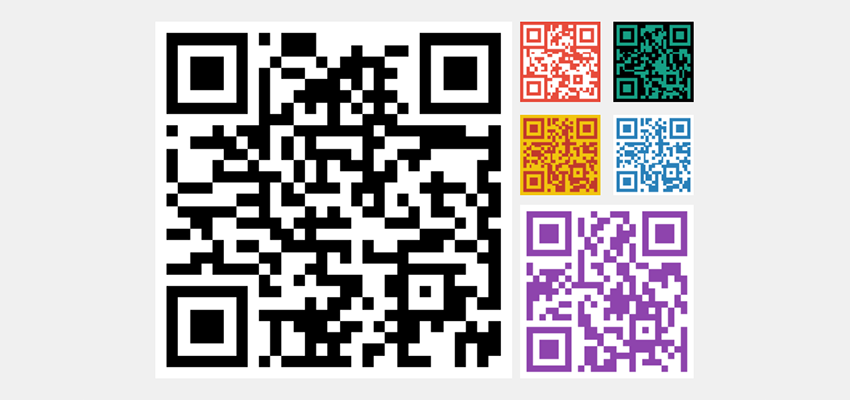
Overview
Create a new QRCode representing a URL, a string or arbitrary data.
The following examples all result in the same QRCode image.
// URL
let url = URL(string: "http://schuch.me")!
let qrCode = QRCode(url)
qrCode?.image

// String
let qrCode = QRCode("http://schuch.me")
qrCode?.image

// NSData
let data = "http://schuch.me".data(using: .isoLatin1)!
let qrCode = QRCode(data)
qrCode.image
Customize the output image
Make sure to declare your
QRCodeinstance as a variable in order make use of the following features.
Adjust Output Size
Change the output size of the QRCode output image via the size property.
qrCode.size = CGSize(width: 300, height: 300)
qrCode.image // UIImage (300x300)
Color
Modify the colors of the QRCode output image via color and backgroundColor properties.
qrCode.color = CIColor(rgba: "16a085")
qrCode.backgroundColor = CIColor(rgba: "000")
qrCode.image // UIImage (green QRCode color and black background)
Note: The above examples make use of the
CIColorextension that ships with this project to create colors based on HEX strings.
UIImageView extension
For convenience, a UIImageView extension is provided to directly initialize an image view with an instance of QRCode.
let imageView = UIImageView(qrCode: qrCode)
Emoji alias
In case you love emoji as much as I do, make sure to create your QRCode instance using the 🔳 typealias.
let qrCode = 🔳("http://example.com")
Version Compatibility
Current Swift compatibility breakdown:
| Swift Version | Framework Version |
|---|---|
| 3.0 | 2.x |
| 2.3 | 1.x |
| 2.2 | 0.x |
Installation
Carthage
Add the following line to your Cartfile.
github "aschuch/QRCode"
Then run carthage update.
Cocoapods
Add the following line to your Podfile.
pod "QRCode"
Then run pod install with Cocoapods 0.36 or newer.
Manually
Just drag and drop the three .swift files in the QRCode folder into your project.
Tests
Open the Xcode project and press ⌘-U to run the tests.
Alternatively, all tests can be run from the terminal using xctool.
xctool -scheme QRCodeTests -sdk iphonesimulator test
Todo
- Snapshot Tests
- Support transparent backgrounds
Contributing
- Create something awesome, make the code better, add some functionality, whatever (this is the hardest part).
- Fork it
- Create new branch to make your changes
- Commit all your changes to your branch
- Submit a pull request
Contact
Feel free to get in touch.
- Website: http://schuch.me
- Twitter: @schuchalexander
관련 프로젝트 살펴보기
불러오는 중…