
arto-app/Arto
소개
🅰️ Arto — the Art of Reading Markdown.
개발 도구측정된 스타 증가
- in 24h
- 0
- in 7 days
- +3
- in 15 days
- 기록 수집 중
- in 1 month
- 기록 수집 중
서로 겹치는 기간의 순증가량이며 일별 합계가 아닙니다. 측정값이 없으면 비워 둡니다. 스타는 관심도를 나타내며 품질을 보장하지 않습니다.
README.md
Original
Arto — the Art of Reading Markdown.
A desktop app for reading Markdown, locally and offline.
Website · Install · CLI · Configuration · Keybindings · Contributing
Why
Most Markdown tools are built for writing. Arto is built for reading: the name is short for "Art of Reading".
Markdown is where documentation, communication and thinking now live, and reading it deserves more than a preview pane. Arto renders it locally and offline, with typography and whitespace chosen for long reading rather than for editing.
Features
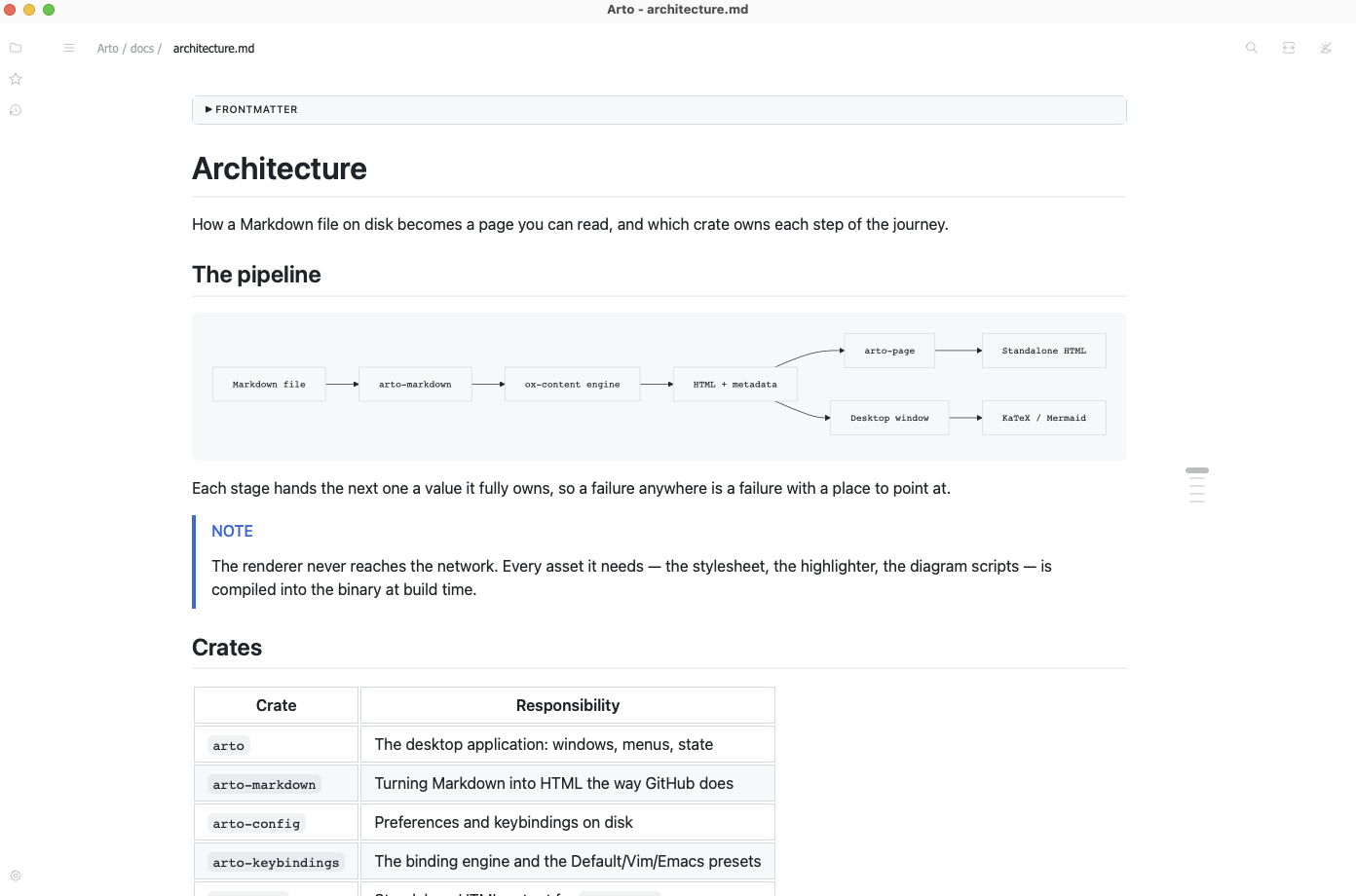
Reading — GitHub's dialect drawn with GitHub's own stylesheet: headings, tables, task lists, footnotes, autolinks and heading slugs; the five alerts (NOTE, TIP, IMPORTANT, WARNING, CAUTION); a video uploaded to GitHub, played where its URL stands; code highlighted per language with a copy button; and YAML frontmatter as a table that arrives collapsed, so the document still begins with its title. A file that changes on disk re-renders in place, and the renderer needs nothing from the network — the stylesheet, the highlighter and the diagram and formula code are compiled into the binary, so the only thing ever fetched is an image or a video the document itself names by URL.
What the renderer reads — Markdown is a family of dialects, so the extensions are switches rather than assumptions: math, wiki links, superscript and subscript, definition lists, heading attributes and permalinks, smart punctuation, CJK emphasis, bare URLs as links, and whether raw HTML is filtered, passed through, or escaped so the markup itself shows.
Getting around — one panel with three faces rather than three panels: a file explorer holding as many folders as you need, the documents you have read grouped by day, and the ones you have starred (⌘1, ⌘2, ⌘3, and ⌘B to show the panel at all). Unpinned it comes over the page on hover and leaves again; pinned it takes its own width beside the document. A click on the rail pins it, or, if you would rather, only a double click does, and a single click brings it out until the pointer leaves. A window with nothing open shows the same three things on its welcome page.
The gutter — a ruler stands in the page's own margin and marks every heading: its width is the heading's depth, its colour a pinned search, its thickness where you are. ⌘J opens it into a list of headings you can walk with the arrow keys. Relative links open the document they name, ⌘[ and ⌘] move back and forward across the trail, and reopening a document puts you back where you stopped reading.
Finding — ⌘K fuzzy-matches one query the way fzf does, across the files under the folder you are in, what you have read, what you have kept, and every command by name — a command showing the keystroke that runs it, where one is bound. ⌘F puts find in the row the document's name is in, so nothing moves and nothing is covered; Return keeps what you typed as a mark in a colour of its own, repeated in the gutter, applied in every window it matches and kept across sessions.
Windows — one document to a window, named in its title; hand Arto several files and each gets a window of its own. A link inside a document travels in the window you are already in, unless you middle-click it. A diagram, a formula or an image lifts into a viewer of its own — zoom, pan, fit and copy-as-image, with the formula and the image naming their source in the header. Files dragged onto Arto open, including ones dragged out of an editor, and preferences decide whether a new window reuses the last focused one, appears on the screen the cursor is on, or is always new.
Rich content — Mermaid diagrams and KaTeX math where they stand, drawn as they come into view so a long document opens as quickly as a short one. The context menu copies a selection as Markdown, a code block with or without its fence, a table as Markdown, CSV or TSV, and an image as Markdown or as the image itself — as well as the document's path, with the line you are on or a range of them.
Lenses — Claude, Codex, a local model through Ollama or any OpenAI-compatible server asked about the document you are reading, the file itself never changed: a translation taking the document's places block by block from the top, each original a point at its right margin away; a summary opened from the header; a note kept beside each paragraph. Nothing is sent anywhere until you open a lens, and then only to what you configured — see Lenses.
Fitting in — GitHub's own themes, including dimmed, high contrast and the colour-vision ones, with a separate choice for light and dark mode and the system deciding which applies. Keybindings ship as Default, Vim, Emacs and Clear presets, every binding editable and chord sequences supported. Zoom by keyboard or trackpad with the level remembered, ⌘P to print or save a PDF through a stylesheet made for paper, and — on macOS — Space on a Markdown file previews it rendered, in the Finder preview pane too.
Shortcuts above are the macOS defaults; ⌘ is Ctrl on Linux and Windows. All of them are rebindable — see Keybindings.
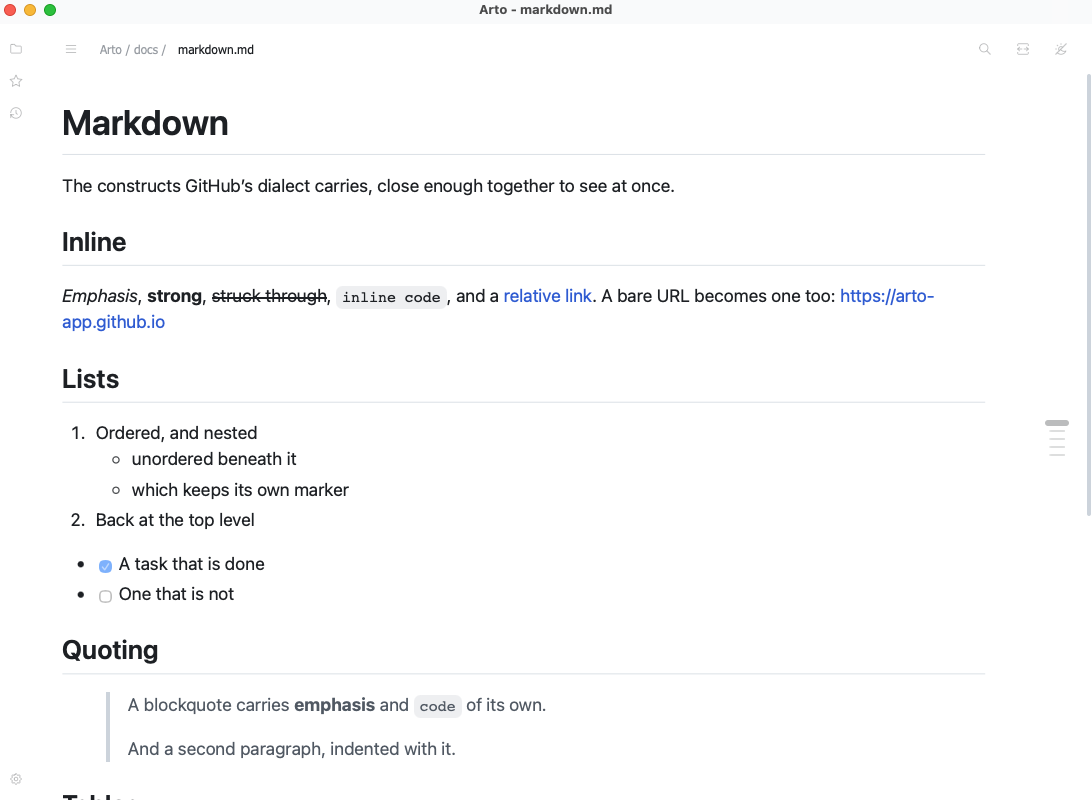
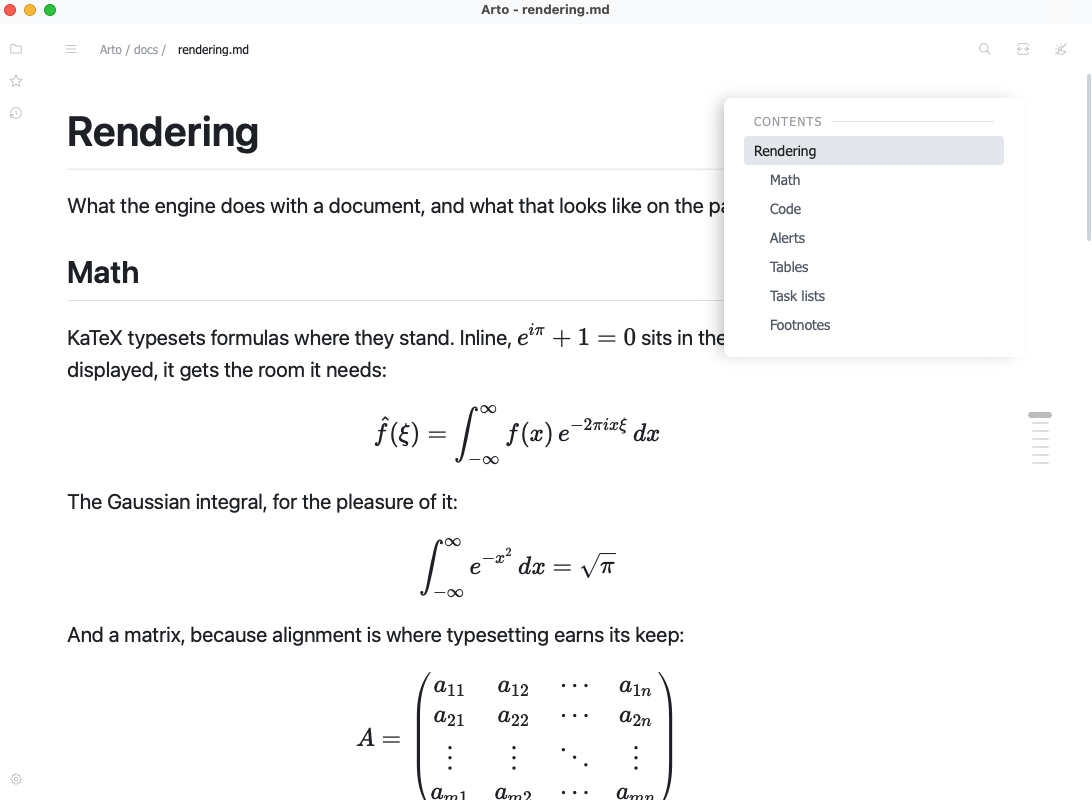
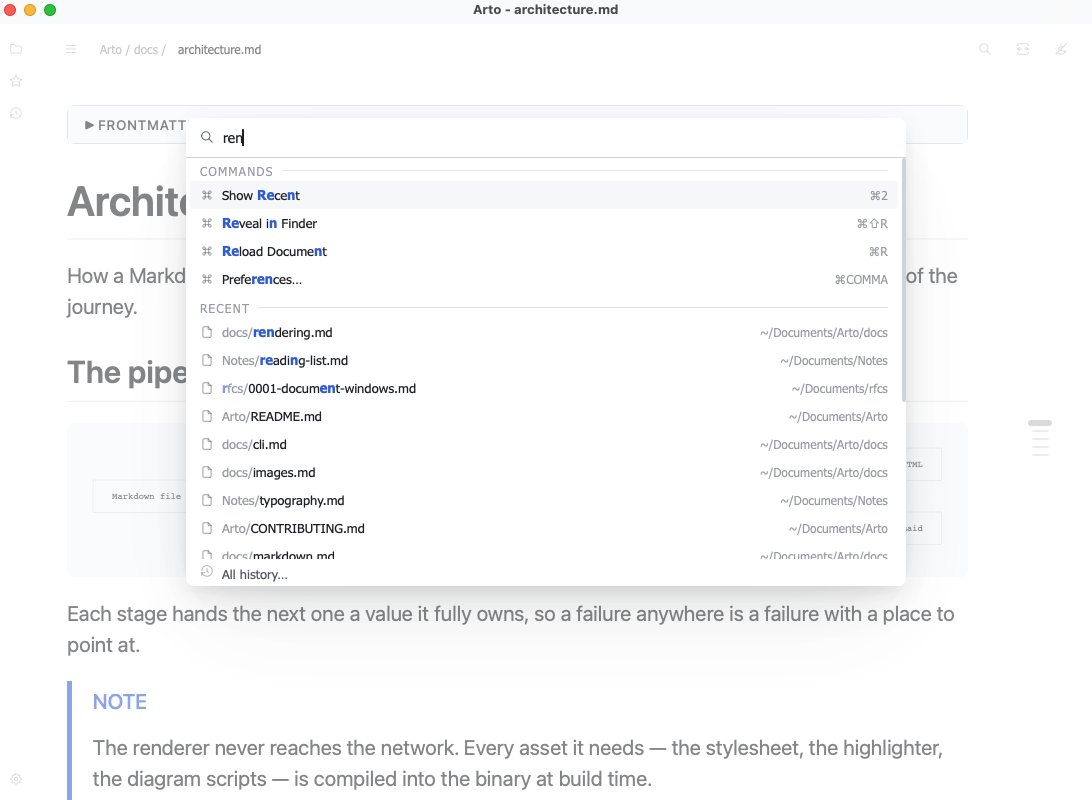
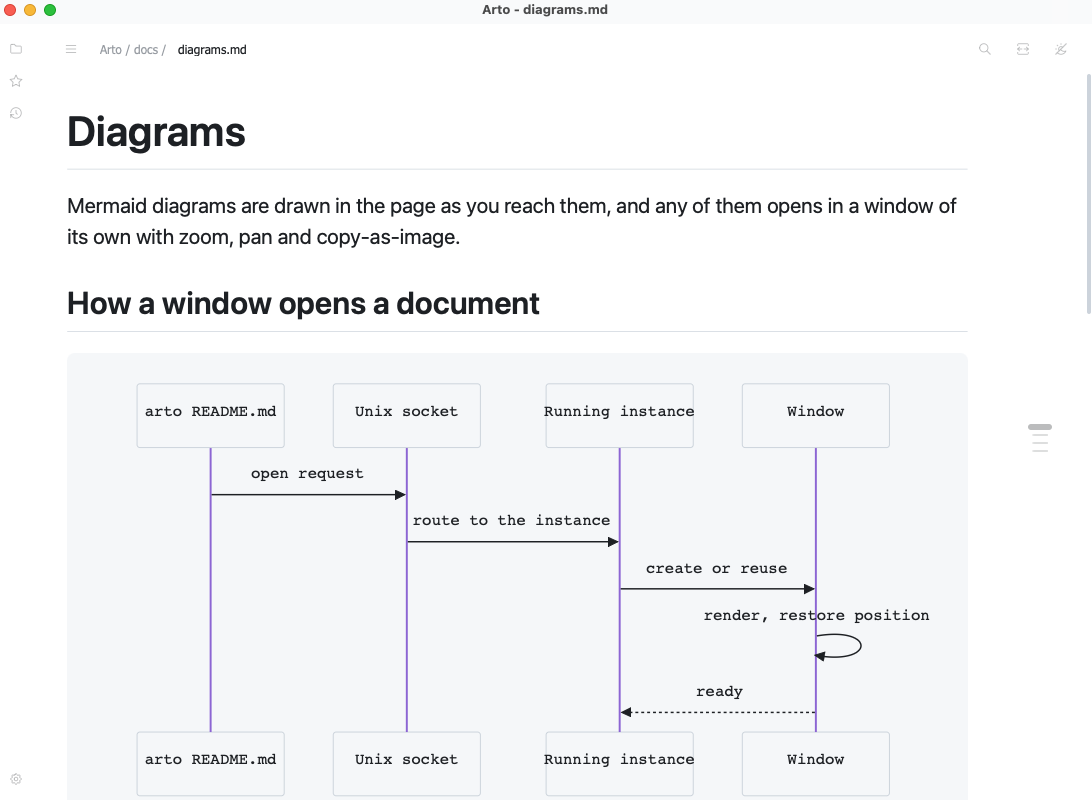
See it in motion: arto-app.github.io
Install
brew install --cask arto-app/tap/arto
Linux packages, a single binary for Linux and Windows, and Nix: Installation.
From the terminal
Arto is a GUI application, and it runs as a single instance: the arto command hands files to the process already running rather than starting a second one.
arto README.md
It also renders a Markdown file to a self-contained HTML page — stylesheet, diagrams and math inlined — that opens in any browser without the app:
arto page README.md > README.html
The page follows your configuration, and ships with a Content-Security-Policy that blocks any script embedded in the Markdown. The same renderer is available as a standalone arto-page binary, for machines that need the output but not the window.
Full flags and behaviour: CLI usage.
With an agent
An agent can use Arto as its display. arto mcp is an MCP server that opens files under the directories you allow, reads what you are reading, where you are and what you selected, scrolls you to the part that matters, and takes a picture of a block to see how it came out.
In Claude Code, this repository is a plugin marketplace. The plugin registers the server and a skill that tells Claude when to reach for each of its tools:
/plugin marketplace add arto-app/Arto
/plugin install arto@arto
It asks which directories Claude may open files under; left empty, that is the project Claude was started in, and /plugin configure arto@arto changes it later. For another MCP client, register the server yourself — see Letting an agent use Arto. Other programs can drive Arto over its local socket instead: Controlling a running Arto.
Built with
- Dioxus — the Rust UI framework the whole application is written in. Native windows, menus and state, no Electron.
- ox-content — the Markdown engine. It renders GitHub's dialect, including autolinks, alerts, heading slugs and the tag filter, so Arto does not carry its own version of any of them.
- KaTeX for math and Pele for Mermaid diagrams, drawn in the page as you reach them.
Contributing
See CONTRIBUTING.md for development setup and guidelines.
Sponsors
Arto's CI and release builds run on runners provided by Blacksmith through their open source program.
License
See LICENSE.
관련 프로젝트 살펴보기
불러오는 중…