
armcha/LuseenBottomNavigation
소개
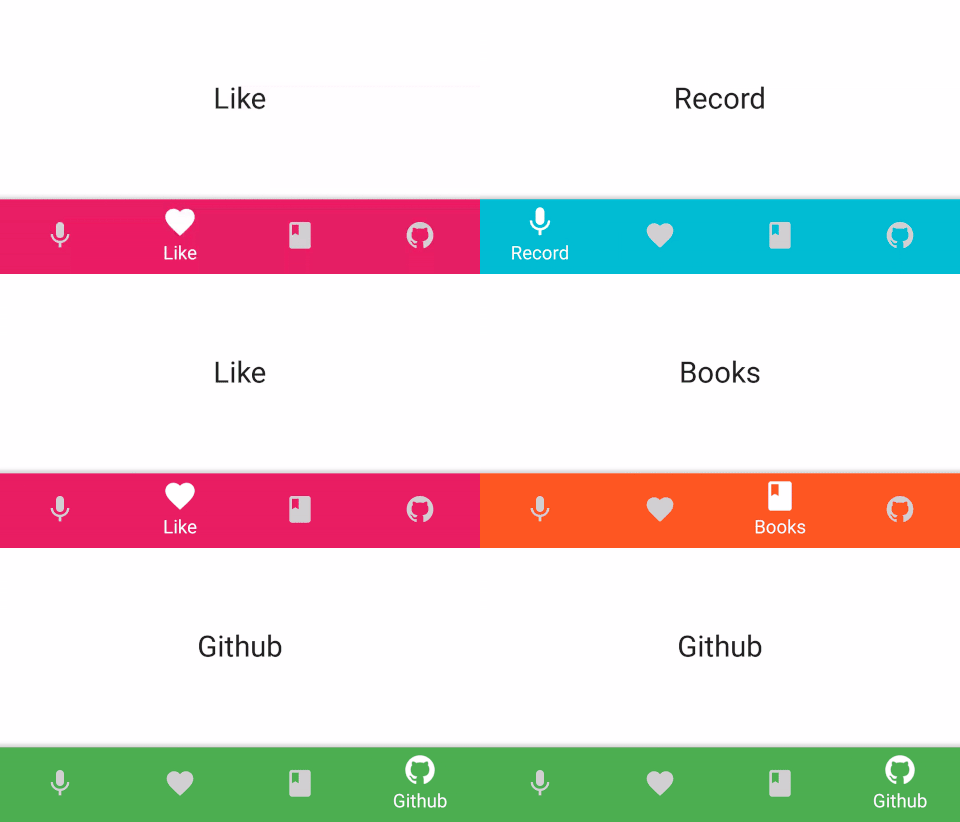
Google 가이드라인에 따라 설계된 BottomNavigationView
개발 도구측정된 스타 증가
- in 24h
- 0
- in 7 days
- 0
- in 15 days
- -2
- in 1 month
- 기록 수집 중
서로 겹치는 기간의 순증가량이며 일별 합계가 아닙니다. 측정값이 없으면 비워 둡니다. 스타는 관심도를 나타내며 품질을 보장하지 않습니다.
README.md
OriginalMaterial Bottom Navigation
DEPRECATED
Use offical Bottom Navigation

BottomNavigationView
Designed according Google [guideLine][1] [1]: https://www.google.com/design/spec/components/bottom-navigation.html#bottom-navigation-usage [2]: http://luseen.com/ [3]: http://fir.im/luseen?release_id=56feaea800fc741d61000000 By [Luseen][2] Technologies
[Download simple apk][3]
Download
Gradle:
compile 'com.github.armcha:LuseenBottomNavigation:1.8.2'
Maven:
<dependency>
  <groupId>com.github.armcha</groupId>
  <artifactId>LuseenBottomNavigation</artifactId>
  <version>1.8.2</version>
  <type>pom</type>
</dependency>
Usage
Add the BottomNavigationView to your layout
 <com.luseen.luseenbottomnavigation.BottomNavigation.BottomNavigationView
        android:id="@+id/bottomNavigation"
        android:layout_width="match_parent"
        android:layout_height="wrap_content"
        android:layout_alignParentBottom="true" />
Add BottomNavigation items
  BottomNavigationView bottomNavigationView = (BottomNavigationView) findViewById(R.id.bottomNavigation);

   BottomNavigationItem bottomNavigationItem = new BottomNavigationItem
                ("Record", ContextCompat.getColor(this, R.color.firstColor), R.drawable.ic_mic_black_24dp);
   BottomNavigationItem bottomNavigationItem1 = new BottomNavigationItem
                ("Like", ContextCompat.getColor(this, R.color.secondColor), R.drawable.ic_favorite_black_24dp);
  bottomNavigationView.addTab(bottomNavigationItem);
  bottomNavigationView.addTab(bottomNavigationItem1);
Then set your OnBottomNavigationItemClickListener
bottomNavigationView.setOnBottomNavigationItemClickListener(new OnBottomNavigationItemClickListener() {
            @Override
            public void onNavigationItemClick(int index) {
                 Toast.makeText(MainActivity.this, "Item " +index +" clicked", Toast.LENGTH_SHORT).show();
            }
        });
If you are using a ViewPager , you can connect to the BottomNavigationView,
Set color in this way, when using view pager:
 ContextCompat.getColor(context, R.color.firstColor)
 bottomNavigationView.setUpWithViewPager(yourPager , colorResources , imageResources);
You can disable slide animation when using viewPager
bottomNavigationView.disableViewPagerSlide();
If your activity/fragment will not recreate and bottom navigation items doubled on orientation change, just can call this method
bottomNavigationView.willNotRecreate(true);
Customize
Customize with xml
  <com.luseen.luseenbottomnavigation.BottomNavigation.BottomNavigationView
         android:id="@+id/bottomNavigation"
         android:layout_width="match_parent"
         android:layout_height="wrap_content"
         android:layout_alignParentBottom="true"
         app:bnv_colored_background="true"
         app:bnv_with_text="false"
         app:bnv_shadow="true"
         app:bnv_tablet="false"
         app:bnv_viewpager_slide="true"
         app:bnv_active_color="@color/colorPrimary"
         app:bnv_active_text_size="@dimen/bottom_navigation_text_size_active"
         app:bnv_inactive_text_size="@dimen/bottom_navigation_text_size_inactive"/>
or programmatically
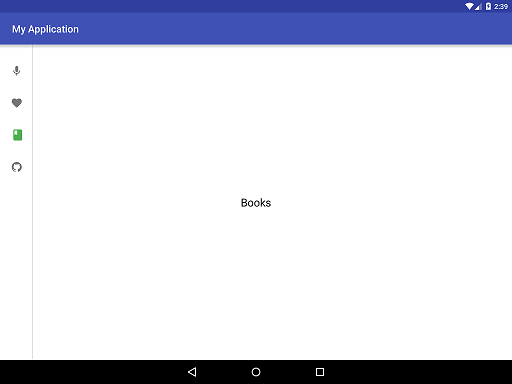
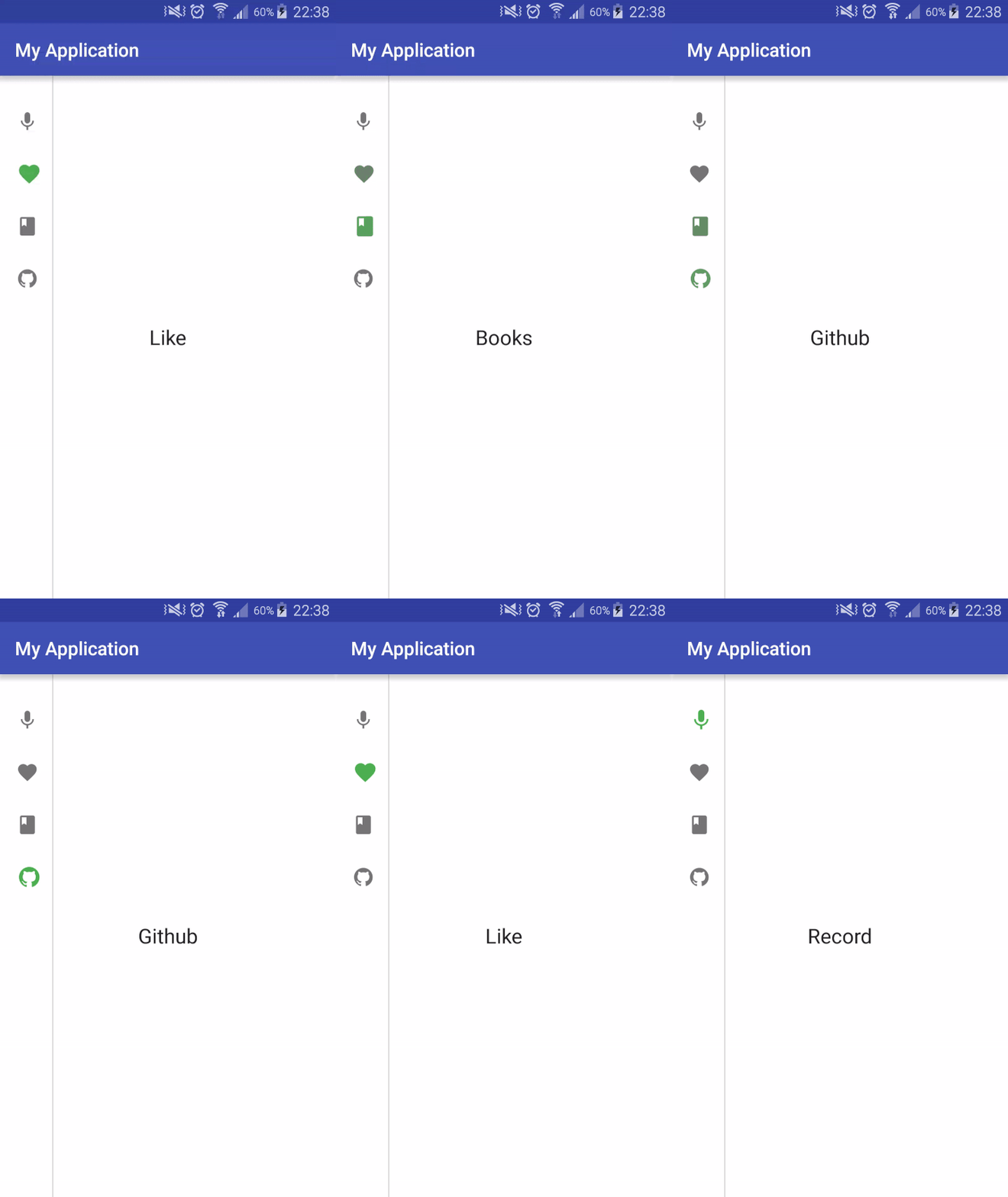
You can activate tablet mode
bottomNavigationView.activateTabletMode();
bottomNavigationView.isWithText(true);
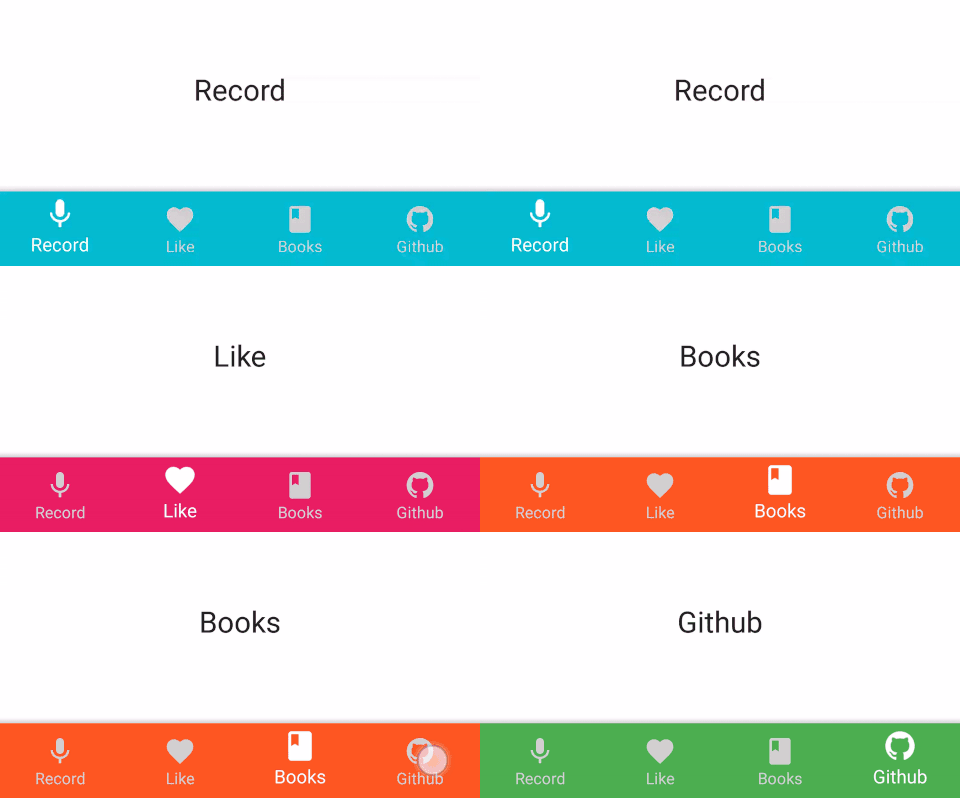
 bottomNavigationView.isColoredBackground(false);
 bottomNavigationView.setItemActiveColorWithoutColoredBackground(yourColor);
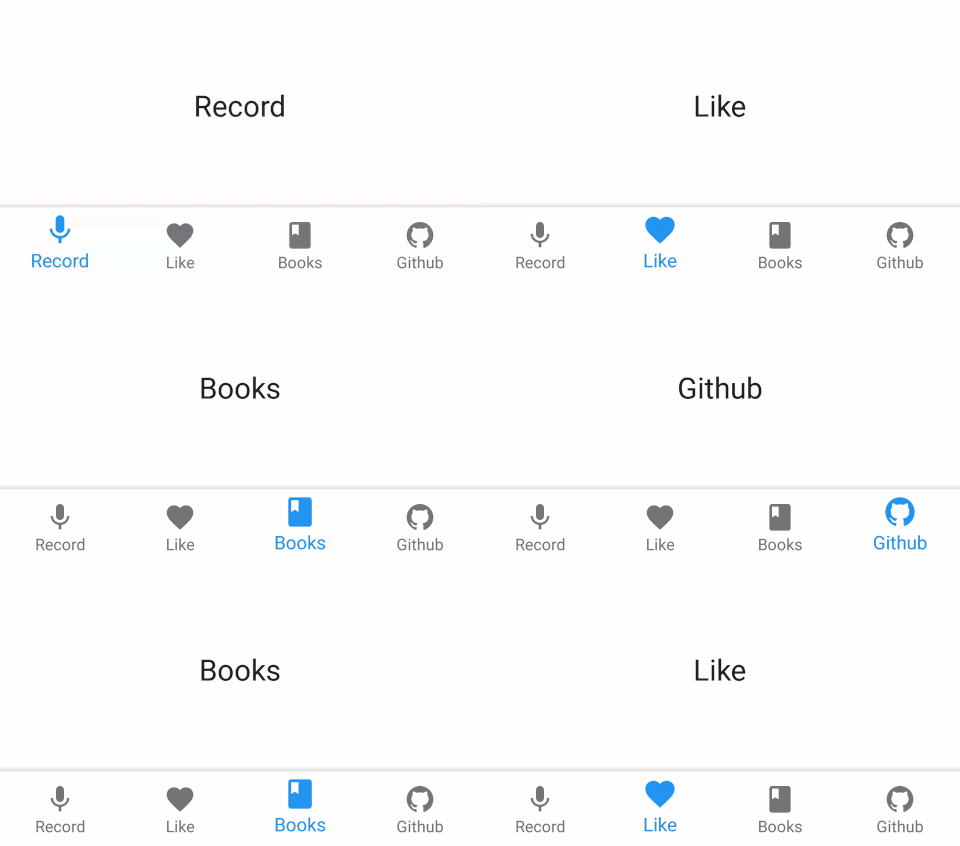
Change text active or inactive size
  bottomNavigationView.setTextActiveSize(float yoursize);
  bottomNavigationView.setTextInactiveSize(float yoursize);
Change tab programmatically
bottomNavigationView.selectTab(int position);
You can just disable BottomNavigationView shadow by calling
bottomNavigationView.disableShadow();
You can set your custom font for item text. assets/fonts/your_font.ttf
bottomNavigationView.setFont(Typeface.createFromAsset(getApplicationContext().getAssets(), "fonts/your_font.ttf"));
Contact
Pull requests are more than welcome.
Please fell free to contact me if there is any problem when using the library.
- email: [email protected]
- facebook: https://web.facebook.com/chatikyana
- website: http://luseen.com/
License
      Copyright 2016 Arman Chatikyan

  Licensed under the Apache License, Version 2.0 (the "License");
  you may not use this file except in compliance with the License.
  You may obtain a copy of the License at

     http://www.apache.org/licenses/LICENSE-2.0

  Unless required by applicable law or agreed to in writing, software
  distributed under the License is distributed on an "AS IS" BASIS,
  WITHOUT WARRANTIES OR CONDITIONS OF ANY KIND, either express or implied.
  See the License for the specific language governing permissions and
  limitations under the License.
관련 프로젝트 살펴보기
불러오는 중…