
armcha/ColoredShadowImageView
소개
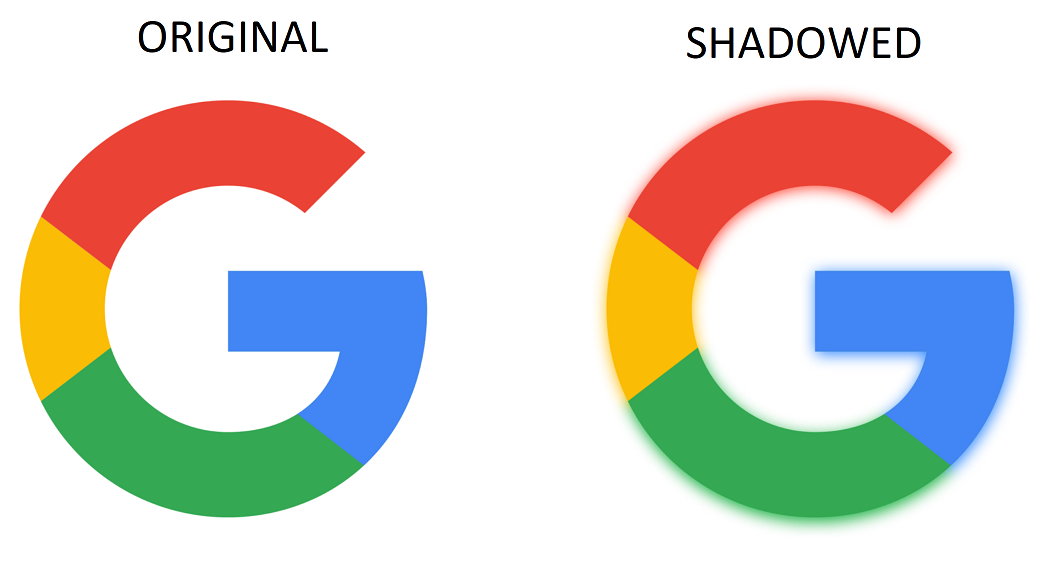
ColoredShadowImageView를 사용하면 이미지의 각 영역 색상에 맞춰 이미지 주변에 아름다운 그림자를 만들 수 있습니다.
개발 도구측정된 스타 증가
- in 24h
- 0
- in 7 days
- 0
- in 15 days
- 기록 수집 중
- in 1 month
- 기록 수집 중
서로 겹치는 기간의 순증가량이며 일별 합계가 아닙니다. 측정값이 없으면 비워 둡니다. 스타는 관심도를 나타내며 품질을 보장하지 않습니다.
README.md
OriginalColoredShadowImageView
ColoredShadowImageView allows you to create a beautiful shadow around the image based on corresponding area colors.
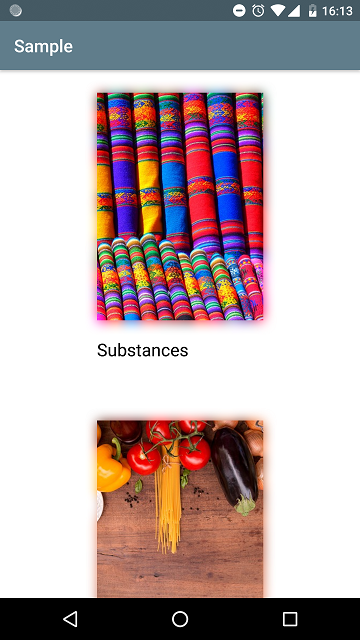
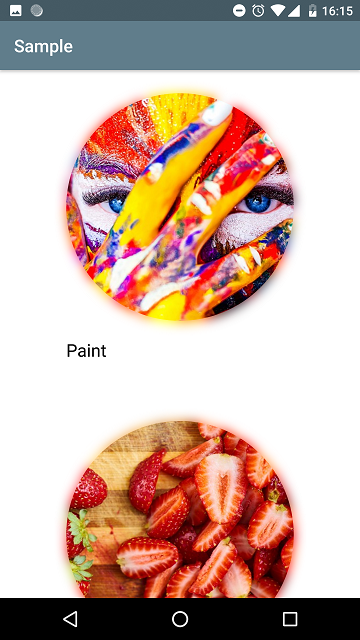
Download sample apk
The current minSDK version is API level 16.
Download :arrow_down:
Gradle:
implementation 'com.github.armcha:ColoredShadowImageView:1.1.0'
Setup and usage
- You also need to add RenderScript to your app module. Add these lines to the defaultConfig block of your build.gradle.
renderscriptTargetApi YOUR_TARGET_SDK_VERSION
renderscriptSupportModeEnabled true
- Static image
<io.github.armcha.coloredshadow.ShadowImageView
        android:id="@+id/shadowImage"
        android:layout_width="300dp"
        android:layout_height="400dp"
        android:src="@drawable/android"/>
Or
  findViewById<ShadowImageView>(R.id.shadowImage).apply {
       setImageResource(R.drawable.android)
  }
- If you are using Glide, use it in this way. Glide transformations are also supported. Now we have some limitations for Glide transitions.
//shadowView.radiusOffset = 0.4f
//shadowView.shadowColor = ContextCompat.getColor(context,R.color.green)

GlideApp.with(itemView.context)
                    .load(item.imageUrl)
                    .placeholder(R.drawable.place_holder)
                    .error(R.drawable.place_holder)
                    //.transform(CircleCrop())
                    .into(object : ViewTarget<ImageView, Drawable>(shadowView) {
                        override fun onLoadStarted(placeholder: Drawable?) {
                            super.onLoadStarted(placeholder)
                            shadowView.setImageDrawable(placeholder, withShadow = false)
                        }

                        override fun onLoadCleared(placeholder: Drawable?) {
                            super.onLoadCleared(placeholder)
                            shadowView.setImageDrawable(placeholder, withShadow = false)
                        }

                        override fun onLoadFailed(errorDrawable: Drawable?) {
                            super.onLoadFailed(errorDrawable)
                            shadowView.setImageDrawable(errorDrawable, withShadow = false)
                        }

                        override fun onResourceReady(resource: Drawable, transition: Transition<in Drawable>?) {
                            shadowView.setImageDrawable(resource)
                        }
                    })
Customizations
You can change shadow radius. Default radius is 0.5. You can change it between 0 and 1. (0 < radius ≤ 1)
  shadowImageView.radiusOffset = 0.4f
  shadowImageView.setImageResource(R.drawable.android)
You can also change the shadow color
  shadowImageView.shadowColor = ContextCompat.getColor(context,R.color.green) //or Color.RED
  shadowImageView.setImageResource(R.drawable.android)
or from xml
   app:radiusOffset="0.6"
   app:shadowColor="@color/colorAccent"
Current limitations: :triangular_flag_on_post:
- You can't use the library when setting width or height to
WRAP_CONTENT
Add proguard rules if necessary:
-keep class android.support.v8.renderscript.** { *; }
Contact :book:
Pull requests are more than welcome.
:arrow_forward: Email: [email protected]
:arrow_forward: Medium: https://medium.com/@chatikyan
:arrow_forward: Twitter: https://twitter.com/ArmanChatikyan
:arrow_forward: Facebook: https://web.facebook.com/chatikyana
:arrow_forward: Google +: https://plus.google.com/+ArmanChatikyan
:arrow_forward: Website: https://armcha.github.io/
License
  ColoredShadowImageView
  Copyright (c) 2018 Arman Chatikyan (https://github.com/armcha/ColoredShadowImageView).

  Licensed under the Apache License, Version 2.0 (the "License");
  you may not use this file except in compliance with the License.
  You may obtain a copy of the License at

     http://www.apache.org/licenses/LICENSE-2.0

  Unless required by applicable law or agreed to in writing, software
  distributed under the License is distributed on an "AS IS" BASIS,
  WITHOUT WARRANTIES OR CONDITIONS OF ANY KIND, either express or implied.
  See the License for the specific language governing permissions and
  limitations under the License.
관련 프로젝트 살펴보기
불러오는 중…