
aradhyas8/Alder
소개
Alder is a custom Android TV client built on Stremio. Everything you already have, in a viewing experience made for the big screen.
개발 도구측정된 스타 증가
- in 24h
- 0
- in 7 days
- +1
- in 15 days
- 기록 수집 중
- in 1 month
- 기록 수집 중
서로 겹치는 기간의 순증가량이며 일별 합계가 아닙니다. 측정값이 없으면 비워 둡니다. 스타는 관심도를 나타내며 품질을 보장하지 않습니다.
README.md
OriginalAlder
Stremio for the living room.
Press Play and it plays. No stream lists to decode, no dead links, no setup on the remote.





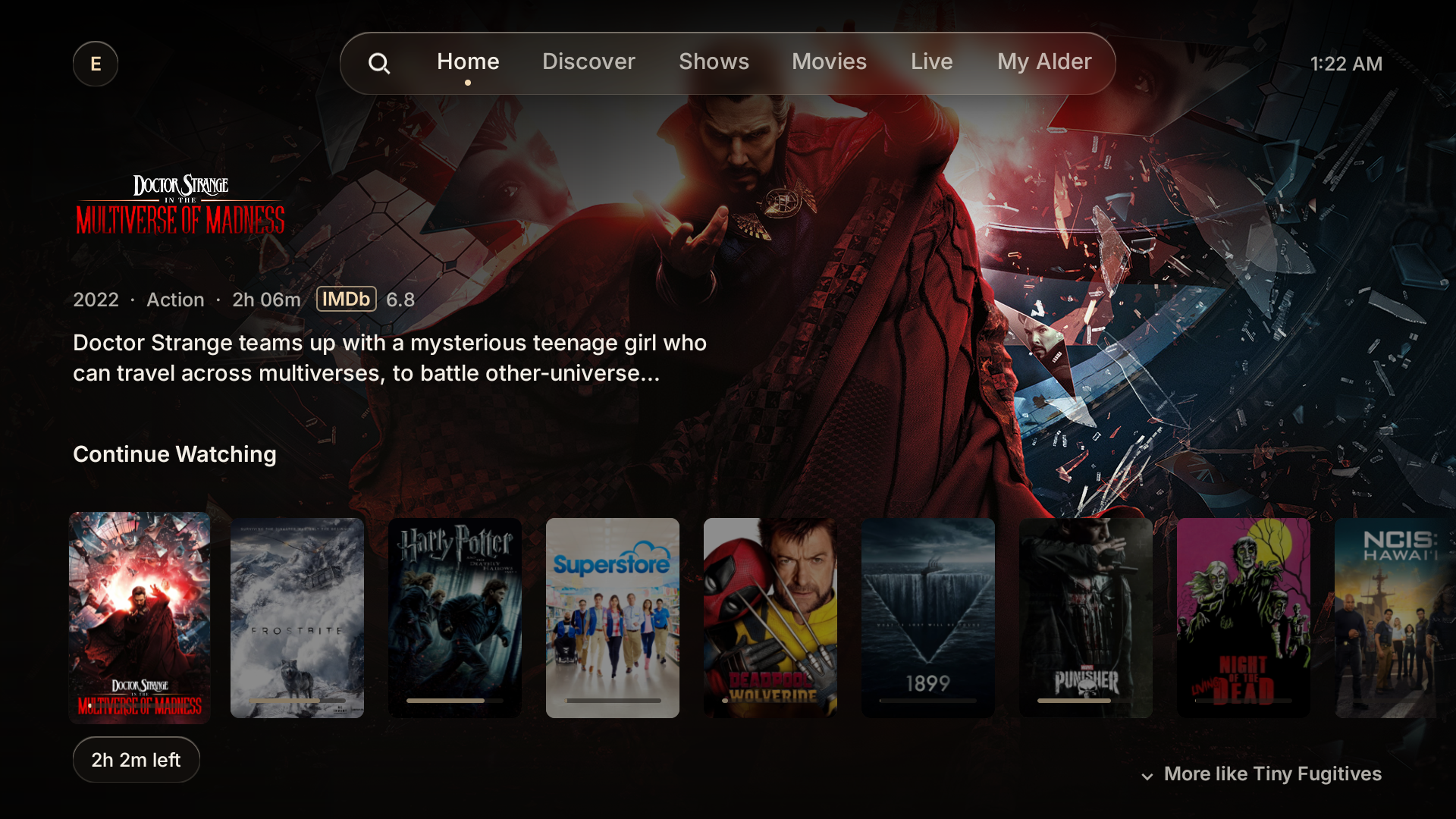
Alder is an Android TV app for your Stremio account. Your account, add-ons, library and watch progress stay exactly where they are, and everything you watch syncs back to Stremio on your phone and computer. What changes is the app on the TV: built for a remote, simple enough for anyone in the family, and quiet enough that the film is the main thing on screen.
Why Alder
Stremio on a TV hands you a list of fifty streams named like 2160p.WEB.HEVC.DV.HDR10.Atmos, and leaves you to guess which one your TV can play. That's fine for the person who set it up. It isn't for parents, grandparents, or anyone who just wants to watch.
Alder makes that choice for them:
- Press Play, it plays. Alder picks the best source for your TV and starts it. Hold OK when you want to choose yourself.
- Dead links don't stop the film. If a stream fails or shows no picture within 12 seconds, Alder moves to the next one from the same second. You only see the list if three fail in a row.
- It knows your TV. Files your TV can't decode are left out before anyone sees them, including Dolby Vision profiles it can't show and 4K on a 1080p screen.
- Automatic audio output. Alder sends TrueHD and DTS-HD to audio devices that support those formats. If passthrough fails, Alder tries to decode the same track to PCM at the same position before it changes tracks or sources.
- Everyone gets their own profile. Up to 5, each its own Stremio account with its own history and recommendations, and an optional PIN.
A look around
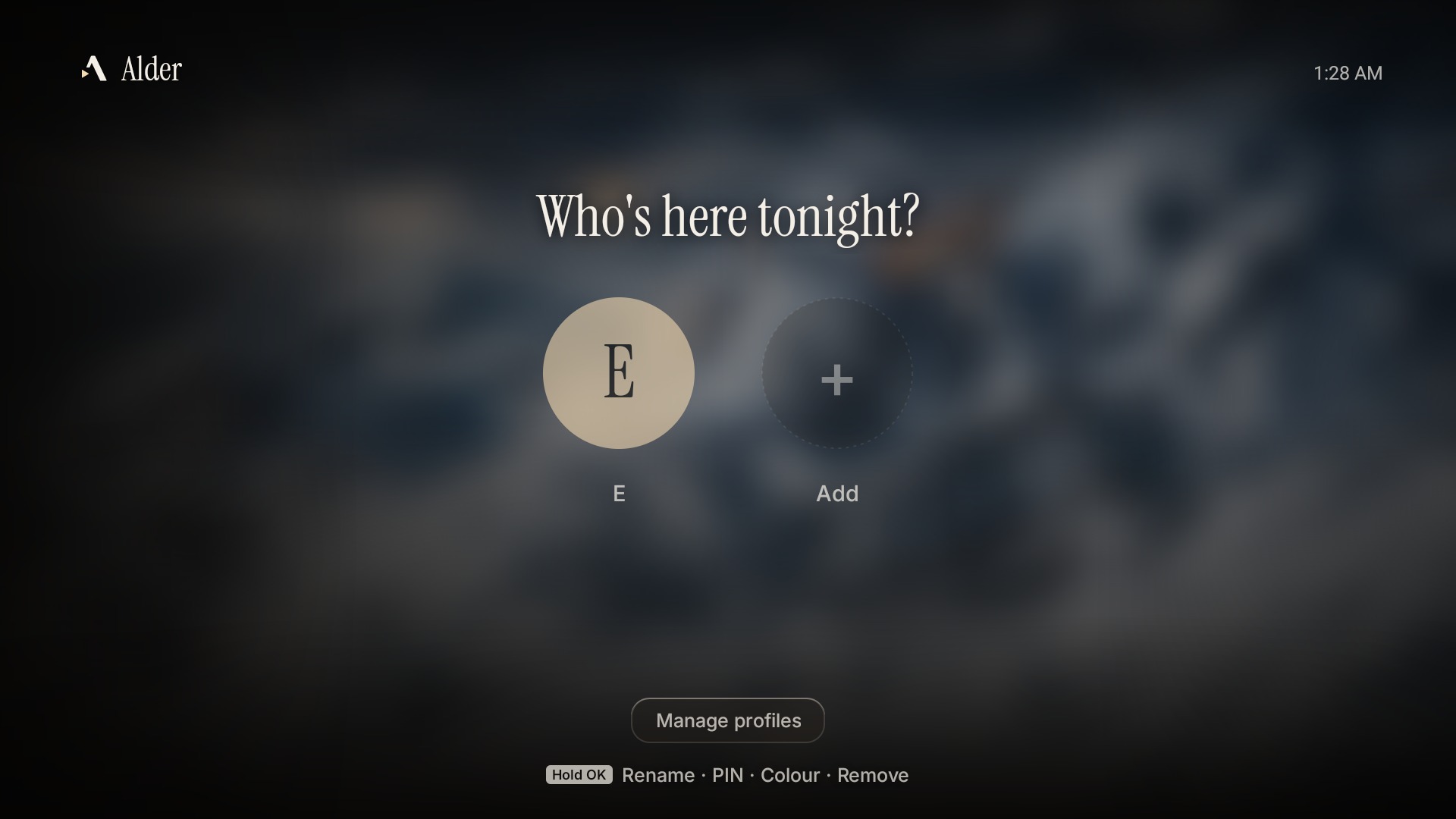 Who's here tonight? One profile per person, each its own Stremio account. |
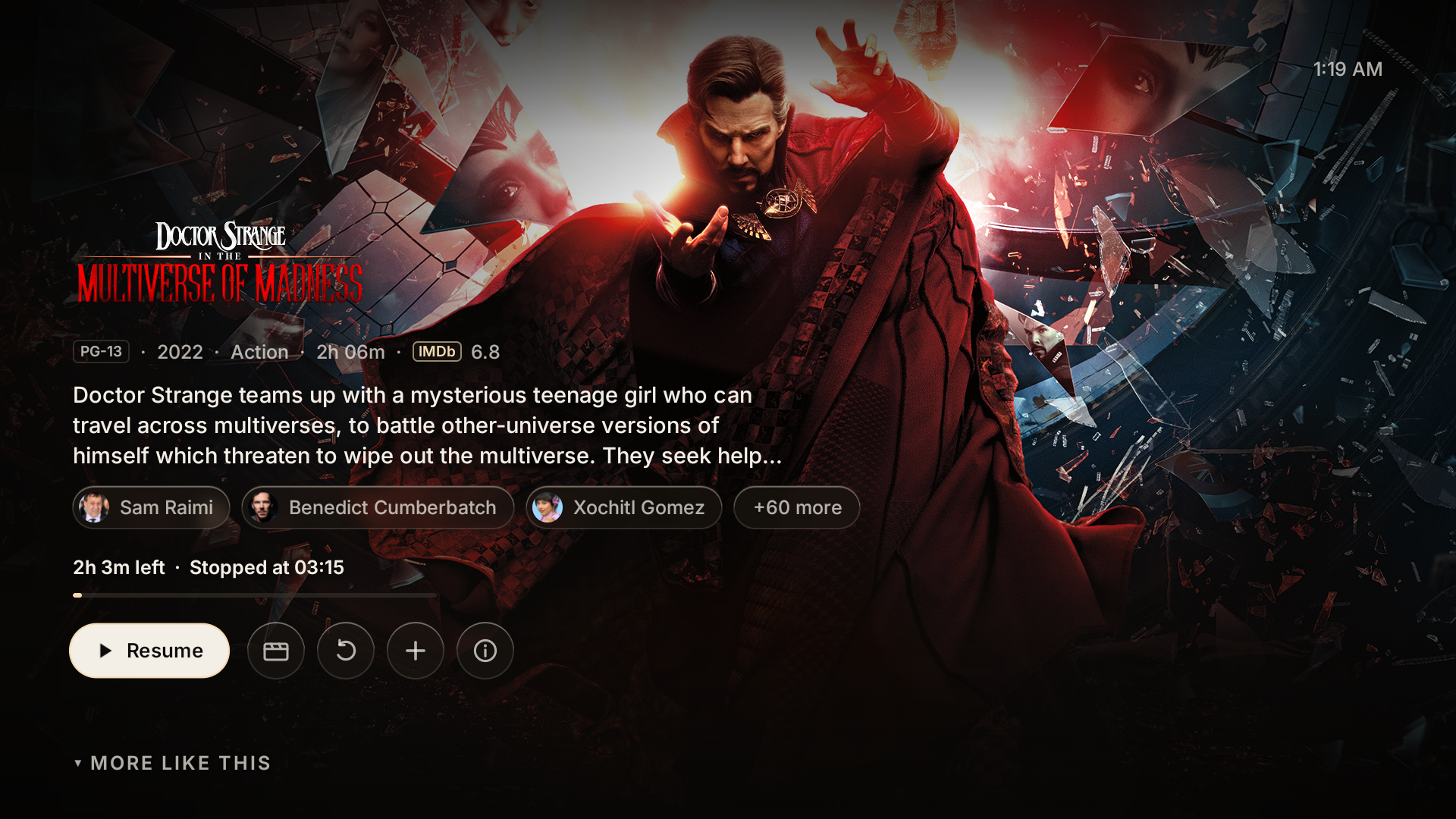 Title page. Full-screen art, details and one clear button to Play or Resume. |
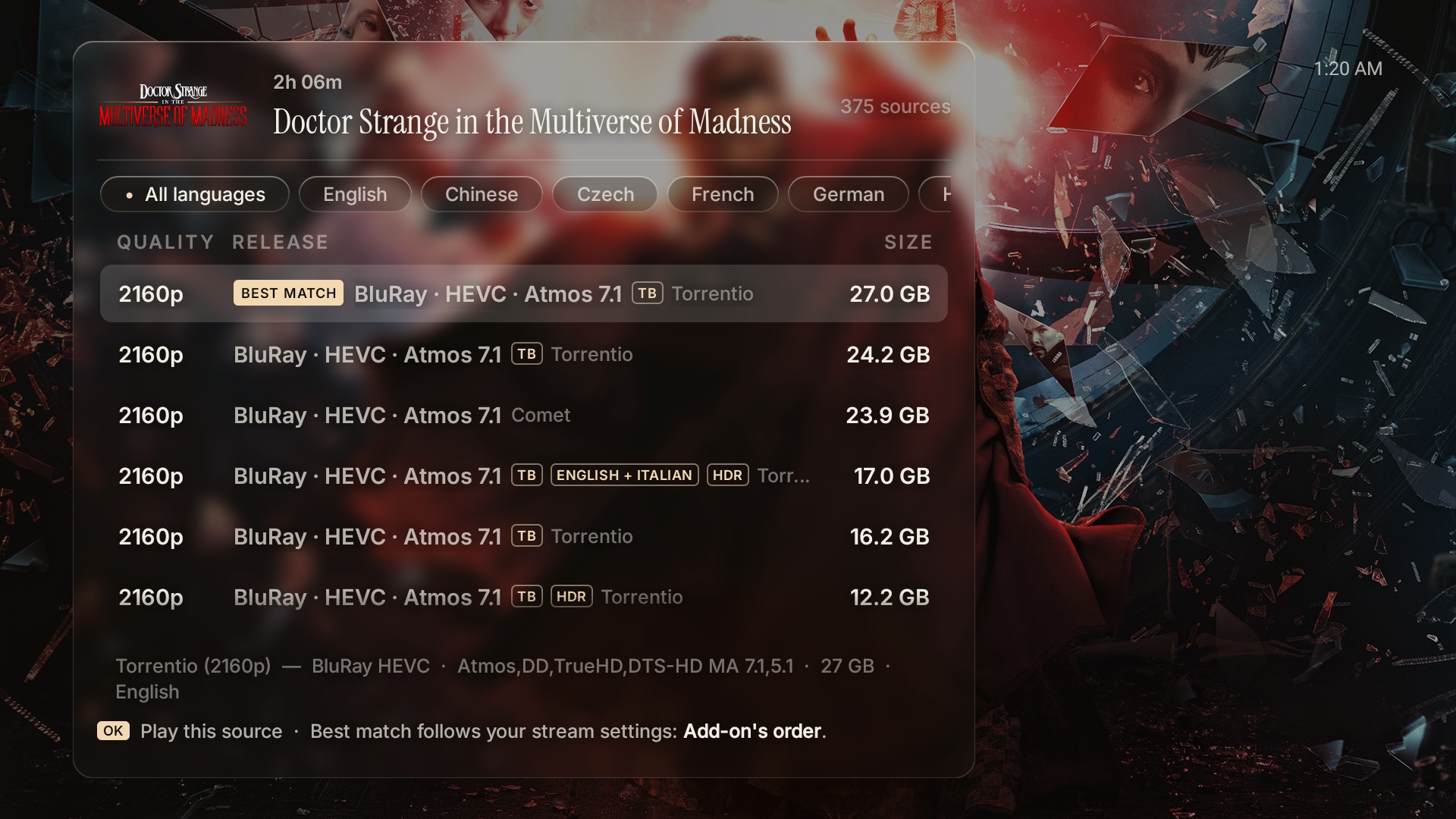 Sources, when you want them. Hold OK to see every source in plain columns: quality, release, size. Best match is marked. |
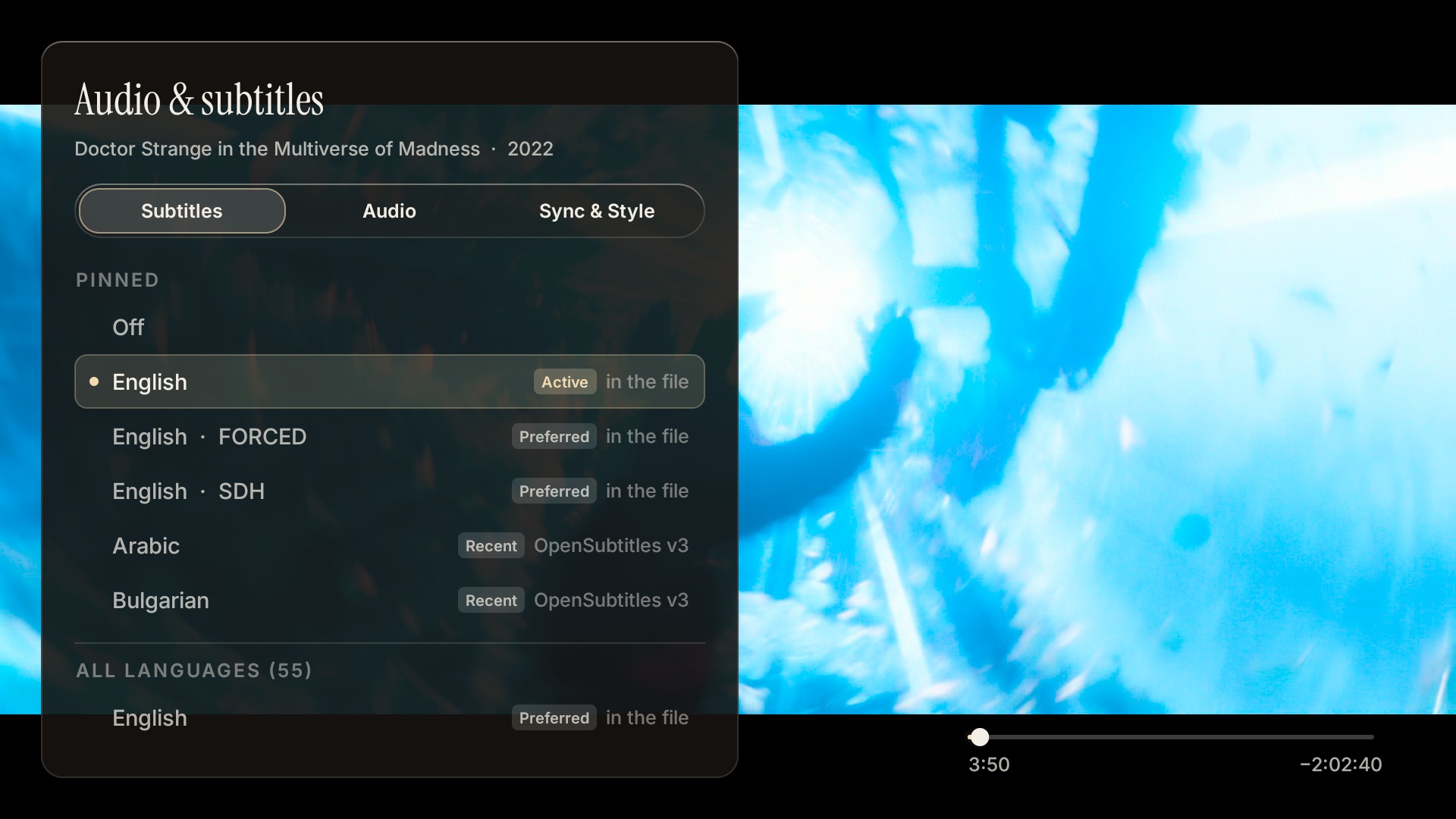 Audio and subtitles in one panel. Choose a track or adjust subtitle timing and style. |
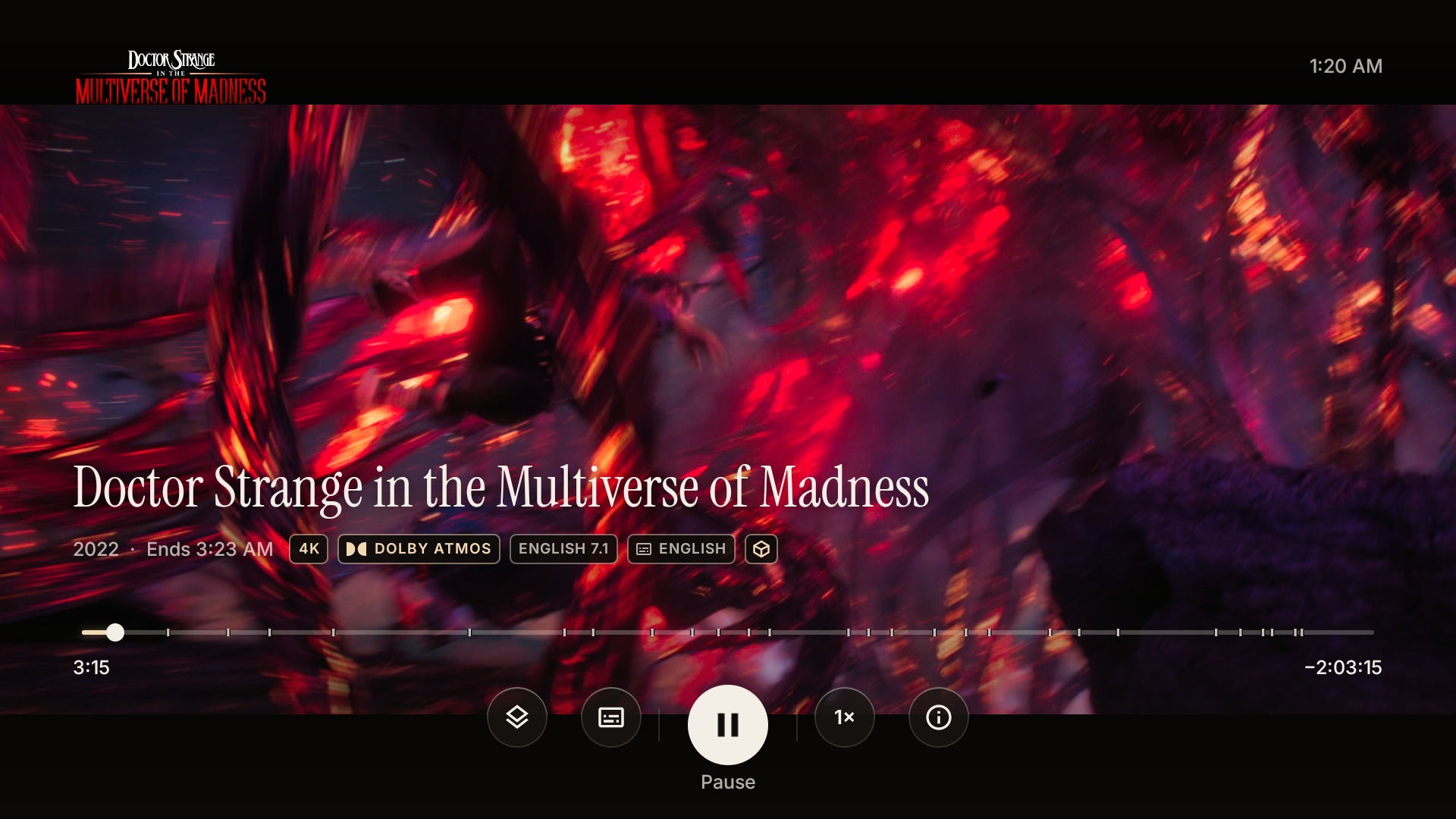 A calm player. Time left, when it ends, and the few controls that matter. |
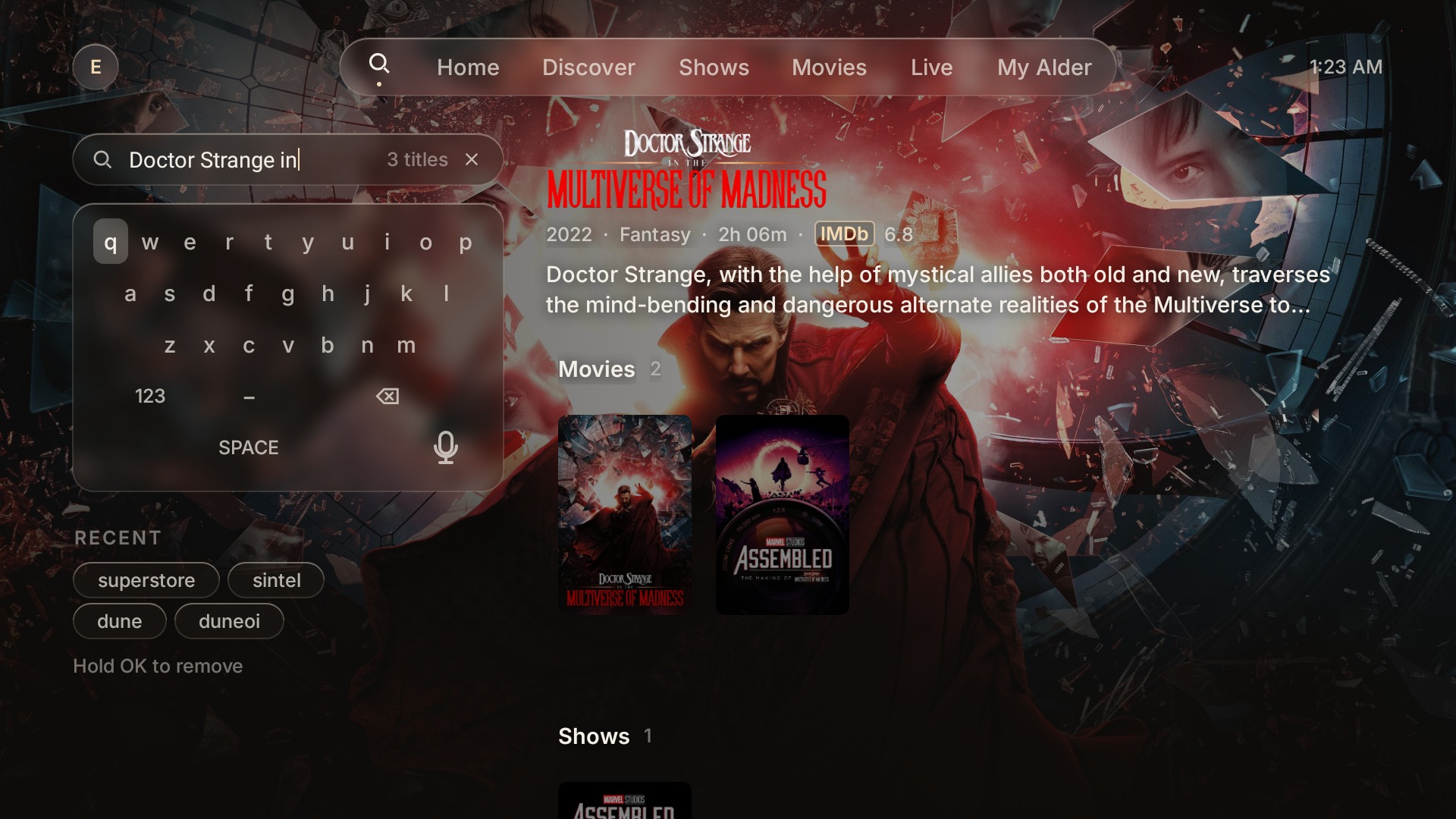 Search across every add-on, with a keyboard built for the remote, and voice. |
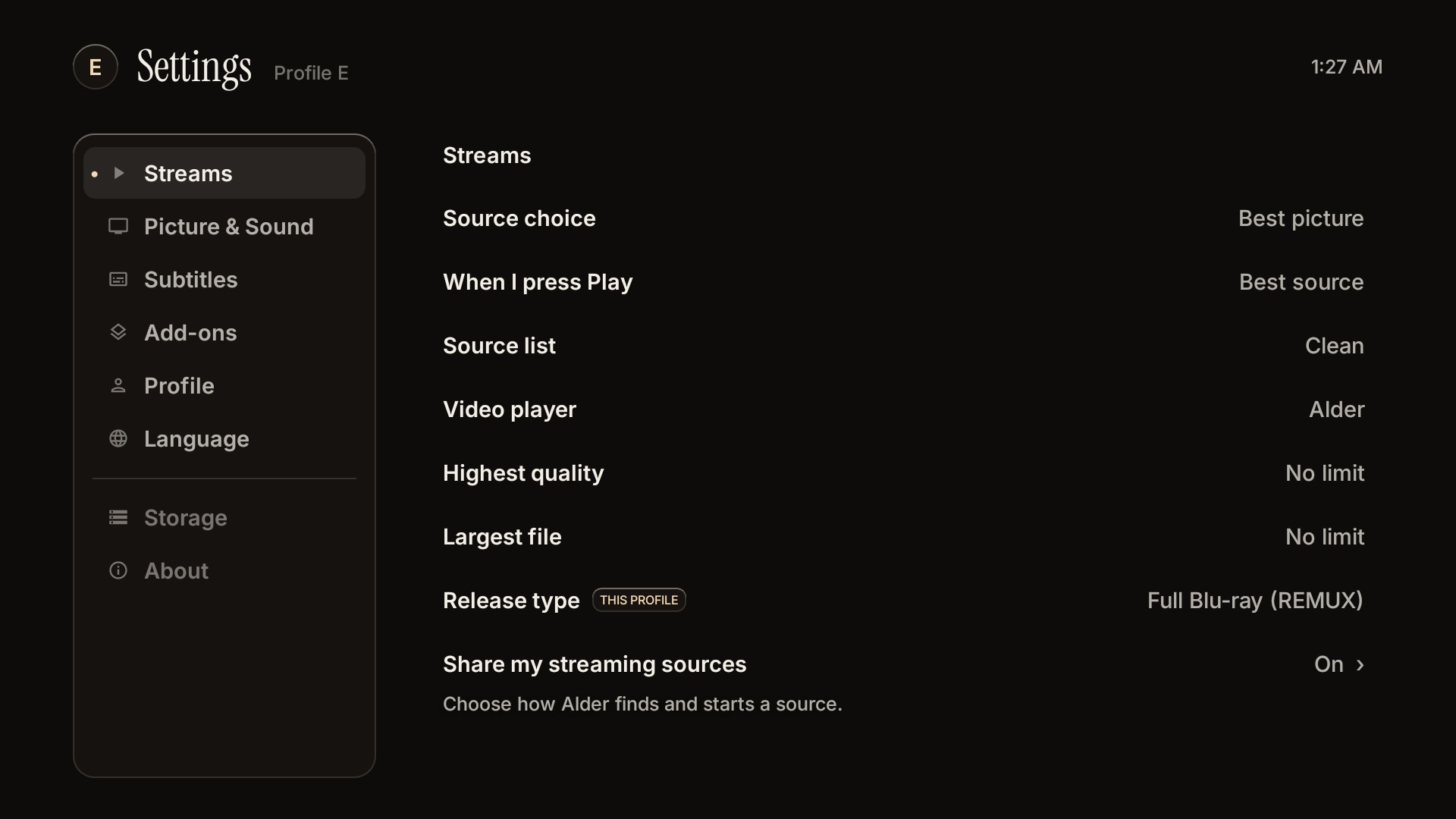 Preferences in plain words. Best picture, Balanced or Fast start; no release jargon needed. |
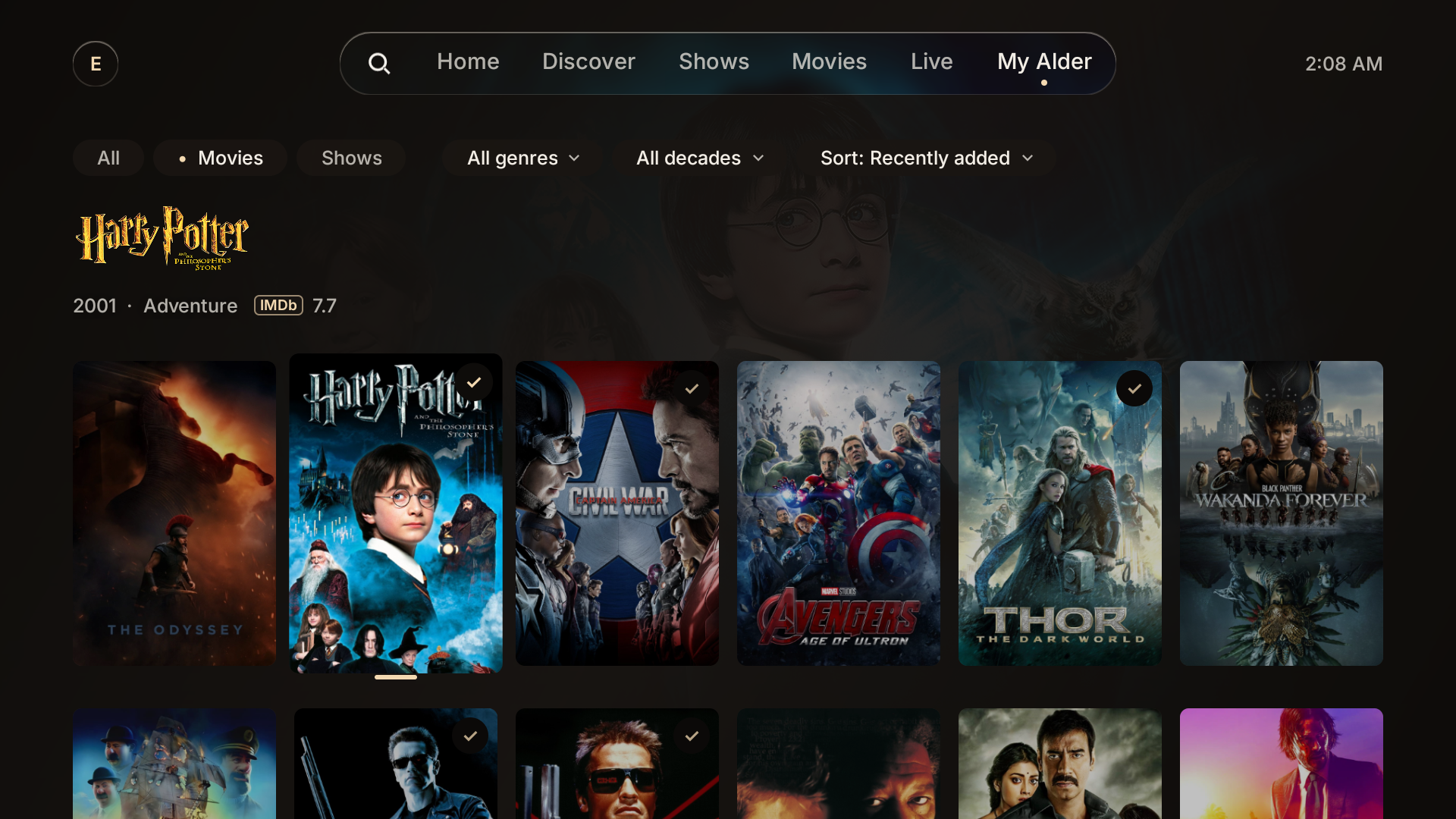 My Alder. Find saved films and shows, filter by genre or decade, and pick up where you left off. |
Alder can also show Continue Watching on the Google TV home screen, skip intros when timings are available, move to the next episode and match the TV's frame rate to the video. If a stream keeps buffering, it can offer a lower-quality source at the same playback position.
Alder vs. Stremio on the TV
| Alder | Stremio for Android TV | |
|---|---|---|
| Your Stremio account, add-ons and library | ✅ | ✅ |
| Watch progress synced with your phone and computer | ✅ | ✅ |
| Pressing Play | Starts the best source for your TV | Opens a list of streams to choose from |
| When a stream fails | Tries the next one from the same second | Back to the list |
| Files the TV can't decode | Hidden before you see them | Listed; you find out when it won't play |
| Profiles | Up to 5, each its own account, with PIN | One account per install |
| Stream preferences | Plain words: Best picture, Balanced, Fast start | Set inside each add-on |
| Skip intro | ✅ | ❌ |
| Continue Watching on the Google TV home | ✅ | ❌ |
| Finding and configuring add-ons | In Stremio on your phone or computer, synced to the TV | On the TV, or on your phone or computer, synced to the TV |
| Torrent streaming | ✅ P2P sources on Android 7 or newer, after debrid ones | ✅ |
| App size | About 24 MB (5 MB without the P2P engine) | Much larger, with a streaming server |
| Built for | A TV and a remote | Shared with desktop and web |
How it fits with Stremio
You keep using Stremio. Alder is the part you sit in front of.
- On your phone or computer, in Stremio: create your account, find add-ons, configure them (AIOStreams, Torrentio with a debrid service and the like are set up on a web page) and install them.
- On your TV, in Alder: sign in once with a code, then browse, play and pick up where you left off. Add-ons you install in Stremio show up in Alder on their own.
Alder has no add-on store. Setting up add-ons means typing and web forms, which is easier on a phone than with a remote.
On Android 7 or newer, sources marked P2P play torrents from your add-ons. Alder tries them after debrid and direct sources. P2P playback connects your TV to torrent peers, which can see its public IP address.
Requirements
- Android TV, Google TV, or Fire TV running Android 6.0 (Marshmallow, Fire OS 6) or newer
- A Stremio account with stream add-ons, set up in Stremio on your phone or computer
- A way to sideload an APK: the Downloader app, a USB drive with a file manager, or
adb
Install
- On your phone or computer, sign in to Stremio and install your add-ons.
- Download
Alder.apkfrom the latest release. - Install it on your TV. Easiest: install the free Downloader app by AFTVnews from the Google Play Store on your TV, open it, enter code 9638679 and press Go, then Install. Or use a USB drive and a file manager, or
adb install Alder.apk. - Open Alder, name your profile and sign in to Stremio with the code on screen. Your add-ons, library and Continue Watching come with it.
After that, Alder offers new versions itself: press Install when it asks, or use Settings › About › Updates. Android may ask you to allow Alder to install apps the first time. (Version 1.0 needs one manual update with the code above.)
Privacy
Alder has no analytics, no ads and no account of its own. It talks to Stremio, to the add-ons you installed, to image hosts for artwork, to IntroDB for intro times, and to GitHub to check for updates. Profiles and their PINs stay on the TV.
Building from source
git clone https://github.com/aradhyas8/Alder.git
cd Alder
./gradlew assembleRelease
The APK is written to app/build/outputs/apk/release/.
Credits
Alder borrows from open-source projects:
- NuvioTV (GPL-3.0): player setup, profiles, Watch Next, skip intro
- Just Player (Unlicense): frame-rate matching, audio passthrough, subtitle styling
- stremio-core (MIT): library format, sync and Continue Watching rules
- AndroidX Media (Apache-2.0): ExoPlayer
Alder is not affiliated with Stremio.
License
Copyright (C) 2026 aradhyas8
Alder is free software, released under the GNU General Public License v3.0.
P2P playback uses Nuvio Engine v0.1.6 source under GPL-3.0-or-later. The APK includes the engine and dependency licenses.
관련 프로젝트 살펴보기
불러오는 중…