
amosblomqvist/learnharness
amosblomqvist/learnharness has 8,828 GitHub stars and 1,186 forks. GitHot measured +3,315 in 7 days. Last checked 2026-11-12 07:47 UTC. Last push 2026-11-07.
Agent harness for learning difficult things.
측정된 스타 증가
- in 24h
- 업데이트 지연
- in 7 days
- +3,315
- in 15 days
- 업데이트 지연
- in 1 month
- 업데이트 지연
서로 겹치는 기간의 순증가량이며 일별 합계가 아닙니다. 측정값이 없으면 비워 둡니다. 스타는 관심도를 나타내며 품질을 보장하지 않습니다.
README.md
Original
An agent harness for learning.
Download · How it works · Documentation · Issues · Discord
LearnHarness uses AI agents to plan and teach lessons from your current understanding to your goal. It builds a detailed picture of what you understand and how you reason. That picture is updated as you learn.
Instead of just giving you an explanation, it uses your answers and thinking to decide what you need next. Teaching builds understanding one reasoning step at a time. Practice makes it usable. A persistent knowledge graph carries it across sessions.
How it works
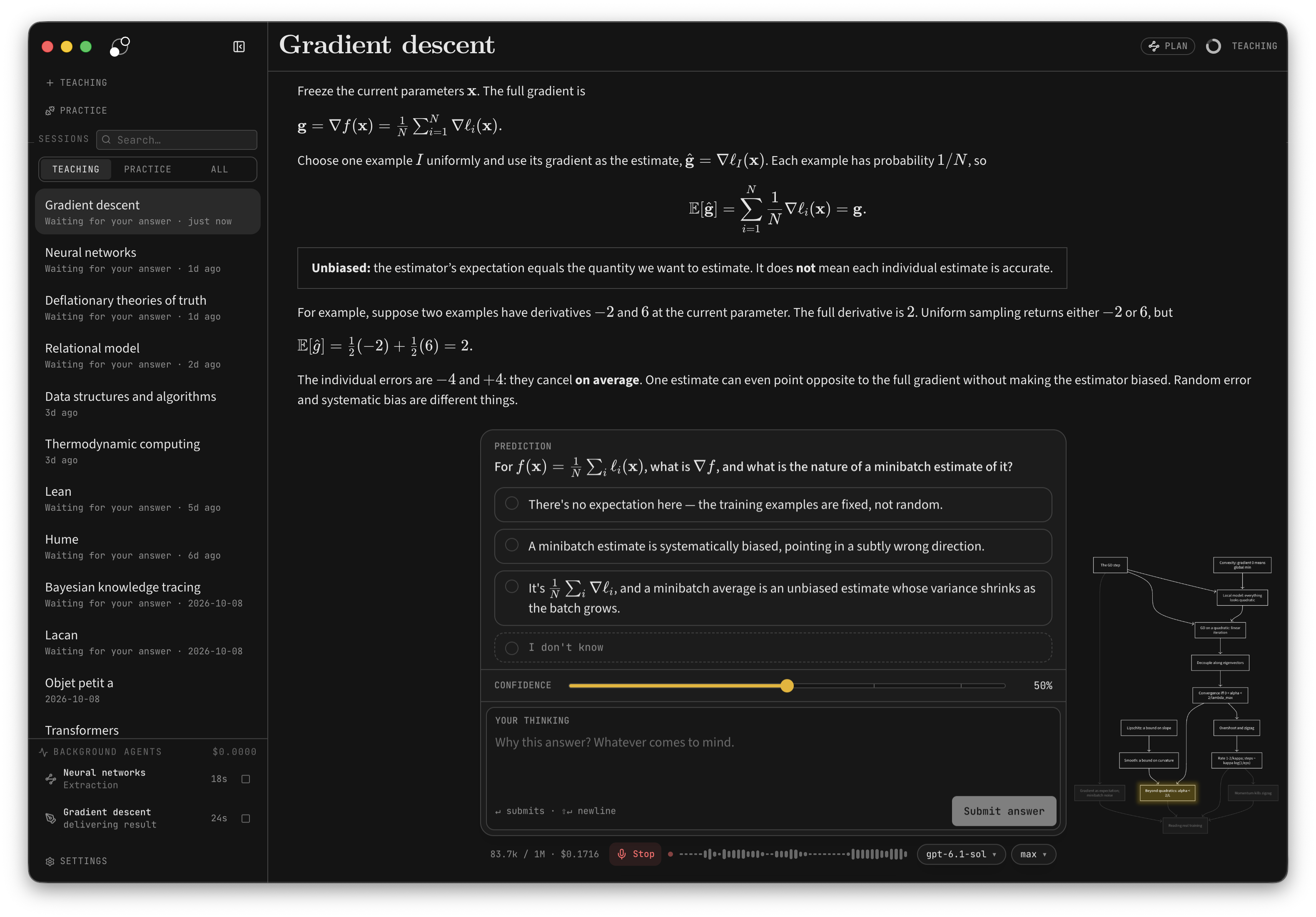
- Measure. Before teaching, the agent finds where your understanding ends on each part the lesson depends on. Your answers, confidence, and thinking show it where to start.
- Plan. It works out a dependency map from that starting point to your goal. You can see the plan, and the lesson adapts when your understanding turns out different.
- Teach. Each step builds on something you already understand. You predict, get an explanation, and check your understanding. Confusions are repaired before anything is built on them. The aim is for the goal to feel obviously true, not merely familiar.
- Practice. Separate sessions pose varied problems that require the right knowledge to come to mind without being named first. Problems and hints adapt to your reasoning.
Think out loud. The thinking fields let you explain your reasoning, uncertainties, and reactions in your own words. This is how the agent gets a detailed picture rather than just a record of right and wrong answers. You can type or use dictation.
Bring your files. In the desktop app, attach PDFs, photos, or any other file with the paperclip, or drag them in. The file stays where it is: the message carries its path, and the agent reads it from there.
The agent can also research questions in the background, create visual explanations, show your own images in the lesson and mark them up with arrows and labels, and build interactive demonstrations.
Knowledge that carries forward
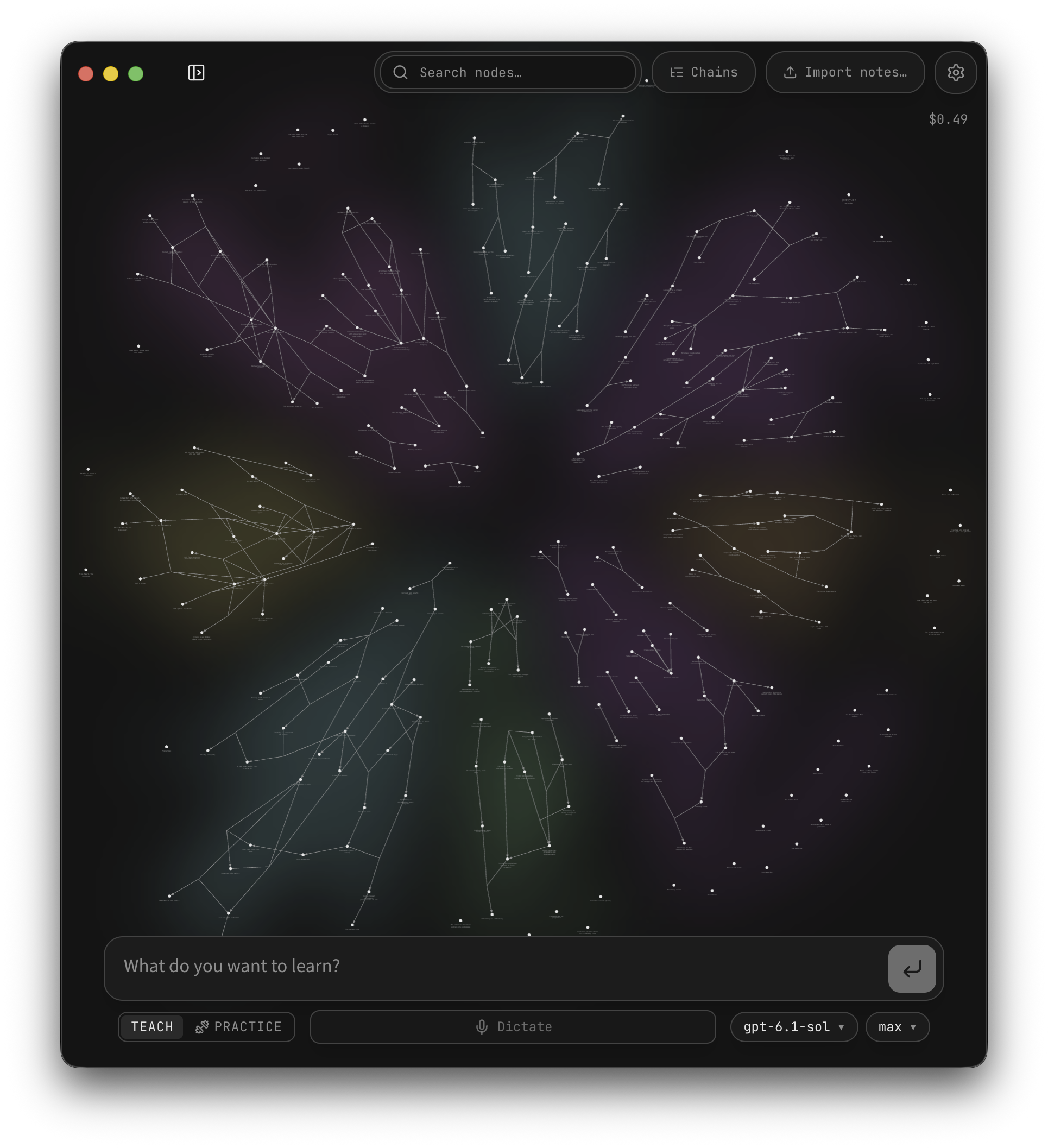
What you are taught accumulates as propositions and reasoning chains: individual claims and the premises that lead to them. The graph shows this structure, with links back to the source sessions. You can also import notes.
Future teaching sessions can read the graph instead of starting from scratch. Practice sessions can draw their material from it. It stores the ideas and their connections, not ratings of your ability.
Download and get started
Download from learnharness.ai · GitHub Releases
- macOS (Apple Silicon): signed and notarized DMG. Drag the app to Applications.
- Windows (x64): run the installer. It is currently unsigned; Windows may show an “unknown publisher” or SmartScreen warning.
- Linux (x64): make the AppImage executable and open it, or install the Debian/Ubuntu
.deb.
Choose your models, then start a session with what you want to understand. You can use provider API keys, supported subscription connections in the desktop app, an installed Claude Code CLI, or a custom OpenAI-compatible endpoint, including a local model server. Optional dictation and web search use separate service keys. Web research can use a Tavily, Brave, Exa, Firecrawl, or Ollama key in Settings → Providers → Search. Ollama search uses its hosted service, not a local model server.
See Getting started for model setup, dictation, files, and notes imports, and context, caching, and costs for advanced cache preferences.
All three platforms support in-app updates.
Your keys, your data
- Your keys and models. No LearnHarness subscription or markup. Billing depends on your provider, CLI configuration, subscription, or local setup. The live cost meter estimates known API costs, not subscription, CLI, or custom-endpoint charges.
- Local storage. Your chats, graph, settings, and API keys live on your machine. Learning records are plain files you can inspect.
- External services. Models run through your configured providers. Model requests send the context needed for the task; web research and dictation also contact external services. Local storage does not mean offline processing.
- Inspectable behavior. System prompts are visible and editable. The app is open source under the AGPL-3.0 license.
Development and support
npm ci
npm run dev        # http://localhost:3000
npm test           # fixtures and fake providers
See the documentation index for all guides, development for setup and checks, architecture for the runtime, keyboard shortcuts, and desktop builds and releases.
Questions, bug reports, and feature requests: GitHub Issues.
License
The app is free and open forever. If we ever charge for anything, it will be for convenience — managed keys, hosting — never for features you can run locally.
관련 프로젝트 살펴보기
sindresorhus/awesome
😎 온갖 흥미로운 주제에 관한 Awesome 목록 [참고: 기존 풀 리퀘스트를 따라잡을 여유가 생길 때까지 풀 리퀘스트가 일시적으로 비활성화되어 있습니다]
535,879 스타EbookFoundation/free-programming-books
:books: 무료로 이용할 수 있는 프로그래밍 도서
401,491 스타nilbuild/developer-roadmap
개발자의 커리어 성장을 돕는 인터랙티브 로드맵, 가이드 및 기타 교육 콘텐츠.
371,906 스타vinta/awesome-python
“Python으로 X를 하고 싶은데, 어떤 도구를 써야 할까?”에 답하는 결정판 목록.
334,299 스타