
alyssaxuu/carden
alyssaxuu/carden has 489 GitHub stars and 52 forks. GitHot measured 0 stars in 24 hours, -1 in 7 days, and -2 in 15 days. Last checked 2026-11-23 20:54 UTC. Last push 2022-06-17.
측정된 스타 증가
- in 24h
- 0
- in 7 days
- -1
- in 15 days
- -2
- in 1 month
- 기록 수집 중
서로 겹치는 기간의 순증가량이며 일별 합계가 아닙니다. 측정값이 없으면 비워 둡니다. 스타는 관심도를 나타내며 품질을 보장하지 않습니다.
소개
Flashcards with spaced repetition and gamification 🌱
학습README.md
OriginalCarden
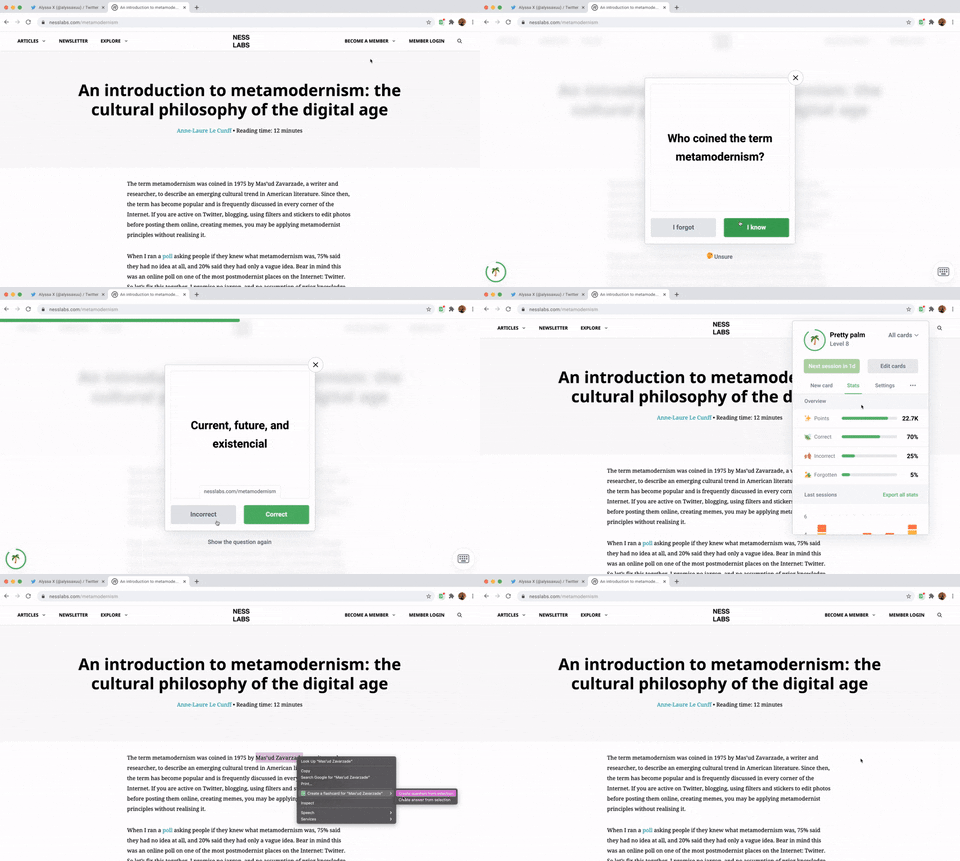
Flashcards with spaced repetition and gamification 🌱
Carden is a Chrome Extension that helps you turn the content you consume into long-term knowledge. Create flashcards in context, view in-depth stats, collect points and level up, and much more.
Made by Anne-Laure Le Cunff & Alyssa X

Table of contents
Features
🔬 Practice using spaced repetition based on the evidence-based SM2 algorithm
✏️ Create flashcards in context whenever you read something interesting
🗄️ Organize your flashcards into decks
🏆 Collect points and level up as you practice and grow your knowledge
🧩 Cross-compatible with apps like Anki, Quizlet, Brainscape, and more
📦 Import and export flashcards as .txt and .csv files
📊 View and download in-depth stats
...and much more!
Self-hosting Carden
You can run Carden locally without having to install it from the Chrome Store. Here's how:
- Download the code. In the web version of GitHub, you can do that by clicking the green "Code" button, and then "Download ZIP".
- Note that there's a server folder for the back-end. You will need to setup a server with a MySQL database.
- Add the appropriate credentials in config.php to access your database.
- Modify the access-control-allow-origin in all PHP files to allow requests from the extension (with its unique ID).
- Replace the POST URLs throughout the javascript files in the chrome-extension folder.
- Go to chrome://extensions/ in your browser, and enable developer mode.
- Drag the chrome-extension folder (make sure it's a folder and not a ZIP file, so unzip first), or click on the "Load unpacked" button and locate the folder.
- That's it, you will now be able to use Carden locally. Make sure you pin it on the toolbar by clicking the "puzzle" icon in the toolbar and pinning Carden.
Libraries used
- jQuery - for better event handling and DOM manipulation
- jQuery Nice Select - for better, more stylish dropdowns
- Chart.js - for rendering the chart for the stats
- ExtensionPay - for handling the yearly subscription
- Twemoji - for the cool emojis throughout the extension ✨
Feel free to reach out to me through email at [email protected] or on Twitter if you have any questions or feedback! Hope you find this useful 💜
관련 프로젝트 살펴보기
불러오는 중…