
alexandear/import-gitlab-commits
alexandear/import-gitlab-commits has 210 GitHub stars and 22 forks. Star changes are not measured yet. Last checked 2026-11-14 02:13 UTC. Last push 2026-11-03.
측정된 스타 증가
- in 24h
- 기록 수집 중
- in 7 days
- 기록 수집 중
- in 15 days
- 기록 수집 중
- in 1 month
- 기록 수집 중
서로 겹치는 기간의 순증가량이며 일별 합계가 아닙니다. 측정값이 없으면 비워 둡니다. 스타는 관심도를 나타내며 품질을 보장하지 않습니다.
소개
Import commits from a private GitLab repository in an anonymized way.
개발 도구README.md
OriginalImport GitLab Commits
This tool imports commits from a private GitLab repository to a separate repository. It can be used to showcase your programming activity for another company on GitHub.
Check out this informative blog post for a practical use case on how to import GitLab commits here.
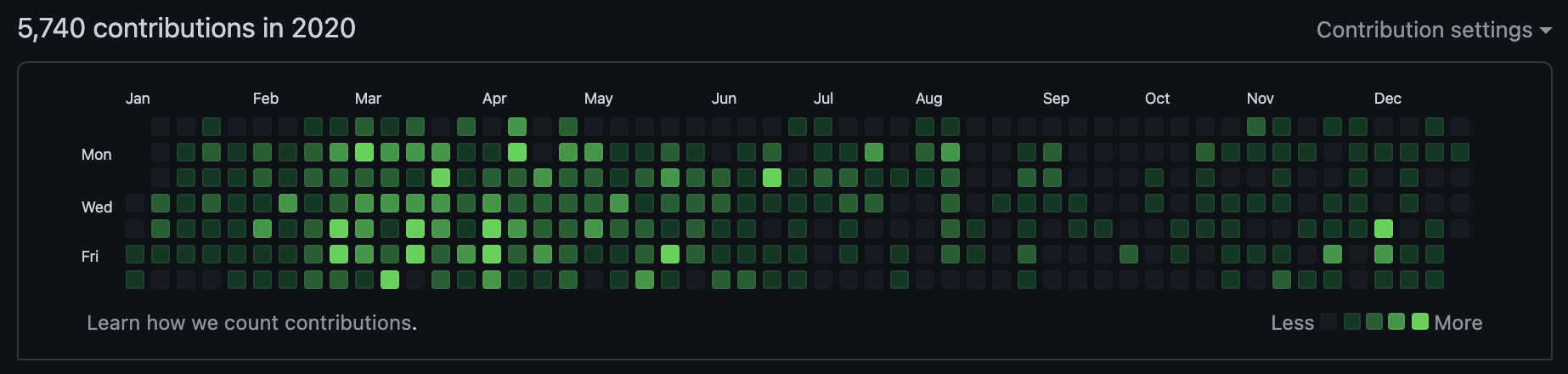
Why It's Useful
Contributions before running import-gitlab-commits:
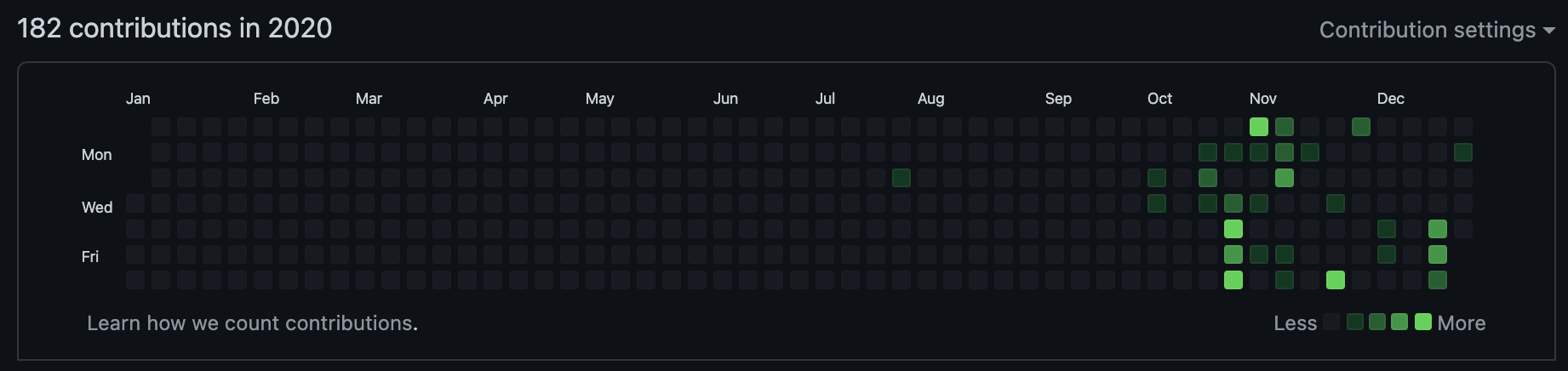
After:
Getting Started
You can run the tool with Docker or a native Go build.
Docker Usage
Docker Compose
Run the tool using Docker Compose:
Copy the environment variables template:
cp .env.example .envEdit
.envand configure your credentials.Build and run with Docker Compose:
docker compose up
The imported repository will be created in the output/ directory.
Plain Docker
Build:
docker build -t github.com/alexandear/import-gitlab-commits .
Run:
docker run --rm \
    -e GITLAB_BASE_URL="https://gitlab.com" \
    -e GITLAB_TOKEN="<your_gitlab_token>" \
    -e COMMITTER_NAME="John Doe" \
    -e COMMITTER_EMAIL="[email protected]" \
    -v $(pwd)/output:/root \
    github.com/alexandear/import-gitlab-commits
Using native Go build
Download and install Go.
Install the program by running the following command in a shell:
go install github.com/alexandear/import-gitlab-commits@latestSet environment variables and run
import-gitlab-commits:export GITLAB_BASE_URL=https://gitlab.com export GITLAB_TOKEN=<your_gitlab_token> export COMMITTER_NAME="John Doe" export [email protected] $(go env GOPATH)/bin/import-gitlab-commits
Where $(go env GOPATH)/bin/ is the path where import-gitlab-commits is installed.
Configuration
Configure the tool with these environment variables:
GITLAB_BASE_URL- a GitLab instance URL, e.g.,https://gitlab.com,https://gitlab.gnome.org, or any GitLab server.GITLAB_TOKEN- a personal access token with these scopes:read_api,read_user,read_repository.COMMITTER_NAME- your GitHub name with surname, e.g.,John Doe(can be passed togit config user.name).COMMITTER_EMAIL- your GitHub email, e.g.,[email protected](valid forgit config user.email).EXTRA_AUTHOR_EMAILS- comma-separated list of additional emails to match commits and project contributors against, besides the ones confirmed on the GitLab account (optional).
Internals
What the tool does:
- Retrieves current user info using
GITLAB_TOKEN. - Fetches projects from
GITLAB_BASE_URLthat the current user contributed to. - For all projects, fetches commits where the author's email matches the current user's email.
- Creates a new repository
repo.gitlab.yourcompany.com.currentusernameand commits all fetched commits with the message:Project: GITLAB_PROJECT_ID commit: GITLAB_COMMIT_HASH, commit dateGITLAB_COMMIT_DATE, and commit authorCOMMITTER_NAME <COMMITTER_EMAIL>.
To display the changes on GitHub, you need to:
- Create a new repository
yourcompany-contributionson GitHub. - Open the folder
repo.gitlab.yourcompany.com.currentusername. - Add the remote URL:
git remote add origin [email protected]:username/yourcompany-contributions.git. - Push the changes.
Integration Tests
To run integration tests:
Set the
GITLAB_TOKENenvironment variable with the value obtained at https://gitlab.com/-/user_settings/personal_access_tokens. Necessary scopes:read_apiread_userread_repository
Set
GITLAB_BASE_URLtohttps://gitlab.com.Run
make test-integration.