
agavrel/42_CheatSheet
agavrel/42_CheatSheet has 2,021 GitHub stars and 167 forks. GitHot measured 0 in 7 days. Last checked 2026-11-11 12:52 UTC. Last push 2026-06-21.
A comprehensive guide to 50 years of evolution of strict C programming, a tribute to Dennis Ritchie's language
측정된 스타 증가
- in 24h
- 업데이트 지연
- in 7 days
- 0
- in 15 days
- 기록 수집 중
- in 1 month
- 기록 수집 중
서로 겹치는 기간의 순증가량이며 일별 합계가 아닙니다. 측정값이 없으면 비워 둡니다. 스타는 관심도를 나타내며 품질을 보장하지 않습니다.
README.ko.md
Originalagavrel의 42 스쿨 치트시트
언어: 한국어 (이 문서) · English
:two_hearts: 42 동문, 재학생, 지원자를 위해 정리했습니다
진실은 한 곳에만 있다. 바로 코드 안에. – 로버트 C. 마틴, Clean Code: A Handbook of Agile Software Craftsmanship
엄격한 C가 반세기 동안 어떻게 쌓여 왔는지 짚는 길잡이이자, 데니스 리치의 언어에 바치는 작은 헌사입니다.
참고: 입학 단계 이름(Check-in / Meeting 등), Piscine 기간, 커리큘럼(예: 42Next)은 캠퍼스·연도마다 바뀝니다. 아래 42 관련 서술은 공개된 42 네트워크·각 캠퍼스 안내를 바탕으로 2026년 기준으로 다듬었으나, 최종 일정·규정은 지원하는 캠퍼스 공식 페이지를 따르세요.
목차
- 1. 흔한 초보 실수
- 0x00 ~ 배열 밖으로 나가기
- 0x01 ~ Segmentation fault
- 0x02 ~ Bus error
- 0x03 ~ Stack smashing
- 0x04 ~ 함수 인자로 받은 지역 변수 값 바꾸려는 시도
- 0x05 ~ 맨끝 없는 malloc
- 0x06 ~ 이미 free한 메모리 또 free
- 0x07 ~ 전역 변수 쓰지 말기
- 0x08 ~ 가변 길이 배열(VLA)
- 0x09 ~ 모든 함수에 ft_ 접두어 붙이기
- 0x0A ~ sequence point
- 0x0B ~ 읽기 전용 위치에 대입
- 0x0C ~ #define 매크로, 함부로 쓰지 않기
- 0x0D ~ float와 double 비교
- 0x0E ~ 포인터 잘못 쓰기
- 0x0F ~ undefined behavior
- 0x10 ~ 연산자 우선순위
NB: 키워드 찾을 땐 Ctrl+F (Mac은 Command+F).
42 스쿨에 대해
0x00 ~ 42 스쿨이 뭔가요
42는 단순히 파격적인 교육 모델이나 코딩 학교 이상입니다. 우리를 특별하게 하고 테크 업계에서 무게를 실어 주는 건 42 문화를 정의하는 여러 결이에요. 학생부터 커리큘럼 구조·내용, 수업료 0원과 참신한 입학 과정까지, 42의 모든 요소가 그 문화를 드러냅니다.
맞아요, 학교는 무료입니다. 원래 파리에서 관대한 **억만장자 자선가 자비에 니엘(Xavier Niel)**의 지원으로 세워졌죠.
이상한 건 내가 아니라 주변이다 ― 자비에 니엘
학교 이름 "42"는 더글러스 애덤스의 코미디 SF 시리즈 은하수를 여행하는 히치하이커를 위한 안내서(The Hitchhiker's Guide to the Galaxy)에 대한 오마주입니다.
42, 즉 생명·우주·그리고 모든 것에 대한 궁극의 질문에 대한 답
초컴퓨터는 이미 이런 함수를 갖고 있었죠:
#include <stdio.h>

#define true  1
#define false 0

int what_is_forty_two(void) {
    int n = true << 1 | false; // n = 0b10;
    while (__builtin_popcount(n) != 3) // stop when reaching 3 bits set
        n |= n << 2;  // n adds two empty bits with << 2 (x4) and add itself with |
    return (++n == '*') ? n : !!n * (n - 1); // you may simply return n;
}

int main(void) {
    char *question = "What is the answer to Life, the Universe and Everything?\n";
    printf("%sDeep Thought: %d\n", question, what_is_forty_two()); // %s print a string, and %d an integer
    return 0;
}
교수는 없고, 교육팀이 기물을 망가뜨리지 않게 돌보며 따라갈 커리큘럼(cursus) 뼈대를 제공합니다. 배우는 건 대부분 동료 평가(peer evaluation) 와 프로젝트 리뷰, 그리고 필요하면 RTFM으로 완성됩니다.

선발과 커리큘럼 초반은 대부분 C로 진행됩니다.
그래도 C의 기본 철학은 이거다. 프로그래머는 자기가 하는 일을 안다. 언어가 요구하는 건 그 의도를 분명히 써 달라는 것뿐이다. ― 브라이언 W. 커니핸, The C Programming Language
C는 조건 {if, else if, else}, 반복 {while, do while, for}, write 같은 시스템 콜, 포인터에서부터 함수 포인터, 메모리 할당까지, 프로그래밍의 바닥을 한 번에 잡아 주는 가장 ‘교과서적인’ 언어입니다.
나중엔 다른 언어로 갈라지기도 해요. 데이터·DevOps엔 Python, 프론트엔 자바스크립트, 금융 쪽 커리어엔 C# 같은 식으로요.
‘윈도우를 켜뜨리는 프로그램 짰어’라고 하면 사람들은 멍하니 쳐다보다가, ‘나도 OS에 끼워 준 거 있잖아, 공짜로’라고 한다. ― 리누스 토르발스
머글들이 우연히만 겪던 일을, 이제는 의도적으로 해낼 줄 알게 될 겁니다.
0x01 ~ 지원자용: "Piscine" 이야기
지옥을 걷고 있다면, 그냥 걸어 나가라. ― 윈스턴 처칠
Piscine은 입학 선발 과정으로, 보통 약 한 달(캠퍼스마다 26일 안팎 등) 동안 코딩에 몰입해 연습문제를 풀고, 솔로·그룹 프로젝트를 제출해 동료 평가를 받습니다. (일정·단계 이름은 캠퍼스마다 다를 수 있어요.)
프로젝트 하나, 시험 한 번, 하루를 망쳐도 상관없다. 포기만 않으면 된다. CS에 한 번도 흥미를 안 느꼈던 사람이 기한 안에 전부 끝내긴 어렵지만, 그게 곧바로 불합격을 뜻하진 않습니다.
:coffee: 합격 기준, 내가 읽어본 바
0x00 있는 그대로 와도 된다 … 아니면 그 멘트는 잊고, 친구 binary hacker가 모아 둔 깃허브 과제 모음으로 살짝 예열해도 좋고요.
0x01 시험 4번 중 실전 감각을 잡아 두세요. 앞의 3번은 “어디까지 갈 수 있는지”에 한계가 있어서, 세 번을 놓쳐도 크게 문제되진 않는 편이고, 제일 중요한 건 제가 보기엔 도달한 최고 난이도예요. 앞쪽 연습 4문제(36점) 정도는 확실히 먹고 들어가면 “통과권”에 가깝게 안심이 됩니다.
0x02 동료 평가 점수는 그럭저럭 받으면 됩니다(대략 80%면 충분한 것 같고, 사람 좋게 굴면 90~97%도 나와요). 너무 착한 척할 필요는 없고, vim 스왑 파일이나 .DS_Store로 동료를 괴롭히진 말자고요.
.DS_Store – macOS에서 폴더 아이콘 위치·배경 같은 메타를 저장하는 파일입니다. Finder로 만지면 생겨요.
0x03 로그인 시간은 별 영향 없다는 걸 봤어요. 줄곧 붙어 있으면서 농땡이 치다 떨어진 사람도 있고, 거의 안 와도 붙은 사람도 있죠. 다만 학교에 쏟는 시간이 실력과 주변 주제엔 분명 도움이 됩니다.
0x04 그룹 프로젝트는 최소 한 번 통과하는 걸 강하게 추천합니다. 첫 번째는 특히 쉬운 편이에요.
0x05 가장 도움 되고 똑똑한 사람에게 주는 특별 업적이 있습니다. 본인이 요청하기 전엔 프로필에 안 뜰 수도 있어요.
0x06 규칙을 숙지하세요. 한 줄에 선언+대입 금지, printf 금지, for 금지 같은 게 많습니다. 일일 과제는 Day+1 23시 42분(11:42:42) 전에 git에 올려야 한다는 식의 리듬도 익혀 두세요(캠퍼스·시기별로 다를 수 있음).
0x07 [남성 지원자에게] 썸 타느라 시간 태우지 마세요. 농담 섞인 문장이긴 한데, 지금은 그럴 때가 아니라는 건 진심입니다.
0x08 선발 기간엔 학교에서 잘 수도 있어요 — 비추합니다. 잠만 나빠져요. — 그래도 간다면 챙길 것: 치약·칫솔·비누·수건, 그리고 폰·충전기·매트리스. 카드도 있어야 하고, 안 가져오면 쿠키 10kg 들고 오든가요.
아무리 날이 서 있어도(매일 망하고 시험도 꼬여도) 열정과 기세만 안 꺾이면 결국은 통과합니다.
성공이란 열정을 잃지 않고 실패에서 실패로 비틀거리며 나아가는 것이다. ― 윈스턴 처칠
입시에 꼭 붙게 해 주는 영상을 만들어 뒀습니다 (원문 링크 그대로 — 인터넷 밈입니다.)
:star: 챙겨 갈 것들
수건은 엉망을 닦고 몸을 말리는 데 쓰인다. 불 붙이면 무기가 되고, 적을 쫓거나 조난 신호로도 쓸 수 있다. 인생은 지저분하고 위험할 때가 있고, 우주는 더하다. 아서 덴트처럼 수건을 잊지 마라. ― 히치하이커 히어로 아서 덴트에게서 배운 인생 교훈 17가지
:sleeping_bed: 매트리스(또는 그에 맞는 것)와 베개
:electric_plug: 폰 충전기
:iphone: 폰
:droplet: 치약·칫솔
:bathtub: 비누와 수건 2~4장
:money_mouth_face: 신용카드
:heart: 휴지
0x02 ~ 간단한 C 프로그램 짜기
시작이 반이다 ― 옛말에, 시작이 반이라 했다.
먼저 PC에 C 컴파일러 깔기
- Windows는 조금 귀찮고, MinGW 같은 걸 깔아야 합니다.
- Linux는 보통 이미 있고, 없으면
apt-get으로 금방입니다. - Mac도 비슷한 난이도 — “맥에 gcc clang 설치” 정도로 검색해 보세요.
C 자료형
자주 쓰는 것만 짚을게요.
| 자료형 | 바이트 | 설명 |
|---|---|---|
| char | 1 | 문자 |
| bool | 1 | 참/거짓. <stdbool.h> 필요 |
| short | 2 | int의 절반 크기, 메모리 아낄 때 |
| int | 4 | 반복문 카운터, 정수 연산 |
| long | 8 | int의 두 배, 오버플로가 걱정될 때 |
| float | 4 | 그래픽 등 |
| double | 8 | 그래픽 등, float보다 정밀하지만 더 큼 |
| unsigned | . | char·short·int·long에 붙이면 음수 없음 |
이제 libc에 있는 기본 함수들을 직접 다시 짜 보는 연습을 해 보세요.
포인터(pointers)
C에서 빼놓을 수 없는 개념입니다.
RAM을 길게 이어 붙인 바이트 띠라고 상상해 보세요. **int a = 5**처럼 순진하게 선언·대입할 때마다, 그 값은 int 크기인 4바이트에 기록됩니다.
그 위치는 stack(빠른 쪽, 할당 없을 때)이거나, 할당이 있으면 더 깊은 heap 쪽 주소가 됩니다. 그리고 그 주소 자체도 또 하나의 값이에요.
포인터(값을 가리키는 주소)와 값 자체의 차이를 보여 주는 예:
#include <stdio.h>

int main(void) {
	int a = 5;	// declaring an integer variable and assigning the value of 5
	int *ptr;	// declaring a pointer to integer
	int b;		// declaring an integer variable
    printf("ptr's value: %2d, ptr's address: %p\n\n", *ptr, ptr);

	ptr = &a;	// pointer ptr points to what is stored at the memory address of variable a
	b = a;		// b will take the value and not the address
	a = 42;		// b is still equal to 5, but ptr will return 42, which is the value now stored at a's location;
	printf("  a's value: %2d,   a's address: %p\n", a, &a);
	printf("ptr's value: %2d, ptr's address: %p\n", *ptr, ptr); // you will get the same as above, notice that you have to dereference the pointer with * to get the value, and using the pointer alone (ptr) will give you the memory address.
	printf("  b's value: %2d,   b's address: %p\n", b, &b);
	//printf("Size of ptr: %zu\n", sizeof(ptr)); // size of ptr in bytes, 8 on my system.
	return 0;
}
You will get this kind of output:
ptr's value:  1, ptr's address: 0x7ffd99493000

  a's value: 42,   a's address: 0x7ffd99492f08
ptr's value: 42, ptr's address: 0x7ffd99492f08  <-- they now match thanks to ptr = &a
  b's value:  5,   b's address: 0x7ffd99492f0c
NB: 두 번째 printf 이후에는 a와 같은 값이 나옵니다. 값을 보려면 포인터를 *로 역참조하고, ptr만 쓰면 메모리 주소가 나온다는 점을 기억하세요.
Endianness
시스템마다 값이 메모리에 깔리는 방식이 다릅니다.
Little endian은 낮은 바이트가 앞쪽 주소에 오는 식이고, big endian은 반대로 높은 바이트가 앞에 옵니다.
little endian:

       higher memory
          ----->
    +----+----+----+----+
    |0x09|0x00|0x00|0x00|
    +----+----+----+----+
    |
   &x = 0xff


big endian:
    +----+----+----+----+
    |0x00|0x00|0x00|0x09|
    +----+----+----+----+
    |
   &x
big / little을 가려내려면 이런 코드를 쓸 수 있습니다.
int x = 9;

if (*(char *)&x == 0x09) // x를 바이트로 보고 맨 앞 바이트만 꺼낸다. 9면 little endian 쪽.
ft_putchar
초보를 잠깐 헷갈리게 하는 미니멀한 C 예제. a.c에 저장하고 gcc a.c && ./a.out으로 a.out을 만드세요.
아래는 write(2)로 문자 하나를 찍습니다.
#include <unistd.h>

void	ft_putchar(char c) // void because the function does not return any value, it writes directly, char is the type of the variable c that is given as parameter to the function ft_putchar by the main function.
{
	write(1, &c, 1);			// ssize_t write(int fd, const void *buf, size_t count); or in human language: write count letters of buf (which is a pointer) to fd (if fd = 1 this is your terminal, stdout)
}

int	main(void) {
	ft_putchar(42);				// will print a star
	// ft_putchar(42 + '0');	// will only print 4
	// ft_putchar("4");			// will not work, you are using " instead of ', so C language think it is a char array.
	return 0;
}
문자 하나가 익숙해지면, 이어 붙인 글자들의 길이를 돌려주는 string을 만들어 보세요.
ft_strlen
#include <unistd.h>

int		ft_strlen(char *str) {
	int i = 0;					// set variable i to 0
	while (str[i] != '\0')		// while the char array does not reach a NULL character
		i++;					// increment i, equivalent of i = i + 1;

	return i;					// return i variable to the caller function
}

int main(void) {
	int i = ft_strlen("Duck Tales");	// declare i, call the function ft_strlen, and assign its output to i
	printf("%d", i); // remember that it is forbidden to submit a function with printf during the Piscine
	return 0;
}
NB: Piscine 제출물에 printf를 섞어 넣는 건 금지라는 점, 잊지 마세요.
ft_putstr
이번엔 libc의 puts를 흉내 내서 문자열 전체를 출력해 봅니다.
#include <stdio.h> // header for puts

int main(void) {
	puts("Duck Tales");
	return 0;
}
문자열은 널로 끝나니까, 인덱스를 0에서 키우며 \0 전까지 write를 돌리면 됩니다.
#include <unistd.h>

void	ft_putstr(char *str) {
	int i = 0;

	while(str[i] != '\0')
		write(1, &str[i++], 1);
}
main은 이렇게만 바꿔 주면 됩니다.
int main(void) {
	ft_putstr("Duck Tales");
	return 0;
}
반환값이 없으니(void) 인덱스 대신 포인터만 밀어 가도 됩니다.
#include <unistd.h>

void	ft_putstr(char *str) {
	while(*str)
		write(1, str++, 1);
}
아니면 길이를 한 번에 구해 write 한 방으로 보내서, 비싼 시스템 콜(write) 호출 횟수를 줄일 수도 있습니다.
void	ft_putstr(char *str) {
	write(1, str, ft_strlen(str));
}
*NB: ft_strlen은 같은 파일에 있어야 하고, 이 함수 위쪽에 두어야 컴파일이 됩니다.*
이제 C 자료형, 포인터, **배열**을 시간 들여 이해하세요. 지금까지 쓴 게 전부이고, 앞으로는 더 복잡해집니다.
0x03 ~ 42 프로젝트 가이드
본인이 재밌다고 느끼는 걸 하라. 가치 있다고 믿는 걸 하라. 안 그러면 어차피 잘 안 된다. ― 브라이언 W. 커니핸
참고: 아래 표의 프로젝트 이름·트랙은 구 커리큘럼 기준 예시입니다. 최신 cursus(예: 42Next)와 캠퍼스별 필수 과제는 공식 인트라를 확인하세요.
| 이름 | 트랙 | 해시태그 | 배우는 것 |
|---|---|---|---|
| Fillit | General | Architecture, Parsing, Algo | Description from a student |
| Printf | Algorithm | Architecture, Parsing, utf-8 | UTF-8 Conversion table Variadic Function |
| Filler | Algorithm | Parsing, Algo, Bot | 42 포럼에 좋은 글이 많음 |
| Lem-In | Algorithm | Parsing, Algo, Chained-Lists | Dijkstra's algorithm |
| Corewar | Algorithm | Architecture, parsing, disassembler, virus, VM | About the original Game |
| LS | System | Parsing, Recursion, Chained-Lists | The Good Old Manual |
| Minishell | System | Environment Variables, Shell | Bourne Shell |
| Malloc | System | Algo, Memory, HashCollision | The Good Old Manual |
| FDF | Computer Graphics | Parsing, Creativity | Bresenham's line algorithm, Use of Graphics Library, Trigonometry, Rotations, 3D Projection, ARGB Color Space |
| Fractol | Computer Graphics | Fractals, Mathematics, ARGB, HUV | Mandelbrot Set |
| Cube3d - Wolf3d | Computer Graphics | Ray Casting, Rotation | About the original Wolfenstein 3d |
| NmOtool | System | Symbol Table, .dll .so | Implement List the symbols in a .so file |
| LibftAsm | System | x86 Assembly Instructions | Refer to the Intel Bible |
| RT | Computer Graphics | Ray Tracing | 조명 다각형 씬 만들기 |
| Scop | Computer Graphics | Shading | 셰이더 작성 |
| Particles System | Computer Graphics | Graphics Effects | “흐릿한” 현상 시뮬레이션 |
0x04 ~ 길 고르기
하루도 안 떠올릴 수 없는 걸, 포기하지 마라. ― 윈스턴 처칠
전공(트랙) 고르는 법
큰 줄기는 네 가지 정도로 보면 됩니다: Infographics(그래픽·게임 쪽에 가깝게 쓰인 표현), Algorithms, System, Web.
(실제 캠퍼스의 트랙 이름·구성은 다를 수 있어요.)
- 게임 업계를 노리고 수학을 좋아하면 Infographics 쪽을 보세요. 험한 길이고 다른 트랙만큼 “보상감”이 오는 건 아닐 수도 있지만, 게임 쪽으로 갈 통행권에 가깝습니다.
- Algorithm 트랙은 (과거 기준으로) 파싱을 빈틈없이 하는 쪽이 강조됐고, 알고리즘 자체의 우아함은 그다지였다는 말도 있습니다. 다만 교육 쪽 인사 변화 등으로 똑똑한 알고리즘을 더 인정하는 방향으로 움직이기도 했고요. 구글 같은 데 가고 싶다면 여기가 무난한 출발점입니다.
- System은 보안·네트워크·“컴퓨터가 진짜로 어떻게 도는지”를 좋아하면 최고입니다. 결국 OS를 직접 짜 보게 되니까요.
- Web은 사이트·(React Native 같은) 모바일까지 손대고 프리랜서 쪽을 생각하면 잘 맞습니다.
0x05 ~ norminette와 우회술 truander la norme
while 루프
25줄 제한? 문제 없지:
int draw_lines(int len) { // NB: len is positive or equal to 0
	int i;

	i = 0;
	while (i < len)
	{
		puts("Looping"); // NB: you will have to use your own function, ft_putstr, of course
		draw_lines(i);
		i++;
	}
}
원래 9줄
int draw_lines(int len) {
	int i;

	i = -1;
	while (++i < len && puts("Looping"))
		draw_lines(i);
}
지금 5줄
int draw_lines(int len) {
	while (--len >= 0 && puts("Looping")) // it works
		draw_lines(len); // NB: 역방향이 알고리즘에 영향 없는지 확인
}
2줄
int draw_lines(int len, int i) { // 0부터 len까지 꼭 돌려야 하면 i를 인자로 넘기는 꼼수(-1부터)
	while (++i < len && puts("Looping"))
		draw_lines(i);
}
2줄, 프로토타입까지 건드림(추천하진 않음)
if 중괄호
if (true)
{
	func1();
	func2();
}
5 lines
if (true)
	func1();
if (true)
	func2();
4 lines
NB: 이런 요령은 성능을 깎아 먹을 수도 있습니다. 위 예에선 분기(branch)가 if 하나 대신 두 번 돌고, while 예시는 -1 초기화랑 while 안의 puts 때문에 읽기도 어려워집니다.
컬러풀한 usage
int	usage(void)
{
	static char usage_str[] =

	GREEN"philo_one\n"RESET
	"Simulation of the philosopher.\n\n"
	YELLOW"USAGE:\n    "RESET
	GREEN"philo_one "RESET
	"number_of_philosopher time_to_die time_to_eat "
	"time_to_sleep [number_of_time_each_philosophers_must_eat]\n\n"
	YELLOW"ARGS:\n    "RESET
	"All args must be positive integer\n";
	ft_putstr_fd(usage_str, 1);
	return (1);
}
함수 포인터
void			listen_keystroke(t_dlist **lst)
{
	char		buffer[8];
	int			el;
	static void	(*f[])(t_dlist **lst) = { lst_validate, lst_del_one,
		lst_del_one, lst_move_left, lst_move_right, lst_move_up,
		lst_move_down, lst_select, lst_esc, lst_void_ret};

	ft_memset(buffer, 0, 8);
	while (read(0, buffer, 8) != -1)
	{
		el = ft_chrmatch(buffer);
		f[el](lst);
		render(find_first(lst), 0);
		ft_memset(buffer, 0, 8);
	}
}
0x06 ~ 불가능은 C에 없다
음수 인덱스 배열
#include <limits.h>	// INT_MAX
#include <stdio.h>	// printf

int main(void) {
	int x[2001];
	int *y = &x[1000];

	(void)x;
	y[-10] = 5;
	printf("%d\n", y[-10]);
}
그냥 포인터 짓거리다
아시나요? array[index] 대신 index[array]도 됩니다.
int ft_strlen(char *str) {
	int i = 0;
	while (i[str])
		++i;

	return i;
}
컴파일러는 이걸 포인터 연산으로 이렇게 읽거든요:
int ft_strlen(char *str) {
	int i = 0;
	while (*(str+i))
		++i;

	return i;
}
함수 이름·파일 이름·줄 번호까지
__FILE__, __FUNCTION__, __LINE__ 매크로는 사용자·개발자 모두에게 뜻 있는 에러 메시지를 뿌릴 때 요긴합니다.
#include <stdbool.h>	// bool
#include <unistd.h>		// write
#include <stdlib.h>		// malloc
#include <string.h>		// strlen
#include <stdarg.h>		// va_list

bool	ft_error_va(char *errmsg, ...) {
	va_list		args;
	char		*arg = errmsg;

	write(2, errmsg, strlen(errmsg));
	va_start(args, errmsg);
	while (arg = va_arg(args, char*)) {
		write(2, arg, strlen(arg));
	}
	write(2, "\n", 1);
	va_end(args);
	return false;
}

char	*ft_itoa(int n);

bool	ft_error(char *errmsg, char *file, const char *function, int line) {
	 return ft_error_va(errmsg, "File: ", __FILE__,  ", in function ", \
	 (char *)function, ", line ", ft_itoa(line), NULL);
}


bool	dummy_function(void) {
	 if (3 != 2)
	 	return ft_error("Error with 3 != 2: ", __FILE__, __FUNCTION__, __LINE__);
}

int			main(void) {
	if (!dummy_function())
		return 1;
	return 0;
}

char	*ft_itoa(int n)
{
	char	*s;
	long	tmp;
	int		length;

	tmp = n;
	length = (n <= 0 ? 2 : 1);
	while (n && ++length)
		n /= 10;
	if (!(s = (char *)malloc(sizeof(char) * length)))
		return (NULL);
	s[--length] = '\0';
	if (tmp <= 0)
		s[0] = (tmp < 0 ? '-' : '0');
	while (tmp)
	{
		s[--length] = (tmp < 0 ? -tmp : tmp) % 10 + '0';
		tmp /= 10;
	}
	return (s);
}
가변 인자(variadic)가 뭔지 모르겠다면 #include <stdarg.h>부터 보고, 제 ft_printf 구현도 참고해 보세요.
memset / bzero 없이 struct를 0으로
둘 중 하나면 됩니다.
t_mystruct mystruct = {};
한 줄에 선언+대입이 금지된 Norminette를 맞추려면:
t_mystruct mystruct;
mystruct = (t_mystruct){};
:fire: 흔한 초보 실수
경험이란, 사람들이 제 실수에 붙이는 이름이다 – 오스카 와일드
0x00 ~ 배열 밖으로 나가기
C에서 배열 인덱스는 0부터입니다. 배열에 대해 경계 검사를 해 주지 않기 때문에, 스택에 잡힌 배열 밖을 읽으면 그냥 이미 잡혀 있는 스택의 다른 구역을 건드립니다. 예를 들면:
#include <stdio.h>

void    somefunction3(void)
{
    int a[5] = {1,3,5,7,9};
    printf("%d\n", a[5]);
}
여기서 5는 배열 크기라서 a[5]로 접근하면 한 칸 밖입니다. 접근할 수 있는 최댓값은 크기 − 1이라는 걸 잊지 마세요.
가능하면 const로 길이를 박아 두고 돌리세요.
#include <stdio.h>

void    somefunction3(void)
{
	const int len = 5;
	int a[len] = {1,3,5,7,9};
	for (int i = 0; i < len; i++) // safe
		printf("%d\n", a[i]);
}
0x01 ~ Segmentation fault
버그 없는 프로그램을 짜는 방법은 둘인데, 실제로 통하는 건 셋째다 – 앨런 J. 펄리스
원인은 한두 가지가 아닙니다…
루프에서 터지는 segfault
흔한 실수는 반복문을 짜 놓고:
카운터를 안 올린 경우
int i = 0;

while (i < 10)
{
	write(1, &i + '0', 1);
	// but where is i++ ?
}
제대로 된 예
int i = 0;

while (i < 10)
{
	write(1, &i + '0', 1);
    	i++;
}
탈출 조건을 잊은 경우
int somevariable = 0;
	while (42) // 항상 참! 평생 42다 ;)
{
    // 어떤 처리를 해도 somevariable이 1이 되지 않는다면
    if (somevariable == 1) // 언젠가 1이 되게 만들 것
        break ;
}
비교가 아니라 대입 =만 쓴 경우
#include <stdio.h>

int main(void) {
	unsigned int x = 10;

	while (--x != 0)
	{
		printf("0 0 0 1 0 1 0 1 0 ");
		if (x = 1) {			// oopsie !!
			printf("* ");
			x--;
		}
	}
	return 0;
}
PS: 이 코드 고칠 수 있겠어요?
리스트에서도 클래식합니다: 반복문이 돌아가려면 꼭 필요한 조건이 있는데, 비교 대신 대입을 써 버린 경우예요.
int i = 0;

while (list)
{
    if (list = NULL) // You want to use if (list == NULL)
        return i;
    i++;
    list=list->next;
}
return -1; // will always return -1
퀴즈: 이 루프는 뭘 출력할까?
unsigned char c = 0;

while (c < 150)
{
	write(1, &c, 1);
	c++;
}
Talk is cheap. Show me the code ― Linus Torvalds
연결 리스트에서 지금 노드를 안 보고 next만 보려는 경우
연결 리스트 예시 하나 더.
typedef struct  s_list {
      void      *data;
      t_list    *next;
 }              t_list;

/*
** function to go 2 links further in a chained-list
*/

void somefunction(t_list *list)
{
    if (list->next != NULL)
    {
        list = list->next->next;
    }
}
지금 노드가 NULL인데 next부터 만지면 segfault입니다. 현재 노드 → 다음 노드 순으로 검사하세요.
void somefunction(t_list *list)
{
    if (list && list->next) // if both list and list->next exist
        list = list->next->next;
}
그래픽·보드게임 루프에서 인덱스를 함부로 쓰는 경우
int somefunction(int y_max, int x_max, int array[y_max][x_max]);
{
    int y;
    int x;

    y  = 0;
    while (y < y_max)
    {
        x = 0;
        while (x < x_max)
        {
            if (array[y][x-1] > array[y][x]) // x=0이면 위험하지 않나요?
                array[y][x] = array[y][x-1];
            if (array[y+1][x] > array[y][x]) // y가 맨 아래일 때는요?
                array[y][x] = array[y+1][x];
        }

    }
}
이렇게 고치는 게 안전합니다.
if (x > 0 && array[y][x-1] > array[y][x])
if (y < y_max - 1 && array[y+1][x] > array[y][x]) // 마지막 행 인덱스는 y_max - 1
// y <= y_max - 2 로 쓸 수도 있음
둘 중 하나의 if만 검사해도 된다면, x의 시작값이나 y 루프의 종료 조건을 조정해 경계를 더 타이트하게 만들 수도 있습니다.
x = 1;
while (y < y_max - 1)
또 다른 예 (인덱스가 배열 밖으로 튀는 전형적인 패턴)
int main(void) {
	const int x_max = 3;
	const int y_max = 3;
	int a[y_max][x_max];

	for (int y = 0; y < y_max; y++)
    	for (int x = 0; x < x_max; x++)
			a[y+6][x] = x + y;
}
0x02 ~ Bus error
CPU가 요청한 메모리 접근을 시도조차 못할 때 납니다. 정렬(alignment) 요구를 만족하지 않는 주소를 건드리는 식이죠.
int main(void) {
	const int x_max = 3;
	const int y_max = 3;
	int a[y_max][x_max];

	for (int y = 0; y < y_max; y++)
    	for (int x = 0; x < x_max; x++)
			a[y][x] = a[x] + a[y];
}
0x03 ~ Stack smashing
아래 추천 도서 중 Aleph One 글을 보면, 이런 “오류”를 어떻게 활용하는지도 나옵니다.
int main(void) {
	const int x_max = 3;
	const int y_max = 3;
	int a[y_max][x_max];

	for (int y = 0; y < y_max; y++)
    	for (int x = 0; x < x_max; x++)
        	a[y][x] = x + y;

	for (int y = 0; y < y_max; y++) {
    	for (int x = 0; x < x_max; x++) {
        	a[y+6][x] += a[y][x];
    	}
	}
}
0x04 ~ 함수 인자로 받은 지역 변수 값을 바꾸려는 시도
지역 변수는 stack에 잡히고, 함수를 빠져나오면 정리됩니다.
소용없는 값 바꾸기
void increment_a(int a)
{
    a++; // 호출한 쪽의 a에는 영향 없음
}

int solve(void)
{
    int a = 5;

    increment_a(a);
}
제대로 값 바꾸기
값을 바꾸고 싶다면 주소를 넘기거나,
void increment_a(int *a)
{
    *a++;
}

int solve(void)
{
    int a = 5;

    increment_a(&a);
}
아니면 바뀐 값을 return해야 합니다.
int increment_a(int a)
{
    return a + 1;
}

int solve(void)
{
    int a = 5;

    a = increment_a(a);
}
0x05 ~ 맨끝 없는 malloc
malloc을 맨몸으로 두지 마세요.
int allocate_memory(void)
{
    int *matrix;

    matrix = malloc(sizeof(int) * 9))

    return matrix;
}

int somefunction(void)
{
	int *matrix;

	matrix = allocate_memory();
}
malloc 호출과 그 반환값 둘 다 지켜야 합니다.
피호출 함수(callee) 안에서만 NULL 체크하고, 호출자(caller)에서 반환 포인터를 또 확인하지 않으면 소용없습니다.
int allocate_memory(void)
{
	int *matrix;

	if (!(matrix = malloc(sizeof(int) * 9))) // matrix = malloc(...); if (matrix == NULL) 축약
		return NULL;   // 여기선 malloc이 보호됨

	return matrix;
}

int somefunction(void)
{
	int *matrix;

	if ((matrix = allocate_memory()) == NULL) // 반환값도 여기서 보호
        	exit(); // 실무에선 exit() 대신 위로 return 전파하는 편이 많습니다.
	free(matrix);
}
0x06 ~ 이미 free한 메모리 또 free
앞 예에서 matrix가 더 이상 필요 없으면 free하면 됩니다.
다만 두 번 free하거나, stack에 있는 변수를 free하려 들면 안 됩니다.
int main(void) {
	int *matrix;

	if (!(matrix = malloc(sizeof(int) * 9)))
		return 1; // NB: main에서 1을 돌리는 건 예외적으로 “에러” 의미로 쓴 것
	free(matrix); // OK
	free(matrix) // 금지

	return 0; // 0이면 정상 종료
}
0x07 ~ 전역 변수 쓰지 말기
"이론과 실전이 부딪히면, 매번 이론이 진다." ― 리누스 토르발스
42에서는 예외 없이 전역 변수가 금지인 경우가 많습니다. 전역 변수가 왜 곱씹어볼 만한지도 읽어 보세요.
그래도 학생들(저 포함)은 꼼수를 찾곤 합니다: 헤더에 모든 상태를 담는 struct를 선언해 두고요.
"나쁜 코드에 주석 달지 말고 다시 써라." ― 브라이언 W. 커니핸, The Elements of Programming Style
typedef struct s_env
{
    int a;
    int b;
    int c[4];
    // ... other variables you may need
}           t_env;
그리고 프로그램에서는 이렇게 돌려 줍니다.
void somefunction2(t_env *env)
{
    env->b = 2;
}

void somefunction(t_env *env)
{
    env->a = 1;

    somefunction2(env);
}

int main(void)
{
    t_env env;

    somefunction(&env);

    printf("%d\n", env.a);
    printf("%d\n", env.b);
}
42 규정상 “전역”은 아니니까(함수에 struct 포인터로 넘기니) 겉으로는 합법이고, 돌아가긴 합니다. 하지만 설계로는 꽤 별로입니다. 초반엔 그럴 수 있어도, 실력이 붙으면 더 낫게 쪼개 보세요.
0x08 ~ 가변 길이 배열(VLA)
아래는 VLA인데, 여러 이유로 피하는 게 좋습니다. 특히 메모리가 크기 제한 있는 stack에 잡힌다는 점이 치명적이에요.
int somefunction(int y, int x, int array[y][x]);
동료: “와 filler 왜 이렇게 빨라요!”
나: “그래요?” (norm에 안 맞는 걸 어떻게 말하지… :D)
0x09 ~ 모든 함수에 ft_ 붙이기
*ft_*는 여러 프로젝트에서 재사용할 함수(개인 라이브러리 libft에 넣을 것들)에만 붙이세요. 과제 전용 함수까지 전부 ft_면 의미가 흐려집니다.
0x0A ~ sequence point
#include <unistd.h>

int main()
{
	int i = 0;
	i = (i++);
	write(1, &i + '0', 1);

	return 0;
}
뭐가 찍힐지 한번 맞혀 보세요.
0x0B ~ 읽기 전용 위치에 대입
int main()
{
	const char s[20] = "hello world";
	*s = 'a';
	s[0] = 'b';

	return 0;
}
const로 잠가 둔 건 바꿀 수 없습니다.
OXOC ~ #define 매크로, 함부로 쓰지 않기
#include <stdio.h>

#define MAX(a,b)	a > b ? a : b

int main(void) {
	int a = 5;
	int b = 42;
	int c = 40 +  MAX(a,b);

	printf("%d\n", c);
	return 0;
}
이건 5가 나옵니다. 컴파일러가 이렇게 읽거든요:
int main(void) {
	int a = 5;
	int b = 42;
	int c = 40 + 5 > 42 ? 5 : 42; // 40+5=45, 45>42 이면 c=5 아니면 42
	...
}
맞게 쓰려면 #define을 괄호로 감싸 의도한 순서로 평가되게 하세요.
#define MAX(a,b) (a > b ? a : b)
그래도 애초에 함수처럼 동작하는 매크로는 가능한 피하는 게 좋습니다. 매크로 이름·const 값은 대문자로 쓰는 관례도 기억해 두고요.
0x0D ~ float와 double 비교
#include <stdio.h>

int main(void) {
	double d = 1.1;
	float f = 1.1;

	if (f != d)
		puts("float and double are different\n");
	if (f != 1.1)
		puts("Do not compare a float to an integer value\n");
	if (d == 1.1)
		puts("But that's okay for a double\n");
	if (f == 1.1f)  // note the extra 'f' at the end
		puts("This is how you compare a float to a float value\n");

	return 0;
}
둘은 비트 표현이 다릅니다. 더 파고들려면 위키나 아래 영상을 보세요.
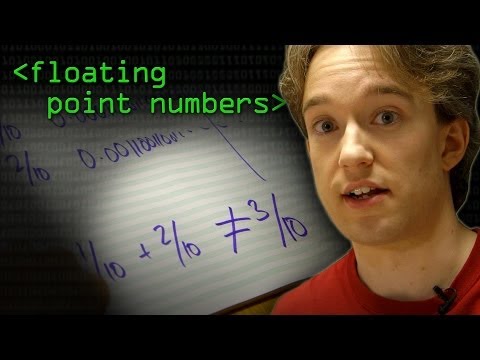
0x0E ~ 포인터 잘못 쓰기
포인터는 “그 변수 값이 놓인 메모리 주소”입니다.
ft_swap 예시로 볼게요.
잘못된 예
void ft_swap(int *a, int *b)
{
	int *tmp;

	*tmp = *a;
	*a = *b;
	*b = *tmp;
}
여긴 segfault입니다. tmp를 포인터로만 선언해 놓고 역참조했거든요. 임시로 담을 건 값이어야 합니다.
제대로 된 예
void ft_swap(int *a, int *b)
{
	int tmp;

	tmp = *a;
	*a = *b;
	*b = tmp;
}
다른 변수 없이 스왑
void ft_swap(int *a, int *b)
{
	*a ^= *b;		// (1) a = a ^ b
	*b ^= *a;		// (2) b = b ^ (a ^ b) = a
	*a ^= *b;		// (3) a = (a ^ b) ^ a  = b  // a was set to a^b (1) and b became a (2)

}
NB: 같은 값으로 XOR 두 번 하면 0이 됩니다. a ^= a;는 a = 0;과 같습니다.
더 보고 싶다면 비트 연산 모음으로.
위 함수들 테스트용 main
#include <stdio.h>

int main(void)
{
	int a = 5;
	int b = 42;

	printf("a: %d \t b: %d\n", a, b);
	ft_swap(&a, &b);
	printf("a: %d \t b: %d\n", a, b);
	return 0;
}
0x0F ~ undefined behavior
UB란, 결과가 먼 나라에서 천산갑이 재채기할지 말지만큼 예측 불가하다는 뜻에 가깝습니다. 프로그램의 운명을 여기에 걸고 싶진 않을 거예요.
#include <stdio.h>

char omg(char i) {
return ++i + ++i + ++i + ++i + ++i + ++i + ++i \
 	+ ++i + ++i + ++i + ++i + ++i + ++i + ++i \
 	+ ++i + ++i + ++i + ++i + ++i + ++i + ++i \
 	+ ++i + ++i + ++i + ++i + ++i + ++i + ++i \
 	+ ++i + ++i + ++i + ++i + ++i + ++i + ++i \
 	+ ++i + ++i + ++i + ++i + ++i + ++i + ++i \
 	+ ++i + ++i + ++i + ++i + ++i + ++i + ++i \
 	+ ++i + ++i + ++i + ++i + ++i + ++i -5;
}


int main(int argc, char **argv) {
	unsigned char i = omg(i);

	if (i++ > 254)
		printf("%d\n", ++i);
}
출력을 맞혀 보세요.
0x10 ~ 연산자 우선순위
가끔 이런 코드를 씁니다:
return !(a & b << 8);
연산자 우선순위를 무시한 거라 나쁩니다. 이렇게 써야 합니다:
return !(a & (b << 8));
포인터 예시도 있습니다:
*s->a++;
(*s)->a++;
(*s->a)++;
전체 표는 operator precedence를 보세요. (아래 표 머리글은 원문 기호 유지)
| Precedence | Operator | Description | Associativity |
|---|---|---|---|
| 1 | ++ -- | Suffix/postfix increment and decrement | Left-to-right |
| 1 | () | Function call | Left-to-right |
| 1 | [] | Array subscripting | Left-to-right |
| 1 | . | Structure and union member access | Left-to-right |
| 1 | -> | Structure and union member access through pointer | Left-to-right |
| 1 | (type){list} | Compound literal(C99) | Left-to-right |
| 2 | ++ -- | Prefix increment and decrement | Right-to-left |
| 2 | + - | Unary plus and minus | Right-to-left |
| 2 | ! ~ | Logical NOT and bitwise NOT | Right-to-left |
| 2 | (type) | Cast | Right-to-left |
| 2 | * | Indirection (dereference) | Right-to-left |
| 2 | & | Address-of | Right-to-left |
| 2 | sizeof | Size-of | Right-to-left |
| 2 | _Alignof | Alignment requirement(C11) | Right-to-left |
| 3 | * / % | Left-to-right | |
| 4 | + - | Left-to-right | |
| 5 | << >> | Left-to-right | |
| 6 | < <= | Left-to-right | |
| 7 | > >= | Left-to-right | |
| 8 | == != | Left-to-right | |
| 9 | & | Left-to-right | |
| 10 | Bitwise OR | Left-to-right | |
| 11 | Logical AND | Left-to-right | |
| 12 | || | logical OR | Left-to-right |
| 13 | ?: | Ternary conditional | Right-to-left |
| 14 | = | Assigment | Right-to-left |
| 14 | += -= | Assigment by sum and difference | Right-to-left |
| 14 | *= /= %= | Assigment by product, quotient and remainder | Right-to-left |
| 14 | <<= >>= | Assigment by bitwise left and right shift | Right-to-left |
| 14 | &= ^= | = | Assigment by bitwise AND, XOR and OR |
| 15 | , | Comma | Left-to-right |
정리: 컴파일은 되는데 망가진 버전
아래는 빌드는 되지만 의도대로 돌아가지 않는 예를 한 파일에 몰아 넣은 것입니다.
#include <stdio.h> // notably for printf
#include <stdlib.h> // notably for malloc

void increment(int n);
int *create_and_print_int_array(int len);

int main(void) {

/* float and double are different */
    float f = 1.54321; // should be 1.54321f to assign a float value
    double d = 1.54321;
    if (f == d) // float and double are represented differently
        printf("true");


/* always initialize your variables */
    int i;
    printf("%d\n", i); // by default C value are not initialized to 0;


/* changing a variable value */
    i = 2; // you can set a variable value with an assignation
    increment(i); // either give the variable's address by passing the pointer, or returning a new value from the function.
    i++;
    printf("%f\n", i); // use printf with the correct format specifier, f is for double and float, while d is for integers.
    printf("%d\n", i); // that's much better


/* know the range of each type */
    char c = 'a';
    while (c < 150) // what is c type? what is c type's max value?
        c++;

    int n = -2147483648; // INT_MIN value;
    n = -n; // should print 2147483648 right?
    printf("%d\n", n);

    unsigned int m = 0xffffffff; // unsigned int max value is easily represented with 8 'f' (2 'f' = 1 byte)
    unsigned int l = (1 << 32) - 1; // will overflow, you have to write (1UL << 32)
    printf("m: %u\nl: %u\n", m, l);

    n = 0;
    while (--n) // not as secured as writing while (--n >= 0)
        printf("%d\n", n);

    m = 5;
    while (m --> -1) // will always be true as unsigned are always equal to 0 or superior
        printf("%d\n", m); // should be %u for unsigned

/* about using malloc */
    int *arr;
    arr = create_and_print_int_array(5);


/* about using correctly scanf */
    int a;
    scanf("%d", a); // scanf takes a pointer, you have to add &
}

// wrong way to change a variable's value:
void increment(int n) {
    n += 1; // the local value of n is modified, also it can be written as ++n; or n++;
}

// correct ways to change a variable's value:
void increment_using_ptr(int *i) { // increment_using_ptr(&i);
    *i++;
}

int increment_using_return(int i) { // i = increment_using_return(i);
    return i + 1;
}

// malloc correctly and protect it
int *create_int_array(int len) {
    int *n;
    n = (int *)malloc(len); // there are three things wrong:
    // 1: there is no need to cast the result of malloc
    // 2: you should actually malloc sizeof(int) * len, as you give to malloc a number of bytes to malloc, but integer is stored on 4 bytes
    // 3: malloc can fail, so it should be protected:
    /*if (n == NULL)
        return NULL;*/
    return n;
}

int *create_and_print_int_array(int len) {
    int *n = create_int_array(len); // if the memory allocation from the subfunction fails, no protection, should add if (n == NULL) below
    /*if (n == NULL)
        return NULL;*/
    n[5] = 5; // n[5] is equivalent to *(n + 5), problem: we have only (intended to) malloc 5 items, not 6.
    for (int i = 0; i <= len; i++) // index rightfully starts at 0 but should end at len - 1. Also sizeof(n) is not equivalent to len.
        printf("%d ", n[i]); // it can still work but it is undefined behavior.
    printf("\n");
    return n;
}
:snowflake: 클린 코드
"이 책을 집어든 이유는 둘이다. 첫째, 당신은 프로그래머다. 둘째, 더 나은 프로그래머가 되고 싶다. 좋아. 우리에겐 더 나은 프로그래머가 필요하다." ― 로버트 C. 마틴, Clean Code
이제 코딩 스타일에 도움이 될 만한 가이드라인입니다.
0x00 ~ 이름을 분명하게
"최고의 프로그램은 기계가 빨리 돌릴 수 있게 쓰이고, 사람이 또렷이 이해할 수 있게 쓰인다." — 도널드 커누스
좌표에 x, y 대신 hp, mp를 쓰는 개발자를 본 적이 있습니다.
JRPG 팬으로서는 미소가 나오지만, 업무 코드에선 금지에 가깝죠.
함수 이름은 보통:
- 영어로. (짧은 예외는 아래)
- 다섯 글자 이상이 기본.
i,tmp,ptr처럼 통용되는 축약은 예외. - 스스로 설명:
graph보다build_graph - 길면 camelCase든 snake_case든 한 스타일로 통일 (
saveClientConfig/save_client_config)
파일이 있는지 검사하는 함수 짜기
#include <sys/stat.h>	// stat
#include <stdbool.h> 	// bool type
#include <stdio.h>		// printf

bool	file_exist (char *filename)	// Always use bool for Manichean functions
{
  struct stat   buffer;

  return !stat(filename, &buffer);
}

int		main(int ac, char **av) {
	if (ac != 2)
		return 1;

	if (file_exist("a.out"))
		printf("%s exists\n", av[1]);
	else
		printf("%s does not exist\n", av[1]);

	return 0;
}
0x01 ~ 함수는 짧게
"함수는 한 가지 일만 한다. 그걸 잘한다. 그것만 한다." ― 로버트 C. 마틴, Clean Code (p35)
42에는 꽤 엄격하지만 공정한 규칙이 있습니다: 함수당 25줄 제한.
같은 일을 A → a로 바꾸는 짧은 함수로 사례를 보죠.
0b001 피신생이 짠 버전 (일단 돌아가긴 함):
char	to_lower_by_piscineux(char c) {
	if (c >= 'A' && c <= 'Z')
		return c - 'A' + 'a';
	else if (c >= 'a' && c <= 'a')	// useless else if, since both else if and else return the same value
		return c;
	else
		return c;
}
0b010 Good 42 Student who read GNU C library's tolower's man and read int tolower(int c) (prototype):
int		to_lower_by_student(int c) {
	if (c >= 'A' && c <= 'Z')
		return c - 'A' + 'a';
	else			// NB: Don't keep this extra "else" as there is no code executed after the return statement
		return c;
}
0b011 However you could save memory by using only 1 byte (char) instead of 4 (int) since ASCII values range from 0 to 127 as demonstrated by Steve Maguire in "Writing Solid Code" (p101):
char	to_lower_by_smaguire(char c) {
	if (c >= 'A' && c <= 'Z')
		return (c + 'a' - 'A');
	return (c);
}
0b100 My own version: making use of the ASCII table and apply the Do Only One Thing principle:
#include <stdbool.h>    // bool type

bool	is_upper_case(int c) {
	return ((unsigned int)(c - 'A') <= ('Z' - 'A'));
}

int		to_lower_by_agavrel(int c) {		// Check ASCII table and you will notice a nice pattern
	return is_upper_case(c) ? c | 0b100000 : c;
}
0b101 You may try above functions with the following main program:
#include <unistd.h>		// write syscall

void	putchar_endl(char c) {	// NB: endl stands for endline, '\n'
	write(1, &c, 1);
	write(1, "\n", 1);
}

#include <ctype.h> 		// GNU C Library tolower

int		main(int ac, char **av) {
	if (ac != 2)
		return 1;

	unsigned char c = *av[1];
	putchar_endl(tolower(c));
	putchar_endl(to_lower_by_piscineux(c));
	putchar_endl(to_lower_by_student(c));
	putchar_endl(to_lower_by_smaguire(c));
	putchar_endl(to_lower_by_agavrel(c));

	return 0;
}
0b110 Have you tried one step closer to the bytecode ?
int		to_lower_assembly(int c) {
	__asm__ __volatile__ (R"(
	.intel_syntax noprefix
		mov     eax, %0
        lea		edx, [eax - ('A')]
		or      %0, 0b100000
		cmp		edx, 'Z'-'A'
        cmovb	eax, %0
	.att_syntax noprefix)"
	:[c]"=r" (c)
	:: "memory");
}
0x02 ~ Using structure for basic items
If you are using coordinates it might be interesting to create a structure 'point' or 'coord'
typedef struct s_point
{
    int y;
    int x;
}           t_point;

void somefunction(void){
    t_point p;

    p.x = 2;
    p.y = 5;

    //alternatively:  p = {5, 2};
}
0x03 ~ Using flags for projects' options
For each project you will often have to parse flag input. In Linux the flag usually come after a '-' and allow for extra functionalities. It is quite useful know how to store such critical information into only 4 bytes which is sizeof(integer)
static int	ft_strchr_index(char *s, int c)
{
	int		i;

	i = 0;
	while (s[i])
	{
		if (s[i] == c)
			return (i);
		++i;
	}
	return (-1);
}

int			get_flags(char *s, int *flags)
{
	int		n;

	while (*(++s))
	{
		if ((n = ft_strchr_index("alRrtdG1Ss", *s)) == -1)
			return (0);
		*flags |= (1 << n);
	}
	return (1);
}

int			main(int ac, char **av)
{
	int	i;

	int flags = 0;
	i = 0;
	while (++i < ac && av[i][0] == '-' && av[i][1])
	{
		if (av[i][1] == '-' && av[i][2])
			return (i + 1);
		if (!get_flags(av[i], &flags))
			return (-1);
	}
	return (i);
}
The 'a' flag will be on bit 1, 'l' on bit 2, 'R' on bit 4, 'r' on bit 8 etc. You can then test if the flag was on by using the following:
#define FLAG_A  0b001
#define FLAG_L  0b010
#define FLAG_RR 0b100

#include <stdio.h>

void    somefunction(int *flags)
{
	if (flags & FLAG_A)
		printf("Flag a is set!\n");
}
NB: Be very cautious as & and | have lower precedence than relational operators:
if (flags & FLAG_L == MASK) // equivalent to (flags & (FLAG_L == MASK))
Correct example:
if ((flags & FLAG_L) == MASK)
You can unset a flag by clearing the corresponding bit the following way:
void    somefunction2(int *flags)
{
	flags &= ~FLAG_A;
}
Always code as if the guy who ends up maintaining your code will be a violent psychopath who knows where you live – John Woods
An even more readable and better approach is to declare a struct using bitfield:
struct 	flags_t
{
	int a : 1;
	int b : 1;
	int c : 1;
	//etc
}

#include <unistd.h>

int	main(void) {
	struct flags_t flags = {0};
	flags.a = 1;
	if (flags.a)
		write(1, "flag a is set\n", 14);
	return 0;
}
PS: Of course rename flags' name with more meaningful ones.
0x04 ~ Using gcc flags for Makefile
It's funny how the smallest things I've done speak the loudest about me, but I like that ― Xavier Niel
gcc -Wall -Wextra -Werror -O2
- O2 will improve performance ##Create a new repository on the command line
- pedantic is not requested but is a good one to check ISO C compliance
Issue all the warnings demanded by strict ISO C and ISO C++; reject all programs that use forbidden extensions, and some other programs that do not follow ISO C and ISO C++. For ISO C, follows the version of the ISO C standard specified by any -std option used.
You can read the details about each flag on gccgnu website
0x05 ~ Using preprocessor DEBUG macros
Everyone knows that debugging is twice as hard as writing a program in the first place. So if you're as clever as you can be when you write it, how will you ever debug it? ― Brian W. Kernighan
You can improve the performance of your program by using what we call preprocessor macros
#include <unistd.h>

#define DEBUG true

int main(void) {
	if (DEBUG)
		write(1, 42, 1);
	return 0;
}
As a convention name should be capitalized with '_' to join words
0x06 ~ Branching Optimization
Often you will test that a specific value is reached or that a variable is set using if condition. But the order of the comparisons can improve efficiency of your program.
What would be wrong with the below function?
int counter_to_star(int a, int b) {
	while (42) {
		if (((a + b) & 1) && a == 42) {
			break;
		}
		a |= 1;
		a *= b;
		a %= 60;
		b++;
		n++;
	}

	return n;
}
What is wrong is that the most unlikely condition a == 42 is tested last, while it should be tested first. The most likely condition, that a + b is odd (a + b) & 1 should be tested only if a == 42, and since 42 is even, you only need to test if b is odd:
if (a == 42 && (b & 1)) {
	break;
#include <unistd.h>

#define DEBUG true

int main(void) {
	int a = 42;
	if (a && a <)
	return 0;
}
0x07 ~ Reserved Keywords
"Don’t comment bad code, rewrite it." - Brian W. Kernighan, The Elements of Programming Style
| Keyword | Meaning |
|---|---|
| static | the function or variable can only be used within its file, it is somewhat similar to the concept of private |
| inline | compiler will attempt to embed the function into the calling code instead of executing an actual call. |
| const | will make the variable immutable |
| break; continue; | will respectively exit from the loop and go to the beginning of the loop |
개발자 도구
(이 장 본문은 아직 영어가 많습니다. 구간별 번역 예정입니다.)
0x00 ~ Code Editors
Vim, Code Editor used in 42
VIM is the text editor used in 42. You access a file by using vim filename. To exit VIM with elegance vim type :q, if you fail to exit VIM you might consider becoming a freelance web developer.
To generate a truly random string, put a web developer in front of Vim and tell them to exit
You can access VIM configuration by typing
vim ~/.vimrc
Below is my configuration
set number							" Show line number
syntax on							" Highlight syntax
set mouse=r							" Enable mouse click, + enable to copy paste without taking line number
set cursorline						" Enables cursor line position tracking
hi Normal guibg=NONE ctermbg=NONE	" keep vim transparency
highlight CursorLine ctermfg=darkgreen ctermbg=darkgrey cterm=bold	" highlight row with foreground background and style as defined
"highlight CursorColumn ctermbg=darkgrey								" hilight column
highlight CursorLineNR ctermfg=red ctermbg=darkblue cterm=bold	" Sets the line numbering to red background

set cursorcolumn 					" Highlight current column
set tabstop=4						" set tab to 4 spaces
set autoindent						" auto indent file on save

set modeline				" make vim change in a specific file
set modelines=5
Some shortcuts that are very handy:
CTRL+HOME	send you at the beginning of the file
CTRL+END	send you at the end of the file
YY			copy
PP			paste
DD			delete row
D5D			delete 5 rows
w			save file
q			quit file
:vs {file location}		open another file on the side
:ws			save and quit
ZZ			save and quit
:x			save and quit
:q!			quit without change
ZQ			quit without change
Visual Studio Code
I love VIM and it will always be useful to know how to use it, especially now with the "Cloud" being something you might have to access servers who lack code editors with real GUI.
That said If you want to give a try to another editor I would recommend Visual Studio Code.
My settings.json:
{
    "workbench.colorTheme": "Monokai",
    "glassit-linux.opacity": 93
}
Atom
Good editor also, quite hackable, I have been using it for years but recently switch to VIM & VS Code
0x01 ~ Terminal Bash
Bash is the terminal you will be using
You can create alias by accessing
vim ~/.bashrc
alias ls="ls -la"
PS: Don't create this alias on another's student computer, even thought you might think it is funny, it will wipe out everything:
alias ls="rm -rf ./~"
0x02 ~ Git
Setting up a new Git Repository using CLI
It can be done easily using the following command line:
reponame='docker'
mkdir $reponame
touch README.md
git init
git add README.md
git commit -m "[INIT] First commit"
git remote add origin [email protected]:agavrel/$reponame.git
git push -u origin master
Change last commit without changing commit message
I choose a lazy person to do a hard job. Because a lazy person will find an easy way to do it ― Bill Gates
It can be done easily using the following command line
git add README.md \
&& git commit --amend --no-edit \
&& git push --force
NB: Beware because it will destroy the previous commit with all what it implies
Check file committed and unpushed yet
git diff --stat --cached origin/master
Undo git add
git reset <file>
0x03 ~ Productivity Gains
One of my most productive days was throwing away 1000 lines of code ― Ken Thompson
Compile and Execute file on changes
Create ou run the following script (necessite to download sudo apt-get install inotifywait)
while inotifywait -e close_write agavrel.s; do \
nasm -f elf64 agavrel.s \
&& gcc agavrel.c agavrel.o -o a.out \
&& ./a.out arg1 arg2 \
; done
Now each time you compile your file you will set the output, very efficient with a transparent editor.
Use the following script and give the .c file as argument:
while inotifywait -e close_write $1; do \
gcc $1 \
&& ./a.out \
; done
Run Commands in Background
You can have multiple processes running in the background at the same time with & after the command.
However the background process will continue to write messages to the terminal from which you invoked the command.
To suppress the stdout and stderr messages use the following syntax:
command > /dev/null 2>&1 &
>/dev/null 2>&1 means redirect stdout to /dev/null and stderr to stdout
Use the jobs utility to display the status of all stopped and background jobs in the current shell session:
jobs -l
NB: a Job is the process running thanks to the command execution
To bring the job to the foreground use :
fg %ID
NB: you can use bg to do the reverse, from foreground to background.
To kill the process use:
kill -9 ID
Obviously replace ID in the above examples with the job ID you got from jobs -l.
Read first 8 bytes of a file
hexdump -C -n 8 filename
0x04 ~ Add a a new binary in the PATH environment variable
Example with terraform:
sudo mkdir /opt/terraform
unzip ~/Downloads/terraform_0.12.13_linux_amd64.zip /opt/terraform
add to PATH environment variable:
export PATH="$PATH:/opt/terraform"
then create simlink in /user/bin
cd /usr/bin
sudo ln -s /opt/terraform terraform
Update path for current session
source ~/.profile
or
source ~/.bashrc
0x05 ~ Computer Graphics Libraries (Ubuntu)
Minilibx Installation
Link
https://github.com/42Paris/minilibx-linux
SDL2 Installation
Link
http://www.libsdl.org/download-2.0.php#source
Then
./configure
&& make
&& sudo make install
&& sudo apt-get install ibsdl2-dev libsdl2-ttf-dev
&& sudo apt-get libsdl2-image-2.0-0 libsdl2-image-dev
:gem: 골라 읽을 프로그래밍 자료
아래 자료를 “torrent”나 “pdf”를 붙여 검색하는 건 소매치기 기질이고, 진짜 신사는 디지털 정본을 삽니다.
NB: 저작권 문제가 있다면 이슈나 메일로 알려 주시면 링크를 내리겠습니다.
0x00 ~ C Knowledge
#include <stdio.h>

int f(int n) {*&n*=2;}

int main(void) {
    printf("%d\n", f(0b10101));
}
C is quirky, flawed, and an enormous success ― Dennis Ritchie, Creator of the C language
| Title | How Interesting | Author |
|---|---|---|
| The C Programming Language 2nd Ed Subsequent Edition | :two_hearts: | by Brian Kernighan and Dennis Ritchie |
| Obscure C Features | :star::star::star::star::star: | by Multun |
| Characters, Symbols and the UTF-8 Miracle - Computerphile | :star::star::star::star: | by Tom Scott |
| Automatic Vectorization | :star::star::star::star: | by Marchete |
| Writing Solid Code | :star::star::star::star: | by Steve Maguire |
| Fast wc Multithread SIMD | :star::star::star::star: | by expr-fi |
| OpenMP Multithreading Programming | :star::star::star::star: | by Joel Yliluoma |
| Understanding lvalues and rvalues | :star::star::star::star: | by Eli Bendersky |
| The Practice of Programing | :star::star::star: | by Brian W. Kernighan and Rob Pike |
| Modern C | :star::star::star: | by Jens Gustedt |
| Duff's Device | :star::star::star: | by Tom Duff |
| Structure Packing | :star::star::star: | by Eric S. Raymond |
| Cello, High Level Programming to C | :star::star::star: | by Daniel Holden |
| Asynchronous Routines for C | :star::star::star | by AI William |
| Are Global Variables Bad | :star: | StackOverFlow |
0x01 ~ Algorithm
When you see a good move, look for a better one ― Emanuel Lasker
| Title | How Interesting | Author |
|---|---|---|
| Nailing the Coding Interview | :kr: | by Antonin Gavrel |
| A curated list of Awesome Competitive Programming | :star::star::star::star: | by Inishan (Jasmine Chen) |
| The Algorithm Design Manual | :star::star::star::star: | by Steven S. Skiena |
| Games of Magnus Carlsen and Tactics, 2013 | :star::star::star::star: | by GM Varuzhan Akobian |
| A tour of the top 5 sorting algorithms with Python code | :star::star: | by George Seif |
Strategy requires thought, tactics require observation ― Max Euwe
0x02 ~ Bitwise Manipulations
The word bit is a contraction of binary digit that was coined by the statistician John Tukey in the mid 1940s ― Brian W. Kernighan, D Is for Digital
| Title | How Interesting | Author |
|---|---|---|
| Hacker's Delight | :two_hearts: | by Henry S. Warren Jr. |
| Bit Twiddling Hacks | :two_hearts: | by Sean Eron Anderson |
| De Bruijn Sequence | :star::star: |
0x03 ~ Network
I would tell you a joke about UDP but I’m afraid you wouldn’t get it
| Title | How Interesting | Author |
|---|---|---|
| Next Generation Kernel Network Tunnel - WireGuard | :two_hearts: | by JA Donenfeld |
| Onion Routing | :star::star::star::star: | by Computerphile |
| TCP Meltdown | :star::star: | by Computerphile |
0x04 ~ Hacking & Security
Never underestimate the determination of a kid who is time-rich and cash-poor ― Cory Doctorow, Little Brother
| Title | How Interesting | Author |
|---|---|---|
| Smashing The Stack For Fun And Profit | :two_hearts: | by Aleph One |
| Violent Python - A Cookbook for Hackers, FA, PT and SE | :two_heats: | by TJ O'Connor |
| Breaking the x86 Instruction Set | :star::star::star::star::star: | by Domas |
| Buffer Overflow, Race Condition, Input Validation, Format String | :star::star::star::star: | by Wenliang (Kevin) Du |
| Meltdown | :star::star::star::star: | by Lipp, Schwarz, Gruss, Prescher, Haas, Mangard, Kocher, Genkin, Yarom, and Hamburg |
| Basic Linux Privilege Esclation | :star::star::star: | by g0tmi1k |
| **Network Protocol Fuzzing and Buffer Overflow | :star::star::star::star: | by Joey Lane |
| Secure Programming HOWTO | :star::star::star: | by David A. Wheeler |
| Padding the struct | :star::star::star: | by NCC Group |
| Efficiently Generating Python Hash Collisions | :star::star: | |
| Stochastic Process Wikipedia | :star::star: | |
| Gimli: a cross-platform permutation | :star::star: | |
| LiveOverflow | :star::star: |
*p/q2-q4*
Forum cracks the vintage passwords of Ken Thompson and other Unix pioneers
Most Common Chess Openings
Kasparov Miniature and Tactics/Endgames | Kids' Class - GM Varuzhan Akobian
When in doubt, use bruteforce ― Ken Thompson
0x05 ~ Computer Graphics
Programming is not a zero-sum game. Teaching something to a fellow programmer doesn't take it away from you. I'm happy to share what I can, because I'm in it for the love of programming ― John Carmack
| Title | How Interesting | Author |
|---|---|---|
| SDL2 Tutorial | :two_hearts: | by mysterious Lazyfoo |
| The Book of Shaders | :two_hearts: | by Patricio Gonzalez Vivo & Jen Lowe |
| Fast Inverse Square Root | :two_hearts: | attributed to John Carmack (Quake III) |
| Game Engine Architecture | :star::star::star::star::star: | by Jason Gregory |
| Introduction to Computer Graphics | :star::star::star::star::star: | by Justin Solomon |
| RayCasting Tutorial + Source Code | :star::star::star::star::star: | by Lodev |
| Shaders Programming | :star::star::star::star: | by Hitesh Sahu |
| Coding Minecraft in two days (source code)[https://github.com/jdah/minecraft-weekend] | :star::star::star::star::star: | by Jdah |
| ** | Moving Frostbite to Physically Based Rendering 3.0** | :star::star::star::star: |
| 3d Fractal Flame Wisps | :star::star::star: | by Yujie Shu |
| Geometry Caching Optimizations in Halo 5 | :star::star::star: | by Zabir Hoque and Ben Laidlaw |
| Physically-Based Shading at Disney | :star::star::star: | by Brent Burley, Walt Disney Animation Studios |
| Light and Shadows in Graphics | :star::star: | by Tom Scott |
| Screen Space Ambient Occlusion Tutorial | :star::star: | by Tom Scott |
| Exponentiation by Squaring | :star: | Wikipedia |
0x06 ~ Computer Vision & AI
It is through science that we prove, but through intuition that we discover ― Henri Poincaré
| Title | How Interesting | Author |
|---|---|---|
| OpenCV Tutorial | :star::star::star: |
0x07 ~ C++ Optimization
C++ is a horrible language. It's made more horrible by the fact that a lot of substandard programmers use it, to the point where it's much much easier to generate total and utter crap with it ― Linus Torvalds 2007
| Title | How Interesting | Author |
|---|---|---|
| Optimizing software in C++ | :two_hearts: | by Agner Fog |
| Intel Intrinsics Guide What is it | :two_hearts: | Intel |
| Software Performance and Indexing | :two_hearts: | by Daniel Lemire |
| "Low Latency C++ for Fun and Profit" | :star::star::star::star: | by Carl Cook |
| Why I Created C++ | :star::star::star: | Bjarne Stroustrup |
| CppCon 2018 “High-Radix Concurrent C++” | :star::star::star: | Olivier Giroux |
| C++ Features | :star::star::star: | by Anthony Calandra |
0x08 ~ Assembly Optimization
People say that you should not micro-optimize. But if what you love is micro-optimization... that's what you should do ― Linus Torvalds
| Title | How Interesting | Author |
|---|---|---|
| Intel® 64 and IA-32 architectures software developer’s manual | :two_hearts: | Intel |
| Optimizing subroutines in assembly x86 language | :two_hearts: | by Agner Fog |
| Online Compiler Explorer | :star::star::star::star::star: | by Godbolt |
| Online Assembler and Disassembler | :star::star::star::star: | by Taylor Hornby |
| A Guide to inline assembly for C and C++ | :star::star::star::star: | by Salma Elshatanoufy and William O'Farrell |
| Tips for Golfing in x86/x64 Bytecode | :star::star::star: | by StackExchange |
| The Art of Assembly Language | :star::star: | by Randal Hyde |
| GDB Tutorial | :star::star: | by Andrew Gilpin |
| Examining Arm VS x86 Memory Models with Rust | :two_hearts: | by Nick Wilcox |
0x09 ~ Functional Programing by Leonard Marquez
A monad is just a monoid in the category of endofunctors, what's the problem? ― James Iry
| Title | How Interesting | Author |
|---|---|---|
| Learn You a Haskell for Great Good! | :two_hearts: | by Miran Lipovača |
| Functors, Applicatives, And Monads In Pictures | :two_hearts: | by Aditya Bhargava |
| Category Theory course by Bartosz Milewski | :star::star::star::star::star: | by Bartosz Milewski |
| Wise Man's Haskell | :star::star::star::star: | by Andre Popovitch |
| Real World Haskell | :star::star::star: | by Bryan O'Sullivan |
| Martin Odersky's Scala course | :star::star: | by Martin Odersky |
0x0A ~ Computer Architecture
And luckily right at that moment my wife went on a 3 weeks vacation to take my one year old (roughly) to visit my in-laws who were in California, this period long, 1 week, 1 week, 1 week... and we had Unix ― Ken Thompson, VCF East 2019
| Title | How Interesting | Author |
|---|---|---|
| Digital Design and Computer Architecture | :star::star::star::star: | ** |
| X86 vs ARM | :star::star::star: | Fossbytes |
| MIPS Processors | :star::star: | Stack Overflow |
0x0B ~ Misc
...and Unix is an example of a proper name, and, is not likely to be in the dictionary ever ― Brian W. Kernighan (1982)
| Title | How Interesting | Author |
|---|---|---|
| AVIF for Next Generation Image Coding | :star::star::star::star::star: | By Aditya Mavlankar, Jan De Cock, Cyril Concolato, Kyle Swanson, Anush Moorthy and Anne Aaron |
| UNIX AT&T Archives film from 1982 | :two_hearts: | by Bell Laboratories |
| A Super Mario 64 decompilation | :star::star::star::star::star: | by a bunch of clever folks |
| The Go Programming Language | :star::star::star::star::star: | by Alan A. A. Donovan and Brian W. Kernighan |
| Vim 101 Quick Movement | :star::star::star::star: | Alex R. Young |
| Software Version Control Visualization : :star::star::star::star: | by Andrew Caudwell | |
| Math for Game Programmers: Dark Secrets of the RNG | :star::star::star: | by Shay Pierce |
| Clean Code | :star::star::star: | by Robert C. Martin |
| Why Java Suck | :star: | by Jonathan Gardner |
| XOR Linked List – A Memory Efficient Doubly Linked List | :star: | Wikipedia |
| XOR Linked List – C Implementation | :star: | StackOverFlow |
0x0C ~ Mobile App Development
| Title | How Interesting | Author |
|---|---|---|
| Framework: Flutter Hello World | :two_hearts: | by Flutter Team (Google) |
| Images: About Webp | :star::star: | Suzanne Scacca |
0x0D ~ Science-Fiction Masterpieces
To succeed, planning alone is insufficient. One must improvise as well ― Isaac Asimov, Foundation
| Format | Title | How Interesting | Author |
|---|---|---|---|
| Book | The Foundation | :two_hearts: | by Isaac Asimov |
| Book | The Hitchhiker's Guide to the Galaxy | :two_hearts: | by Douglas Adams |
| AudioBook | The Hitchhiker's Guide to the Galaxy | :two_hearts: | by Douglas Adams and read by Stephen Moore |
| Movie | Ready Player One | :two_hearts: | by Steven Spielberg |
| Movie | Matrix | :two_hearts: | by the Wachowskis |
| Book | Hyperion | :star::star::star::star: | by Dan Simmons |
| Movie | War Games | :star::star::star: | directed by John Badham |
| Book | Elon Musk Biography | :star::star::star::star::star: | by Ashlee Vance |
튜토리얼
(이 장 본문은 아직 영어가 많습니다. 구간별 번역 예정입니다.)

0x00 ~ Optimization - Aiming for the lowest latency
When you want to aim for lowest latency - i.e maximum speed - there are many things that will improve your program to create a better binary: Optimization flag, parallelization, vectorization and carefully crafting your algorithm.
Optimization flags
Especially for Computer Graphics projects, you will want to turn on these optimization flags, listed on gcc website.
Without any optimization option, the compiler’s goal is to reduce the cost of compilation and to make debugging produce the expected results. Statements are independent: if you stop the program with a breakpoint between statements, you can then assign a new value to any variable or change the program counter to any other statement in the function and get exactly the results you expect from the source code. Turning on optimization flags makes the compiler attempt to improve the performance and/or code size at the expense of compilation time and possibly the ability to debug the program.
To use it simply compile the program with:
gcc -O2 a.c
NB: It is the letter 'o' and not a zero. You may also use O3.
Multithreading and Parallelization
The historical (and current) approach is to add more power via multithreading, multiprocessing, Grid Computing or even Cloud Computing. Two libraries exist for this use: OpenMP and pthread, you will have to compile respectively with:
gcc -fopenmp -O3 a.c
and:
gcc -pthread -O3 a.c
Vectorization
Modern graphics processing units (GPUs) are often wide SIMD implementations, capable of branches, loads, and stores on 128 or 256 bits at a time. Intel's latest AVX-512 SIMD instructions now process 512 bits of data at once.
As a double is 64 bits - i.e 8 bytes or octets - instead of iterating overs value 1 by 1, you will be able to compute up to 8 double at the time - i.e 512 / 64 - if your computer support it (but most likely, as of 2020, your computer will only handle 256 bits register).
Vectorization the most efficient way to quickly gain performance gains without the overhead of threads' initialization.
Demonstration: Getting Min and Max value from a float array
/* Vectorization example by agavrel */
#include <stdio.h>  // printf
#include <stdlib.h> // rand()
#include <time.h>   // time
#include <xmmintrin.h>  // 128 bits register _m128

float m128_max_float(__m128 src) {
    __m128 n[4];

	// a) n[0] = src >> 64                                  So lets say src is composed of floats a b c d, it becomes 0 0 a b
    n[0] = _mm_shuffle_ps(src, src, _MM_SHUFFLE(0,0,3,2));
	// b) n[1] = {max(a,0), max(b,0) max(a,c) max(b,d)}     NB: actually we don't care about the two highest float at this point, I will call them 'x': {x, x max(a,c) max(b,d)}
    n[1] = _mm_max_ps(src, n[0]);
	// c) n[2] = n[1] >> 32                                 So n2 become {0 x x max(a,c)}
    n[2] = _mm_shuffle_ps(n[1], n[1], _MM_SHUFFLE(0,0,0,1));
	// d) n[3] = {x x x max(max(a,c), max(b,d))}
    n[3] = _mm_max_ps(n[1], n[2]);

    return _mm_cvtss_f32(n[3]);   // d) Hence max(a,b,c,d), stored in the lowest 32 bits of n[3], is loaded into a float that we return. We don't care about the other bits
}

float m128_min_float(__m128 src) {
    __m128 n[4];

    n[0] = _mm_shuffle_ps(src, src, _MM_SHUFFLE(0,0,3,2));
    n[1] = _mm_min_ps(src, n[0]);
    n[2] = _mm_shuffle_ps(n[1], n[1], _MM_SHUFFLE(0,0,0,1));
    n[3] = _mm_min_ps(n[1], n[2]);

    return _mm_cvtss_f32(n[3]);
}

#define SIZE  1000000000L // 1 billion. Yes.

void  get_min_max(long i, float array[i]) {
  __m128 max;
  __m128 min;

  max = _mm_loadu_ps(array); // will load first 4 float into max
  min = _mm_loadu_ps(array); // will load first 4 float into min
  while ((i -= 4L))
  {
    __m128 tmp = _mm_loadu_ps(array + i);
    max = _mm_max_ps(max, tmp);
    min = _mm_min_ps(min, tmp);
  }

  printf("Max value: %f\t Min value: %f\n", m128_max_float(max), m128_min_float(min));
}

void  get_min_max_like_bocalian(long size, float array[size]) {
  float max;
  float min;
  int i;

  max = array[0];
  min = array[0];
  i = 1L;
  while (i < size)
  {
    float tmp = array[i++];
    max = tmp < max ? max : tmp;
    min = tmp > min ? min : tmp;
  }

  printf("Max value: %f\t Min value: %f\n", max, min);
}

int main()
{
  long i;
  float *data;
  clock_t time;

  srand(time(NULL));  // seed
  data = (float *)malloc(SIZE * sizeof(float));
  i = -1L;
  while (++i < SIZE) {
    data[i] = (float)rand() / (float)(RAND_MAX) * 1000.0f;
   /* printf("%.02f\t\t", data[i]);     // I commented these lines because it slows considerably the program.
    if (!(i & 15))
      printf("\n");*/
  }

  time = clock();
  get_min_max(SIZE, data);
  time = clock() - time;
  double elapsed_time = ((double)time) / CLOCKS_PER_SEC;
  printf("Executed in %f seconds\n", elapsed_time);

  time = clock();
  get_min_max_like_bocalian(SIZE, data);
  time = clock() - time;
  elapsed_time = ((double)time) / CLOCKS_PER_SEC;
  printf("Executed in %f seconds\n", elapsed_time);

  return 0;
}
And compile with:
gcc vectorization.c -O3 && ./a.out
You will notice that the vectorized approach will be about 3 times faster (NB: For this specific example). If I was using mm256 or mm512 registers, the vectorized program would be even faster by a factor of 2 and 4 respectively.
Now that you realize the performance boost, how about using what you just learn for your RayTracing project?
Combining Optimization Flags, Parallelization and Vectorization
a) You can take a look at this very interesting project which aim to show how fast wc can get using the various tools C has to offer to optimize speed. After downloading the file, you will also need to download the header: simd.h, which make use of Intel intrinsic.
b) Compile it with the flags:
gcc fastlwc-mt.c -fopenmp -O3
c) Create a random file:
dd if=/dev/urandom of=sample.txt bs=64M count=16 iflag=fullblock
d) Compare wc with the new binary with:
time ./a.out sample.txt \
&& time wc sample.txt
The Right Algorithm
The right algorithm is usually the corner stone of an efficient program.
How about solving this algorithm problem:
int32_t dancer_position(uint32_t time_elapsed) { ;}
Exploring Compiler's Assembly Output
Let's take and example with the brilliant UTF-8 implementation, especially at how continuation bytes are designed:
continuation bytes start with 10 while single bytes start with 0 and longer lead bytes start with 11
Let's say that you have to write a function that determines if the byte is a continuation one, you can think of many ways that would end with the same result. But they will have a different output in their assembly.
You can retain the two first bits wwith & 0b11000000 and then make sure that the first one is set and the second one is not with == 0b10000000 :
#include <stdbool.h>

bool is_utf8_continuation_byte(char c) {
	return ((c & 0b11000000) == 0b10000000);
}
Which corresponds to the following compiler output with gcc x86-64 9.3 with -O3 optimization flag :
and     edi, 192
cmp     edi, 128
sete    al
Another way would be to shift the bits to the right:
bool is_utf8_continuation_byte(char c) {
	return (!((((unsigned char)c >> 6) ^ 0b10)));
}
Here I cast c into unsigned in order to be able to shift the MSB to the right with (unsigned char)c
Then I shift it 6 times to the right with >> 6 because we do not care about the content of the 6 lowest bits.
Finally I xor the result by 0b10 with ^ 0b10, which corresponds to specification of a continuation byte as quoted before.
As a number xored by itself gives 0, I use the exclamation mark ! to reverse the result from 0 to 1. (Else we would have to rename the function is_not_utf8_continuation_byte)
It is not producing the following output that you could imagine:
sar     edi, 6
xor     edi, 2
not		edi,
But the optimized version:
movzx   edi, dil
sar     edi, 6
cmp     edi, 2
sete    al
It's even less efficient.
Finally since the valid range 0b10111111 to 0b10000000 (corresponding to -128 to -65, both included), you can add 0b01000000 and check if the byte is negative:
bool is_utf8_continuation_byte(char c) {
	return (c + 0b01000000 < 0);
}
In other word you compare to -64 and check if it is lower:
cmp     dil, -64
setl    al
To see the assembly output you can use the following command which will generate an assembly file with intel syntax (more readable than AT&T):
gcc -O3 -S -masm=intel a.c && cat a.s
or use the excellent compiler explorer from godbolt
I hope that you liked this demonstration that shows that functions with same behaviors can produce different assembly output, hence being more or less efficient. If you want to build your program to be the most efficient you should explore the assembly code of functions in critical loops
0x01 ~ Computer Graphics - Using SDL2 to create Fractal
Using SDL2 to create Computer Graphics
You can follow tutorials to create a simple program with SDL on Lazyfoo's website or on SDL2 official website.
You will also have to install SDL2:
brew install sdl2
With SDL2 you have to first init_sdl - see function below. Then you will keep the user entertained with a loop while (42) that can only be escaped by clicking on the the close button or pressing escape. While the loop is active, user's actions will be recorded thanks to SDL_PollEvent. You then draw pixel by using SDL_RenderDrawPoint and you refresh image with SDL_RenderPresent.
Example with a Barnsley Fern Fractal
Michael Barnsley was a British mathematician who coined a fractal algorithm to represent a fern.

The algorithm is explained in detail on wikipedia
Find below the code for the whole program, compile it with :
gcc barnsley.c -lSDL2 -O3
You will need about 10 000 iterations of n to draw the shape. On each keypress you will increase the number of iterations by 400.
#pragma message "\033[1;31mRequire SDL2\033[0m, \033[1;92mbrew install sdl2\033[0m and compile with \033[1;5;36mgcc barnsley.c -lSDL2\033[0m  && ./a.out  " __FILE__ "..."
// gcc main.c -lSDL2 -O3 -Wall -Werror -Wextra --pedantic&& ./a.out
#include <stdio.h>
#include <SDL2/SDL.h>
#include <stdbool.h>

#define WINDOW_WIDTH	600
#define	WINDOW_HEIGHT	800

typedef struct		s_cnb
{
	double			real;
	double			imag;
}					t_cnb;

typedef struct		s_pixel
{
	int				x;
	int				y;
}					t_pixel;

void	barnsley(SDL_Renderer *renderer, t_cnb *c) {
	float	rng;
	t_pixel	i;
	static const float probability[3] = {0.01f, 0.08f, 0.15f};
	long n = 400;

	while (n--) {
		rng = ((float)rand() / (float)RAND_MAX);
		if (rng <= probability[0]) {
			c->real = 0;
			c->imag *= 0.16f;
		}
		else if (rng <= probability[1]){
			c->real = -0.15f * c->real + 0.28f * c->imag;
			c->imag = 0.26f * c->real + 0.24f * c->imag + 0.44f;
		}
		else if (rng <= probability[2]) {
			c->real = 0.2f * c->real + -0.26f * c->imag;
			c->imag = 0.23f * c->real + 0.22f * c->imag + 1.6f;
		}
		else {
			c->real = 0.85f * c->real + 0.04f * c->imag;
			c->imag = -0.04f * c->real + 0.85f * c->imag + 1.6f;
		}
		i.x = (c->real + 3) * 70;
		i.y = WINDOW_HEIGHT - c->imag * 70;
    	SDL_RenderDrawPoint(renderer, i.x, i.y);
	}
}

bool	error_sdl(char *error_msg) {
	printf( "%s! SDL_Error: %s\n", error_msg, SDL_GetError() );
	return false;
}

bool	init_sdl(SDL_Window **window, SDL_Renderer **renderer) {
	if (SDL_Init(SDL_INIT_VIDEO) < 0)
		return (error_sdl("SDL could not initialize!"));
	SDL_CreateWindowAndRenderer(WINDOW_WIDTH, WINDOW_HEIGHT, 0, window, renderer);
	if (*window == NULL)
		return (error_sdl("Window could not be created!"));
	SDL_SetRenderDrawColor(*renderer, 0, 0, 0, 0);
	SDL_RenderClear(*renderer);
    SDL_SetRenderDrawColor(*renderer, 0xbf, 0xff, 0, 0);

	return true;
}

int		main(void) {
    SDL_Event event;
    SDL_Window *window;
	SDL_Renderer *renderer;
	t_cnb c;

	if (!(init_sdl(&window, &renderer)))
		return 1;

	c = (t_cnb) {.real = 0, .imag = 0}; // PS: legal for Norminette
    while (42) {
		if (SDL_PollEvent(&event)) {
			if (event.type == SDL_QUIT)
				break ;
			else if (event.type == SDL_KEYDOWN) {
				if (event.key.keysym.sym == SDLK_ESCAPE)
					break ;
				barnsley(renderer, &c);
				SDL_RenderPresent(renderer);
			}
		}
    }
    SDL_DestroyRenderer(renderer);
    SDL_DestroyWindow(window);
    SDL_Quit();
    return EXIT_SUCCESS;
}
0x02 ~ Hacking - Buffer Overflow
Introduction
Let's take a look at the function strcpy, shall we? Type man strcpy in your terminal:
The strcpy() function copies the string pointed to by src, including the terminating null byte ('\0'), to the buffer pointed to by dest. The strings may not overlap, and the destination string dest must be large enough to receive the copy. Beware of buffer overruns! (See BUGS.)
NB: Usage of brackets for what is considered as one of the most critical security flaw in the world
BUGS:
If the destination string of a strcpy() is not large enough, then anything might happen ― NB: Undefined Behavior. Overflowing fixed-length string buffers is a favorite cracker technique for taking complete control of the machine. Any time a program reads or copies data into a buffer, the program first needs to check that there's enough space. This may be unnecessary if you can show that overflow is impossible, but be careful: programs can get changed over time, in ways that may make the impossible possible.
#include <string.h>
#include <stdio.h>

int main(void) {
	char s[11];

	strcpy(s, "hello world");
	puts(s);

	return 0;
}
While this look okay if you count each letter, if you happen to read again the definition of strcpy (just above) you will notice:
including the terminating null byte ('\0')
So you are trying to copy 12 characters in fact, into a 11 characters buffer. You will get the nice message:
In function ‘main’:
warning: ‘__builtin_memcpy’ writing 12 bytes into a region of size 11 overflows the destination [-Wstringop-overflow=]
strcpy(s, "hello world");
In fact all functions that you will find in #include <banned.h> represent potential security risks and should be avoided as much as possible.
Buffer overflow to hijack a password
#include <stdio.h>
#include <string.h> // for strcmp, compare two strings and return 0 if they are equal

char    *strcpy_until(char *dst, char *src, char until)
{
	int i = -1;

	while (src[++i] != until)
		dst[i] = src[i];

	return (dst);
}

int     main(int ac, char **av) {
    int n = 5;
    char password[] = "sarang hae"; // we don't know
    char buffer[4] = "kkk";

    if (ac != 2)
        return 1;
    printf("n equals %d\n", n);
    printf("you would have never guessed, password was '%s'\n\n", password);
    char *s = &buffer[3];
    char shellcode[] = "\x42\x61\x67\x61\x76\x72\x65\x6c\x00\x00\x00\x00\x00\x00\x00\x00\x00\x00\x00\x00\x00\x00\x00\x00\x2a\x00\x00\x01";
    strcpy_until(s, shellcode, '\x01');
    printf("n equals '%d'\n", n);
    printf("password now equals: '%s'\n", password);

    if (!strcmp(password, av[1])) {
        printf("\nSuccessfully hacked user with password \e[1;5;92m%s\e[0m\n", password);
    }
    return 0;
}
Would you have guessed the password?
Some explanations:
strcpy_untilwill copy until a specific character, hence allowing to bypass the NULL that terminates the stringchar shellcode[]can be used to, instead of just replacing value at memory addresses, execute the value that have been replaced. See next below...
Shellcode Execution to get root access
When something is important enough, you do it even if the odds are not in your favor ― Elon Musk
You will now have to compile with:
gcc -fno-stack-protector -z execstack a.c
-fno-stack-protector a.cis to disable the Stack-Guard mechanism- Compiler make prevent stack from being executable and
-z execstackreverse that protection.
Last you will also temporarily disable randomize va space with:
sudo sysctl -w kernel.randomize_va_space=0
NB: You can use safer method setarch `uname -m` -R /bin/bash which is more safe
Once done with experiments do not forget to set back randomize back to normal:
sysctl -a --pattern "randomize" && \
sudo sysctl -w kernel.randomize_va_space=2
{WIP}
0x03 ~ Chess Bitboard
Often you will have programs where you want to represent data the following way:
int map[8][8];
While it looks like it is convenient, you can make it convenient using the right functions. But if you are using an integer to tell if the board is filled with pieces, you are wasting a lot of memory.
#include <iostream>
#include <map>

using namespace std;

void    print_binary(uint64_t n)
{
    uint64_t mask = 0;
    for (mask = ~mask ^ (~mask >> 1); mask != 0; mask >>= 1)
        putchar('0' + !!(n & mask));
    putchar('\n');
}

void    fill_board(uint64_t board[12], uint64_t *used_cells)
{
    const uint64_t initial_pos[6] = {   0b0000000011111111000000000000000000000000000000001111111100000000, // most right is a1, most left is h8
                                        0b1000000100000000000000000000000000000000000000000000000010000001,
                                        0b0100001000000000000000000000000000000000000000000000000001000010,
                                        0b0010010000000000000000000000000000000000000000000000000000100100,
                                        0b0001000000000000000000000000000000000000000000000000000000001000,
                                        0b0000100000000000000000000000000000000000000000000000000000010000
    };
    const uint64_t  color_mask[2] = {   0b0000000000000000000000000000000011111111111111111111111111111111,
                                        0b1111111111111111111111111111111100000000000000000000000000000000
    };

	*used_cells = 0;
    for (int i = 0; i < 12; i++) {
        board[i] = (initial_pos[i >> 1]) & (color_mask[i & 1]);
		*used_cells |= board[i];
	}
}

void    display_board(uint64_t board[12])
{
    for (int i = 0; i < 12; i++)
        print_binary(board[i]);
}

std::map<string, uint64_t>  fill_move() {
    std::map<string, uint64_t>  move;

    for (char r = '1'; r <= '8'; r++) {
        for (char c = 'a'; c <= 'h'; c++) {
            char cell[3] = {c, r, '\0'};
            move[cell] = (1UL << (8 * (c - 'a'))) << (r - '1');
        }
    }
    return move;
}

enum PIECE {
    __PAWN_W = 0,
    __PAWN_B,
    __ROOK_W,
    __ROOK_B,
    KNIGHT_W,
    KNIGHT_B,
    BISHOP_W,
    BISHOP_B,
    _QUEEN_W,
    _QUEEN_B,
    __KING_W,
    __KING_B = 11
};


int main()
{
    uint64_t    board[12];
	uint64_t	used_cells;
    std::map<string, uint64_t> move = fill_move();

    fill_board(board, &used_cells);
    display_board(board);

    putchar('\n');
    print_binary(board[__PAWN_W]);

    if (board[__PAWN_W] & move["b4"]) // check if exist
        board[__PAWN_W] ^=  ((move["b4"] | move["e4"]));

    print_binary(board[__PAWN_W]);
    putchar('\n');

    return 0;
}
에필로그
0x00 ~ 환영하는 PR
소프트웨어를 만들 줄 안다면, 큰 것도 만들 수 있다 ― 자비에 니엘
각 42 프로젝트마다 학생이 시작하기 좋은 함수 하나
포인터를 파고드는 예제
시스템 설계 서적
“커피까지 타 주는” Makefile 예시
0x01 ~ 질문·깨진 링크·기여하고 싶다면
피드백 루프가 중요하다고 본다. 끊임없이 ‘지금까지 뭘 했고, 어떻게 더 잘할까’를 생각하는 거다 ― 일론 머스크
이슈를 열거나, 더 좋게는 PR을 보내 주세요.
먼저 저장소를 fork한 뒤 로컬에 클론합니다(이 정도 git clone은 용서받을 만합니다).
README.ko.md를 원하는 대로 고친 다음,
포크를 클론해 둔 터미널에서:
git checkout -b agavrel
git commit -am "[ADD] Interesting link about C Hash"
git push --set-upstream origin agavrel
브라우저로 돌아가면 pull request를 열 수 있습니다.
기여는 제가 직접 살펴보겠습니다.
0x02 ~ 마음에 들었다면?
별(star) 달기, 슬랙에 공유, RT, 그리고 옛날 감성으로 한 줄 댓글까지 — 고맙게 받을게요.

잘했어 동무 계속 배우자 ― Good Job Comrade, let's keep studying
:musical_score: 0x2A ~ 저자에 대해
Antonin GAVREL
LinkedIn으로 연락 주셔도 됩니다.
관련 프로젝트 살펴보기
sindresorhus/awesome
😎 온갖 흥미로운 주제에 관한 Awesome 목록 [참고: 기존 풀 리퀘스트를 따라잡을 여유가 생길 때까지 풀 리퀘스트가 일시적으로 비활성화되어 있습니다]
535,183 스타EbookFoundation/free-programming-books
:books: 무료로 이용할 수 있는 프로그래밍 도서
401,490 스타nilbuild/developer-roadmap
개발자의 커리어 성장을 돕는 인터랙티브 로드맵, 가이드 및 기타 교육 콘텐츠.
371,804 스타vinta/awesome-python
“Python으로 X를 하고 싶은데, 어떤 도구를 써야 할까?”에 답하는 결정판 목록.
334,000 스타