
a1studmuffin/SpaceshipGenerator
a1studmuffin/SpaceshipGenerator has 7,852 GitHub stars and 450 forks. GitHot measured 0 stars in 24 hours and +5 in 7 days. Last checked 2026-11-06 08:38 UTC. Last push 2024-05-25.
3D 우주선을 절차적으로 생성하는 Blender 스크립트
측정된 스타 증가
- in 24h
- 0
- in 7 days
- +5
- in 15 days
- 기록 수집 중
- in 1 month
- 기록 수집 중
서로 겹치는 기간의 순증가량이며 일별 합계가 아닙니다. 측정값이 없으면 비워 둡니다. 스타는 관심도를 나타내며 품질을 보장하지 않습니다.
README.md
OriginalSpaceship Generator
A Blender script to procedurally generate 3D spaceships from a random seed.
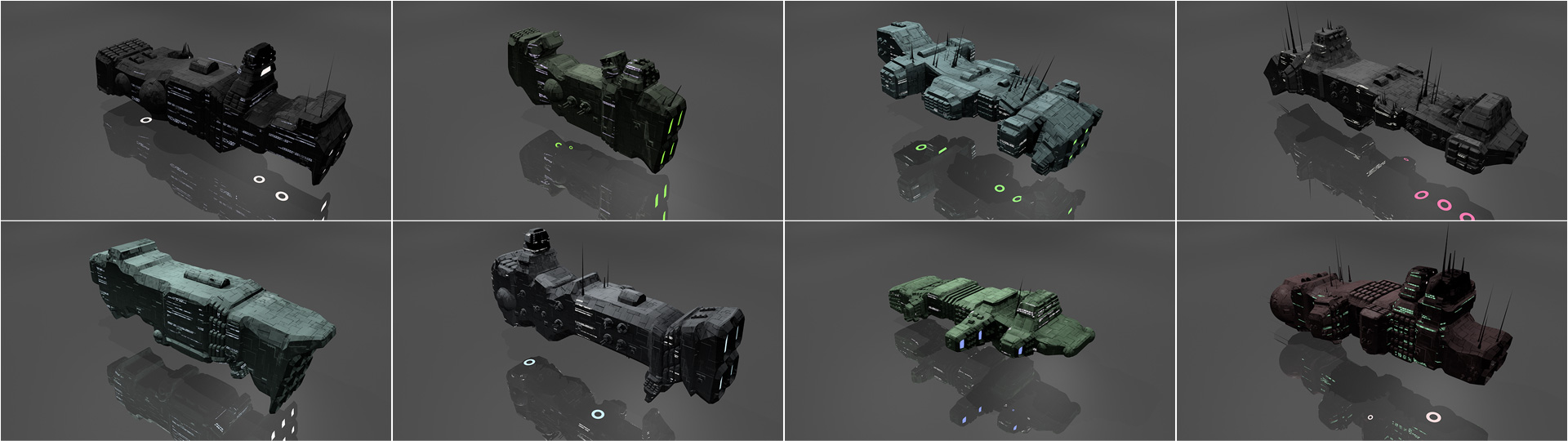
Usage
- Install Blender 2.80 or greater: http://blender.org/download/
- Download newest
add_mesh_SpaceshipGenerator.zipfrom the Releases section - Under Edit > Preferences... > Add-ons > Install... open the downloaded ZIP file
- Under Edit > Preferences... > Add-ons enable the "Add Mesh: Spaceship Generator" script (search for "spaceship")
- Add a spaceship in the 3D View under Add > Mesh > Spaceship
- Expand the Spaceship tab that appears in the bottom left of the viewport to adjust procedural generation settings
How it works
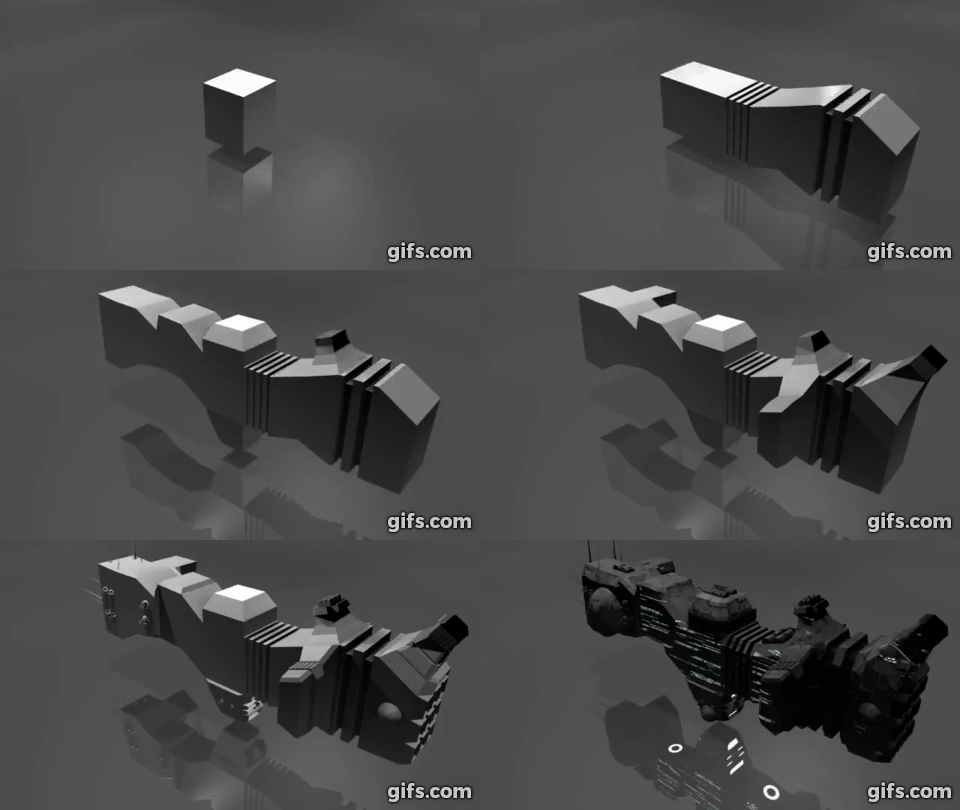
Watch on YouTube: https://www.youtube.com/watch?v=xJZyXqJ6nog
- Start with a box.
- Build the hull: Extrude the front/rear faces several times, adding random translation/scaling/rotation along the way.
- Add asymmetry to the hull: Pick random faces and extrude them out in a similar manner, reducing in scale each time.
- Add detail to the hull: Categorize each face by its orientation and generate details on it such as engines, antenna, weapon turrets, lights etc.
- Sometimes apply horizontal symmetry.
- Add a Bevel modifier to angularize the shape a bit.
- Apply materials to the final result.
- Take over the universe with your new infinite fleet of spaceships.
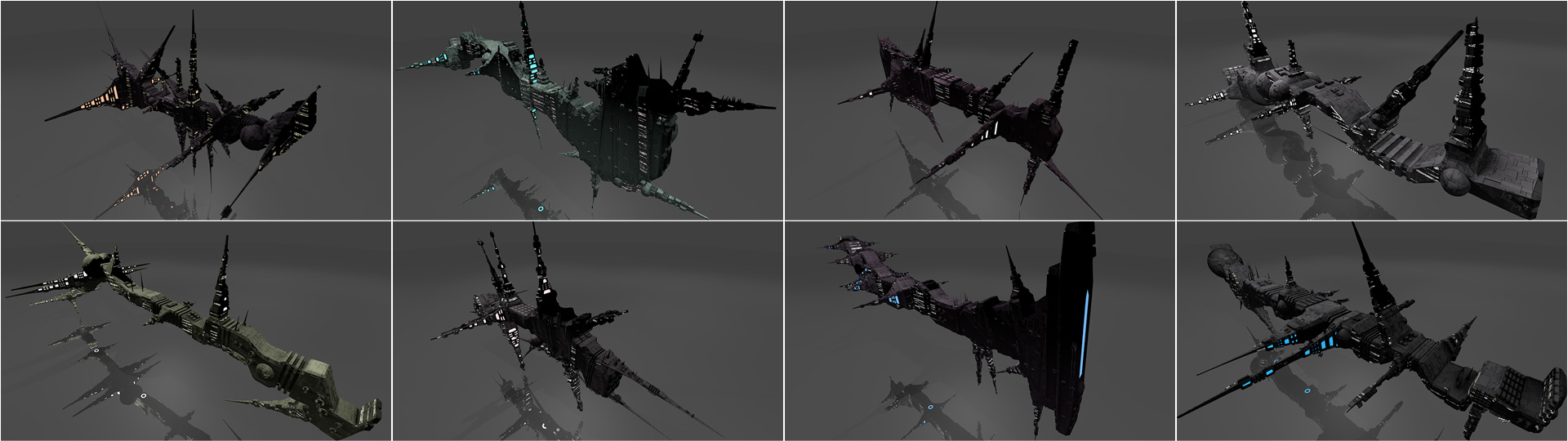
Extreme examples
The following screenshots were created using extreme values for the number of hull segments and asymmetry segments to show how the algorithm works.
Tips and Tricks
- By default the script will delete all objects starting with
Spaceshipbefore generating a new spaceship. To disable this feature, remove or comment out the call toreset_scene()around line 735 in the main function. - You can provide a seed to the
generate_spaceship()function to always generate the same spaceship. For example,generate_spaceship('michael'). - The
generate_spaceship()function takes many more parameters that affect the generation process. Try playing with them! - You can replace the textures with your own ones. All textures are applied using global-space cube UVs.
hull_normal.pngis a normal map that adds extra surface "greebles".hull_lights_diffuse.pngis an additive diffuse texture to set the color of the window lights.hull_lights_emit.pngis an emissive texture to make the windows glow in darkness.
Credits
Written for fun as part of the /r/proceduralgeneration June 2016 monthly challenge.
Released under the MIT License.
Authored and maintained by Michael Davies.
GitHub @a1studmuffin Twitter @butterparty
Special thanks to @panzi for bugfixes, a proper GUI and build script. Also to @mjrthemes for bugfixing, and @LendoK for the 2.80 port.