
ZingerLittleBee/Heeler
ZingerLittleBee/Heeler has 830 GitHub stars and 90 forks. GitHot measured +22 stars in 24 hours and +93 in 7 days. Last checked 2026-11-09 02:03 UTC. Last push 2026-11-05.
Native iOS agent console for herdr — watch and drive the coding agents on your machines over SSH, with a real libghostty terminal, QR pairing, and push notifications when an agent needs you
What you can do
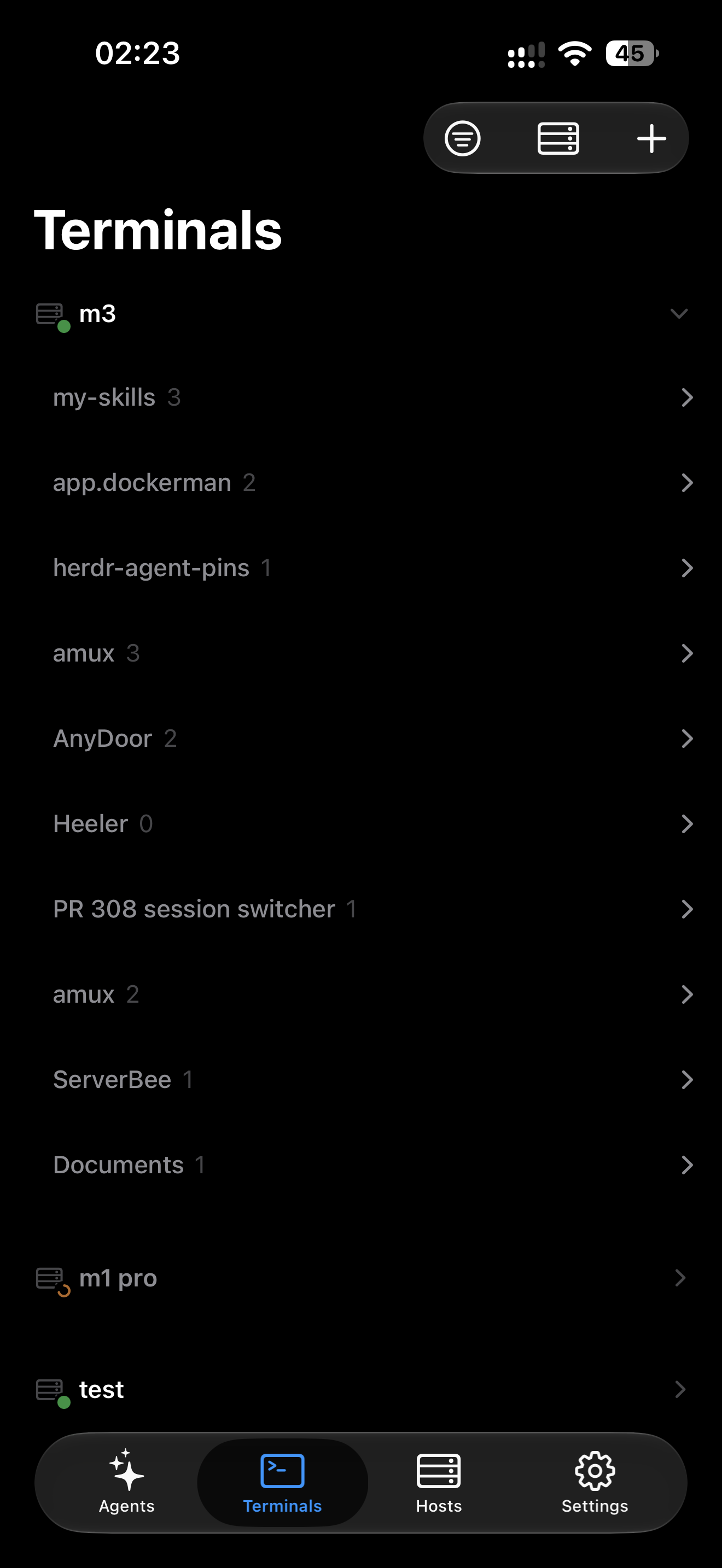
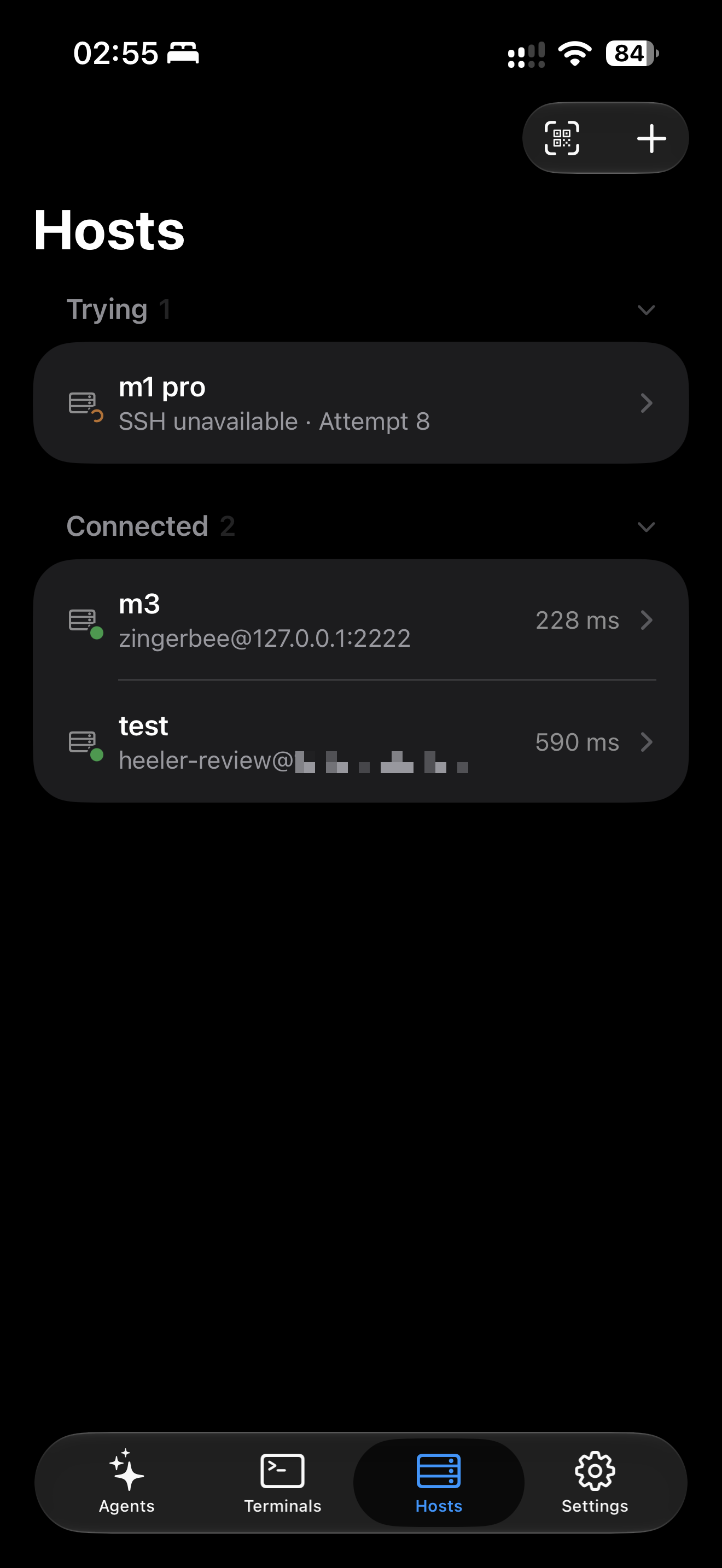
- Console — every Agent on every machine in one status-sorted list (Blocked first), filterable by Host, updated live.
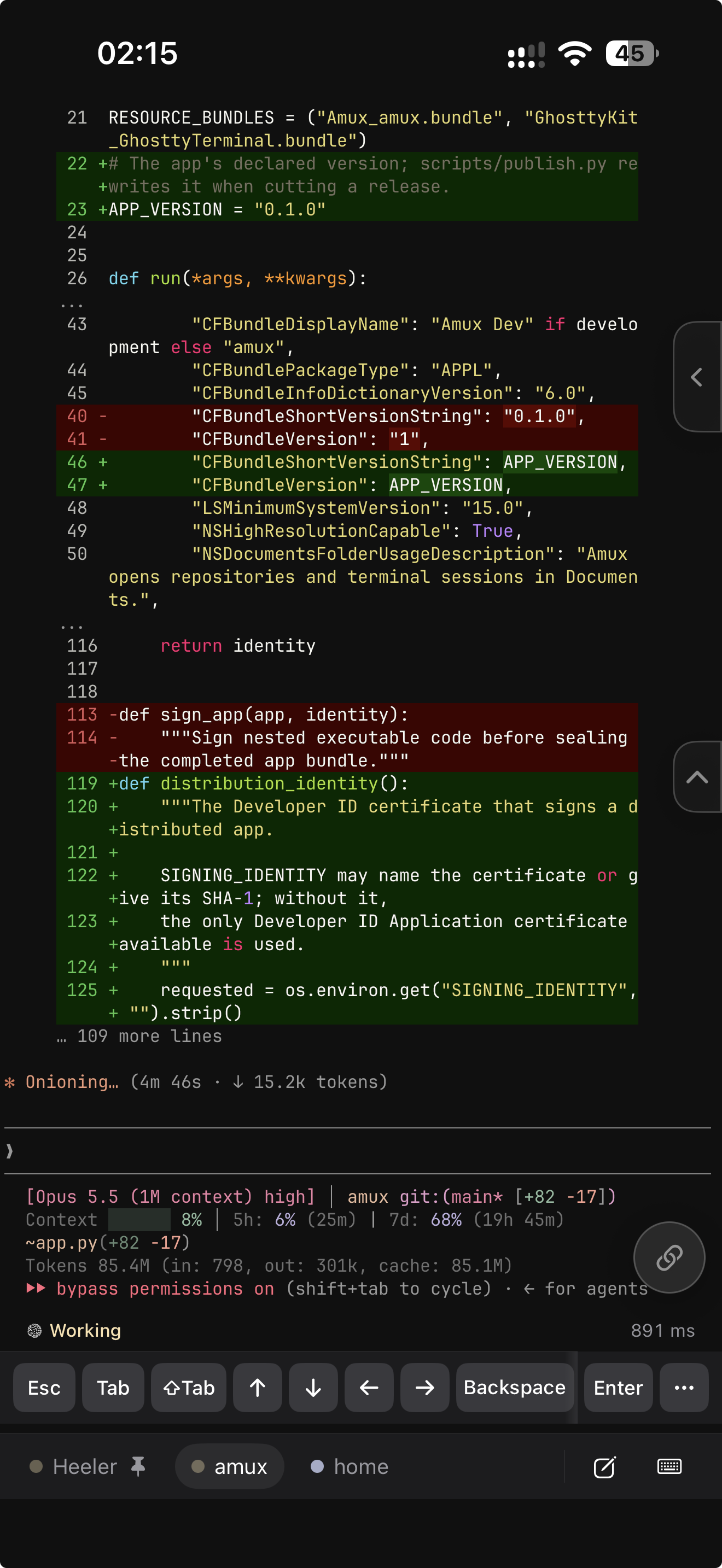
- Attach — the Agent's real terminal rendered by libghostty: native scrollback, momentum touch scrolling that also drives full-screen TUIs, long-press selection, takeover of a stale terminal owner, and quietly collected web links to open later.
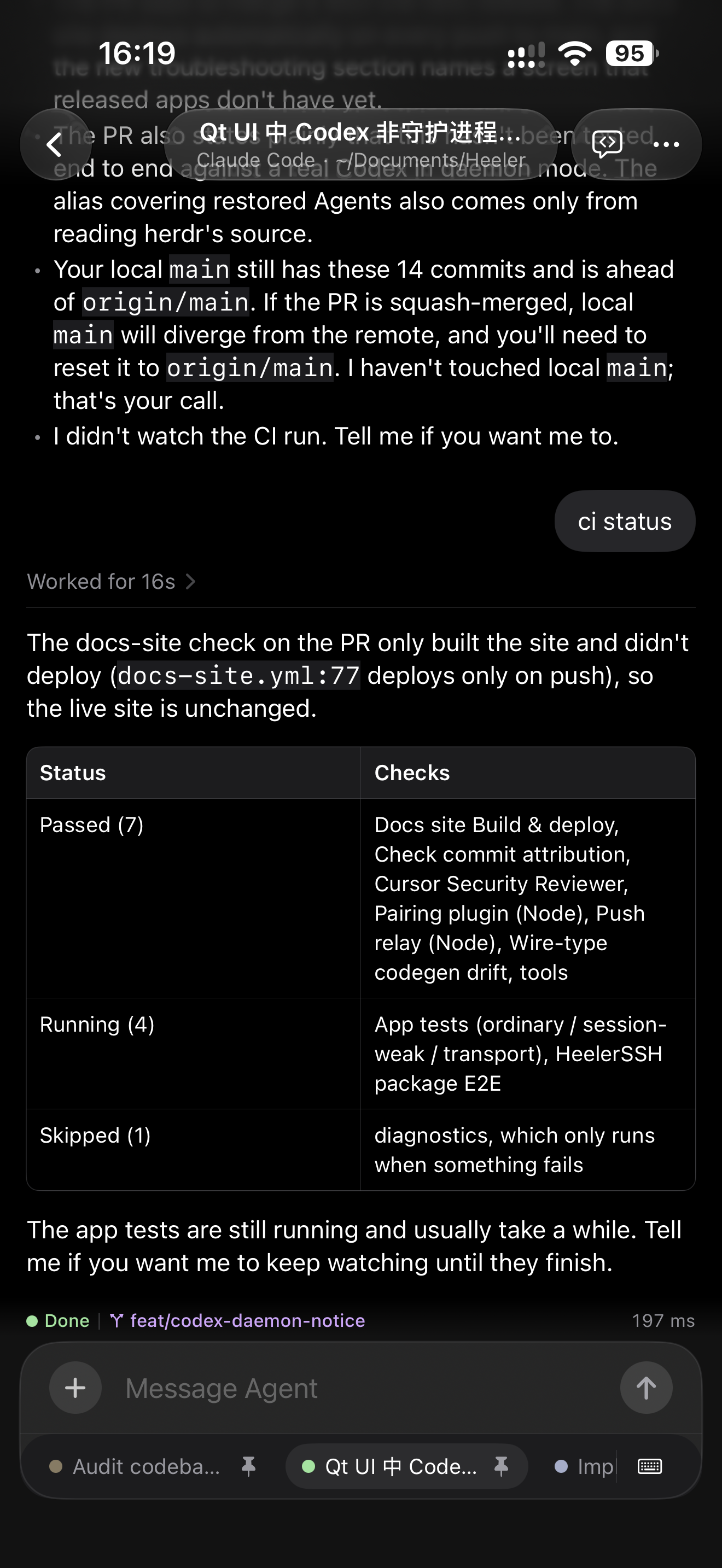
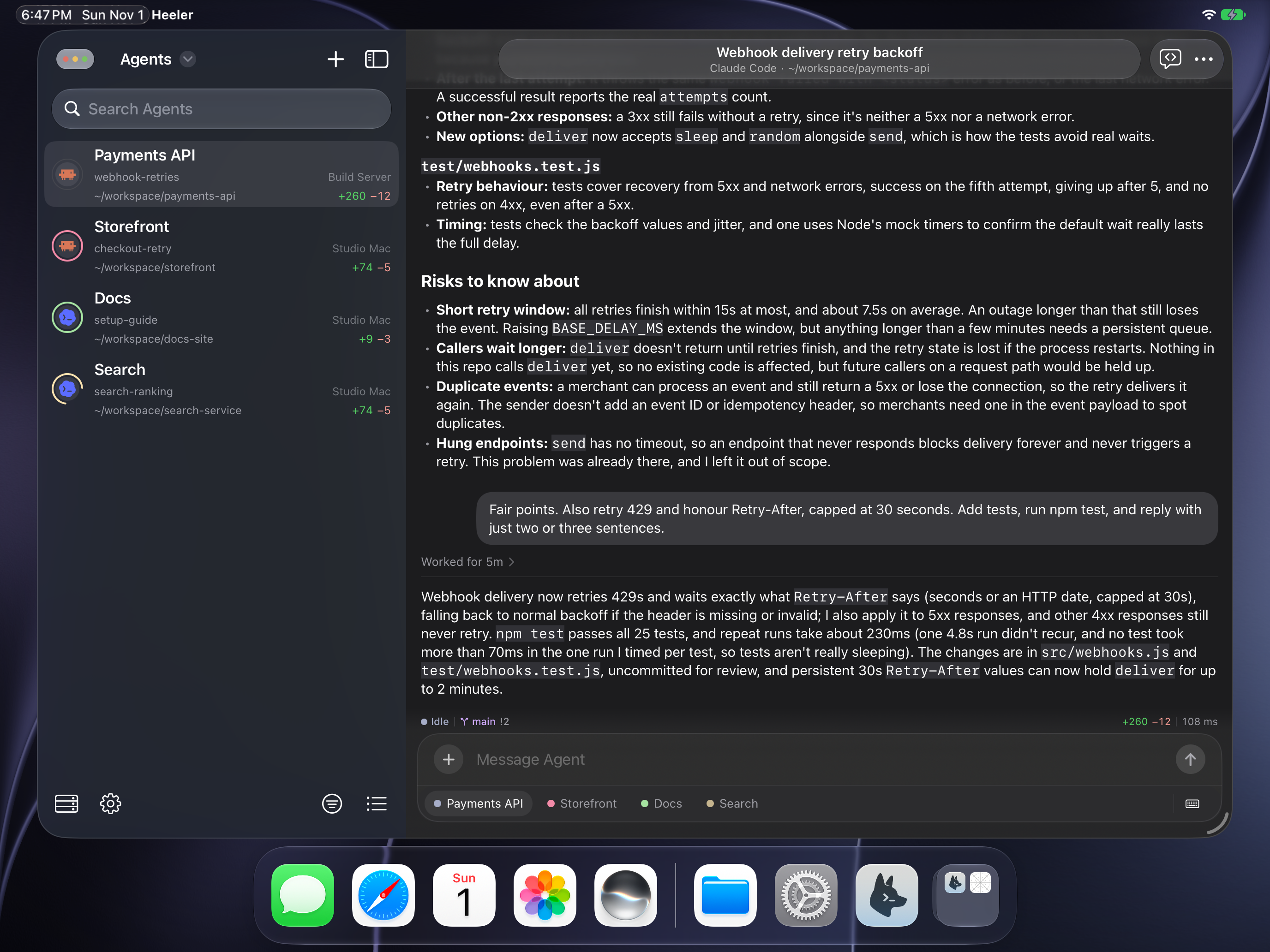
- Chat — read an Agent's conversation as native messages instead of a terminal screen, reply from the Composer, and answer a Blocked Agent with buttons; for Claude Code, Codex, Pi, Oh My Pi, Grok Build, and OpenCode (Read more).
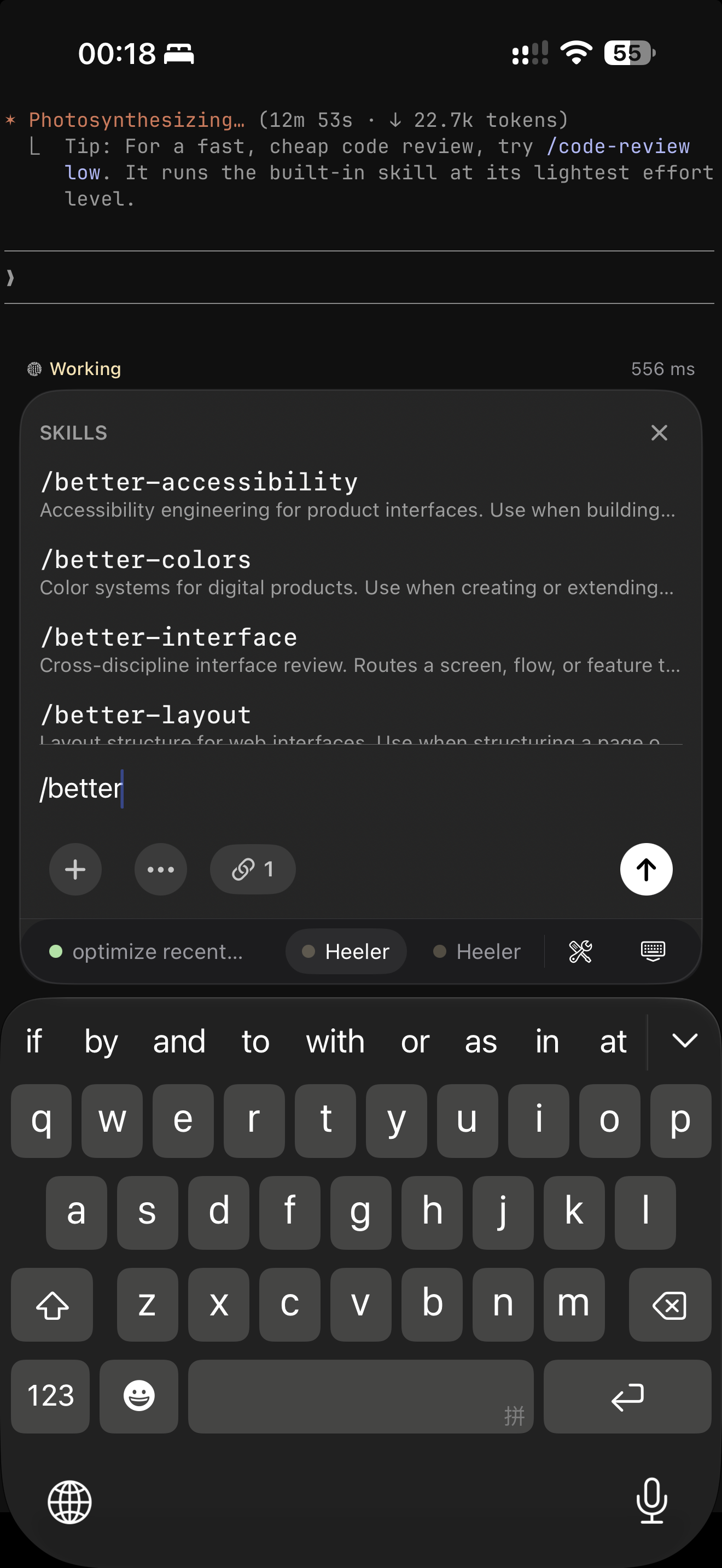
- Composer — draft locally with the full iOS keyboard (autocorrect, IME, dictation), then Send once; the tools keyboard adds Agent control keys, Agent Skills, reusable Snippets, and terminal appearance. Voice Input lets you speak to the Composer with your own speech service API key (Read more).
측정된 스타 증가
- in 24h
- +22
- in 7 days
- +93
- in 15 days
- 기록 수집 중
- in 1 month
- 기록 수집 중
서로 겹치는 기간의 순증가량이며 일별 합계가 아닙니다. 측정값이 없으면 비워 둡니다. 스타는 관심도를 나타내며 품질을 보장하지 않습니다.
README.md
Original







Heeler is an independent herdr mobile client and agent console for Claude Code, Codex, and other coding Agents on iPhone and iPad. Agents run on your own Hosts with herdr; Heeler connects over SSH. Monitor multiple Agents across machines, sorted by who needs you, then open a live terminal or supported Chat conversation to send instructions.
Screenshots
| Agent Console | Live terminal | Chat |
|---|---|---|
 |
 |
 |
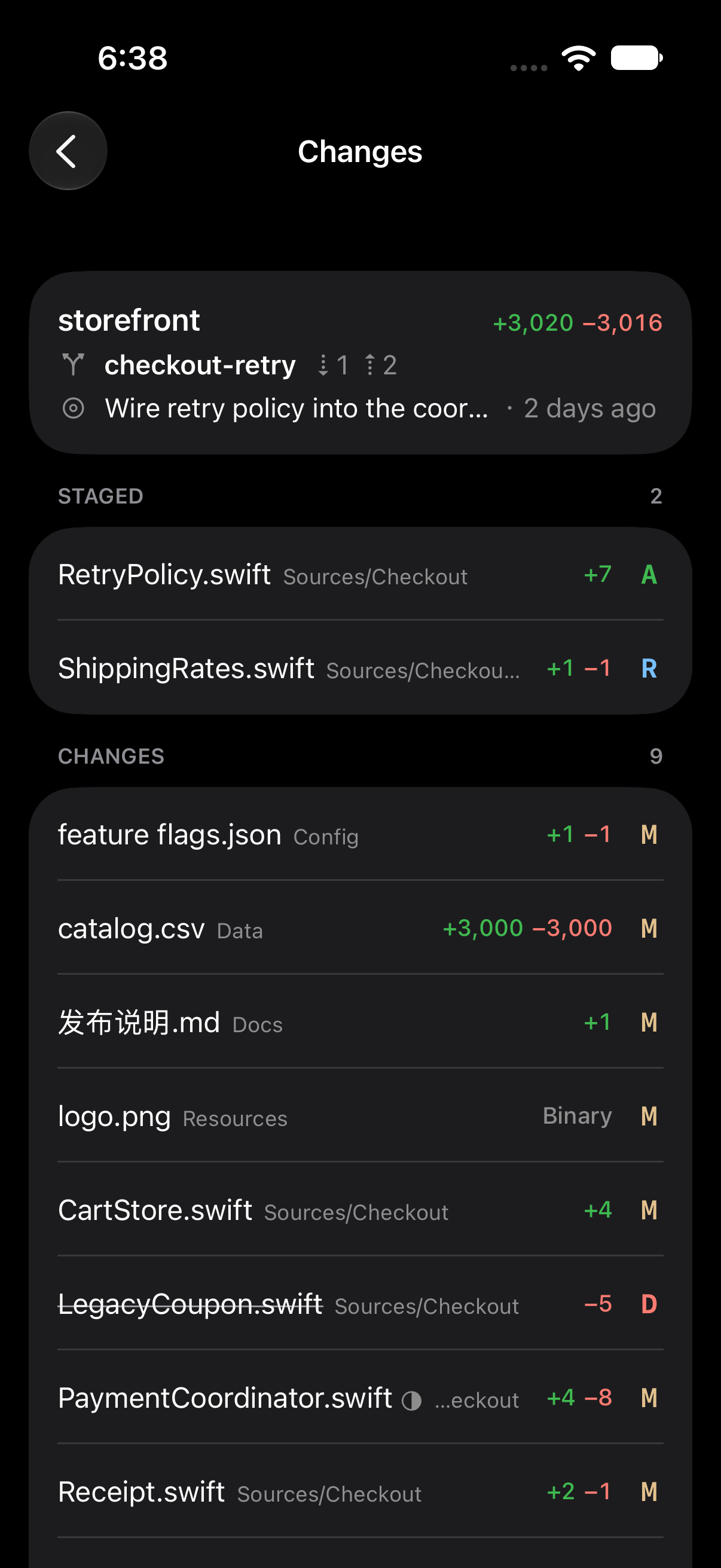
| Keyboard | Changes | Terminals |
|---|---|---|
 |
 |
 |
| Skills | Hosts | Live Activity |
|---|---|---|
 |
 |
 |
| Usage | Widgets | Lock Screen widgets |
|---|---|---|
 |
 |
 |
Features
- Console — every Agent on every machine in one status-sorted list (Blocked first), filterable by Host, updated live.
- Attach — the Agent's real terminal rendered by libghostty: native scrollback, momentum touch scrolling that also drives full-screen TUIs, long-press selection, takeover of a stale terminal owner, and quietly collected web links to open later.
- Chat — read an Agent's conversation as native messages instead of a terminal screen, reply from the Composer, and answer a Blocked Agent with buttons; for Claude Code, Codex, Pi, Oh My Pi, Grok Build, and OpenCode (Read more).
- Composer — draft locally with the full iOS keyboard (autocorrect, IME, dictation), then Send once; the tools keyboard adds Agent control keys, Agent Skills, reusable Snippets, and terminal appearance. Voice Input lets you speak to the Composer with your own speech service API key (Read more).
- Terminal — open a plain shell in the Agent's directory, with Text and Keys modes and one reused tab per Workspace.
- Attachments — stage a photo or a file up to 64 MiB onto the Host over SFTP and insert its path into the draft.
- QR pairing — scan a Pairing Code to add a machine; keys are generated on device, private keys stay in the Keychain, and the code pins the host key fingerprint.
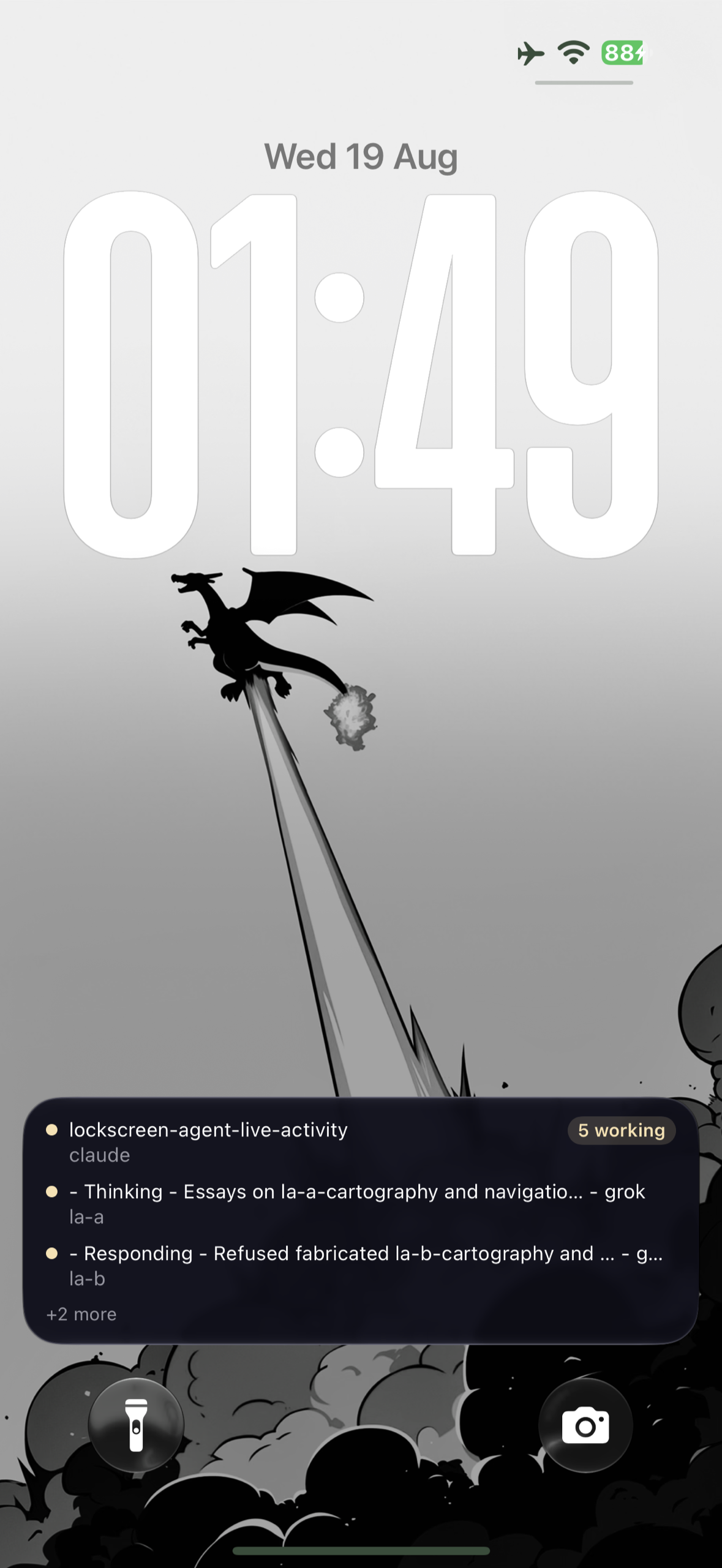
- Notifications + Live Activities — end-to-end encrypted pushes when an Agent goes Blocked or Done, and a lock-screen / Dynamic Island banner tracking Agents in real time; the relay can never read the content (PRIVACY.md).
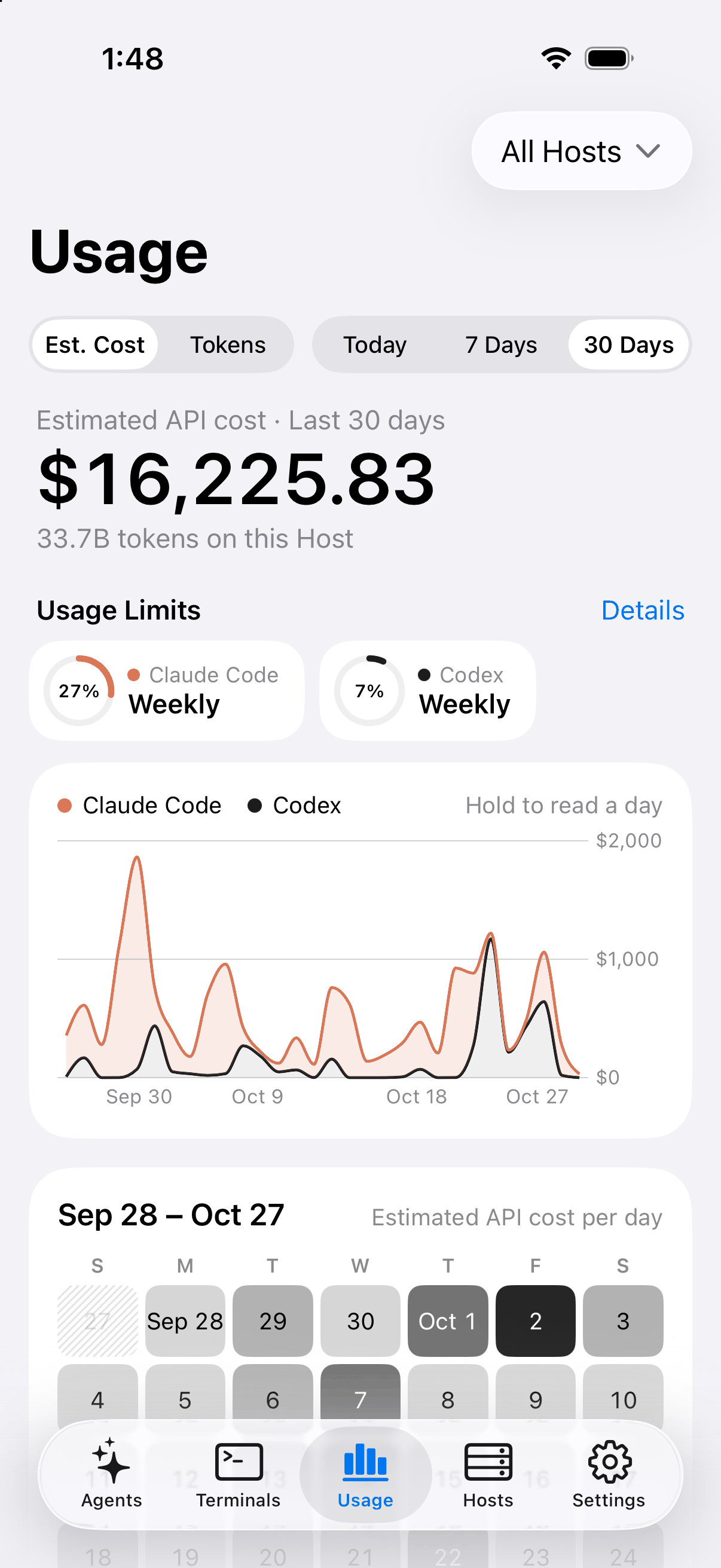
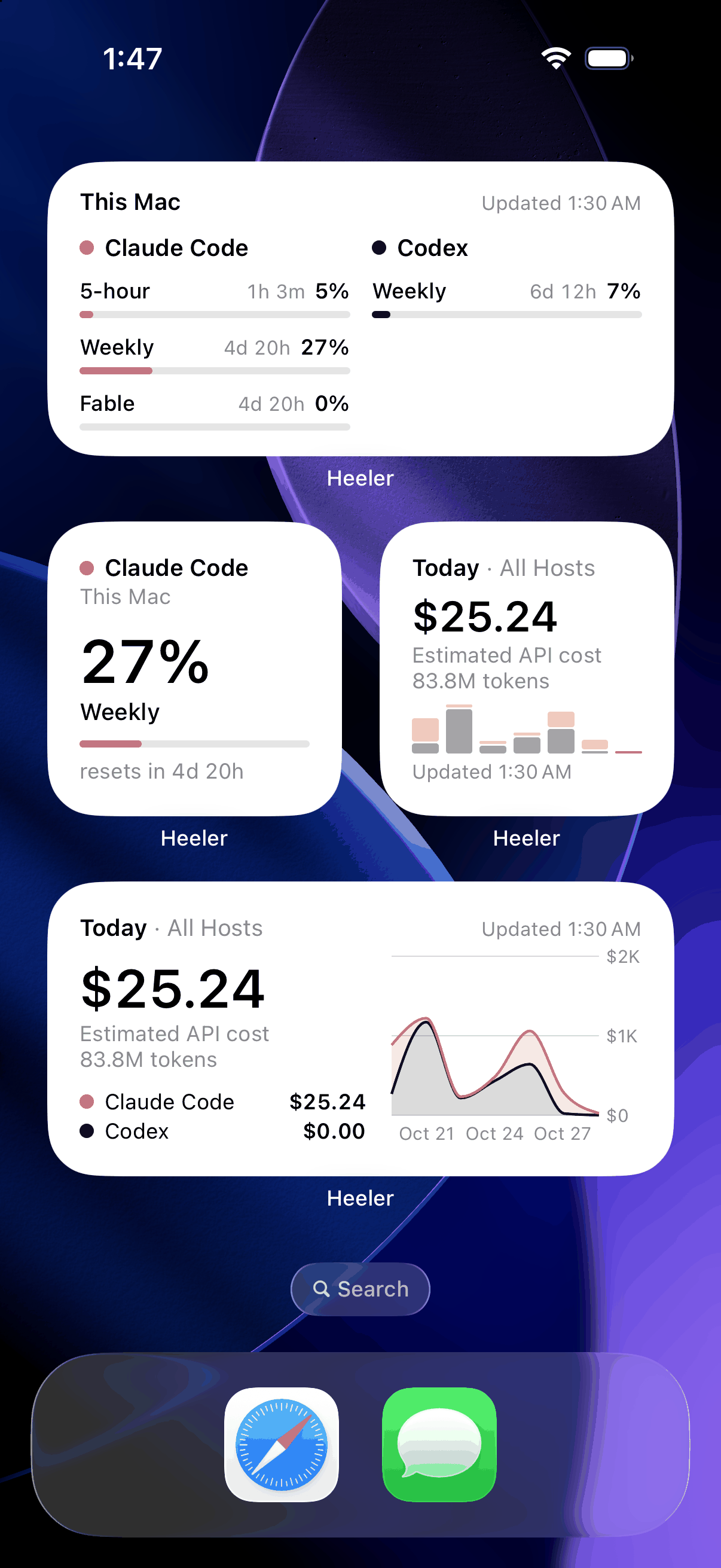
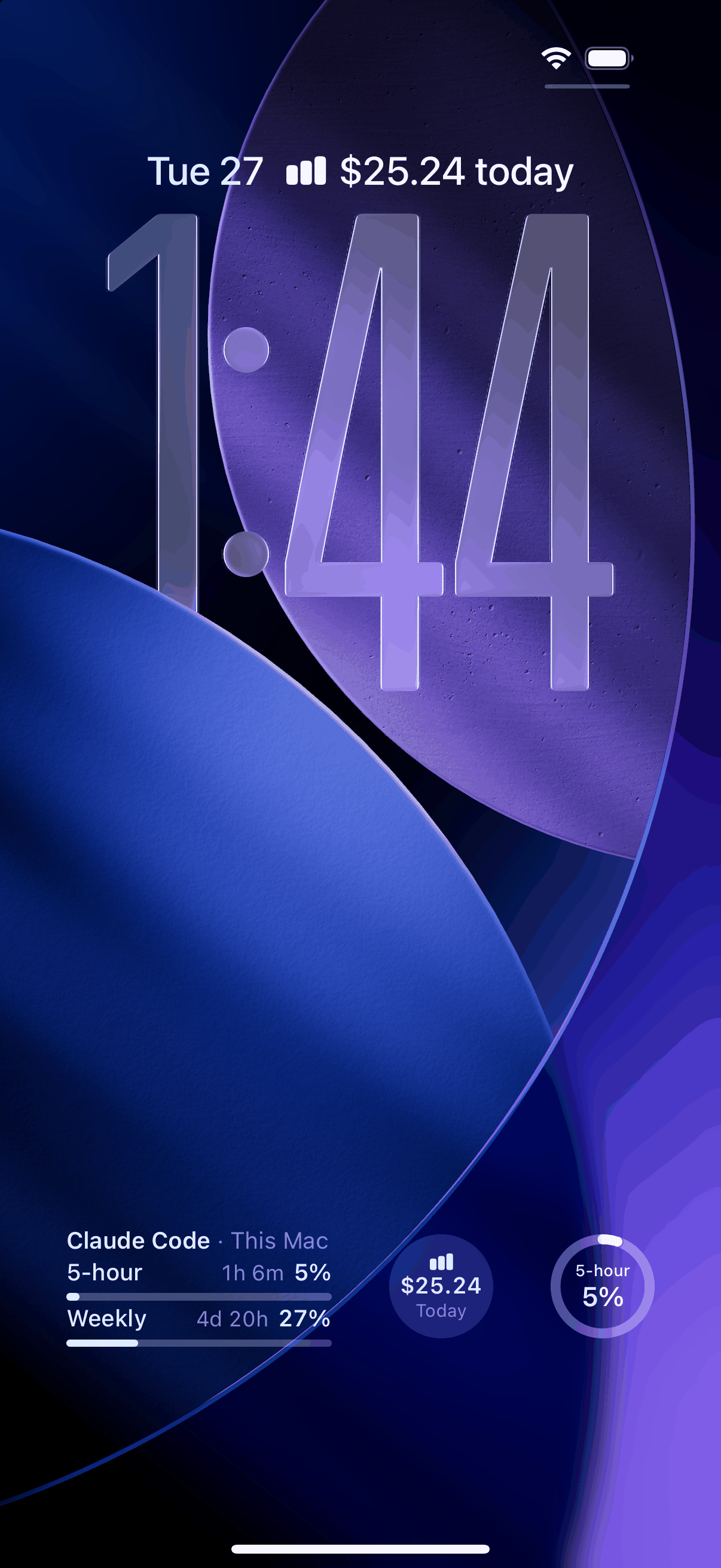
- Usage — Claude Code and Codex Usage Limits with their reset times, and up to 30 days of Token Usage with its estimated API cost, across all Hosts or one; Home Screen and Lock Screen widgets keep them in view (Read more).
- Worktrees — start an Agent on a clean checkout of the workspace's repo.
- Appearance — System, Light, or Dark; 30 terminal themes with separate Light and Dark slots; bundled JetBrains Mono and IBM Plex Mono; pinch to zoom.
- Jump Host — reach unroutable machines through an SSH jump, with keys verified at both hops.
How it connects
On macOS and Linux Hosts, Heeler speaks herdr's JSON API over SSH: each request opens a
direct-streamlocal channel onto herdr.sock, one long-lived channel carries
the event stream, and interactive terminals run herdr agent attach --takeover on an SSH PTY. The only prerequisites are SSH access and a
running herdr — no server changes, no extra packages. The SSH server must
allow stream-local forwarding (the OpenSSH default); onboarding calls it out
when it's disabled. On Fedora, RHEL, and their derivatives, SELinux can deny the
socket open even when forwarding is allowed — see SELinux on a Fedora or RHEL
Host.
Native Windows Hosts (herdr >= 0.9.3) connect over SSH and are added manually.
For Tailscale, ZeroTier, or EasyTier access, follow the Overlay Network setup guides. They cover macOS installation, Tailscale without a VPN on the Mac, Heeler configuration, and connection checks. Heeler joins these networks inside the app without an iOS VPN configuration; you need a Heeler version with Settings > Overlay Networks.
View the Heeler setup screenshots for Tailscale, ZeroTier, and both EasyTier modes.
Unroutable machines can sit behind an SSH Jump Host:
A Host can have several routes, such as its LAN address at home and an overlay network or Jump Host elsewhere: Reach a Host on several routes.
Installation
Install Heeler from the App Store or TestFlight.
- macOS / Linux: Install herdr, enable SSH, then follow the pairing steps below.
- Native Windows: Follow the Windows setup guide.
Adding a machine
On a macOS or Linux machine running herdr (Node >= 20, herdr >= 0.7.5, OpenSSH server on — macOS: System Settings > General > Sharing > Remote Login):
herdr plugin install ZingerLittleBee/Heeler --ref plugin --yes
herdr plugin action invoke heeler.pair
Scan the Pairing Code QR it shows and the machine is added as a Host — the code carries the addresses, the host key fingerprint, and SSH key enrollment. The same plugin delivers the encrypted notifications once you enable them for the Host in the app. For every step, the popup's keys, and troubleshooting, see the pairing guide.
Opening an Agent from another app
Another app can open an Agent in Heeler with a link:
heeler://agent?host=my-mac&session=work&pane=w1%3Ap1
hostnames a saved Host on that session: its address, or its name when no Host on the session has that address. Case is ignored.sessionis the herdr session name. Leave it out, or passdefault, for the default session.paneis herdr's pane id. Leave it out to open the Console.
Percent-encode each value, with %20 for a space: a + stays a plus sign,
so form encoding (such as JavaScript's URLSearchParams) misses a name like
Build Box. When no saved Host on that session matches, or more than one
does, the link opens the Console.
Stack
- SwiftUI, iOS 18+, iPhone and iPad. iPad support is restored in 0.1.8 with Magic Keyboard shortcuts, multiwindow, and drag and drop.
- The repository-local
Packages/HeelerSSH(libssh2 + OpenSSL) for SSH - libghostty-spm for terminal emulation and Metal rendering
See docs/adr/ for why — the transport story in particular is not obvious.
Contributing
Issues and PRs are welcome — see CONTRIBUTING.md for layout, build/test, and conventions.
Status
Released on the App Store. It is not yet available in every country or region; where it is missing, the TestFlight build stays available. Built for personal use first and shaped by daily driving, so expect rough edges and fast iteration. Not affiliated with the herdr project.