
Zfinix/another
소개
USB로 Android 기기를 미러링하고 제어하는 데스크톱 앱입니다. Tauri, React, Rust로 만들었습니다.
웹 및 앱What you can do
- Real-time screen mirroring via H.264/H.265 decoding
- Adaptive video bitrate that adjusts in real-time based on screen activity
- Macros -- record, replay, import, export, and rename device interactions
- Device nicknames -- give your devices custom names
측정된 스타 증가
- in 24h
- 0
- in 7 days
- -2
- in 15 days
- 기록 수집 중
- in 1 month
- 기록 수집 중
서로 겹치는 기간의 순증가량이며 일별 합계가 아닙니다. 측정값이 없으면 비워 둡니다. 스타는 관심도를 나타내며 품질을 보장하지 않습니다.
README.md
Original

Another



A desktop app for mirroring and controlling Android devices. Built with Tauri, React, and Rust.
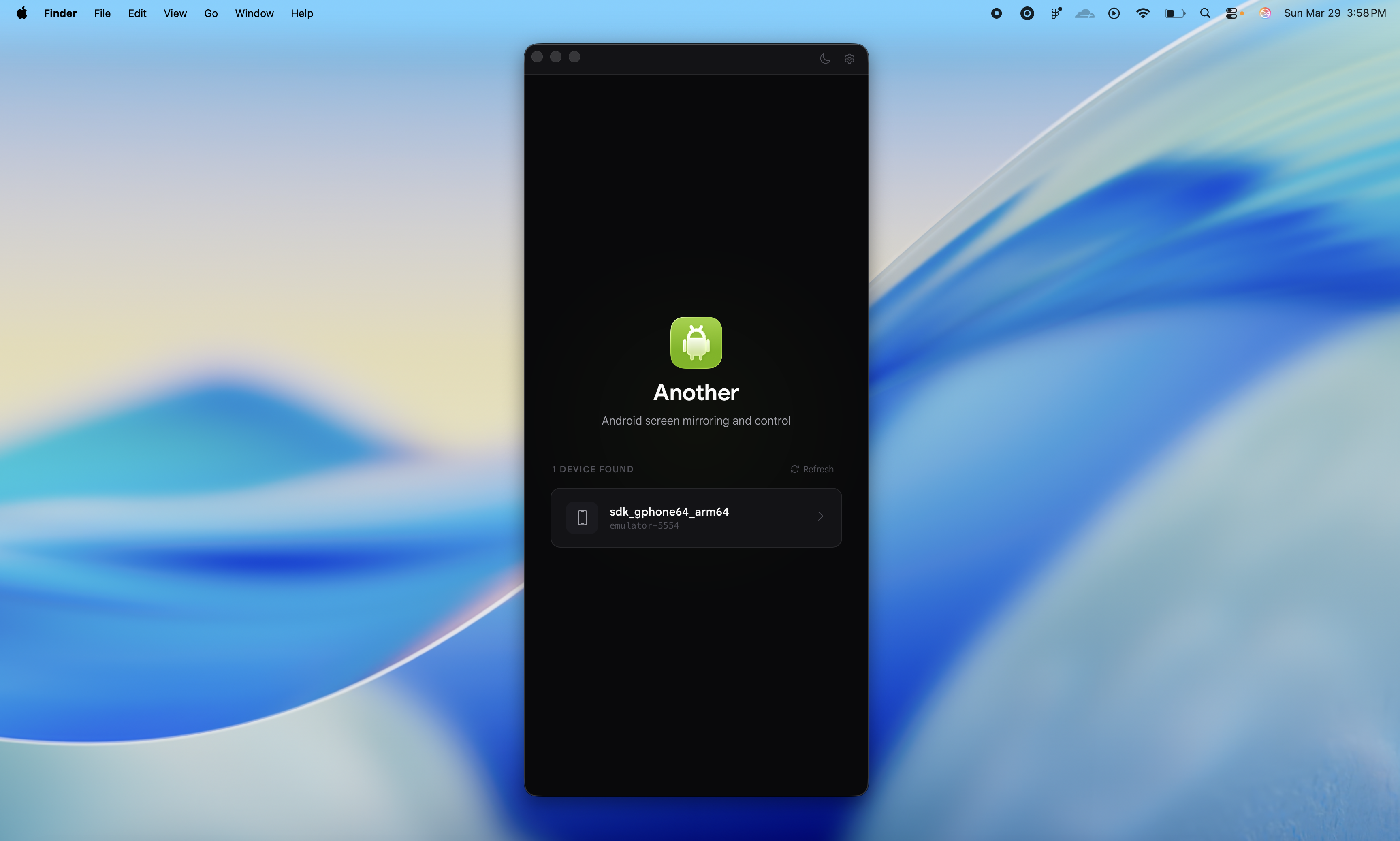
Uses a bundled scrcpy-server to stream video from the device and send control inputs back.
Download
Grab the latest release for your platform:
| Platform | Download |
|---|---|
| macOS (Apple Silicon) | .dmg |
| macOS (Intel) | .dmg |
| Linux | .deb / .AppImage |
| Windows | .msi / .exe |
Features
- Real-time screen mirroring via H.264/H.265 decoding
- Adaptive video bitrate that adjusts in real-time based on screen activity
- Macros -- record, replay, import, export, and rename device interactions
- Device nicknames -- give your devices custom names
- WiFi mirroring -- go wireless with one click
- Device audio forwarding (Android 11+)
- Screen recording (saves as .webm)
- Touch, keyboard, scroll, and navigation input forwarding
- Command bar with keyboard shortcuts for every action
- Configurable video quality (resolution, FPS, bitrate, codec)
- Screenshot capture
- Automatic device detection via ADB
- Light/dark/auto theme
- MCP Server for AI agent control
MCP Server
AI agents can control your Android device through the MCP (Model Context Protocol) protocol.
The MCP server starts automatically with the app on port 7070. You can toggle it on/off in Settings.
Configuration
Add to your MCP settings (Claude Code, Claude Desktop, Cursor, etc.):
{
  "mcpServers": {
    "another": {
      "type": "http",
      "url": "http://localhost:7070/mcp"
    }
  }
}
Stdio mode (for tools that support it):
{
  "mcpServers": {
    "another": {
      "command": "another-mcp",
      "args": ["--scrcpy-server", "/path/to/scrcpy-server-v2.7"]
    }
  }
}
AI Agent Skill
Install the Another skill to teach your AI agent how to use the MCP tools:
npx skills add Zfinix/another@another-android
Available Tools
| Tool | Description |
|---|---|
| another_list_devices | List connected Android devices |
| another_connect_device | Connect to a device for control |
| another_disconnect_device | Disconnect from current device |
| another_take_screenshot | Capture device screen as PNG |
| another_press_button | Press home/back/recents/power/volume |
| another_send_text | Type text on device |
| another_send_touch | Touch at screen coordinates |
| another_send_scroll | Scroll at screen coordinates |
| another_swipe | Swipe gesture between two points |
| another_shell | Run adb shell command |
| another_open_url | Open URL in Chrome by default (use_system_handler for app chooser / Google app) |
| another_launch_app | Launch app by package name |
| another_wifi_enable | Enable WiFi debugging |
| another_wifi_connect | Connect to device by IP |
| another_wifi_disconnect | Disconnect WiFi device |
| another_get_device_ip | Get device WiFi IP address |
| another_macro_record | Start recording a macro |
| another_macro_stop | Stop recording a macro |
| another_macro_play | Play a recorded macro |
| another_macro_list | List all macros |
| another_macro_delete | Delete a macro |
Keyboard Shortcuts
| Shortcut | Action |
|---|---|
⌘K |
Command Bar |
⌘S |
Screenshot |
⌘⇧R |
Record / Stop Recording |
⌘+ / ⌘- |
Volume Up / Down |
⌘M |
Mute / Unmute Audio |
⌘H |
Home |
⌘B |
Back |
⌘R |
Recent Apps |
⌘P |
Power |
⌘⇧M |
Record / Stop Macro |
⌘D |
Disconnect |
⌘T |
Toggle Theme |
⌘, |
Settings |
On Windows/Linux, use
Ctrlinstead of⌘.
Platform Support
| Platform | Status |
|---|---|
| macOS | Supported |
| Linux | Experimental |
| Windows | Experimental |
Prerequisites
- An Android device connected via USB with USB debugging enabled (or WiFi debugging)
- Rust
- Node.js and Bun
Development
bun install
bun tauri dev
For Ubuntu/Debian (including WSL)
You need to install the development packages for WebKitGTK, ALSA, and pkg-config.
sudo apt update
sudo apt install libwebkit2gtk-4.1-dev  pkg-config libasound2-dev
Build
bun tauri build
Tech Stack
- Frontend: React 19, TypeScript, Vite, Base UI
- Backend: Rust, Tauri 2, Tokio, rodio
- Device communication: ADB + scrcpy-server v2.7
관련 프로젝트 살펴보기
불러오는 중…