
YvesCheung/RollingText
YvesCheung/RollingText has 965 GitHub stars and 81 forks. GitHot measured -1 stars in 24 hours. Last checked 2026-11-15 16:01 UTC. Last push 2023-09-05.
What you can do
- easy to use, API is similar to TextView, and the setText method can be animated with up and down rolling
- support XML to set up common properties such as android:textSize/ android:textColor/ android:textStyle
- highly customizable to support animation effects of any single character
측정된 스타 증가
- in 24h
- -1
- in 7 days
- 기록 수집 중
- in 15 days
- 기록 수집 중
- in 1 month
- 기록 수집 중
서로 겹치는 기간의 순증가량이며 일별 합계가 아닙니다. 측정값이 없으면 비워 둡니다. 스타는 관심도를 나타내며 품질을 보장하지 않습니다.
소개
Android TextView with rolling animation
창작 및 미디어README.md
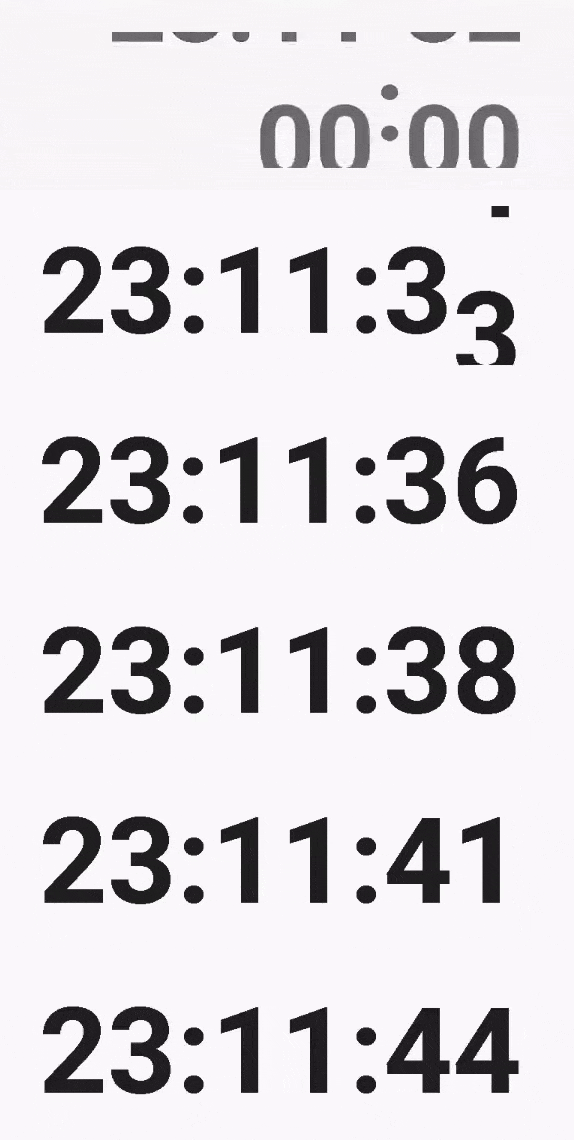
OriginalRollingTextView


Features
easy to use, API is similar to TextView, and the setText method can be animated with up and down rolling
support XML to set up common properties such as android:textSize/ android:textColor/ android:textStyle
highly customizable to support animation effects of any single character
Animation
Strategy
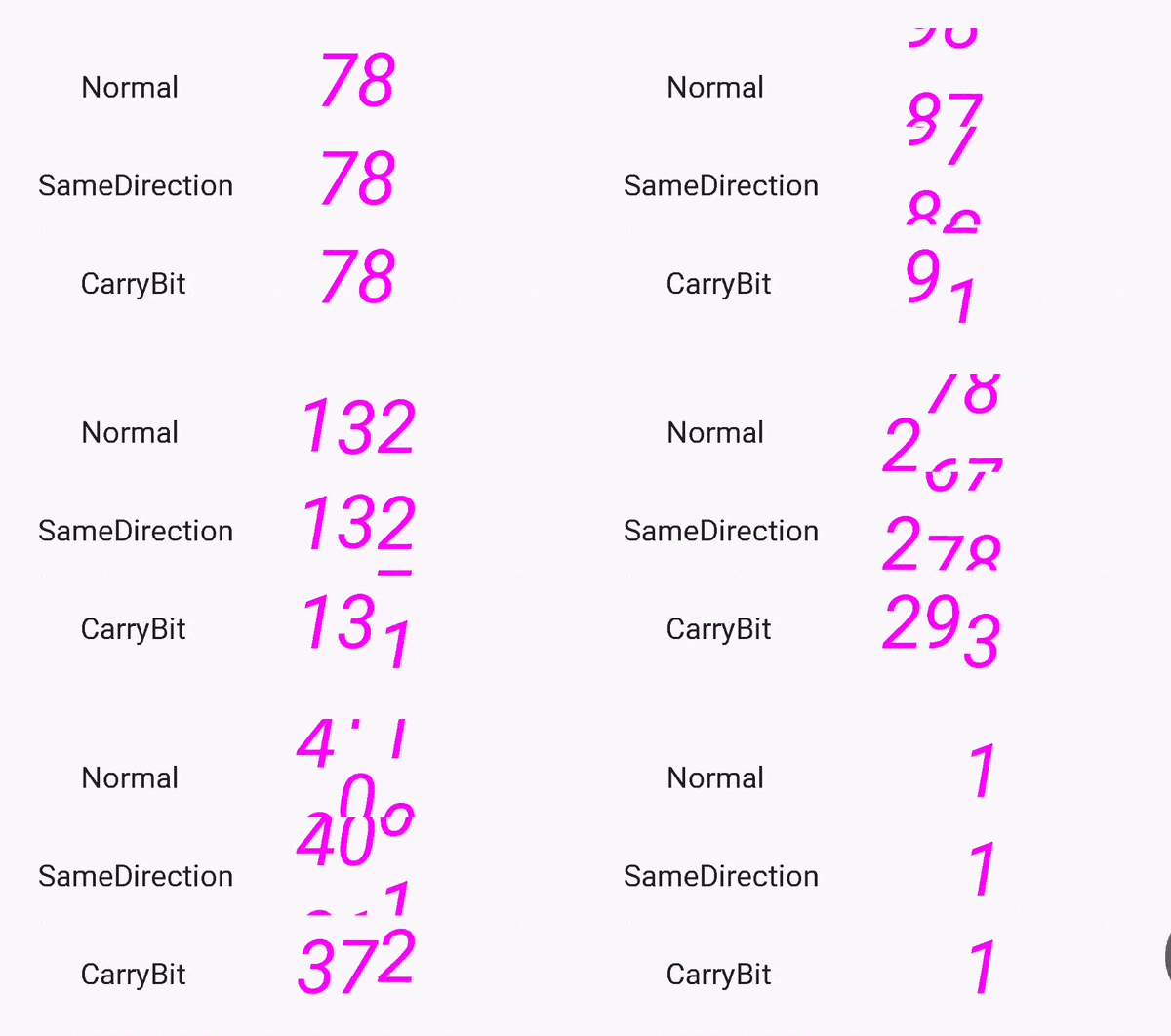
Different rolling effects can be achieved by setting different animation strategies
The default animation is to roll down when small characters change to large characters, and vice versa.
You can also specify that rolling to the same direction
The carry animation can be worked from low digit to high digit, not only for decimal. But it can only be used for strings with a length less than 10 to prevent integer from overflow. It can only be used for a sequence of characters containing 0, otherwise the calculation of the carry will be meaningless.
The order of characters
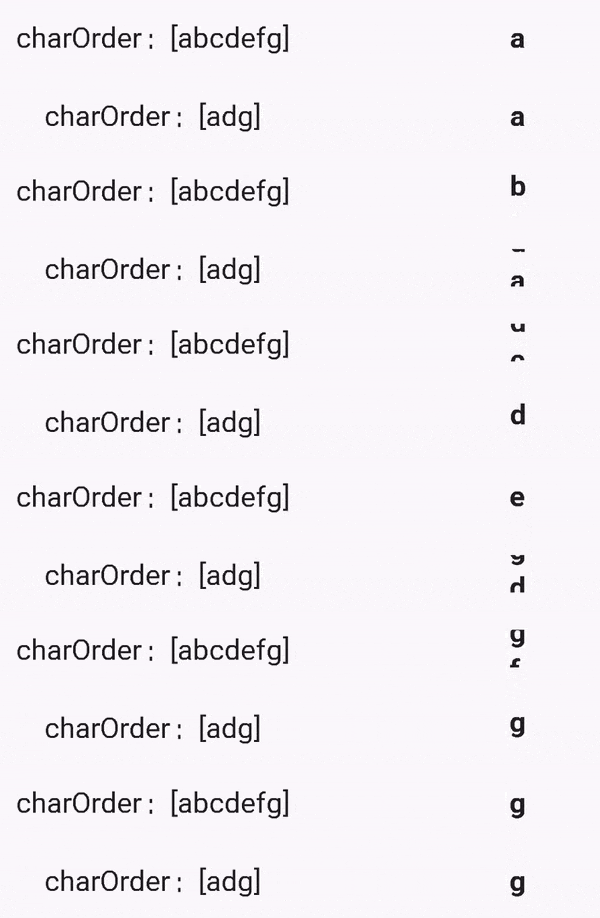
- The sequence of characters needs to be set up to tell
RollingTextViewhow to change from the original character to the target character - The common sequence of characters can be found in the
CharOrderconstant class - When multiple orders are added and all are applicable to the target character and the original character, the precedence of the previous setting will be higher
alphaBetView.addCharOrder(CharOrder.Alphabet);
alphaBetView.addCharOrder(CharOrder.UpperAlphabet);
alphaBetView.addCharOrder(CharOrder.Number);
alphaBetView.addCharOrder(CharOrder.Hex);
alphaBetView.addCharOrder(CharOrder.Binary);
Rolling fluency
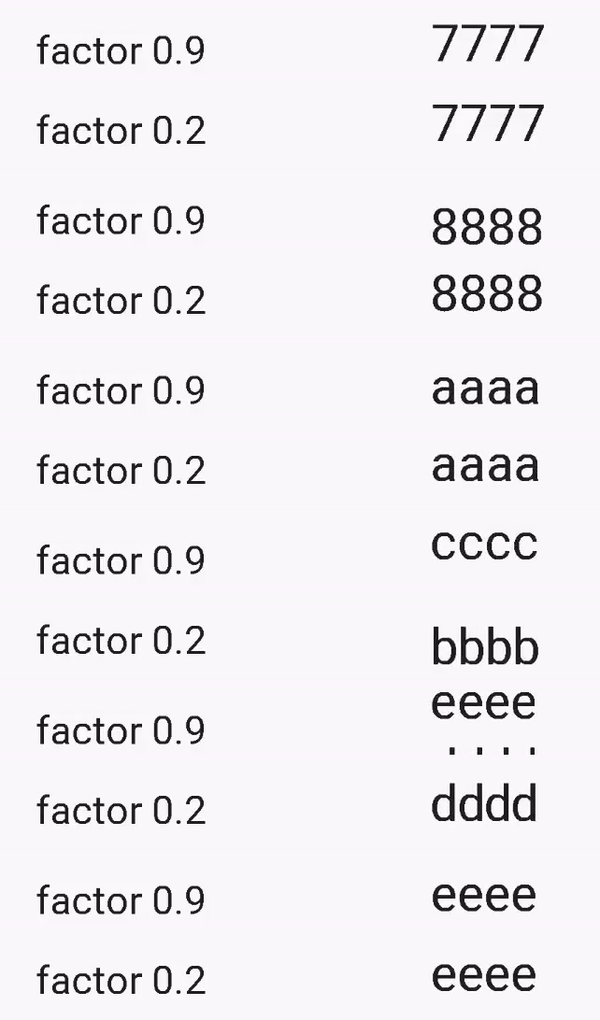
The fluency of the animation can be adjusted by passing a
factorparameter. The closer thefactorvalue is to 0, the rolling will appear to be more hopping. And the closer thefactorvalue is to 1, the more smooth the rolling is.
other
More ideas can be implemented on the CharOrderStrategy interface to customize your own animation effects
Download
allprojects {
    repositories {
        maven { url 'https://jitpack.io' }
    }
}

dependencies {
    implementation "com.github.YvesCheung.RollingText:RollingText:x.y.z"
}
x.y.z replace with
Usage
XML settings
<com.yy.mobile.rollingtextview.RollingTextView
    android:id="@+id/alphaBetView"
    android:layout_width="wrap_content"
    android:layout_height="wrap_content"
    android:text="i am text"
    android:textSize="25sp"
    android:textColor="#1d1d1d"
    android:textStyle="bold"
    android:gravity="center"
    android:shadowColor="#ff44ffdd"
    android:shadowDx="10"
    android:shadowDy="10"
    android:shadowRadius="10"/>
write in java code
final RollingTextView rollingTextView = findViewById(R.id.alphaBetView);
rollingTextView.setAnimationDuration(2000L);
rollingTextView.setCharStrategy(Strategy.NormalAnimation);
rollingTextView.addCharOrder(CharOrder.Alphabet);
rollingTextView.setAnimationInterpolator(new AccelerateDecelerateInterpolator());
rollingTextView.addAnimatorListener(new AnimatorListenerAdapter() {
    @Override
    public void onAnimationEnd(Animator animation) {
        //finsih
    }
});
rollingTextView.setText("i am a text");
Debug
Using Uinspector, You can debug the properties of RollingTextView:
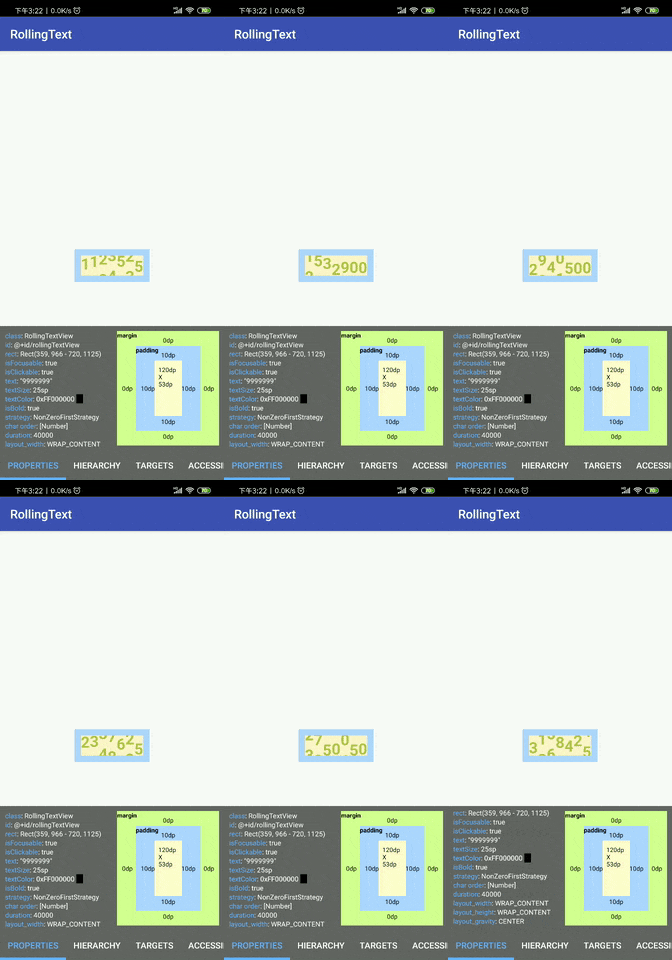
Add Uinspector to your build.gradle:
dependencies {
    // debugImplementation because Inspector should only run in debug builds.
    debugImplementation "com.github.YvesCheung.RollingText:RollingTextInspector:x.y.z"
}
License
Copyright 2018 Yves Cheung

Licensed under the Apache License, Version 2.0 (the "License");
you may not use this file except in compliance with the License.
You may obtain a copy of the License at

   	http://www.apache.org/licenses/LICENSE-2.0

Unless required by applicable law or agreed to in writing, software
distributed under the License is distributed on an "AS IS" BASIS,
WITHOUT WARRANTIES OR CONDITIONS OF ANY KIND, either express or implied.
See the License for the specific language governing permissions and
limitations under the License.