프로젝트 GitHub에서 보기
XiaoMi/naftis
XiaoMi/naftis has 1,881 GitHub stars and 234 forks. GitHot measured 0 stars in 24 hours, +1 in 7 days, and +1 in 15 days. Last checked 2026-11-19 04:31 UTC. Last push 2023-08-19.
What you can do
- Integrates with some real-time dashboards
- Customizable task template
- Supports Rollback specific tasks
- Optimized Istio service graph with support for specifying particular root service nodes
측정된 스타 증가
- in 24h
- 0
- in 7 days
- +1
- in 15 days
- +1
- in 1 month
- 기록 수집 중
서로 겹치는 기간의 순증가량이며 일별 합계가 아닙니다. 측정값이 없으면 비워 둡니다. 스타는 관심도를 나타내며 품질을 보장하지 않습니다.
소개
An awesome dashboard for Istio built with love.
학습README.md
OriginalNaftis


Naftis is a web-based dashboard for Istio that helps users manage their Istio tasks more easily. Using Naftis, we can customize our own task templates, build tasks from them, then execute them.
Features
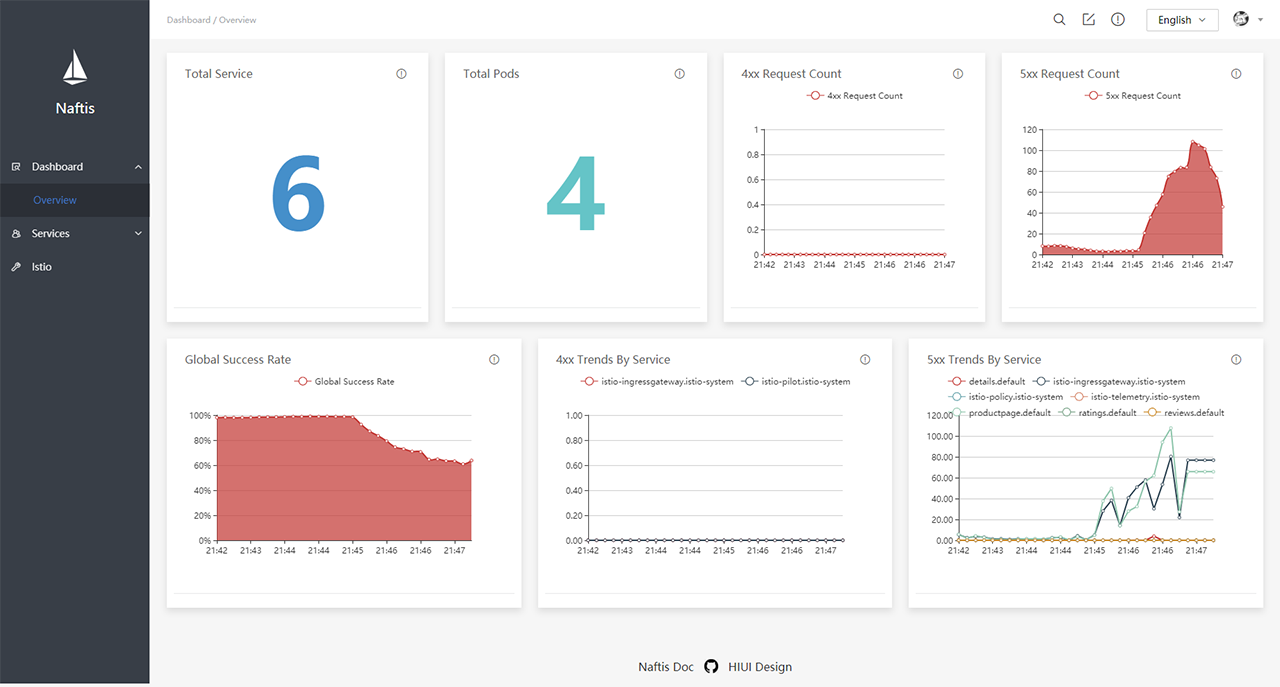
- Integrates with some real-time dashboards
- Customizable task template
- Supports Rollback specific tasks
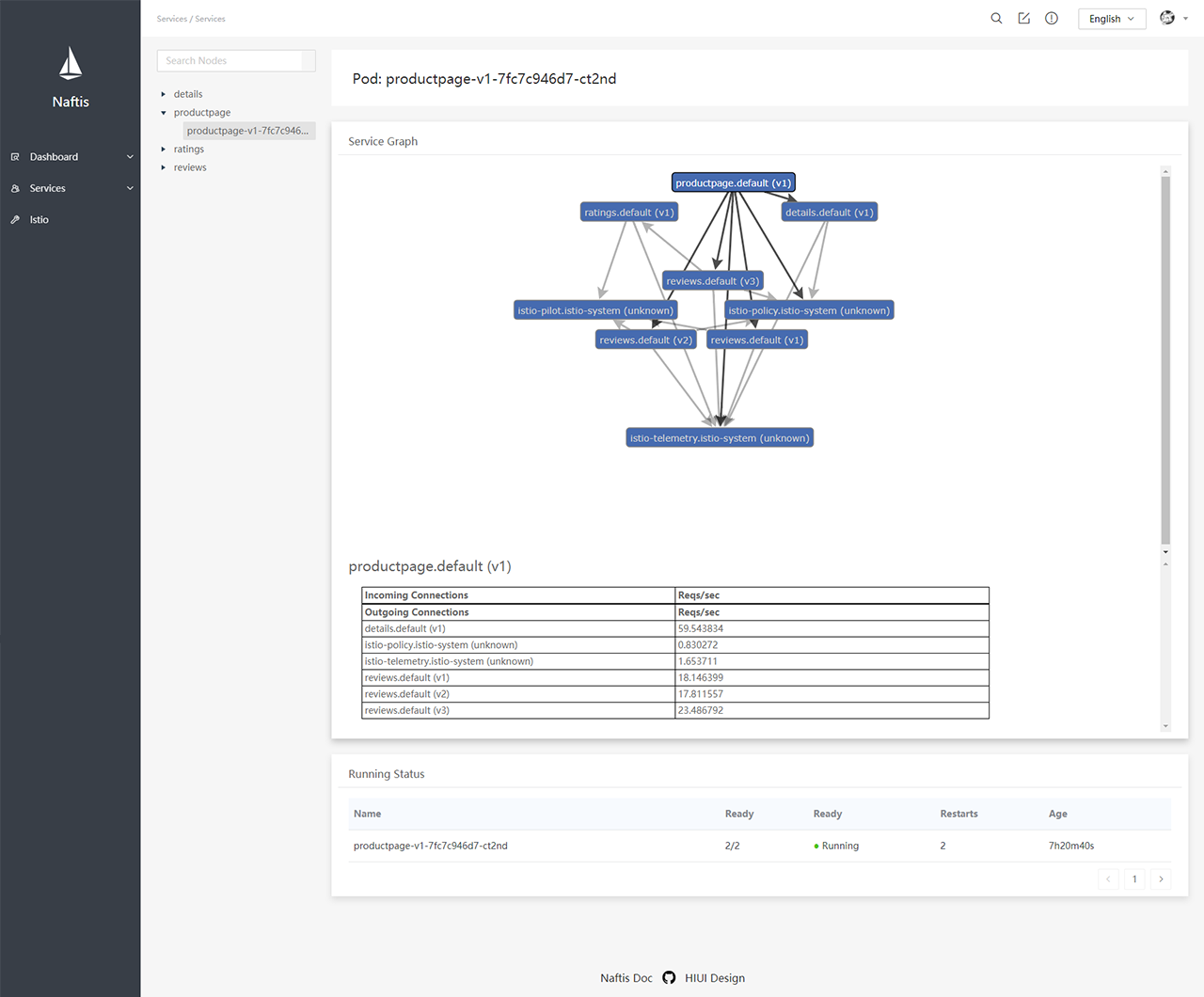
- Optimized Istio service graph with support for specifying particular root service nodes
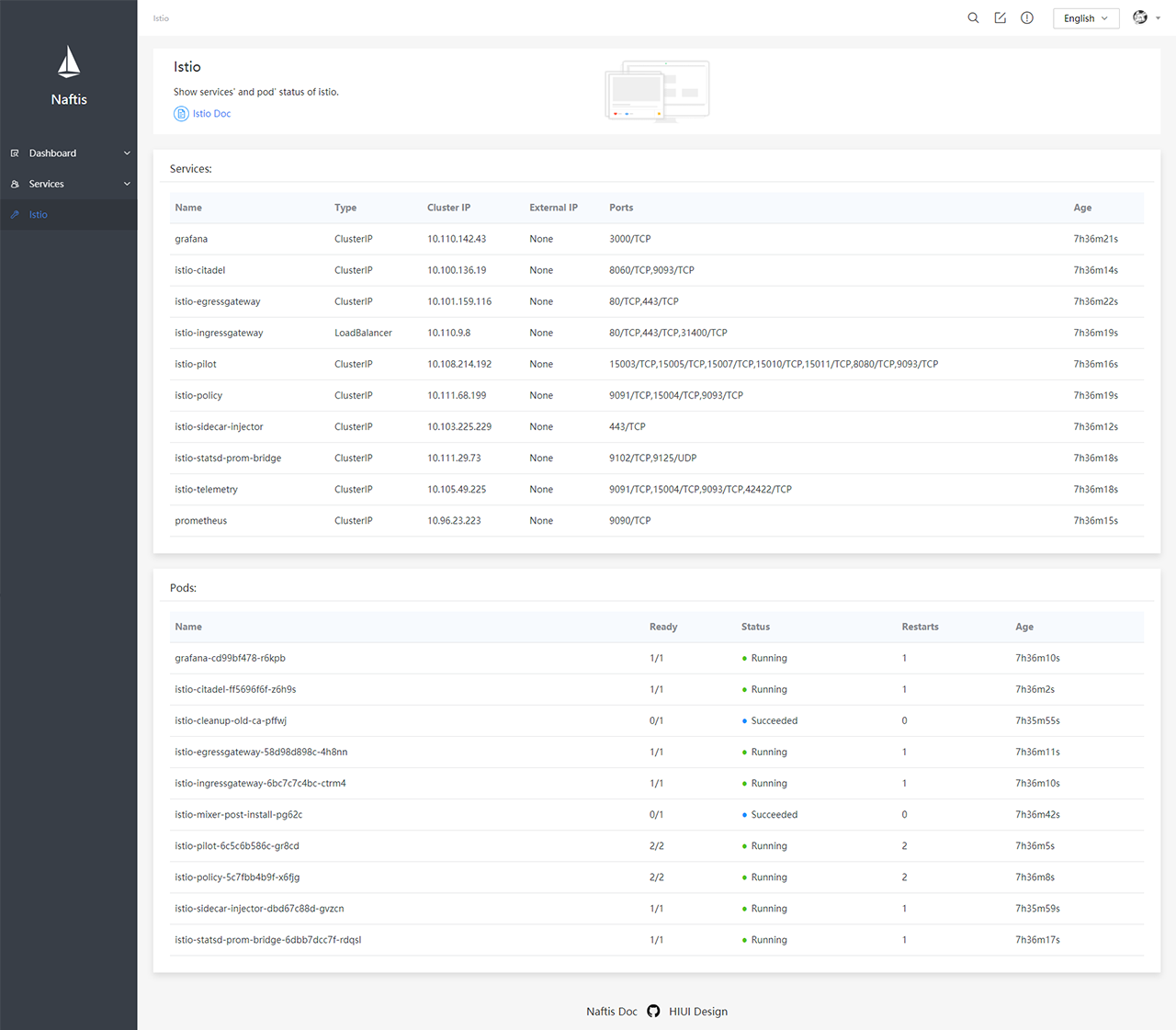
- Diagnose data of Istio services and pods
- Out of the box, easy deployment with
kubectlcommands - Istio 1.0 supported
Quick start
# download latest Naftis release files and manifest
wget -O - https://raw.githubusercontent.com/XiaoMi/naftis/master/tool/getlatest.sh | bash

# deploy Naftis under bare metal Kubernetes
kubectl create namespace naftis && kubectl apply -n naftis -f mysql.yaml && kubectl apply -n naftis -f naftis.yaml

# deploy Naftis under cloud Kubernetes cluster, such as GKE, Amazon EKS, Alibaba Cloud Kubernetes
kubectl create namespace naftis && kubectl apply -n naftis -f mysql-cloud.yaml && kubectl apply -n naftis -f naftis.yaml

# port forward Naftis
kubectl -n naftis port-forward $(kubectl -n naftis get pod -l app=naftis-ui -o jsonpath='{.items[0].metadata.name}') 8080:80 &

# explore http://localhost:8080/ with your browser - default user name and password is "admin".
Detailed deployments
# download latest Naftis files and manifest
wget -O - https://raw.githubusercontent.com/XiaoMi/naftis/master/tool/getlatest.sh | bash

# create Naftis namespace
$ kubectl create namespace naftis

# ensure Naftis namespace is created
$ kubectl get namespace naftis
NAME           STATUS    AGE
naftis         Active    18m

# deploy Naftis MySQL service under bare metal Kubernetes
$ kubectl apply -n naftis -f mysql.yaml
# deploy Naftis MySQL service under cloud Kubernetes cluster, such as GKE, Amazon EKS, Alibaba Cloud Kubernetes
$ kubectl apply -n naftis -f mysql-cloud.yaml

# ensure MySQL service is deployed
$ kubectl get svc -n naftis
NAME                           READY     STATUS    RESTARTS   AGE
naftis-mysql-c78f99d6c-kblbq   1/1       Running   0          9s
naftis-mysql-test              1/1       Running   0          10s

# deploy Naftis API and UI service
$ kubectl apply -n naftis -f naftis.yaml

# ensure Naftis all services is correctly defined and running
$ kubectl get svc -n naftis
NAME           TYPE           CLUSTER-IP      EXTERNAL-IP   PORT(S)        AGE
naftis-api     ClusterIP      10.233.3.144    <none>        50000/TCP      7s
naftis-mysql   ClusterIP      10.233.57.230   <none>        3306/TCP       55s
naftis-ui      LoadBalancer   10.233.18.125   <pending>     80:31286/TCP   6s

$ kubectl get pod -n naftis
NAME                           READY     STATUS    RESTARTS   AGE
naftis-api-0                   1/2       Running   0          19s
naftis-mysql-c78f99d6c-kblbq   1/1       Running   0          1m
naftis-mysql-test              1/1       Running   0          1m
naftis-ui-69f7d75f47-4jzwz     1/1       Running   0          19s

# browse Naftis via port-forward
$ kubectl -n naftis port-forward $(kubectl -n naftis get pod -l app=naftis-ui -o jsonpath='{.items[0].metadata.name}') 8080:80 &
Explore http://localhost:8080/ with your browser - default user name and password is "admin".
Previews
Dashboard
Services
Service detail
Service pod
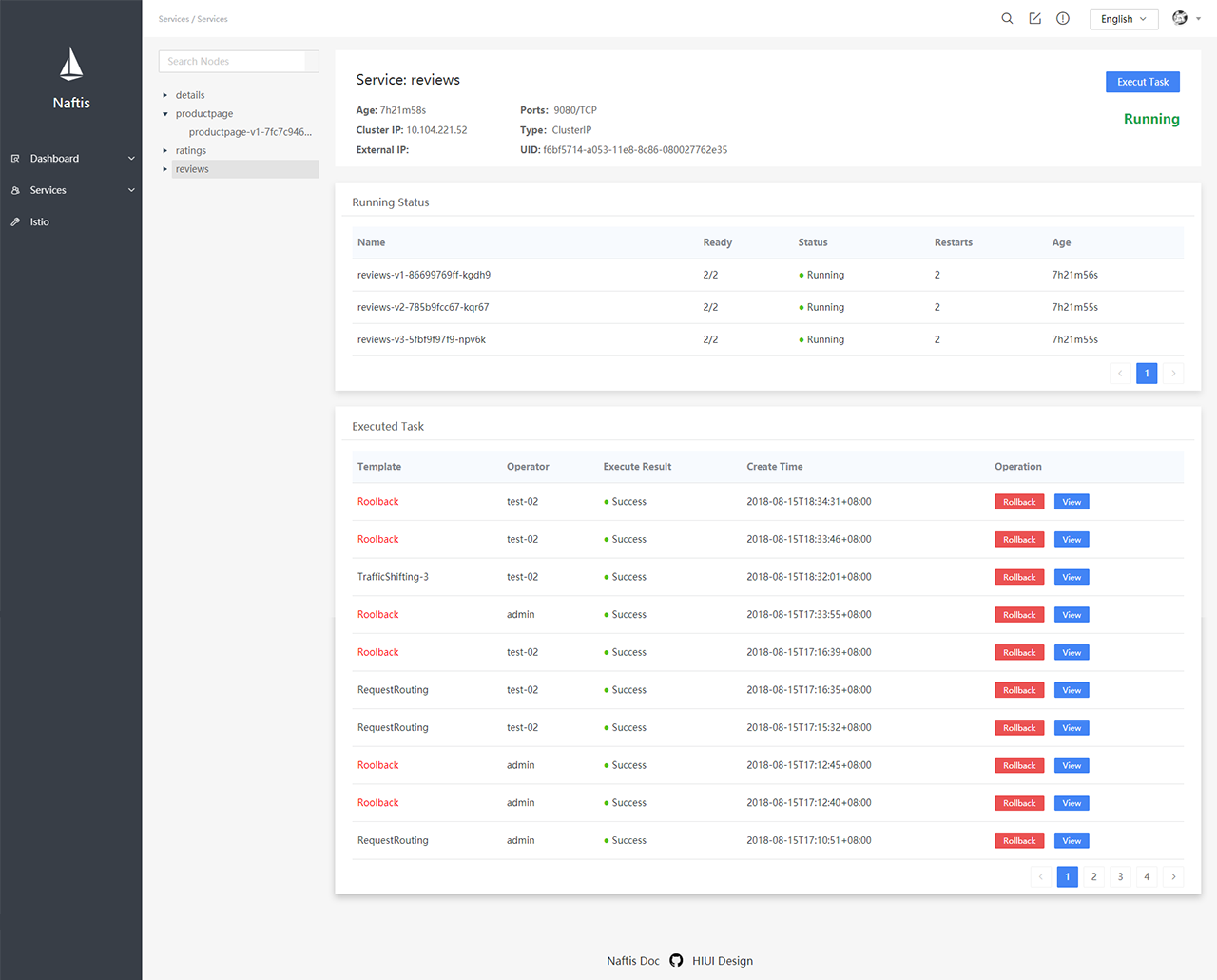
Task templates
Task tpl
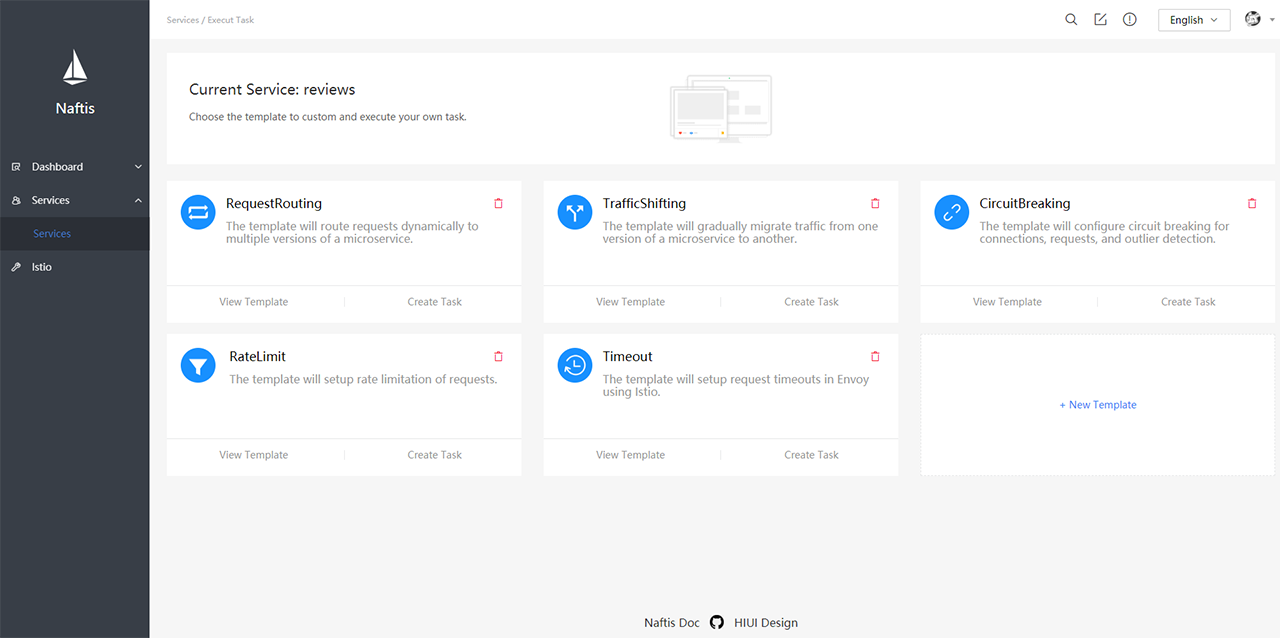
Task view
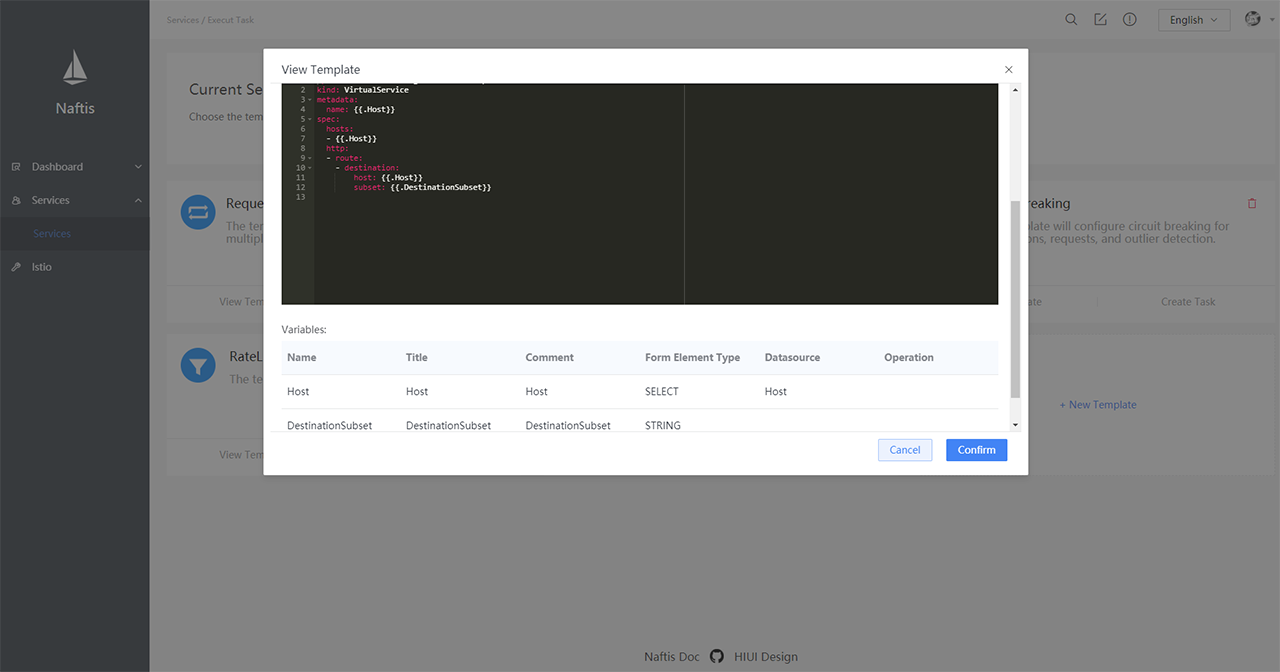
Task new
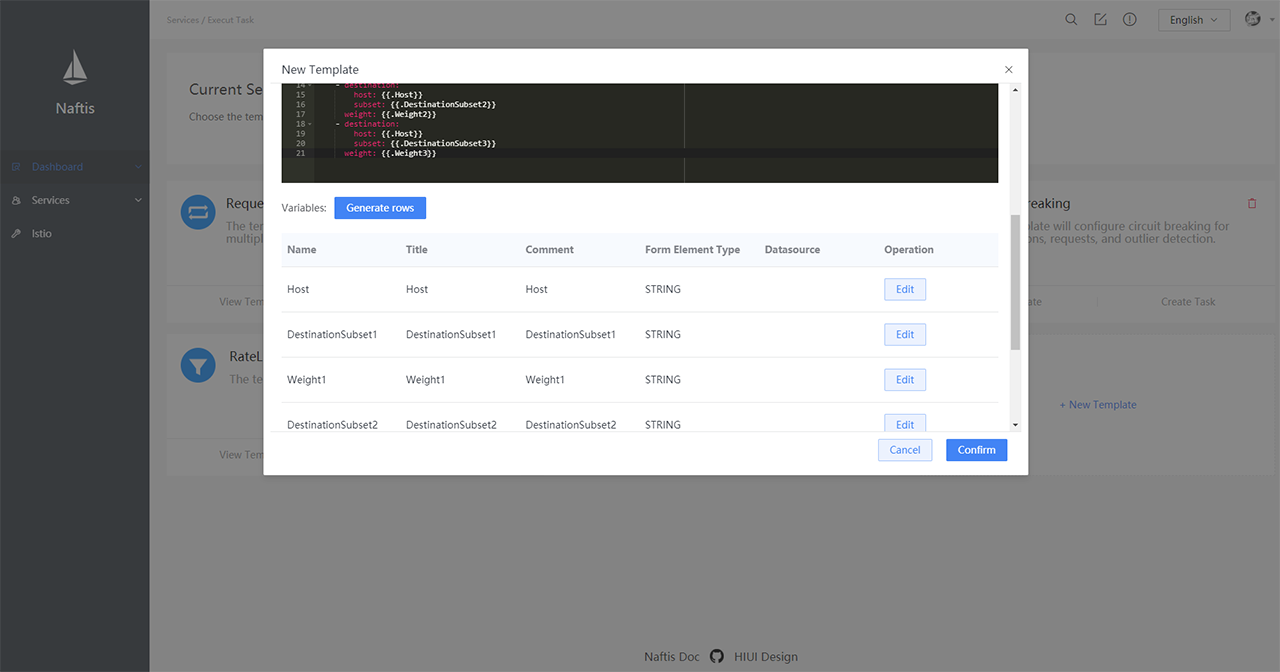
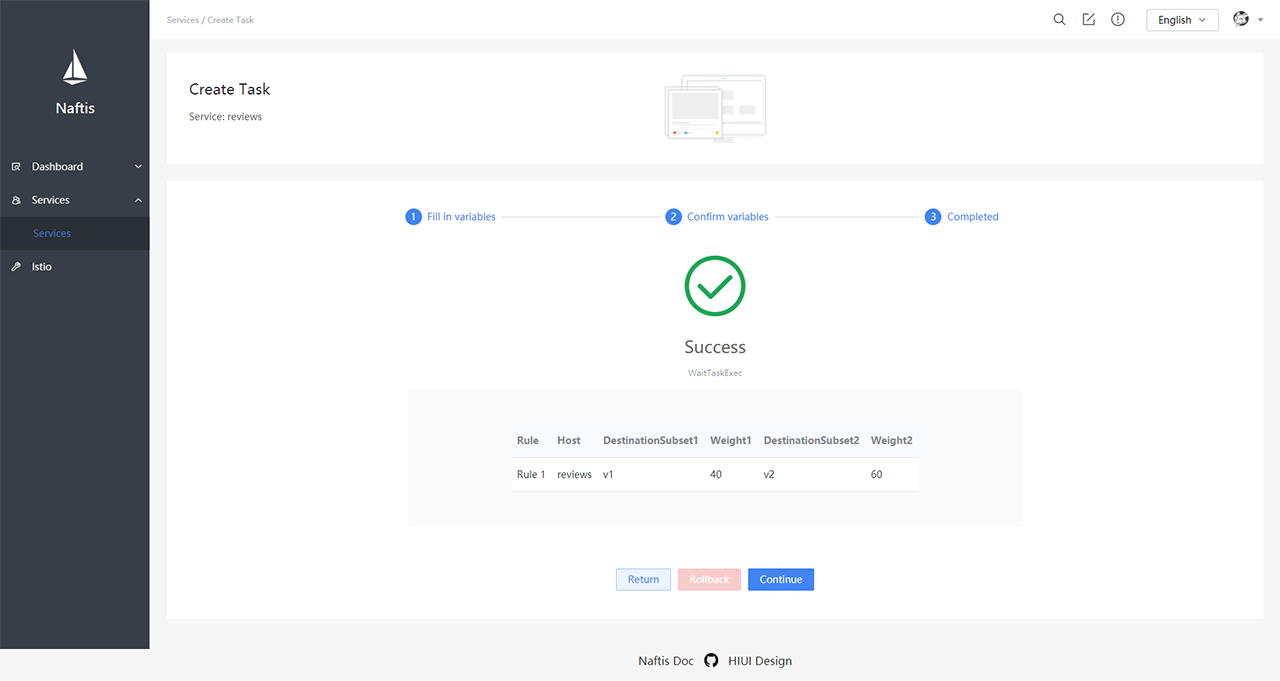
Create task
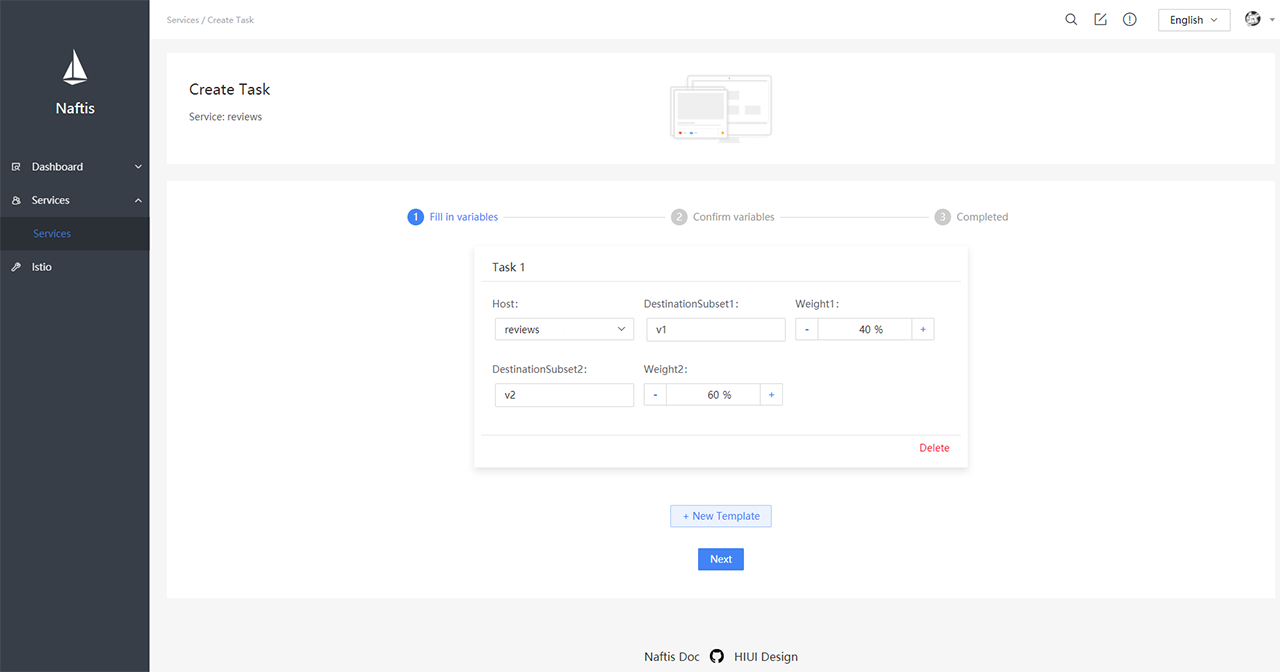
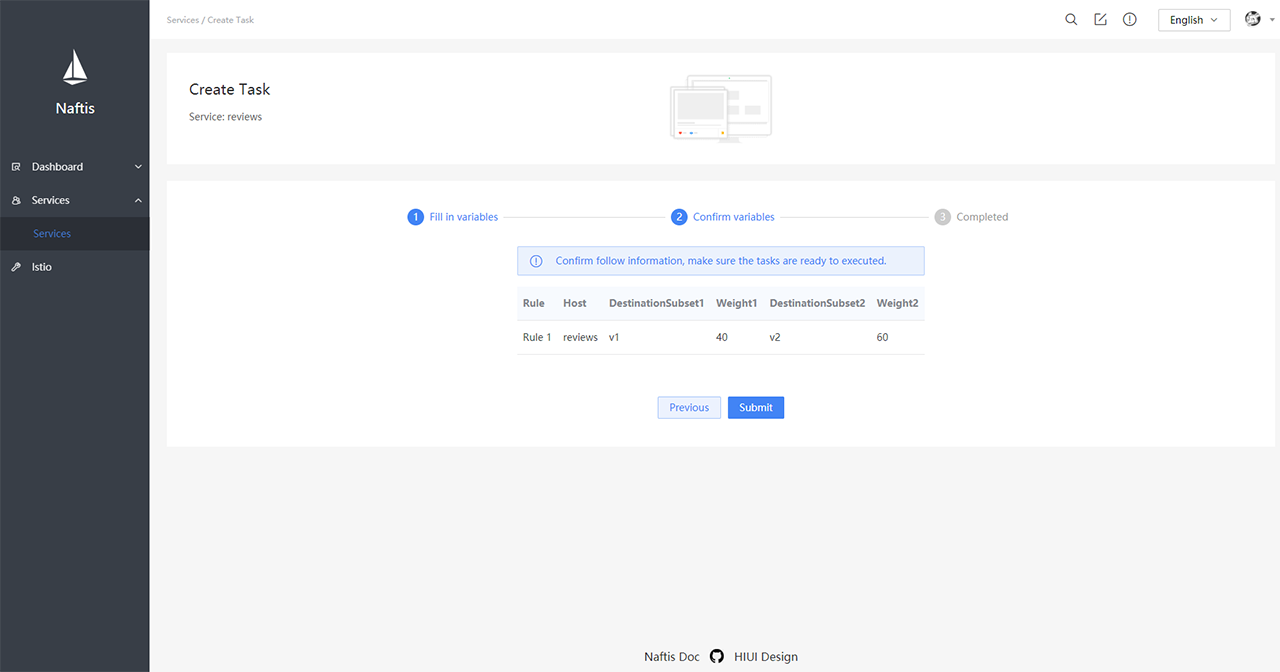
Istio diagnosis
Contribution
See CONTRIBUTING for details on submitting patches and the contribution workflow.