
TripleU613/3Yiddish
TripleU613/3Yiddish has 11 GitHub stars and 2 forks. Star changes are not measured yet. Last checked 2026-11-14 13:45 UTC. Last push 2026-11-13.
측정된 스타 증가
- in 24h
- 기록 수집 중
- in 7 days
- 기록 수집 중
- in 15 days
- 기록 수집 중
- in 1 month
- 기록 수집 중
서로 겹치는 기간의 순증가량이며 일별 합계가 아닙니다. 측정값이 없으면 비워 둡니다. 스타는 관심도를 나타내며 품질을 보장하지 않습니다.
소개
Yiddish speech to text on your own computer. Free, private, works offline. One-line install for Linux, macOS and Windows.
보안README.md
Original
3Yiddish
You talk Yiddish. It types Yiddish. On your own computer, for free, no account, no cloud, no nonsense. Yes, it knows loshn koydesh. Mostly. It's learning. Be nice.
How good is it? See the benchmark.
Get it (one line, we promise)
Linux / Mac: open a terminal, paste, hit Enter:
curl -fsSL https://github.com/TripleU613/3Yiddish/releases/latest/download/install.sh | sh
Windows: open PowerShell, paste, hit Enter:
irm https://github.com/TripleU613/3Yiddish/releases/latest/download/install.ps1 | iex
That's it. It downloads itself, checks it isn't broken, and grabs the speech model (~600 MB, one time; go make a coffee).
Got a graphics card? The installer notices and gives you the GPU build, which is about ten
times faster. A little GPU/CPU button on top shows which one is running; click it to switch.
On an Android phone it works inside Termux too. It needs the Termux:API app (from the same
place you got Termux) for the microphone, and the installer tells you if it is missing. Tap
Get font once so the Yiddish letters are drawn properly; Termux's own font stretches
them. (To undo: rm ~/.termux/font.ttf; termux-reload-settings.)
Use it
3yiddish
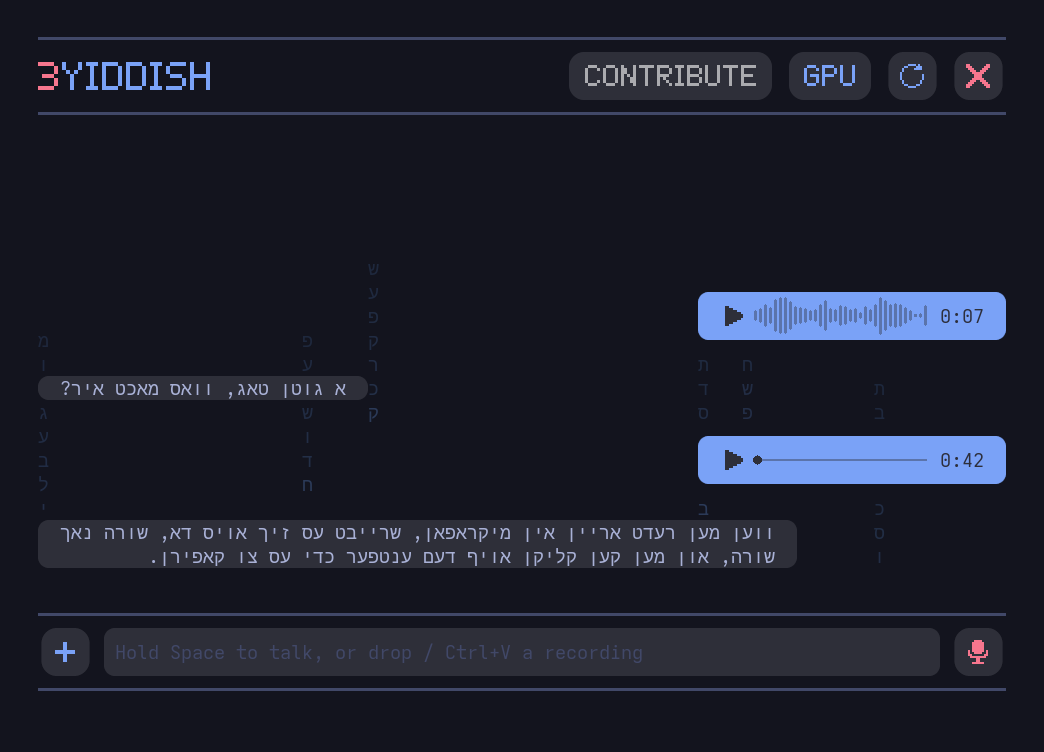
Click the mic. Say something. Click stop. Watch the Yiddish appear, then click it to copy. Or hold Space to talk and let go to send. Your recording stays in the chat as a voice note, so you can play yourself back.
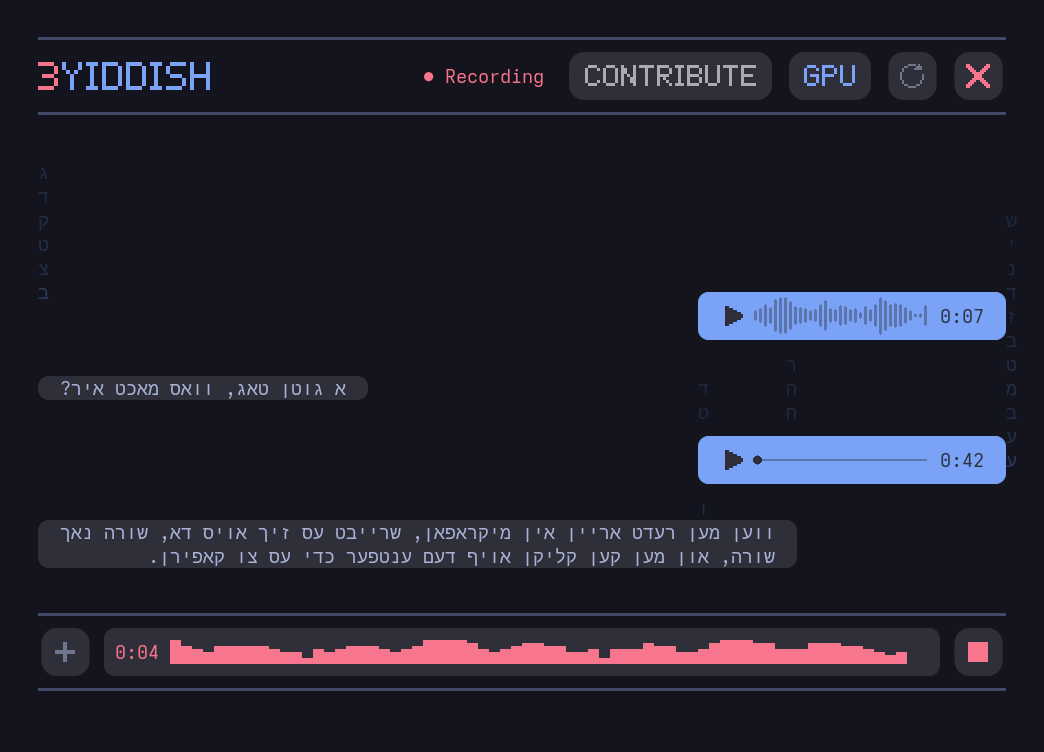
Got a recording already? Click +, drag the file in, or paste it with Ctrl+V.
Rather stay in the terminal?
3yiddish transcribe shiur.mp3
Type Yiddish anywhere (push-to-talk). Run 3yiddish dictate, then hold F9 in any app
(email, WhatsApp, Word, a forum), speak, and let go: the Yiddish is typed right where your cursor
is. Pick another key with 3yiddish dictate --key CapsLock. On Linux, add a keyboard shortcut in
your desktop settings; 3yiddish dictate prints the exact line to paste.
One more thing:
- Local API.
3yiddish serve, then point any OpenAI-style transcription tool athttp://127.0.0.1:8793. If that sentence meant nothing to you, ignore it.
Updates? Automatic-ish
When there's a new version or a smarter model, the app shows a button. Click it. Done.
New models only ship after they beat the old one on our test, so they only get better.
Don't like the new one? 3yiddish model rollback.
Help it get better
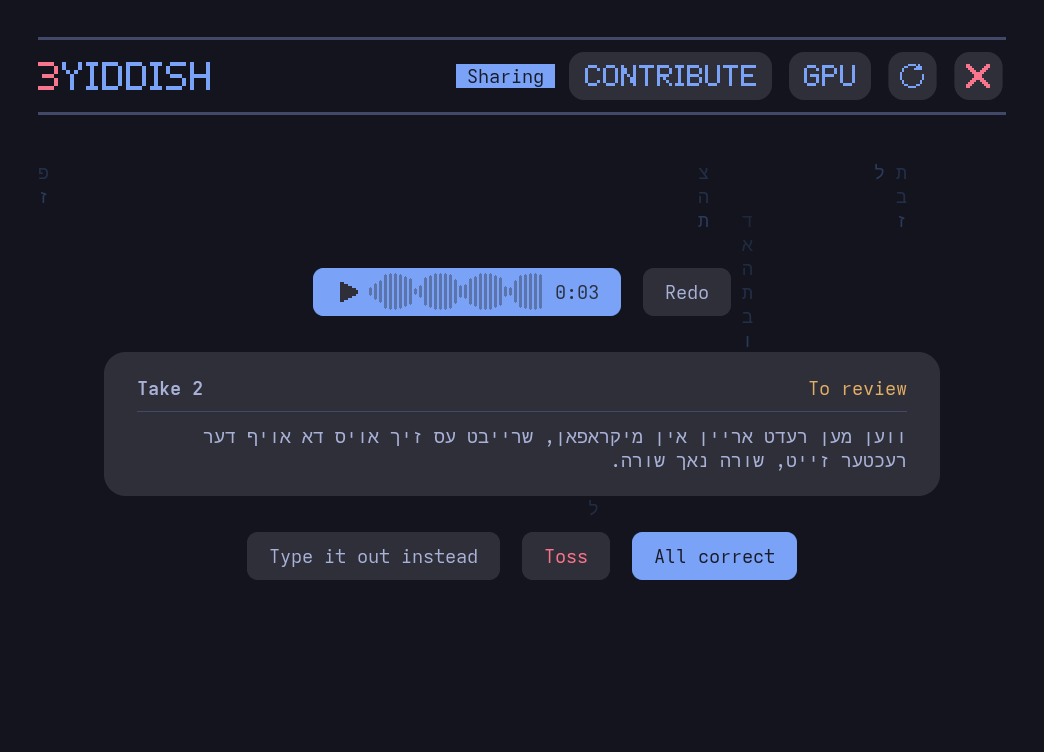
Want to help? Click CONTRIBUTE. Say a few things in your own words, fix the words the app got wrong, and press Send. No account, no setup; any name will do. Real voices with real corrections are how the test gets honest and the model gets better.
Is my stuff private?
Yes. It all runs on your computer, and your voice stays there unless you say otherwise:
- The first time you open the app it asks whether to share what you transcribe. The answer is No unless you pick Yes.
- CONTRIBUTE tells you what it sends before you accept, and accepting it turns sharing on too.
- Changed your mind? Click Sharing at the top, or run
3yiddish share off. That also deletes anything still waiting to be sent.
Shared recordings go with their text and a few technical facts (versions, GPU or CPU, timings, errors). No name and no computer id. They are kept privately and used to test, and maybe later to improve, Yiddish speech to text.
If you never say yes, the only thing it asks the internet is "got any updates?"
Rules (the short version)
CC BY-NC-SA 4.0: use it, share it, change it, have fun. Don't sell it. Ever. And anything you make from it stays just as free. Credits for the giants whose shoulders we stand on: NOTICE.
Want to hack on it? CONTRIBUTING.md has the grown-up instructions.